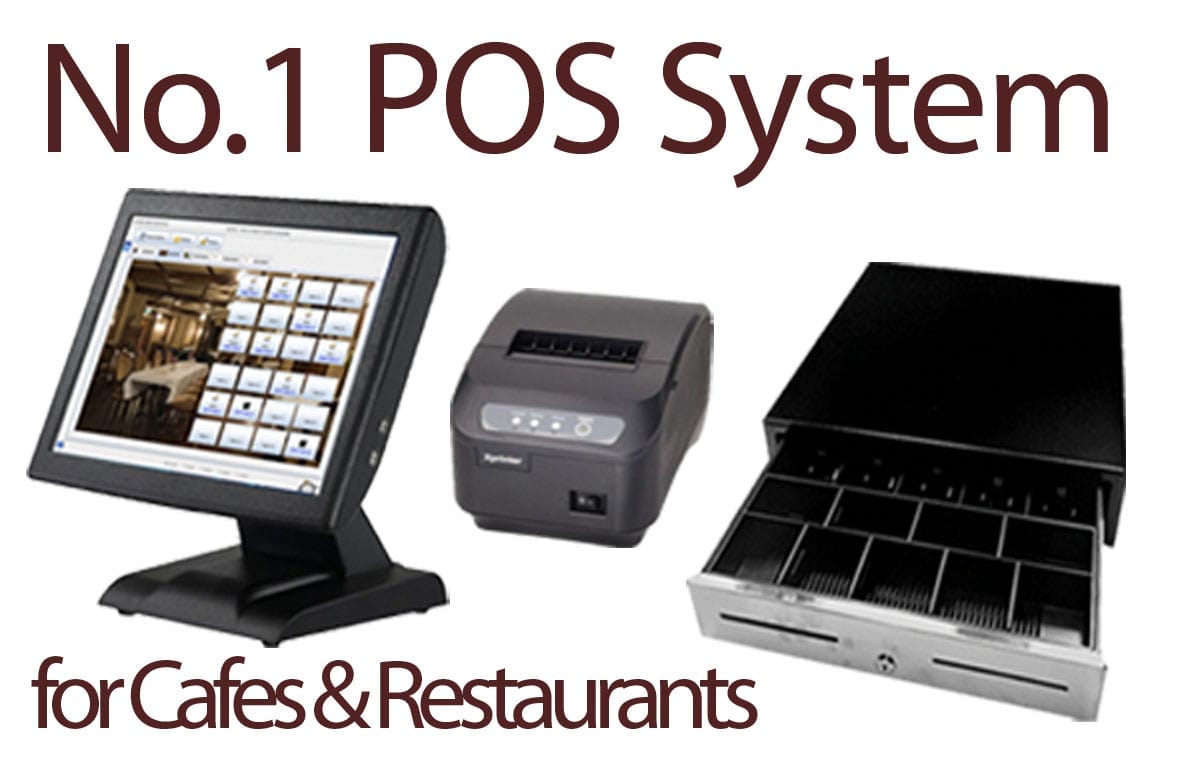
Restaurant POS System: Streamline Your Restaurant Operations
Running a restaurant can be challenging, from managing orders to tracking sales and inventory. A Restaurant POS system simplifies these tasks, making operations smoother, faster, and more efficient.
What is a Restaurant POS System?
A POS system is a software and hardware solution designed to help restaurants manage transactions, orders, inventory, and customer data in one place. Unlike traditional cash registers, a restaurant POS system integrates with mobile devices, kitchen displays, and payment solutions, allowing staff to serve customers efficiently.
Key Features of a Restaurant POS System
Order Management
Streamline the ordering process with tableside ordering, online orders, and kitchen display integration. Reduce errors and improve order accuracy.Inventory Tracking
Monitor stock in real-time. The POS system alerts you when supplies are low and helps manage ingredient usage, preventing waste and reducing costs.Sales Reporting & Analytics
Gain insights into your restaurant’s performance with detailed sales reports, peak hours tracking, and revenue analytics to make data-driven decisions.Customer Management
Keep track of customer preferences, loyalty programs, and contact information to enhance personalized service and increase repeat visits.Payment Integration
Accept multiple payment methods including cash, credit/debit cards, and mobile payments. Quick and secure transactions improve customer satisfaction.
Benefits of Using a Restaurant POS System
Faster Service – Orders are sent directly to the kitchen, reducing wait times.
Reduced Errors – Automated order and inventory management decreases human mistakes.
Improved Efficiency – Staff spend less time on manual tasks and more time serving customers.
Revenue Growth – Insights from reports help identify best-selling items and optimize menus.
Enhanced Customer Experience – Loyalty programs and fast payments increase customer satisfaction.
Choosing the Right Restaurant POS System
When selecting a restaurant POS system, consider:
Compatibility with your hardware (tablets, printers, and terminals)
Cloud-based vs. on-premise solutions
Ease of use and staff training requirements
Integration with accounting, delivery platforms, and CRM
Customer support and software updates
Top Trends in Restaurant POS Systems
Modern restaurant POS systems are adopting AI-powered analytics, contactless ordering, and mobile app integrations. Cloud-based systems allow restaurant owners to manage operations from anywhere, improving flexibility and efficiency.
Conclusion
Investing in a Restaurant POS system is essential for restaurants looking to boost efficiency, enhance customer experience, and grow revenue. With the right POS system, your restaurant can streamline operations, reduce errors, and stay ahead of the competition.
Restaurant POS System: Transform Your Restaurant Operations
Running a successful restaurant is more than just serving great food—it’s about efficient operations, accurate orders, inventory management, and exceptional customer service. This is where a Restaurant POS system becomes indispensable.
A Point of Sale POS system for restaurants is more than a cash register. It’s a comprehensive tool that integrates order management, payments, inventory tracking, customer relationship management, and analytics in one platform. Whether you run a small café, a fast-food outlet, or a fine dining restaurant, a reliable restaurant POS system can streamline operations, reduce errors, and increase revenue.
What is a Restaurant POS System?
A restaurant POS system is a combination of software and hardware designed to manage all restaurant operations efficiently. It allows staff to take orders, process payments, track inventory, and access real-time reports. Modern systems include touchscreen interfaces, mobile devices, kitchen display systems (KDS), and cloud-based access.
Unlike traditional cash registers, restaurant POS system are scalable and customizable to your business needs. They help restaurants save time, reduce manual errors, and offer a better customer experience.
Key Features of a Restaurant POS System
1. Order Management
Restaurant POS system allows servers to take orders directly from tableside devices, tablets, or online platforms. Orders are instantly sent to the kitchen display system, reducing mistakes and ensuring faster service. Features include:
Table mapping for organized seating
Customizable menu items with modifiers
Online ordering integration
2. Inventory Management
Keeping track of ingredients and supplies is critical. A restaurant POS system provides:
Real-time inventory tracking
Automatic alerts for low-stock items
Waste reduction and cost control
Supplier management
3. Payment Processing
Modern POS system support multiple payment options:
Cash, credit/debit cards, and mobile wallets
Split bills for groups
Secure contactless payments
Integration with accounting software
4. Sales Reporting & Analytics
Gain insights into your restaurant’s performance with advanced analytics:
Daily, weekly, and monthly sales reports
Best-selling items identification
Peak hours and staff performance analysis
Profit margin calculation
5. Customer Management
Build stronger relationships with your patrons using customer data:
Track orders and preferences
Loyalty and rewards programs
Targeted marketing campaigns
Feedback collection
5. Customer Management
Build stronger relationships with your patrons using customer data:
Track orders and preferences
Loyalty and rewards programs
Targeted marketing campaigns
Feedback collection
Benefits of Using a Restaurant POS System
Faster and Accurate Service
Orders are sent directly to the kitchen, reducing wait times and minimizing errors. Staff can spend more time serving customers instead of manually taking and reconciling orders.
Improved Inventory Control
Track every ingredient, monitor waste, and prevent stockouts. This reduces costs and ensures your restaurant runs efficiently.
Enhanced Customer Experience
Loyalty programs, faster payment processing, and personalized service keep customers happy and encourage repeat visits.
Data-Driven Decisions
Analyze sales, customer preferences, and inventory data to optimize menus, adjust pricing, and plan promotions effectively.
Revenue Growth
Streamlined operations and reduced errors lead to higher efficiency and increased profitability.
Types of Restaurant POS Systems
Cloud-Based POS system
Cloud POS system allow you to access your restaurant data from anywhere. They are ideal for multi-location restaurants and offer automatic updates, remote management, and data backup.On-Premise POS system
These systems are installed locally on your servers. They offer greater control and security but may require more maintenance and upfront costs.Mobile POS system
Ideal for small restaurants or pop-up kitchens, mobile POS system allows order taking and payment processing from tablets or smartphones.
How to Choose the Right Restaurant POS System
When selecting a restaurant POS system, consider the following:
Ease of Use: Staff should adapt quickly without extensive training.
Integration Capabilities: Ensure it works with accounting software, delivery platforms, and loyalty programs.
Scalability: Can the system grow with your business?
Support & Updates: Reliable customer support and software updates are crucial.
Hardware Compatibility: Ensure it works with your printers, tablets, and payment terminals.
Latest Trends in Restaurant POS system
AI-Powered Analytics: Predict customer preferences and optimize menu offerings.
Contactless Ordering: QR code menus and mobile payments enhance convenience and hygiene.
Cloud POS system: Access real-time data from anywhere.
Self-Service Kiosks: Reduce staff workload and speed up service.
Integration with Delivery Apps: Seamless management of third-party orders.
Common FAQs About Restaurant POS Systems
Q1: What is the difference between a POS system and a cash register?
A POS system is a complete solution for managing orders, payments, inventory, and customer data, while a cash register only handles payments.Q2: Can a POS system help reduce food waste?
Yes. By tracking inventory in real-time and monitoring ingredient usage, POS system minimize overstocking and spoilage.Q3: Are cloud-based POS systems secure?
Modern cloud POS system use encryption, secure servers, and regular backups to protect your data.Q4: Can a POS system integrate with delivery apps?
Yes. Many restaurant POS system integrate with platforms like UberEats, DoorDash, and Glovo to manage online orders efficiently.Q5: How much does a restaurant POS system cost?
Costs vary depending on features, number of terminals, and subscription type. Many cloud POS system offer monthly pricing with scalable options for growing restaurants.Conclusion
Investing in a RestaurantPOS system is essential for any restaurant looking to improve efficiency, enhance customer experience, and boost profits. From streamlining orders to managing inventory and analyzing sales, a RestaurantPOS systemsimplifies operations, reduces errors, and empowers your staff to focus on what matters most—serving great food and delighting customers.
By choosing the right restaurant POS system tailored to your needs, you can future-proof your business, stay competitive, and ensure long-term success.