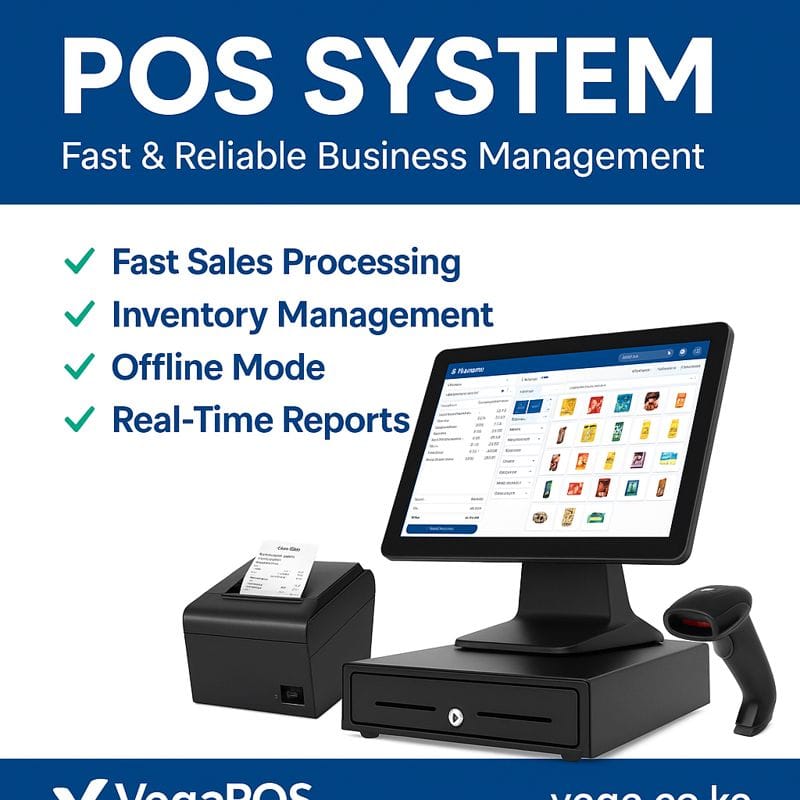
POS with Barcode Scanner: Fast, Accurate & Smart Retail Management
A POS with barcode scanner is an essential solution for modern retail businesses seeking speed, accuracy, and better inventory control. By combining a powerful point-of-sale system with barcode scanning technology, businesses can streamline sales, track stock in real time, and reduce human errors at checkout.
Whether you run a supermarket, pharmacy, electronics shop, or wholesale store, a barcode-enabled POS system helps you manage transactions efficiently while improving customer experience.
What Is a POS with Barcode Scanner?
A POS (Point of Sale) system with barcode scanner is a retail solution that allows businesses to scan product barcodes to automatically retrieve item details such as price, stock level, and product name during checkout.
Instead of manually entering product information, the barcode scanner instantly communicates with the POS software, making sales faster and more accurate.
Key Benefits of Using a POS with Barcode Scanner
1. Faster Checkout Process
Scanning barcodes significantly reduces checkout time, enabling you to serve more customers and avoid long queues.
2. Accurate Inventory Management
A POS with barcode scanner automatically updates stock levels after every sale, helping prevent over-selling or stock shortages.
3. Reduced Human Errors
Manual price entry often leads to mistakes. Barcode scanning eliminates pricing and item entry errors.
4. Improved Business Reporting
Track sales trends, fast-moving products, and inventory performance with real-time POS reports.
5. Professional Customer Experience
A barcode-enabled POS system improves efficiency and professionalism at the counter.
Who Needs a POS with Barcode Scanner?
A barcode POS system is ideal for:
Supermarkets & grocery stores
Pharmacies & medical shops
Electronics & mobile phone shops
Hardware stores
Fashion & clothing stores
Bookshops & stationery stores
Wholesale & distribution businesses
Features of a Modern POS with Barcode Scanner
A high-quality POS system with barcode scanner typically includes:
Product barcode scanning (1D & 2D)
Inventory & stock tracking
Sales and profit reports
Receipt printing
Customer & supplier management
Multi-user access
Tax & discount management
Cloud-based or offline functionality
Types of Barcode Scanners Used in POS Systems
Handheld barcode scanners – Flexible and affordable
Wireless barcode scanners – Ideal for busy retail environments
Countertop barcode scanners – Fast scanning for supermarkets
2D barcode scanners – Support QR codes and digital barcodes
POS with Barcode Scanner for Small & Large Businesses
Small Businesses
Affordable POS with barcode scanner solutions help small retailers manage stock efficiently without complex systems.
Medium & Large Enterprises
Advanced POS systems integrate barcode scanning with accounting, CRM, and multi-branch management.
Why Choose a POS with Barcode Scanner?
Investing in a POS with barcode scanner helps businesses:
Increase sales efficiency
Gain better inventory control
Improve decision-making with accurate data
Reduce operational costs
Enhance customer satisfaction
Choosing the Right POS with Barcode Scanner
When selecting a barcode POS system, consider:
Business size and product volume
Compatibility with barcode scanners
Ease of use and training
Local support and installation services
Scalability for future growth
POS with Barcode Scanner Installation & Support
Professional POS providers offer:
POS installation and setup
Barcode scanner configuration
Staff training
Ongoing technical support
Software updates and customization
Conclusion
A POS with barcode scanner is a smart investment for any retail or wholesale business aiming for speed, accuracy, and growth. By automating sales and inventory tracking, businesses can focus more on customer service and profitability.
If you’re looking for a reliable POS system with barcode scanner, choose a solution that offers flexibility, local support, and powerful reporting tools.
POS with Barcode Scanner Pricing
The cost of a POS with barcode scanner depends on several factors, including software features, hardware quality, and business size.
Factors That Affect Pricing
POS software type (cloud-based or offline)
Barcode scanner type (wired, wireless, 2D)
Number of products and users
Receipt printer and cash drawer integration
Support, training, and updates
Typical POS with Barcode Scanner Packages Include:
POS software license
Barcode scanner
Receipt printer
Cash drawer
Installation & training
Businesses can choose entry-level POS systems for small shops or advanced POS solutions for supermarkets and multi-branch stores.
Cloud-Based vs Offline POS with Barcode Scanner
Cloud-Based POS with Barcode Scanner
Access sales and inventory data from anywhere
Automatic backups
Real-time multi-branch tracking
Requires internet connection
Offline POS with Barcode Scanner
Works without internet
Ideal for areas with unstable connectivity
Syncs data when internet is available
Both options support barcode scanning efficiently—it depends on your business needs.
POS with Barcode Scanner Integration
A modern POS system with barcode scanner can integrate with:
Accounting software
Mobile payment systems
E-commerce platforms
Inventory & supplier systems
Customer loyalty programs
These integrations help businesses automate operations and reduce manual work.
Common Challenges Solved by POS with Barcode Scanner
| Business Challenge | POS Barcode Solution |
|---|---|
| Slow checkout | Instant barcode scanning |
| Stock inaccuracies | Automatic stock updates |
| Pricing errors | Barcode-based pricing |
| Poor reporting | Real-time sales reports |
| Product loss | Inventory tracking |
POS with Barcode Scanner for Inventory Control
Barcode-enabled POS systems allow businesses to:
Track fast-moving products
Monitor low stock alerts
Manage product variations (size, color, brand)
Conduct quick stock-taking
Reduce theft and losses
This makes inventory management easier, faster, and more reliable.
Frequently Asked Questions (FAQs)
What is the best POS with barcode scanner for retail?
The best POS with barcode scanner is one that supports fast scanning, inventory tracking, sales reports, and local technical support.
Can I use a barcode scanner with any POS system?
Not all POS systems support barcode scanners. Always choose a POS that is fully compatible with standard 1D and 2D barcode scanners.
Does a POS with barcode scanner work offline?
Yes. Many POS systems support offline mode and sync data once internet connection is restored.
Is barcode scanning suitable for small businesses? Absolutely. A POS with barcode scanner helps small businesses reduce errors and grow efficiently.
Can I add products using barcode scanning?
Yes. Products can be added by scanning barcodes and entering price, name, and stock quantity.
Best Practices for Using a POS with Barcode Scanner
Use clear, high-quality barcodes
Train staff on proper scanning techniques
Regularly update product prices
Perform routine inventory audits
Backup POS data frequently
Why Businesses Are Switching to POS with Barcode Scanner
Businesses adopt barcode POS systems to:
Improve operational efficiency
Reduce labor costs
Increase sales accuracy
Enhance customer satisfaction
Scale operations easily