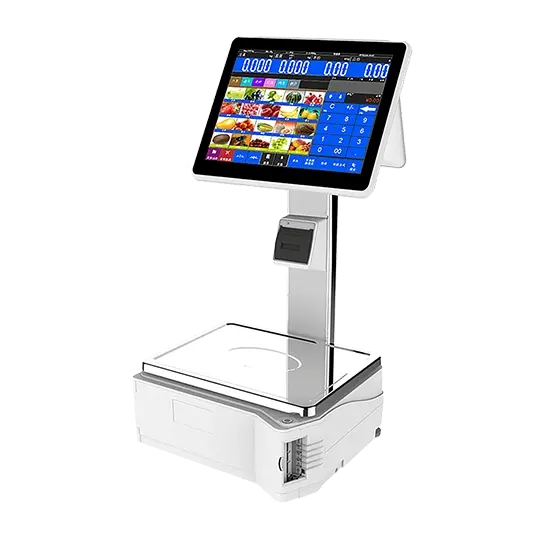
POS System with Dashboard: Revolutionize Your Business Management
In today’s fast-paced business environment, managing sales, inventory, and customer data efficiently is crucial. A POS system with dashboard is more than just a cash register—it’s a comprehensive business management tool that provides real-time insights, streamlines operations, and helps you make informed decisions. Whether you run a small retail store, a restaurant, or a large chain, leveraging a POS with an intuitive dashboard can significantly improve efficiency and profitability.
What is a POS System with Dashboard?
A POS (Point of Sale) system with dashboard integrates your sales, inventory, and customer management into a single platform. The dashboard acts as the command center, giving you a visual overview of your business performance at a glance. Unlike traditional POS systems that only handle transactions, modern systems provide analytics, reporting, and insights to guide your strategic decisions.
Key features include:
Real-time sales tracking: Monitor daily, weekly, and monthly sales trends.
Inventory management: Keep track of stock levels, reorder points, and product performance.
Customer insights: Understand buying behavior and loyalty patterns.
Employee management: Track staff performance, schedules, and commissions.
Reporting and analytics: Generate reports for accounting, tax compliance, and business growth planning.
Benefits of Using a POS System with Dashboard
Investing in a POS system with dashboard comes with numerous benefits that traditional cash registers or simple POS software cannot offer. Here are some of the top advantages:
1. Real-Time Business Insights
A dashboard provides real-time insights, helping business owners monitor performance without manually reviewing multiple reports. This immediate access to data allows you to identify top-selling products, slow movers, and peak business hours efficiently.
2. Simplified Decision-Making
With a visual representation of your sales and inventory, decision-making becomes faster and more accurate. You can quickly determine which products to restock, which promotions to run, and which areas need attention.
3. Enhanced Customer Experience
By using customer data from your POS system dashboard, you can personalize offers, create loyalty programs, and improve service delivery. Customers appreciate timely and relevant promotions, which boosts retention.
4. Improved Operational Efficiency
A POS system with dashboard automates tasks like inventory updates, sales reporting, and employee tracking. This reduces human error, saves time, and allows your team to focus on more value-driven activities.
5. Multi-Location Management
If your business operates in multiple locations, a dashboard enables centralized management. You can view sales, inventory, and employee performance across all stores in a single interface, eliminating the need for manual consolidation.
Key Features to Look for in a POS System with Dashboard
Choosing the right POS system with dashboard is essential to ensure you get maximum value. Here are the key features to prioritize:
1. Intuitive Dashboard Interface
An intuitive, user-friendly dashboard ensures that even staff with minimal training can navigate and utilize the system effectively. Look for customizable layouts, easy-to-read charts, and quick-access menus.
2. Real-Time Analytics
The dashboard should offer live updates on sales, inventory, and customer metrics. Real-time analytics allow for quick responses to business trends and operational challenges.
3. Inventory Management Tools
A robust inventory module is essential. Features like stock alerts, automated reordering, and detailed product tracking prevent stockouts and overstocking.
4. Customer Relationship Management (CRM)
A POS dashboard with built-in CRM helps track customer purchases, manage loyalty programs, and send personalized promotions. This boosts repeat business and customer satisfaction.
5. Employee Management
Monitor employee performance, track working hours, and manage roles and permissions directly from the dashboard. Some systems even calculate commissions automatically.
6. Multi-Device Compatibility
Modern POS systems with dashboards are accessible on computers, tablets, and smartphones, ensuring business owners can monitor operations from anywhere.
7. Reporting and Exporting Options
The ability to generate detailed reports and export them for accounting or taxation purposes is critical. Look for systems that allow CSV, PDF, and Excel exports.
Why a Dashboard is Crucial for Your POS System
Dashboards transform raw data into actionable insights. Without a dashboard, a POS system only records transactions, leaving you with fragmented information. Here’s why the dashboard is essential:
Visual Data Representation: Graphs, charts, and color-coded indicators make data easier to interpret.
Performance Monitoring: Track key metrics like sales per hour, inventory turnover, and customer traffic.
Predictive Analytics: Advanced dashboards can forecast sales trends and inventory needs.
Efficiency Tracking: Identify bottlenecks in your sales process and improve workflow.
Industries That Benefit from a POS System with Dashboard
A POS system with dashboard is versatile and useful across various industries:
1. Retail Stores
Retailers can track sales trends, monitor inventory, and optimize product placement. Dashboards also help identify best-selling products and plan seasonal promotions.
2. Restaurants and Cafés
Dashboards allow restaurant owners to track daily orders, table occupancy, staff performance, and ingredient usage, ensuring smooth operations and minimal waste.
3. Salons and Spas
Beauty businesses can use dashboards to monitor appointments, track service popularity, and manage staff schedules efficiently.
4. Multi-Branch Enterprises
Businesses with multiple locations benefit from centralized dashboards, enabling consistent management and reporting across all branches.
How to Choose the Right POS System with Dashboard
Selecting the best POS system with dashboard requires careful consideration. Here’s a step-by-step guide:
Step 1: Identify Your Business Needs
Evaluate what your business requires—inventory tracking, customer management, reporting, or multi-location management. A clear understanding of needs helps narrow down options.
Step 2: Evaluate Ease of Use
A complex dashboard can slow down operations. Choose a system with a clean interface and intuitive navigation.
Step 3: Check Customization Options
Every business is unique. Ensure the dashboard allows customization of metrics, reports, and layout to match your workflow.
Step 4: Consider Integration Capabilities
Your POS should integrate with accounting software, payment gateways, e-commerce platforms, and marketing tools for seamless operations.
Step 5: Prioritize Security
POS systems handle sensitive customer and business data. Ensure the system uses encrypted connections and offers role-based access control.
Step 6: Review Customer Support
Reliable customer support is crucial for troubleshooting dashboard issues, software updates, and training staff.
Top POS System Dashboard Metrics to Monitor
A POS dashboard becomes truly valuable when it tracks the right metrics. Focus on these key performance indicators:
Total Sales: Daily, weekly, and monthly revenue trends.
Sales by Product/Category: Identify top-performing and underperforming products.
Customer Insights: Repeat customers, average purchase value, and loyalty program activity.
Inventory Levels: Track stock, forecast demand, and reduce shrinkage.
Employee Performance: Monitor sales by staff and identify training needs.
Transaction Details: Payment methods, refund history, and cash flow.
Advantages Over Traditional POS Systems
A POS system with dashboard outperforms traditional POS systems in multiple ways:
| Feature | Traditional POS | POS with Dashboard |
|---|---|---|
| Sales Reporting | Manual, limited | Real-time, visual |
| Inventory Tracking | Manual updates | Automated, predictive |
| Customer Insights | Limited | Comprehensive, CRM-enabled |
| Multi-Branch Management | Difficult | Centralized and easy |
| Decision Making | Data scattered | Actionable insights |
Implementing a POS System with Dashboard Successfully
To maximize the benefits of a POS system with dashboard, follow these steps:
Train Your Team: Ensure all staff can navigate and interpret the dashboard.
Customize Dashboard Views: Focus on the metrics that matter most to your business.
Regularly Update Inventory and Pricing: Keep data accurate for actionable insights.
Leverage Analytics for Marketing: Use sales and customer data to run targeted campaigns.
Monitor Performance Regularly: Schedule periodic reviews to track KPIs and improve operations.
Conclusion
A POS system with dashboard is an indispensable tool for modern businesses. It simplifies operations, provides real-time insights, enhances customer experience, and drives strategic decision-making. By choosing the right system and fully leveraging its dashboard, you can gain a competitive edge, increase efficiency, and grow your business sustainably.