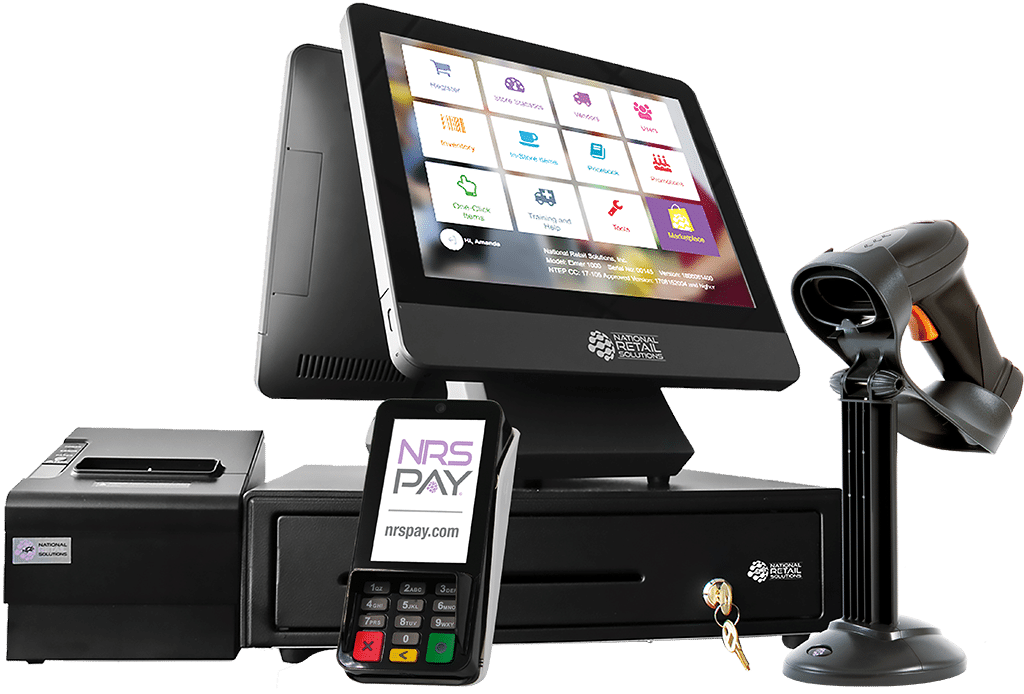
POS with Stock Control: The Ultimate Guide for Businesses
Managing sales and inventory efficiently is crucial for any business. A POS with stock control system ensures that you not only process sales quickly but also maintain accurate inventory records, reduce stock-outs, and optimize your supply chain.
Whether you run a retail store, supermarket, or restaurant, integrating a POS with stock control can transform the way you manage your business.
What is a POS with Stock Control?
A Point of Sale (POS) with stock control is a software system that combines traditional POS functionalities—like processing payments and generating receipts—with inventory management.
Key features include:
Real-time inventory tracking – Know exactly how much stock you have at any given time.
Automatic stock updates – Every sale or return automatically updates inventory levels.
Alerts for low stock – Prevent stock-outs with notifications when products are running low.
Purchase and supplier management – Easily track orders from suppliers and restock efficiently.
Detailed reports – Gain insights into best-selling products, sales trends, and inventory turnover.
Benefits of a POS with Stock Control
1. Improved Inventory Accuracy
Manual stock tracking can lead to errors. With a POS system, every sale and return is automatically recorded, ensuring accurate inventory levels at all times.
2. Reduced Stock Losses
Real-time monitoring allows you to quickly spot discrepancies, prevent theft, and manage expired or damaged stock.
3. Time and Cost Savings
Automating inventory management reduces manual work, saves time, and lowers operational costs.
4. Better Decision-Making
Advanced reporting tools help you understand which products sell fastest, which items need promotion, and how to optimize stock levels.
5. Seamless Integration
Many modern POS systems integrate with e-commerce platforms, accounting software, and suppliers, ensuring smooth business operations.
Key Features to Look for in a POS with Stock Control
Multi-location Inventory Management – Ideal for businesses with multiple outlets.
Barcode Scanning – Speeds up checkout and inventory tracking.
Batch and Expiry Tracking – Essential for perishable goods.
Supplier Management – Helps manage orders, deliveries, and supplier details.
Customizable Reporting – Generate sales, stock, and trend reports tailored to your business needs.
Cloud-based Access – Track inventory from anywhere and on any device.
How POS with Stock Control Enhances Business Operations
Retail Stores: Track daily sales and ensure shelves are always stocked.
Restaurants & Cafes: Manage ingredients and prevent over-ordering or wastage.
Pharmacies: Monitor batch numbers and expiration dates for safe inventory management.
E-commerce Businesses: Sync online and offline inventory for seamless operations.
By combining sales and inventory management in one system, businesses can improve operational efficiency, reduce human error, and increase profitability.
Choosing the Right POS with Stock Control
When selecting a POS system, consider:
Ease of use for your staff.
Integration capabilities with your current software.
Scalability as your business grows.
Customer support and training provided by the vendor.
Conclusion
A POS with stock control is more than just a cash register—it’s a business management tool that saves time, reduces losses, and provides actionable insights. Investing in the right POS system empowers businesses to track inventory accurately, make smarter decisions, and deliver better customer experiences.
POS with Stock Control: The Complete Guide for Kenyan Businesses
Managing sales and inventory efficiently is one of the biggest challenges for businesses in Kenya. From retail shops in Nairobi to supermarkets in Mombasa, a POS with stock control system can be a game-changer.
A POS (Point of Sale) system with inventory management helps you not only process transactions but also track your stock levels accurately. It reduces errors, prevents stock-outs, and ensures your business runs smoothly.
This guide explains everything you need to know about POS systems with stock control, their benefits, key features, and how to choose the right system for your business in Kenya.
What is a POS with Stock Control?
A POS with stock control is a software system that combines sales management and inventory tracking. Every time a product is sold, returned, or restocked, the system automatically updates your stock levels.
Key capabilities include:
Real-time inventory tracking – Check current stock levels at any moment.
Automatic stock updates – Sales, returns, and supplier deliveries are reflected immediately.
Low stock alerts – Prevent shortages with automatic notifications.
Supplier management – Track orders, deliveries, and payments.
Reports and analytics – Understand your best-selling products, profit margins, and inventory turnover.
In Kenya, businesses often face challenges like stock discrepancies, manual record errors, and over-ordering. A POS with stock control solves these problems efficiently.
Why Kenyan Businesses Need a POS with Stock Control
Kenya’s retail and hospitality sector is growing rapidly. With competition increasing, businesses need to optimize both sales and inventory.
Here’s why a POS with stock control is essential:
1. Prevent Stock Losses
Theft, misplaced items, and expired products can cause huge losses. With automatic stock tracking, discrepancies are easily spotted.
2. Save Time and Reduce Errors
Manual stock tracking is prone to mistakes. Automating the process saves time and ensures accuracy.
3. Make Smarter Business Decisions
Detailed sales and inventory reports help you know what products are popular, when to restock, and how to price items for maximum profit.
4. Integrate Offline and Online Sales
For businesses selling both in-store and online (e.g., through Jumia or Shopify Kenya), a POS with stock control keeps your inventory synced across all channels.
5. Enhance Customer Experience
Never disappoint a customer with out-of-stock items. Fast checkout and accurate stock levels improve customer satisfaction.
Key Features of a POS with Stock Control
Not all POS systems are created equal. Here are the most important features to look for:
Real-Time Inventory Updates
Every sale or return automatically adjusts stock levels.Multi-Location Management
Track inventory across multiple outlets, whether in Nairobi, Kisumu, or Mombasa.Barcode Scanning
Speed up sales and stock management using barcode scanners.Batch and Expiry Tracking
Ideal for pharmacies, food shops, and grocery stores to manage perishable goods.Supplier and Purchase Management
Keep track of supplier orders, deliveries, and payments.Customizable Reports
Generate reports on sales, inventory turnover, and stock value.Cloud-Based Access
Manage your business from anywhere using your phone, tablet, or computer.Integration with Mobile Money
In Kenya, POS systems that integrate with Mpesa and other payment methods simplify transactions.
Benefits of Using a POS with Stock Control
1. Accurate Inventory Management
Automatic updates eliminate human errors and keep your stock accurate.
2. Reduced Operational Costs
Less time spent on manual stock counting reduces labor costs.
3. Better Forecasting
Know which items sell faster and adjust your stock orders accordingly.
4. Increased Profits
Avoid overstocking or understocking, ensuring you always have the right products at the right time.
5. Regulatory Compliance
Track inventory and sales for accurate tax reporting, especially important under Kenya’s VAT system.
How a POS with Stock Control Works
Here’s a typical workflow:
Product Entry: Add your products to the POS system, including quantity, price, supplier info, and barcode.
Sales Transactions: Each sale updates stock in real-time.
Low Stock Alerts: Get notifications when stock falls below a set threshold.
Restocking: Place orders with suppliers directly through the system.
Reporting: Review sales, best-sellers, and inventory turnover monthly or weekly.
Examples of Businesses in Kenya Using POS with Stock Control
Retail Stores: Supermarkets like Naivas and Quickmart track thousands of products daily.
Pharmacies: Pharmacies manage expiry dates and batch numbers with POS inventory.
Restaurants & Cafes: Fast food chains use POS with stock control to track ingredients and reduce wastage.
E-commerce Stores: Businesses selling online integrate POS systems to manage offline and online inventory simultaneously.
Choosing the Right POS System in Kenya
When selecting a POS with stock control, consider:
Ease of Use – Ensure your staff can use it with minimal training.
Scalability – Can the system grow with your business?
Integration – Works with accounting software, e-commerce platforms, and payment systems like Mpesa.
Cost – Choose a system that fits your budget while offering necessary features.
Support – Reliable customer service is crucial for quick problem resolution.
FAQs About POS with Stock Control
Q1: Can a POS system work offline?
Yes. Many modern POS systems allow offline operations and sync data once the internet is restored.
Q2: Is a POS with stock control suitable for small businesses?
Absolutely. Even small shops benefit from accurate inventory tracking and reporting.
Q3: Can I integrate mobile payments with a POS?
Yes, POS systems in Kenya often integrate with Mpesa, Airtel Money, and other local payment options.
Q4: How much does a POS with stock control cost in Kenya?
Prices vary depending on features, ranging from KES 5,000/month for small shops to KES 20,000/month for larger businesses.
Q5: Will it help reduce stock theft?
Yes. Real-time tracking and detailed reporting help detect discrepancies early.
Conclusion
A POS with stock control is essential for any business in Kenya looking to streamline sales, manage inventory, and increase profits. By automating stock updates, generating insightful reports, and integrating with local payment systems like Mpesa, businesses can operate more efficiently and improve customer satisfaction.
Investing in the right POS system is no longer optional—it’s a necessity for staying competitive in today’s fast-paced market.