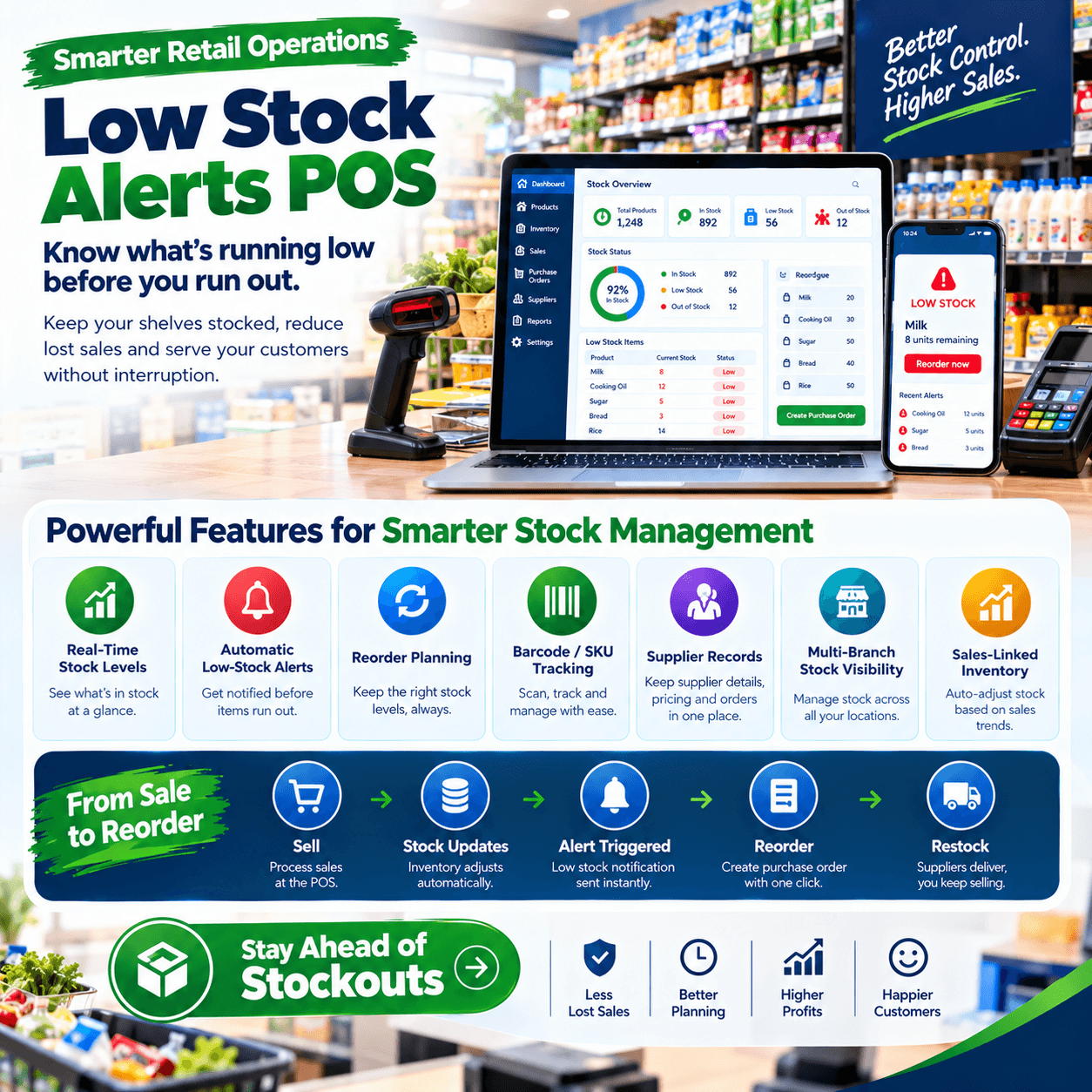
Low stock alerts POS technology turns a till from a record of what sold into a guardian of what should still be on the shelf.
The alert itself is a small thing — a notification that an item has fallen below its minimum level — but the economics behind it are enormous.
Every stockout is a sale handed to the shop across the street, and some of those customers never switch back.
Yet most shops discover an empty shelf the way they always have: a customer asks, the cashier looks, the shelf is bare — after the sale is already lost.
A proper low stock alerts POS inverts that sequence: the system watches every unit, warns you days before the shelf empties, and turns stockouts from weekly surprises into scheduled deliveries.
This article explains the whole mechanism: how a low stock alerts POS actually works, how to set thresholds that fire at the right moment, how alerts connect to purchase orders, how they behave across seasons and branches, what it all costs, and how to test any system before buying.
By the end, you will judge every system on the market with one question: does it warn me in time to act?
Low Stock Alerts POS: The POS Connection
An alert cannot live in a spreadsheet or a counting notebook — it can only live where stock moves in real time.
Every sale, delivery, return, and write-off changes a stock position, and the point-of-sale system is where all of those events happen.
That is why a genuine low stock alerts POS is a property of the till, not a separate product: the machine recording the sales is the only machine that knows the moment a level crosses its line.
In a proper low stock alerts POS, three things run together beneath every alert.
Live stock first: the figure on screen matches the shelf because it decrements at the moment of every transaction, offline included.
A threshold second: a minimum level set per item, representing when it is time to buy more.
The trigger third: the instant live stock touches the threshold, the system speaks — on the counter screen, on your phone, or in a daily digest.
A low stock alerts POS without live stock is a reminder service guessing at reality; without thresholds it is a report you must read; without triggers it is a wish.
What it is not: a weekly stock-take that discovers empties after the fact, and not a mental note that lives in whoever happens to be at the counter that day.
The distinction matters because timing is the entire value: an alert that fires on Tuesday saves Friday’s sales, and a discovery on Friday saves nothing.
That is the standard every low stock alerts POS must meet — warning while there is still time to order, receive, and shelve before demand arrives.
The Cost of the Empty Shelf
Price the alternative before admiring the feature, because the empty shelf has its own invoice.
The lost sale. The customer standing at the gap buys elsewhere today — that is the visible cost, and the smallest one.
The lost regular. A best-seller that runs dry every second Friday teaches customers to check your competitor first — a low stock alerts POS ends the pattern that trains them.
The lost basket. Stockouts rarely cost one item: the customer who came for cooking oil and leaves without it abandons everything else in their basket too.
The lost trust. A shop that is always out of something reads as a shop that is not on top of things — and retail trust, once dented, discounts every future visit.
Run your own arithmetic honestly: estimate how many times a week a customer asks for something you do not have, multiply by average basket value, then annualise.
For most shops the figure lands well past the cost of the system that would have prevented it — which is why owners who count never argue about a low stock alerts POS subscription.
There is a second ledger too, less obvious: the over-ordering that fear causes.
Shops that get burned by stockouts over-correct, ordering heavy against every shortage — and capital that should be turning sits frozen in duplicates.
The alert breaks that cycle in both directions: order neither too late nor too much, because the low stock alerts POS data replaces fear with a reading.
That two-sided discipline — fewer stockouts and less frozen capital — is where the feature pays its rent.
How the Alert Actually Works
Under the simplicity of the notification sits a mechanism worth understanding, because it is what you are buying.
A capable low stock alerts POS runs the loop continuously: live stock decrements with every sale, the decrement is compared against the item’s threshold, and the crossing fires the alert.
The alert then travels by the channels you choose — on-screen at the counter, pushed to your phone, flagged on the dashboard, or gathered into a daily reorder digest.
Delivery timing matters as much as detection: a low stock alerts POS that only shows warnings when someone opens a report is a noticeboard, not a guardian.
The sophisticated versions go further, and this is where tiers separate.
Simple alerts fire at a fixed minimum — useful, and the baseline every system should have.
Velocity-aware alerts read how fast the item is actually moving: an item selling nine units a week needs warning earlier than one selling two, even at similar stock levels.
Forecast-aware alerts combine velocity with supplier lead time — if your cooking-oil supplier takes three days and you sell nine a week, the alert should fire with at least enough cover to survive the gap, and a serious low stock alerts POS does that arithmetic for you.
The hierarchy is worth demanding in any demo: fixed thresholds at minimum, velocity awareness expected, lead-time awareness prized.
One more mechanism hides underneath, and it decides whether any of this survives contact with a busy shop: offline behaviour.
When the internet dies, the till keeps selling and decrementing locally — a proper low stock alerts POS evaluates thresholds against local stock during the outage and syncs the crossed lines when connection returns.
An alert system that dies with the router goes quiet on precisely the days the shop trades hardest.
Setting Low Stock Alerts That Work
The feature is only as good as the numbers behind it — thresholds set carelessly produce either alarm fatigue or false confidence.
The honest starting formula is three numbers per item.
Velocity. How many units the item sells per week, on average — the low stock alerts POS reports this from your own sales history rather than from memory.
Lead time. How many days between placing an order with the supplier and the goods reaching your shelf.
Safety buffer. Extra cover for the days suppliers are late and weekends are busy — typically a few days of velocity, more for essentials.
The threshold is then simple: lead-time sales plus buffer.
An item selling ten a week with a three-day supplier and a two-day buffer needs a minimum around six — set lower and you risk the stockout, set higher and you order too early too often.
This is why a low stock alerts POS that reports velocity matters before thresholds are set: the first month of real sales data turns guessing into reading.
Practical sequencing from shops we configure: run the system live for thirty days, then set thresholds item by item from the velocity report — never on installation day, when the numbers are still fiction.
Start with the top fifty movers, where stockouts hurt most, then work outward through the catalogue as the data matures.
Review thresholds quarterly: a product whose velocity doubled after a promotion needs a new minimum, and a low stock alerts POS that surfaces velocity changes makes the review a fifteen-minute job.
And never set one global minimum across the catalogue — cooking oil and birthday candles do not share a rhythm, and a low stock alerts POS exists precisely because every item has its own.
From Alert to Order: Closing the Loop
An alert that ends at awareness solves half the problem; the other half is the ordering that follows.
On a serious low stock alerts POS, the alert and the purchase order are one workflow: tap the warning, the system suggests a reorder quantity based on velocity and current stock, you confirm, and the purchase order exists — addressed to the supplier, ready for the next delivery.
The suggestion is the quiet value: instead of ordering two cartons by feel, the low stock alerts POS proposes what velocity says you need — enough to cover the lead time, the buffer, and the shelf, and no more.
Receiving closes the loop: when the truck arrives, the delivery is scanned against that purchase order, stock increments, the alert clears, and the cycle records itself.
The complete trail — alert, order, delivery, sale — becomes your audit history per item: what triggered the buy, what arrived, what it sold through at.
That history improves the thresholds again: items whose alerts always fire days too early get their minimums lowered, items that nearly stocked out get raised — a low stock alerts POS becomes a self-tuning buying assistant over time.
Supplier behaviour sharpens the same way: lead times measured from real order-to-shelf records replace the folklore in everyone’s head.
The digest rhythm suits owners who hate interruptions: one daily summary — what crossed its line, what is suggested, what is already on order — read over morning tea, with a capable low stock alerts POS doing the watching overnight.
Whichever rhythm you choose, the rule is the same: every alert must resolve to an order or a decision, because alerts acknowledged but never acted on are a to-do list with worse manners.
Seasonality: Tuning Thresholds Through the Year
Stock velocity is not a constant — it breathes with the calendar, and thresholds that ignore the breathing produce false alarms exactly when it matters.
December proves the point in every trade: items selling five a week in October sell twenty a week before the holidays, and a threshold set for October fires far too late for the rush.
A capable low stock alerts POS handles seasons two ways: manually, by raising minimums ahead of known peaks — and intelligently, by reading the same period last year and adjusting expectations automatically.
The manual mode matters most in its timing: raise thresholds two to three weeks before your known rush, and lower them after it, because the low stock alerts POS can only be as seasonal as the owner who tunes it.
School seasons, holidays, rainy months, and pay-week surges each bend demand differently — your system’s year-one history becomes the map for year two’s tuning.
Slow seasons deserve the reverse discipline: minimums held at December levels through February produce a wall of meaningless alerts, and alarm fatigue is how alert systems die.
A thoughtful low stock alerts POS lets you adjust in bulk — seasonal profiles per category, applied once, rather than editing four hundred items by hand.
Clearance and promotions interact with the same machinery: when you discount to move slow stock, raise nothing — instead watch the velocity rise and let the system’s reorder suggestions reflect the temporary reality.
The compounding payoff is a buying calendar: after a year of tuned thresholds, your low stock alerts POS effectively knows your business’s seasons better than any diary — and reminds you of them while there is still time to profit.
Low Stock Alerts Across Branches
Multi-branch shops change the alert question from “what is low?” to “what is low, and where?”
A single-shop alert says: cooking oil is at its minimum — order more.
A multi-branch reality is richer: branch one is at its minimum, branch two holds a surplus, and the correct move is a transfer, not a purchase order.
That is why a proper low stock alerts POS for groups reads thresholds per branch while showing you the group picture beside them.
The transfer-first workflow saves real money: alert fires at branch one, the group view shows fourteen units sleeping at branch three, and the stock moves in a recorded transfer instead of a new purchase order.
Consolidated purchasing gains the same intelligence: when three branches cross their lines in the same week, a low stock alerts POS that aggregates them turns three small orders into one negotiated delivery — often at better terms.
Per-branch thresholds matter because branches are not clones: the estate shop and the highway shop sell the same items at different speeds, and identical minimums would serve neither.
Head-office visibility completes the picture: a dashboard listing every crossed threshold across every location, sorted by urgency, is the difference between supervising stock and phoning around for it.
For owners planning a second shop, this is the quiet argument for choosing a low stock alerts POS on a group-capable platform early — the alert infrastructure extends to branch two without a migration.
And the same logic runs within a single large shop: thresholds per section or per shelf make receiving and replenishment a routed checklist rather than a memory exercise.
Choosing a Low Stock Alerts POS: The Demo Test
Bring this script to every vendor; it converts claims into evidence in fifteen minutes.
Set a threshold live, then break it. Sell below the minimum on a real item and watch the alert fire — instantly, on the screen, without a report being opened.
Any low stock alerts POS that needs a refresh, a nightly job, or an apology here has failed the first test.
Check the phone channel. Ask them to send the alert to your actual phone during the demo — the pocket notification is the delivery channel you will depend on.
Show the velocity report. The low stock alerts POS must prove it reads your selling speed — ask to see weekly velocity per item on sample data.
Ask for the reorder suggestion. Tap the alert and request the suggested quantity with its reasoning — lead time and buffer should appear in the maths, not just a number.
Test the offline path. Unplug the router, sell below the threshold, reconnect — the alert should have evaluated locally and sync cleanly.
Demand the digest. See the daily summary view — the format you will actually read every morning for years.
A vendor who welcomes this script has built the feature; a vendor who steers toward screenshots is selling a checkbox.
Then ask for one reference from a business your size and a single question: when did you last run out of a best-seller?
The answer from an owner running a real low stock alerts POS — usually a pause, then a date from months ago — is worth more than the entire demonstration.
Mistakes That Blunt the System
Five habits quietly ruin alerts; learn them here for free.
Setting thresholds on installation day. Before the system has real sales history, every minimum is a guess — run thirty days of live data first, then set thresholds from the velocity report of your low stock alerts POS.
One minimum for the whole catalogue. Cooking oil and birthday candles do not share a rhythm — per-item thresholds are the entire craft, and a low stock alerts POS exists to carry hundreds of them at once.
Ignoring the alerts. Notifications dismissed during a busy week become Friday stockouts the following one — the feature works only when the digest is read and resolved daily.
Never retuning. Velocities drift with seasons, promotions, and the neighbourhood itself — quarterly threshold reviews are what keep a low stock alerts POS accurate instead of nostalgic.
Confusing alerts with buying. The warning is the beginning; the order, the delivery, and the shelf are the rest — a low stock alerts POS pays rent only when its alerts resolve into purchase orders.
A sixth worth naming: alarm fatigue by over-setting — minimums placed too high produce constant noise, and noisy systems get muted; keep thresholds honest and the signal stays worth hearing.
Owners who avoid these five get the outcome every low stock alerts POS promises and few deliver completely: best-sellers that never run dry, capital that never sleeps, and mornings that start with a reading instead of a surprise.
What Low Stock Alerts Are Worth
Price the return honestly, because the feature is small and the economics are not.
Recovered sales. Every stockout prevented is a basket that completes instead of walking across the street — run your weekly ask-and-miss count and annualise it against a low stock alerts POS subscription.
Freed capital. Velocity-based ordering stops the fear-buying that fills shelves with duplicates — the same system that prevents the stockout also prevents the overstock.
Saved hours. The old stock-check ritual — walking the shop, noting the gaps, phoning suppliers — compresses into a five-minute digest read over tea.
Smoother receiving. Because every alert resolves to a purchase order, deliveries arrive expected, checked, and shelved — instead of surprising an unready counter.
Set the four lines against the cost and the arithmetic usually closes in the feature’s favour within the first quarter.
The feature rides inside the POS subscription rather than arriving as a separate product: mid-tier platforms — typically KES 3,000–7,000 monthly — carry full alerting, velocity reporting, and reorder suggestions, with no extra line to buy.
Against that, a single prevented stockout of a fast mover often covers a month of the low stock alerts POS subscription outright — and the preventions repeat weekly.
The compounding return is the buying calendar: a year of tuned thresholds and measured lead times turns your purchasing from a weekly worry into a system that mostly runs itself, with the low stock alerts POS as the engine underneath.
Frame it the way the feature actually works: it is not software that sells anything — it is software that stops you from accidentally unselling everything.
Different Shops, Different Thresholds
Alert tuning follows the trade; four quick portraits.
Groceries and mini-marts. Essentials cannot be out — ever — so bread, milk, and cooking oil carry the highest buffers and the tightest review cycles, with the low stock alerts POS watching them like staff.
Pharmacies. Expiry awareness changes the maths: alerts must balance low stock against slow batches, so reorder points sit beside first-expire-first-out logic rather than replacing it.
Hardware and building materials. Lead times stretch and volumes spike by project season — velocity per item with seasonal profiles matters more here than anywhere else.
Boutiques and phone shops. Variants split the alerting: the fast shade or the popular storage capacity deserves its own threshold, while slow siblings should trigger nothing but the clearance report.
The pattern generalises: identify the three items your shop can never be out of, set their thresholds with the widest buffers, and let the low stock alerts POS learn the rest from data.
For every trade, the foundations hold: live stock, per-item thresholds, phone delivery, and the reorder loop — the four that separate alerting from alerting theatre.
A well-tuned low stock alerts POS fades into the background within months — not because it stops working, but because running out of things stops happening.
Frequently Asked Questions
What makes a good low stock alerts POS?
Three things working together: live stock that decrements with every sale offline included, per-item thresholds informed by real velocity, and alerts delivered where you will actually see them — counter, dashboard, and phone.
A serious low stock alerts POS adds reorder suggestions and purchase-order integration, turning the warning into a completed order in two taps.
When should I set my reorder points?
After the first month of live sales data, not on installation day — thirty days of real transactions turn velocity from a guess into a reading.
Start with your top fifty movers where stockouts hurt most, then extend across the catalogue as your low stock alerts POS history matures.
How do I calculate a reorder point?
Lead-time sales plus a safety buffer: an item selling ten a week with a three-day supplier and a two-day buffer needs a minimum near six units.
A capable low stock alerts POS does this arithmetic per item from your own velocity and measured lead times, so the calculation maintains itself.
Will alerts work when the internet is down?
A properly engineered one will: the till evaluates thresholds against local stock during the outage, warns at the counter, and syncs the crossed lines when connection returns.
Make the unplugged test a written acceptance item on any low stock alerts POS before the final payment.
Can it suggest how much to reorder, not just warn me?
Yes — velocity-aware platforms propose quantities from selling speed, current stock, and lead time, and convert the suggestion into a purchase order on confirmation.
Ask to see the suggestion logic live in the demo of any low stock alerts POS you are evaluating, with the reasoning visible rather than a bare number.
Is this worth it for a small shop?
Usually yes, and immediately: small shops feel every stockout hardest, and the feature rides inside a normal mid-tier subscription rather than costing extra.
The first month on a low stock alerts POS — best-sellers never empty, one digest over morning tea — is typically when small-shop owners stop asking whether they needed it.