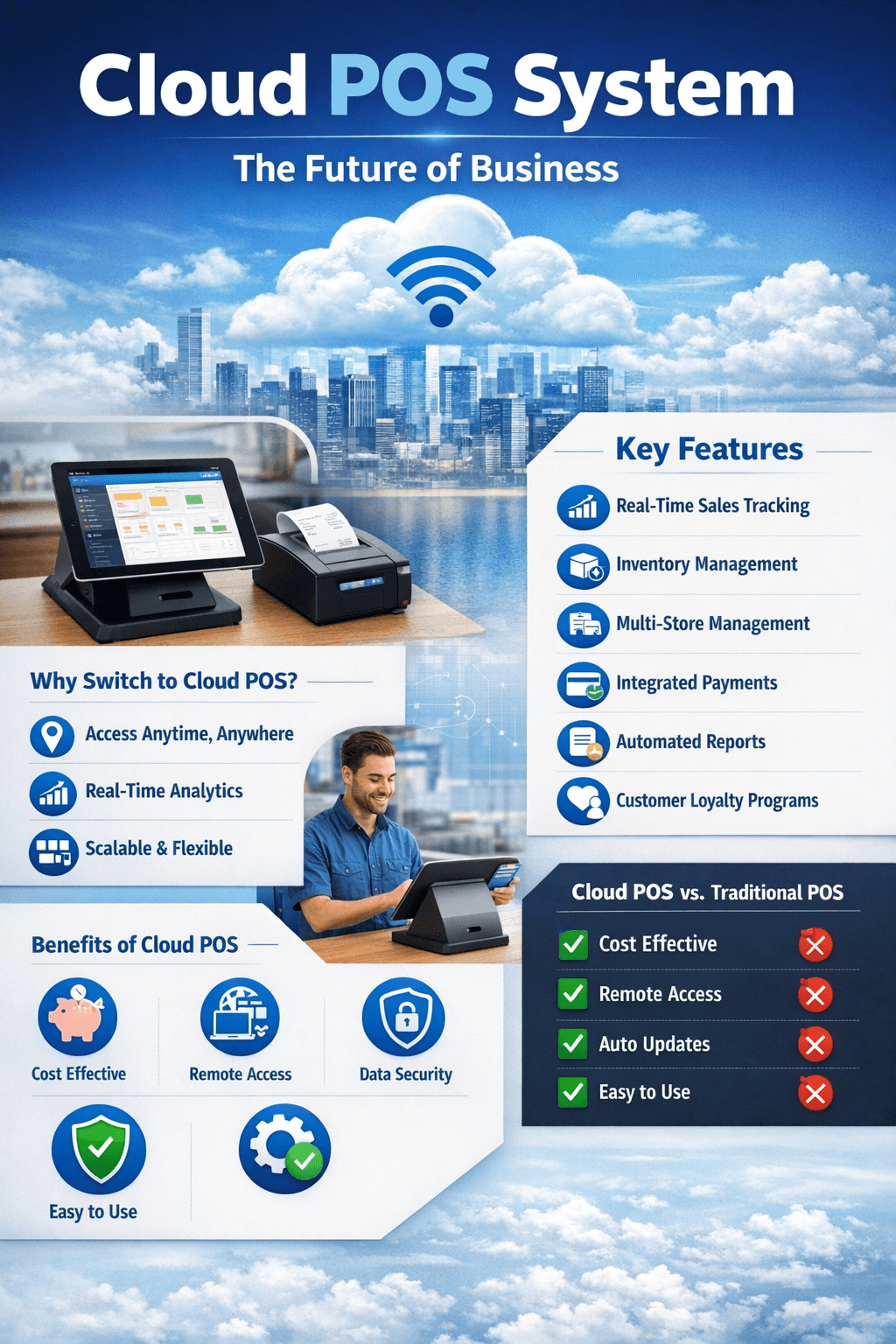
What is a Cloud POS System?
A cloud POS system (cloud-based point of sale system) is a modern software solution that allows businesses to manage sales, inventory, payments, and customer data online through the cloud instead of relying on traditional offline POS machines.
Unlike traditional POS systems that store data locally on a computer or server, a cloud POS system stores data securely on remote servers. This allows business owners to access real-time reports, sales data, and inventory information from anywhere using a smartphone, tablet, or computer.
Cloud POS systems are widely used in retail shops, supermarkets, restaurants, pharmacies, and service-based businesses due to their flexibility, affordability, and scalability.
How a Cloud POS System Works
A cloud POS system operates through an internet connection. When a sale is made:
Transaction data is entered into the POS device.
Information is sent to cloud servers instantly.
Inventory is updated automatically.
Sales reports and analytics are generated in real time.
Business owners can access data remotely from dashboards.
This real-time syncing allows businesses to monitor operations across multiple branches without being physically present.
Key Features of a Cloud POS System
1. Real-Time Sales Tracking
A cloud POS system allows business owners to track sales as they happen. You can monitor daily revenue, best-selling products, and staff performance instantly.
2. Inventory Management
Cloud POS systems automatically update inventory when items are sold. This prevents stock shortages and helps maintain accurate stock levels.
3. Multi-Branch Management
For businesses with multiple locations, a cloud POS system centralizes data. Owners can manage all branches from one dashboard.
4. Remote Access
You can access your POS dashboard from anywhere using a phone or laptop. This is ideal for business owners who travel or manage multiple stores.
5. Secure Cloud Storage
Data is stored securely in the cloud, reducing the risk of data loss from hardware failure or theft.
6. Integrated Payment Methods
Most cloud POS systems support:
Mobile money payments
Card payments
Cash transactions
Online payments
7. Automated Reports & Analytics
Generate detailed reports on:
Sales performance
Profit margins
Inventory movement
Customer trends
These insights help businesses make data-driven decisions.
8. Customer Management (CRM)
Cloud POS systems store customer details and purchase history, enabling loyalty programs and targeted promotions.
Benefits of Using a Cloud POS System
1. Access Your Business Anytime, Anywhere
With a cloud POS system, you can monitor your business remotely. Whether at home or traveling, you remain in control.
2. Reduced Costs
Traditional POS systems require expensive hardware and maintenance. Cloud POS systems are affordable and often subscription-based, making them ideal for small businesses.
3. Easy Setup and Use
Most cloud POS systems are user-friendly and can be set up within minutes without technical expertise.
4. Automatic Updates
Cloud-based systems update automatically, ensuring you always have the latest features and security improvements.
5. Data Security and Backup
Your data is backed up automatically in the cloud, reducing risks associated with device damage or loss.
6. Improved Efficiency
Automation of inventory, billing, and reporting saves time and reduces manual errors.
Who Needs a Cloud POS System?
A cloud POS system is ideal for:
Retail Shops
Manage inventory, track sales, and monitor profits easily.
Restaurants & Cafés
Process orders quickly, manage menus, and track daily sales.
Supermarkets
Handle high-volume transactions and inventory efficiently.
Pharmacies
Track stock levels and manage customer prescriptions.
Service Businesses
Salons, repair shops, and service providers can manage billing and appointments.
Cloud POS System vs Traditional POS
| Feature | Cloud POS System | Traditional POS |
|---|---|---|
| Data Storage | Cloud-based | Local storage |
| Remote Access | Yes | No |
| Real-time Reports | Yes | Limited |
| Updates | Automatic | Manual |
| Cost | Affordable | Expensive |
| Multi-branch Support | Easy | Complex |
Cloud POS systems clearly offer more flexibility and scalability than traditional POS systems.
How to Choose the Best Cloud POS System
When selecting a cloud POS system, consider the following:
1. Ease of Use
Choose a system with a simple interface that staff can learn quickly.
2. Features
Ensure it includes:
Inventory management
Sales tracking
Reporting tools
Multi-payment support
3. Scalability
Select a system that can grow with your business and support multiple branches.
4. Customer Support
Reliable technical support is important for smooth operations.
5. Security
Ensure the system offers secure cloud storage and data protection.
Future of Cloud POS Systems
The future of cloud POS systems is driven by technology advancements such as:
Artificial intelligence for sales predictions
Mobile POS solutions
Contactless payments
Integration with eCommerce platforms
Advanced analytics and automation
Businesses that adopt cloud POS systems today gain a competitive advantage through efficiency, data insights, and improved customer experience.
Conclusion
A cloud POS system is no longer a luxury but a necessity for modern businesses. It simplifies sales management, improves efficiency, and provides real-time insights that help businesses grow faster.
Whether you run a retail shop, restaurant, pharmacy, or supermarket, adopting a cloud POS system can transform your operations and increase profitability. With remote access, automated reports, and secure cloud storage, it is the smartest way to manage your business in today’s digital world.
If you want to streamline operations, reduce errors, and scale your business efficiently, investing in a reliable cloud POS system is the best decision you can make in 2026 and beyond.
Why Businesses Are Switching to Cloud POS Systems
The rapid digital transformation across industries has pushed businesses to adopt smarter technologies. One of the biggest shifts in retail and service industries is the move from traditional systems to cloud POS systems.
1. Increased Mobility and Flexibility
Business owners are no longer tied to a physical store to monitor operations. With a cloud POS system, you can track sales, manage inventory, and monitor employee performance from anywhere using a smartphone or laptop.
This flexibility is especially important for:
Multi-branch businesses
Traveling business owners
E-commerce and physical store integrations
2. Better Decision-Making with Data
A cloud POS system provides real-time analytics and reports that help business owners make informed decisions. Instead of relying on guesswork, you can analyze:
Best-selling products
Peak sales hours
Customer buying trends
Profit margins
With this data, businesses can optimize pricing, stock, and marketing strategies.
3. Scalability for Growing Businesses
As your business grows, your POS system should grow with you. Cloud POS systems allow easy expansion without requiring expensive hardware upgrades.
You can:
Add new branches
Add more users
Manage multiple stores from one dashboard
Upgrade features anytime
This makes cloud POS ideal for startups and expanding enterprises.
Essential Cloud POS System Features for 2026
Technology continues to evolve, and modern cloud POS systems now come with advanced features that improve efficiency and customer experience.
Mobile POS Functionality
Businesses can process payments using tablets or smartphones, making checkout faster and more convenient.
Integration with Accounting Software
Cloud POS systems integrate with accounting tools to automatically record transactions, reducing manual bookkeeping work.
Barcode and QR Code Support
Scan products quickly and accurately using barcode or QR scanners to improve checkout speed and inventory tracking.
Employee Management
Track staff performance, attendance, and sales activity. Assign roles and permissions to reduce fraud and improve accountability.
Customer Loyalty Programs
Store customer purchase history and offer:
Discounts
Loyalty points
Promotional offers
This helps improve customer retention and satisfaction.
Offline Mode
Many cloud POS systems offer offline functionality. If internet connection is lost, sales can still be processed and synced later when connectivity is restored.
Cloud POS System for Small Businesses
Small businesses benefit greatly from cloud POS systems due to affordability and ease of use. Instead of investing in expensive traditional systems, small business owners can subscribe to a cloud POS solution at a low monthly cost.
Benefits for small businesses include:
Low startup cost
Easy setup
Automated inventory tracking
Sales reports and insights
Reduced paperwork
From small retail shops to mini supermarkets and salons, cloud POS systems help small businesses operate professionally and efficiently.
Cloud POS System for Retail Stores
Retail businesses rely heavily on accurate inventory and fast checkout processes. A cloud POS system ensures smooth operations by:
Tracking stock levels automatically
Sending low-stock alerts
Managing suppliers
Processing multiple payment methods
Generating daily sales reports
Retailers can also analyze which products sell most and adjust stock accordingly to maximize profits.
Cloud POS System for Restaurants and Cafés
Restaurants and cafés need speed and accuracy in order processing. A cloud POS system helps by:
Managing menus digitally
Sending orders directly to kitchen displays
Splitting bills easily
Tracking daily sales and expenses
Managing takeaway and delivery orders
With cloud technology, restaurant owners can monitor operations even when away from the premises.
Security in Cloud POS Systems
Security is a top concern for businesses handling financial data. Modern cloud POS systems use advanced security measures such as:
Data encryption
Secure login authentication
Cloud backups
Role-based access control
These features ensure that business and customer data remain safe from unauthorized access or loss.
Common Challenges and Solutions
Internet Dependency
Cloud POS systems rely on internet connectivity. However, many systems now offer offline mode to continue operations during outages.
Data Migration
Switching from traditional systems can seem difficult. Most providers offer migration support to transfer data smoothly.
Staff Training
New systems require training. Fortunately, cloud POS systems are designed with user-friendly interfaces that staff can learn quickly.
Tips to Successfully Implement a Cloud POS System
To get the best results from your cloud POS system:
Choose a reliable provider
Train staff properly
Monitor reports regularly
Integrate with other business tools
Update product and inventory data consistently
Proper implementation ensures maximum efficiency and return on investment.
Final Thoughts
A cloud POS system is transforming how modern businesses manage sales, inventory, and customer relationships. With real-time access, automation, and powerful analytics, businesses can operate smarter and grow faster.
Whether you run a retail shop, restaurant, pharmacy, or supermarket, adopting a cloud POS system will help streamline operations, improve accuracy, and increase profitability.
As businesses continue embracing digital solutions, cloud POS systems will remain an essential tool for success in today’s competitive marketplace.