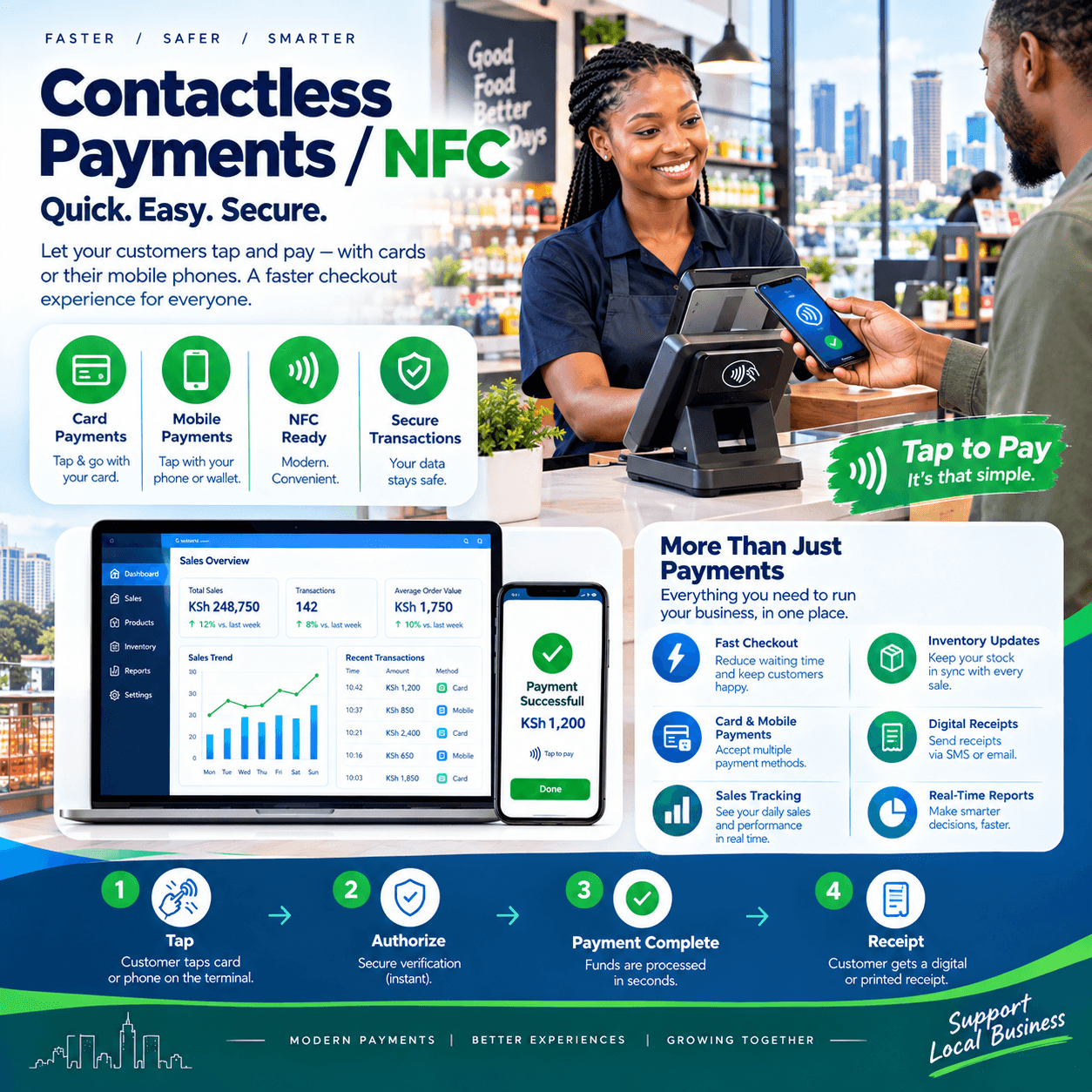
Contactless payments are the tap — the moment a customer waves a card, phone, or watch over your terminal and the sale is done in a couple of seconds.
Behind that small gesture sits NFC — Near Field Communication — the short-range radio technology that lets a card or phone talk to your reader without ever touching it.
If your counter still asks every card customer to swipe or hand the card over, you are running the slowest and least secure payment path available while your competitors tap.
This article explains the whole technology in plain language: what contactless payments and NFC actually are, how a tap works and why it is safe, the four ways to accept taps at a Kenyan counter, how contactless fits beside M-Pesa, what it costs, and how to test any setup before paying.
The commercial argument is simple enough to state here: taps are faster than cash, safer than swipes, and increasingly what customers expect by default.
A counter built for genuine contactless payments keeps its queue moving through the rush — and the queue is where retail is won.
What Contactless Payments and NFC Actually Are
Strip away the acronyms and the idea is one sentence: the chip inside a card or phone can transmit over very short distances — about four centimetres — to a reader.
NFC is the radio technology that makes that possible, and contactless payments are what happens when that radio carries a payment instead of a song to a speaker.
The tap is not a new payment method; it is the same secure chip transaction as a card dip, delivered through the air instead of through a slot.
Hold the card or phone over the reader, the reader powers the conversation, the chip and terminal exchange their encrypted handshake, and the approval returns in seconds.
Two visible marks tell you the capability exists: the wave symbol on cards and terminals, and the NFC setting inside modern phones.
Most bank cards issued in this market in recent years carry the contactless mark — which means your customers are already holding contactless payments technology whether your counter can read it or not.
Phones carry it too: every modern Android and iPhone can hold payment cards in a wallet app and tap exactly like a card.
And wearables extend the same: watches, rings, and even tags all speak the same NFC language.
So the honest framing for an owner is this: contactless is not a future trend to watch — it is the payment behaviour your customers already carry, and the only question is whether your terminal can receive it.
A counter equipped for contactless payments accepts every one of those devices; a counter without one accepts none of them.
How a Tap Transaction Works
The ten-second flow is worth understanding, because it is what you are buying.
The customer taps the card or phone over the contactless payments reader — no insertion, no handover, no contact at all.
The reader and the chip authenticate each other: the terminal proves it is a legitimate reader, the card or phone proves it is genuine.
Here is the part that makes it safe: the card or phone never sends its real number — it sends a one-time encrypted token created for this transaction, this amount, this terminal, this minute.
The token travels to the customer’s bank, the bank approves or declines, and the receipt prints while the customer is already pocketing their wallet.
Even if a criminal intercepted everything observable, the one-time token is spent and worthless — which is the security property a swipe has never had.
Small-value taps typically skip the PIN entirely — issuers set a ceiling per tap — which is precisely why the queue moves so fast.
Larger amounts still ask for the PIN on the terminal keypad, so the security scales with the value.
Ask each provider where their tap limits sit and how they are configured, because a serious contactless payments setup lets you understand — not just inherit — those thresholds.
One honesty note belongs here: nothing in the flow requires the customer to surrender the card, which also removes the counter’s oldest friction — the awkwardness of handing a wallet to a stranger.
That small dignity, multiplied across every transaction, is a real part of why customers prefer contactless payments once they have tried them.
Tap, Dip, Swipe: The Hierarchy at Your Counter
The three card paths at your counter are not rivals — they are a ranking, and knowing it protects your money and your queue.
Swipe is the legacy path: static data, cloneable, and the reason chip technology exists at all.
Every serious contactless payments terminal still accepts a stripe as a fallback for damaged chips, but the swipe should be the rare exception your policy names, never the routine.
Chip dip is the secure workhorse: the card inserted, PIN verified, dynamic codes exchanged — trusted by every bank’s fraud systems.
Tap is that same chip security delivered fastest: identical protection, held over the reader instead of inserted, and typically a couple of seconds quicker through the queue.
A modern terminal does all three, and the discipline worth installing is simple: tap first, dip second, swipe last — a rule any well-run contactless payments counter trains into every cashier from day one.
The ranking matters commercially because speed compounds: a three-second tap against a fifteen-second swipe is invisible once, and decisive three hundred times on a Saturday.
The Four Ways to Accept Contactless Payments
There is more than one shape of terminal, and the right one follows your counter.
Dedicated countertop terminals are the classic choice: a certified reader from your bank or payment provider, SIM or broadband connected, built for fixed counters with steady card volume.
SoftPOS — tap-to-phone turns an ordinary Android phone into a certified contactless acceptance device: an app, no extra hardware, and the fastest way for a lean shop to start taking contactless payments.
Paired tablet setups combine a tablet till with a compact contactless reader — the configuration most modern shops land on, because the POS and the payment live in one workflow.
Mobile readers follow the goods — for deliveries, market days, and counters that move — carrying the same tap capability beyond your walls.
Choose by how your customers actually stand in front of you: a fixed queue wants a countertop reader, a delivery business wants the phone, and an ambitious counter wants the paired setup with full POS integration.
One decision rule covers all four shapes: whatever accepts the tap must also land the record on your till — which is the integration question the rest of this article keeps returning to.
Hardware aside, the difference between a good and bad contactless payments purchase is rarely the reader; it is whether the tap becomes a data point in your business or just a noise a machine makes.
M-Pesa, Wallets, and Contactless Payments Together
Kenyan counters serve two payment worlds — mobile money and cards — and contactless is where they increasingly meet.
M-Pesa remains the backbone of daily trade, and nothing in this article suggests replacing it; the strongest counters run both rails side by side.
The meeting point is the wallet: cards stored inside phone wallets — and virtual card products riding on mobile money platforms — all arrive at your terminal as contactless payments taps.
A customer can fund a wallet from M-Pesa and tap the phone — which means your contactless capability quietly serves mobile money customers too, not only card carriers.
The counter discipline that wins is neutrality: the cashier offers the choice without steering — card, phone, M-Pesa, or cash — and the till records whichever the customer picks.
That neutrality is only possible when the till sees every method as a first-class citizen, which is the integration standard a serious contactless payments setup is built on.
Test the wallet path specifically in any demo: tap an actual phone holding a card, not just a plastic card — because phones are where a growing share of taps now come from.
And confirm the receipt shows the method clearly, so your evening reconciliation splits phone taps, card taps, M-Pesa, and cash into one legible report.
A counter that speaks every language — tap, dip, mobile money, cash — turns payment preference from a limitation into a choice, and choice is what customers reward with return visits.
The Speed Argument: What Taps Do to Your Queue
Speed is the commercial heart of contactless payments, so let us price the seconds honestly.
A tap completes in roughly two to four seconds from gesture to receipt.
A chip dip runs longer — insert, wait, PIN, remove — typically five to ten seconds with a practiced cashier.
A cash transaction with change-giving routinely runs fifteen to thirty seconds at a busy counter, and longer when the drawer runs short.
Across a peak hour of a hundred customers, those differences are not cosmetic — they are the gap between an orderly queue and one that starts abandoning baskets.
Shops that move their card customers to genuine contactless payments report the same two effects: shorter queues at the same staffing, and the same queues cleared minutes earlier at close of rush.
There is a staffing dividend too: seconds saved per transaction are hours saved per week — hours that return to shelf work, receiving, and the customer conversations that actually grow baskets.
And speed compounds into goodwill: customers remember the shop where the line kept moving, even if they never consciously register why.
The honest caveat: taps only deliver this speed when the terminal is responsive and the integration is clean — a reader that needs a retry or a second typing step erases the advantage that contactless payments exist to provide.
Which is why the demo script later in this article times the tap with a stopwatch, not a brochure.
Security: Why a Tap Is Safer Than a Swipe
The security story deserves its own section, because it is the argument owners most often get backwards.
The swipe is the weakest path on your counter: static data that never changes, cloneable the moment it is read.
The tap sits at the opposite end: every contactless payments transaction carries a one-time token that is worthless the moment it is used.
Proximity is a second layer: NFC works at about four centimetres, so a stranger would need to hold a reader against your customer’s pocket — visibly, and for the duration of a transaction that completes in seconds.
The card never leaves the hand, which removes both the skimming opportunity and the customer’s discomfort in one move.
Limits are the third layer: small taps skip the PIN, larger taps require it, and issuers monitor tap patterns like any other card activity.
So the honest ranking is: tap and dip are the secure tier, swipe is the tolerated fallback, and any policy that treats contactless payments as the risky option has the hierarchy inverted.
Two disciplines keep the tier secure: keep terminal software updated — providers ship security patches through the same channel as features — and train cashiers never to process a card handed over for a swipe when the chip and tap paths are available.
And one myth to retire in your own team: customers sometimes fear accidental charges from walking past a terminal — the four-centimetre range, the handshake, and the one-time token make that scenario effectively impossible on a compliant contactless payments reader.
A counter that can explain its own security calmly converts hesitant customers instead of losing them.
Integrating Contactless Payments With Your POS
The tap is half the purchase; the record is the other half, and it is where owners get sold the wrong thing.
Standalone is the basic level: a reader beside the till, amounts typed twice, records meeting never.
Semi-integrated is the middle: the POS sends the amount across, but confirmations get matched by hand at closing.
Fully integrated is the level worth buying: the tap lands inside the sale — token, approval, and settlement stamped on one record — and end-of-day reconciles itself by channel.
On a fully integrated contactless payments setup, the cashier rings the basket once, the customer taps, and the approval attaches itself to the transaction without a second keystroke anywhere.
Refunds reverse to the same card or wallet, attached to their originals — no cash conversations, no missing money.
The evening report splits tap takings against dips, M-Pesa, and cash, each line reconciled to the shilling.
Ask every vendor directly which level they sell — and then verify it live, because the levels look identical in a pitch and behave completely differently in month three.
The certification chain matters here exactly as it does for any card acceptance: your terminal, your acquirer, and your POS must all agree in writing before a single contactless payments tap can ever settle into your account.
A reader that taps beautifully but cannot talk to your till is a faster way to run the same disconnected evening — buy the integration, not the gesture.
Connectivity and the Offline Question
Card approvals genuinely require connectivity to the customer’s bank — no vendor can honestly promise otherwise, and any that does is selling you a problem.
But real outages are rarely total, and terminal design decides how much they cost you.
Terminals on SIM cards ride the mobile networks independently of your shop’s broadband — so when the router dies, a SIM-connected contactless payments reader keeps approving while single-path counters go dark.
Dual-path terminals — broadband primary, SIM fallback — are the resilient choice for fixed counters, and the question worth asking every provider is exactly which network path the reader uses when the primary fails.
Offline chip authorisation exists within the standard for small values within issuer risk limits, but treat it as a defined exception, never as your outage plan.
The robust plan for bad days is the same one that protects the rest of your counter: M-Pesa rides the mobile networks untouched by your router, cash never needed a connection, and the till itself should trade fully offline and sync later.
Power belongs in the same conversation — a battery-backed terminal keeps approving taps through the blackout that kills a mains-powered machine.
Test all of it physically before the final payment: the demo script below includes the exact steps.
A contactless payments setup engineered for this market treats connectivity the way the best tills do — as a convenience, never as a lifeline.
What Contactless Payments Cost
The money conversation has three layers — hardware, transaction fees, and integration — and quotes that blur them are hiding something.
Hardware first: countertop terminals from banks and payment providers typically run KES 15,000–40,000, SoftPOS is often free as a certified app on an Android phone, and some providers rent terminals monthly instead — run both structures across three years before choosing.
Transaction fees second: card acceptance in this market typically runs 1–3% per sale, varying by provider, card type, and volume — get the exact rate per card category in writing before signing.
Integration third: on a serious platform, the connection between the POS and the contactless payments reader rides inside the software subscription rather than arriving as a bolt-on — be cautious of vendors who price integration as an accessory.
Price the whole picture honestly: a typical shop adding tap acceptance to an existing POS plans for the terminal, a per-sale fee, and possibly a small integration line — with nothing else surfacing in year one.
Then weigh the return column the quote never shows: faster queues at peak, card and wallet customers served instead of turned away, and the reconciliation evenings an integrated setup returns to you.
For most counters with any card volume at all, the fees are simply the cost of speaking every customer’s payment language — and a well-integrated contactless payments setup is what keeps that language fluent instead of approximate.
One negotiation note worth knowing: merchants with integrated setups and a few months of documented volumes are regularly offered better rates than standalone machines — worth asking for once your reports show the tap line growing.
Choosing a Contactless Payments Setup: The Demo Test
Bring this script to every provider; it converts brochures into evidence in fifteen minutes.
Time a real tap. Not a simulation — a genuine phone wallet tapped over the contactless payments reader being proposed, stopwatch running, receipt examined.
Confirm the integration level. Ring a sale in the POS and watch the tap land on the same record without retyping — any pitch that cannot demonstrate this live is selling standalone and calling it integrated.
Tap with a phone, not just a card. Phones are where wallet taps come from, and a terminal that fumbles them is unready for real customers.
Test the failure paths. Kill the broadband and watch the reader fall to SIM; ask what happens when a tap is declined and when a customer wants the stripe — a serious contactless payments setup answers all three without improvising.
Confirm the certification chain. Which acquirers is the terminal certified with, and is yours on the list — in writing, because this single question decides whether the machine can ever settle your money.
Read the fee schedule per card type. Debit, credit, international, wallet-funded — each carries its own rate, and month three is too late to discover yours.
A provider who welcomes this script has built the product; a provider who steers toward screenshots is selling one.
Then ask for one reference merchant running the same contactless payments setup and ask a single question: what surprised you in the first month?
The answer teaches you more about the terminal — and the provider behind it — than the entire demonstration.
Rolling Out Without Missing a Trading Day
Contactless rollout is gentle when sequenced properly, and the shop never closes.
Confirm the certification chain first: your acquirer, your POS platform, and the terminal model agreeing in writing before any hardware arrives.
Configure the connectivity — broadband primary, SIM fallback tested with the SIM loaded and active, not still in its packet.
Run the live payment tests before training day: a real tap, a real dip, a refund reversed to source, and a split payment with part cash on one receipt.
Train the whole team on the tap-first discipline until the fastest and most hesitant cashier move alike — including decline handling, the stripe fallback rule, and what to tell a nervous first-time tapper.
Cut over on an ordinary trading day with support reachable, and book the week-one review at the same time — the first contactless payments week always surfaces two or three workflow habits worth correcting while they are cheap.
Watch the settlement reports daily for the first fortnight: approvals landing, money arriving on the promised schedule, and the reconciliation matching the till.
From there the routine is small: five minutes at close, exceptions cleared, and the integration reconciling continuously underneath.
A structured contactless payments rollout alongside a modern POS typically runs days, not weeks — because the heavy lifting is certification and configuration, both done before the counter ever sees the terminal.
And the first queue that clears on taps alone is usually the moment the purchase stops feeling like hardware and starts feeling like infrastructure.
Mistakes Buyers Make
Five patterns catch owners first; learn them here without paying for them.
Buying the tap without the integration. A standalone reader beside the till recreates the double-entry evening with nicer hardware — insist on seeing the contactless payments tap land on the sale record live, or keep shopping.
Skipping the certification check. A terminal that cannot settle with your bank is a paperweight with a wave symbol — confirm the chain in writing before any money moves.
Letting the swipe stay routine. Every swipe-trained habit quietly rebuilds the fraud exposure the chip and tap exist to end — train tap first, dip second, swipe by exception.
Signing fee schedules unread. Rates per card type, settlement timing, chargeback terms — read them all, because the contactless payments fee structure is where month three either surprises you or does not.
Training one person on the terminal. Tap acceptance that lives in one employee’s head disappears whenever that employee is off — whole-team training is the difference between owning the capability and renting it.
A sixth worth naming: dismissing wallets because they seem niche — phone taps are the fastest-growing path at counters everywhere, and a setup untested with real phones will discover that on a Saturday.
Owners who avoid these five get what a certified, integrated contactless payments setup promises and few deliver completely: secure approvals, moving queues, and evenings that reconcile themselves.
Different Shops, Different Setups
The right configuration follows the counter; four quick portraits.
Groceries and mini-marts. Volume makes the tap decisive — a fast integrated reader and the tap-first discipline keep hundreds of daily transactions moving, and per-sale seconds compound into whole minutes of queue.
Restaurants and cafés. Table-side taps shine — bringing the reader to the customer removes the walk, and split bills need flows a serious contactless payments integration handles natively.
Boutiques and single-counter shops. A lean pairing — tablet POS with a compact contactless reader, SoftPOS as backup — covers every customer without cluttering a small counter
Hardware yards and delivery businesses. Trade happens beyond the walls, so tap-to-phone and SIM-connected readers follow the goods, with the integrated record landing back at the till.
The pattern generalises: name where your paying customers actually stand, then buy the contactless payments shape that meets them there — and test exactly that flow in the demo.
For every shape, the standards hold: certified chain, integrated record, tap-first training — the three that separate terminals that work from terminals that sit.
One Counter, Every Customer
Step back and the whole technology serves one strategic idea: no customer ever meets a payment your counter cannot speak.
The card carrier taps. The phone wallet taps. The M-Pesa customer pays on their rail. The cash customer counts their notes.
Every path lands on one record, reconciles into one evening report, and feeds one picture of the business.
That completeness is the quiet gift of a proper contactless payments setup — not the gesture itself, but the certainty that no sale was ever lost to a payment preference.
Owners running this completeness describe the shift plainly: payment stopped being a conversation at the counter and became a non-event — which is exactly what infrastructure should be.
And when the next payment behaviour arrives, the same integrated counter absorbs it as another line on the same report — which is the durability argument for buying contactless payments capability from a platform, not a gadget.
Frequently Asked Questions
Are contactless payments safe for my shop?
Yes — and safer than swipes: every tap carries a one-time encrypted token instead of reusable card data, works only at about four centimetres, and never requires the customer to hand over the card.
A compliant, certified contactless payments reader is the most secure card path on your counter.
Do customers still enter a PIN when tapping?
Usually not for small values — issuers set a per-tap ceiling above which the PIN is required, so the queue keeps its speed and the security scales with the amount.
Ask your provider to state the exact limits configured on your contactless payments terminals before go-live.
Can customers tap with phones and watches, not just cards?
Yes — phones holding cards in wallet apps, watches, and wearables all speak the same NFC standard and tap exactly like a card.
Test the phone path specifically in any contactless payments demo, because phones are where a growing share of taps now come from.
How does contactless work with M-Pesa?
They run as parallel rails: M-Pesa on its own mobile money path, taps on the card and wallet path — and the two meet inside wallets, where customers fund wallets from mobile money and tap the phone.
A neutral counter offers both without steering, and an integrated contactless payments till records every method on one reconciled report.
Will taps still work when my internet is down?
A SIM-connected or dual-path reader keeps approving through broadband failures, and limited offline authorisation exists for small values within issuer risk limits — but treat card approvals as connectivity-dependent at the core.
Let M-Pesa and cash cover true outage days, and make offline behaviour a written acceptance test on any contactless payments setup you buy.
What is the cheapest way to start accepting taps?
SoftPOS — a certified app that turns an Android phone into a tap-to-phone reader — is typically free to start and ideal for lean counters, deliveries, and market days.
As volume grows, move to a dedicated integrated contactless payments reader for speed and battery life at rush hour — the phone you started with becomes the backup, not the bin.