Table of Contents
ToggleVega POS Software for Business Growth – The Complete SEO Guide
In the fast‑paced digital economy, businesses need smart tools to stay competitive. Vega POS software has emerged as a powerful point‑of‑sale solution that not only streamlines daily operations but also accelerates business growth. In this comprehensive, SEO‑optimized article, you’ll learn what Vega POS is, how it drives growth, key features, industry use cases, benefits, implementation tips, and best practices. Let’s dive in!
🔎 What Is Vega POS Software?
Vega POS software is an integrated point‑of‑sale system designed to handle sales transactions, inventory management, customer data, reporting, and other core business functions across retail, hospitality, and service industries. Unlike traditional cash registers, Vega combines analytics, automation, and customer insights in one platform to help businesses make smarter decisions.
📈 How Vega POS Software Drives Business Growth
Implementing Vega POS can significantly impact your bottom line and operational efficiency:
1. Boost Sales & Revenue
Vega POS helps businesses increase sales through:
Faster checkout processing
Multiple payment options (card, mobile wallets, QR)
Upselling and cross‑selling tools
2. Improve Customer Experience
A smooth checkout process and loyalty integrations directly enhance customer satisfaction and repeat purchases.
3. Streamline Operations
From inventory updates to employee management, Vega automates repetitive tasks so you can focus on core business strategy.
4. Data‑Driven Decision Making
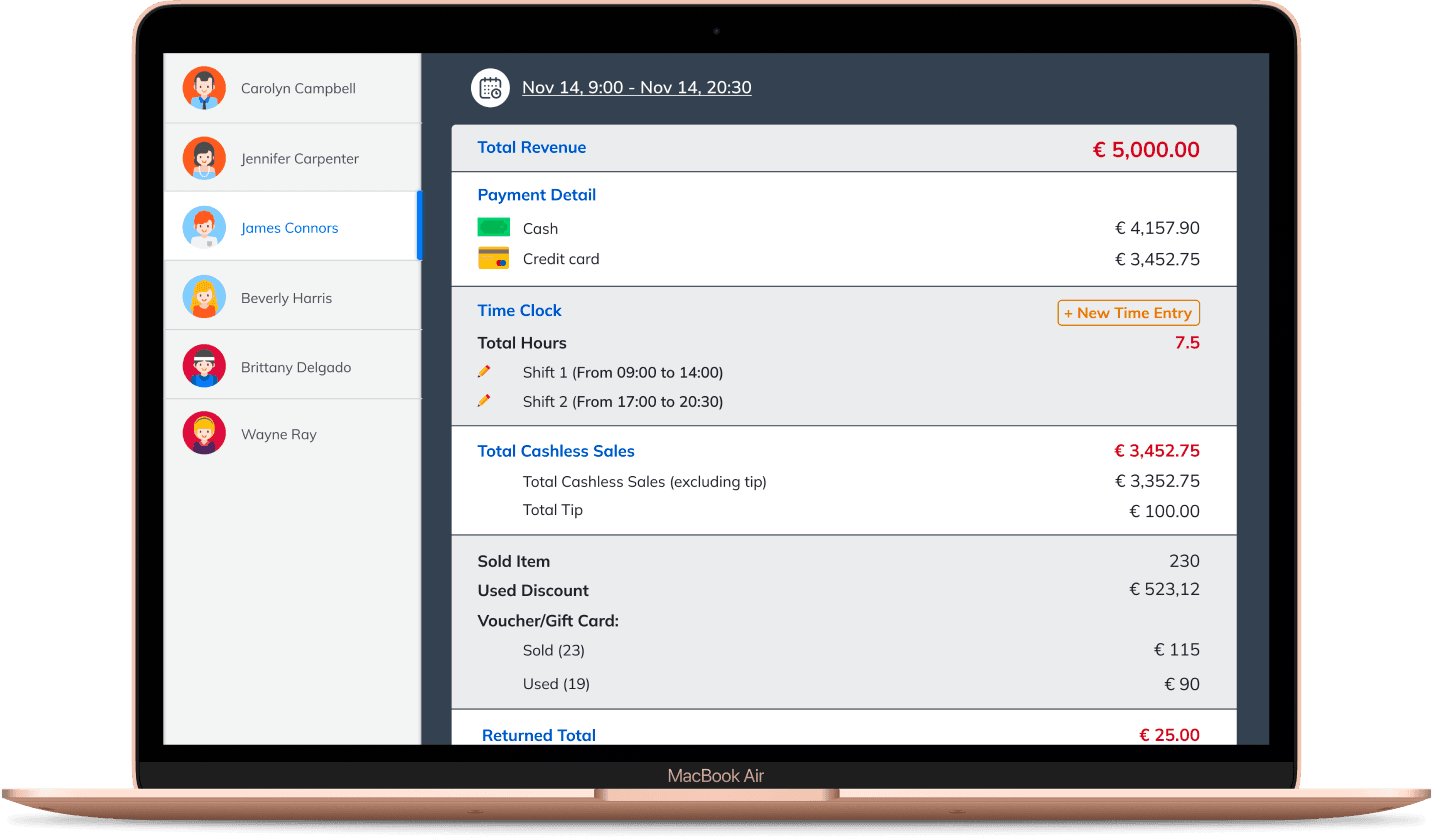
Real‑time sales dashboards and analytic reports help business owners understand trends, optimize pricing, and forecast demand.
🧠 Key Features of Vega POS Software
A robust POS solution must offer more than basic sales functions. Vega POS stands out with features such as:
📊 1. Real‑Time Analytics & Reporting
Track revenue, best‑selling items, peak hours, and profitability instantly.
🛒 2. Inventory Management
Automatically update stock levels and send alerts for low inventory to prevent stockouts.
👥 3. Customer Management
Build customer profiles, manage loyalty programs, and personalize offers.
💳 4. Multiple Payment Support
Accept major cards, contactless payments, and integrations with local mobile money services.
📱 5. Mobile & Cloud Capabilities
Access your data from anywhere with cloud‑backup and mobile POS apps.
👔 6. Employee Management
Track performance, manage shifts, and set role‑based access.
🏬 Industry Use Cases for Vega POS Software
Vega POS is versatile and scalable, suitable for multiple sectors:
🛍️ Retail Stores
From boutiques to large shops, Vega simplifies billing, stock control, and customer loyalty.
🍽️ Restaurants & Cafes
Table management, menu customization, kitchen printing, and split billing make Vega ideal for food businesses.
🏨 Hospitality
Track guest services, manage check‑in/check‑out, and integrate with booking systems.
💇 Service Providers
Salons, spas, and repair shops benefit from appointment scheduling and service billing.
📌 Real Business Growth Outcomes with Vega POS
Here’s how different businesses have seen tangible benefits:
| Business Type | Growth Outcome |
|---|---|
| Retail | 30% reduction in checkout time |
| Café & Restaurants | 20% increase in repeat customers |
| Spa & Salons | Better appointment management & revenue tracking |
| Multi‑Outlet Chains | Unified reporting across locations |
⚙️ How to Implement Vega POS in Your Business
Implementing Vega POS isn’t complicated, but planning ensures success:
✅ 1. Define Business Needs
Map out your sales processes, inventory size, and reporting requirements.
🛠 2. Choose Appropriate Hardware
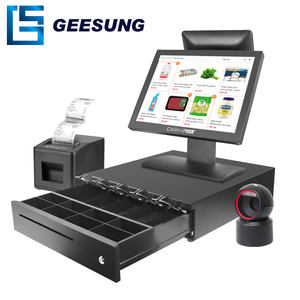
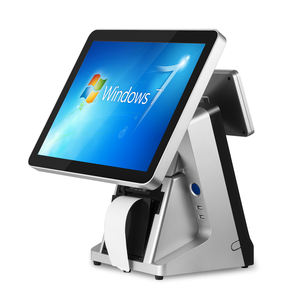
Vega POS works with touchscreen terminals, tablets, scanners, and receipt printers.
📦 3. Migrate Existing Data
Import products, prices, and customer data to avoid starting from scratch.
📚 4. Train Your Team
Ensure staff know how to use Vega’s features confidently.
🚀 5. Monitor & Optimize
Use Vega’s analytics to refine promotions, staffing, and stock levels.
💰 ROI & Cost Savings with Vega POS
Implementing Vega POS can reduce operational costs and increase profitability:
Eliminate manual errors
Reduce inventory shrinkage
Improve labor allocation
Increase customer retention
Forecast ROI within the first 3–6 months of adoption with measurable performance metrics.
🚀 Best Practices to Maximize Vega POS Benefits
To get the most out of Vega POS software:
🔹 Set Clear KPIs
Track sales per employee, average transaction value, and peak sales hours.
🔹 Leverage Customer Insights
Use buying behavior data to craft targeted promotions.
🔹 Automate Routine Tasks
Inventory alerts, automated reorder points, and scheduled reports save time.
🔹 Integrate with Other Platforms
Connect Vega POS with accounting systems or eCommerce platforms to unify data.
🧩 Vega POS vs Traditional POS Systems
| Feature | Vega POS | Traditional POS |
|---|---|---|
| Cloud Access | ✔️ | ❌ |
| Real‑Time Reporting | ✔️ | Limited |
| Customer Profiles | ✔️ | Minimal |
| Mobile Integration | ✔️ | ✖️ |
| Scalability | High | Moderate |
📣 Final Thoughts: Why Vega POS is Essential for Growth
In today’s competitive business environment, a POS solution is no longer optional—it’s a growth engine. Vega POS software empowers businesses with analytics, efficiency, and automation, helping owners make smarter decisions, improve customer satisfaction, and increase profits.
Whether you’re a small retailer or a multi‑location food business, Vega provides the tools and insights you need to scale confidently.