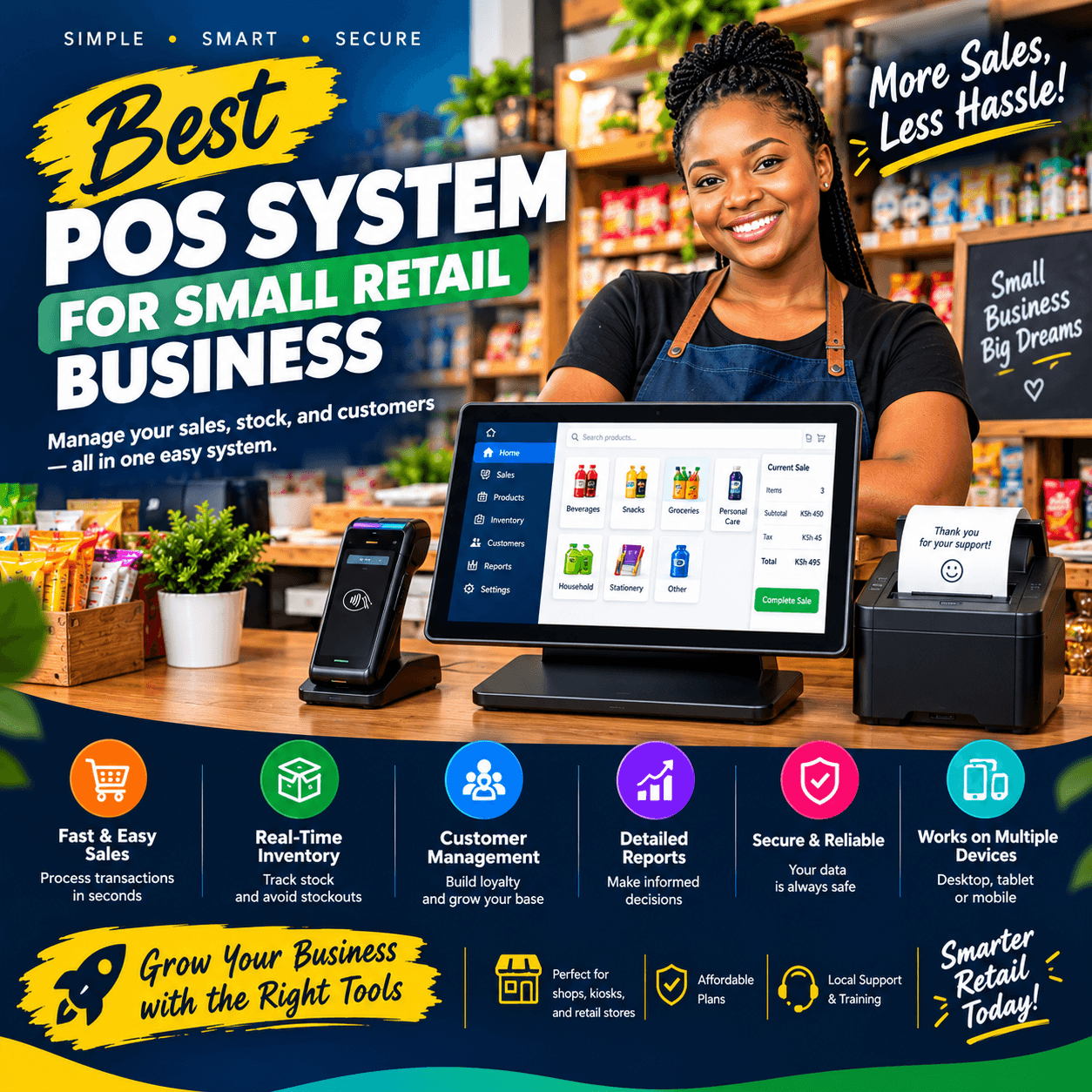
Best POS system for small retail business selection is, without exaggeration, one of the most important technology decisions a shop owner will ever make.
The right platform works quietly in the background every single day — ringing up sales, tracking every item on your shelves, and revealing which products actually make you money and which ones are slowly draining your capital.
The wrong one does the opposite: it slows your queues, buries your profits in messy notebooks, and frustrates both your staff and your customers.
Yet most small retailers get this decision wrong. They either overspend on heavyweight enterprise software packed with features they will never use, or they underspend on a bare-bones cash register app that collapses the moment the business grows.
This guide exists to fix that. Over the next few thousand words, we will break down exactly what separates the best POS system for small retail business from expensive shelfware, which features genuinely move the needle, what you should expect to pay, and how to roll out your new system without disrupting a single day of trading.
Whether you run a mini-mart in Nairobi, a boutique in Mombasa, or a hardware shop in Kisumu, by the end of this article you will have a practical, step-by-step roadmap for identifying the best POS system for small retail business for your exact situation.
What Is a POS System, Really?
Before you can choose the best POS system for small retail business, it helps to be clear about what you are actually buying. A point-of-sale (POS) system is the combination of hardware and software that sits at the heart of your checkout.
It records each sale, calculates totals and taxes, accepts payment, issues receipts, and updates your stock levels in real time. In its simplest form, that is all a traditional cash register ever did.
A modern POS goes much further — it is simultaneously your inventory manager, your accountant’s favourite tool, your sales analyst, and your customer database.
Think of it this way: a cash register tells you how much money is in the drawer at the end of the day. A modern POS tells you which products sold, at what time, at what margin, to which type of customer, and what you need to reorder before your shelves go empty.
That difference is precisely why the best POS system for small retail business is no longer considered a luxury for shops of any size. When your till doubles as your inventory office and your reporting department, you stop guessing and start managing.
It is also worth clearing up a common point of confusion: POS software and POS hardware are two different things. The software is the brain — the application that processes sales, stores your data, and generates reports. The hardware is the body — the terminal, barcode scanner, receipt printer, and cash drawer you physically touch. The best POS system for small retail business solutions typically offer both together in a bundle, which is usually the simplest and most cost-effective route for first-time buyers.
Why Your Small Retail Business Needs More Than a Cash Register
If you are still running your shop on a cash register, a notebook, and your memory, you are paying a hidden tax every single month. Consider what that old setup actually costs you.
Stockouts and overstocking. Without real-time inventory tracking, you discover a product is finished only when a customer asks for it — and by then, the sale is already lost. Worse, capital sits locked in slow-moving stock you did not realise you were over-ordering.
The best POS system for small retail business eliminates both problems by showing you exact stock levels at any moment, from anywhere.
Shrinkage and theft. Retail shrinkage — money lost to theft, spoilage, and record-keeping errors — quietly eats a painful percentage of revenue in small shops. Manual systems make it nearly impossible to tell whether missing stock was stolen, damaged, or simply miscounted.
A proper best POS system for small retail business setup logs every unit that enters and leaves your store, so discrepancies surface immediately instead of months later during a painful annual stock-take.
Blind decision-making. When your records live in exercise books, you cannot quickly answer basic questions like: Which are my ten most profitable products? Which day of the week should I run a promotion? Did last month’s supplier price increase eat my margins? The best POS system for small retail business answers all of these in a few taps, turning raw transactions into decisions you can act on the same day.
Tax and compliance headaches. Come reporting season, reconstructing a year of sales from handwritten receipts is a nightmare. Digital records keep you organised, audit-ready, and compliant with far less stress.
Every day spent without these capabilities has a cost — it just never appears on a receipt.
The Must-Have Features That Define a Modern Retail POS
Shopping for a POS can feel overwhelming because vendors throw dozens of features at you: artificial intelligence, omnichannel dashboards, marketing suites, and more.
Here is the honest truth — only a handful of features genuinely matter for a small shop, and when you evaluate any candidate for the best POS system for small retail business, these are the non-negotiables.
A so-called best POS system for small retail business that lacks real-time inventory tracking is just a cash register with extra steps.
Similarly, no matter how sleek the interface looks, the best POS system for small retail business you finally choose must prove itself on reliability, payments, reporting, and support — the four pillars your shop will lean on daily.
In practice, the best POS system for small retail business combines all of the following capabilities, which we will examine one by one:
- Real-time inventory management
- Sales reporting and analytics
- Flexible payment processing (cash, card, and mobile money)
- Customer management and loyalty tools
- Employee management and access controls
- Cloud accessibility with offline capability
Let us go deeper on each.
1. Real-Time Inventory Management That Never Sleeps
Ask any experienced retailer and they will tell you the same thing: inventory is where small shops either win or quietly lose.
The best POS system for small retail business treats every product movement as a tracked event — every sale, return, damage, restock, and transfer updates your stock counts instantly, so the number on your screen always matches the number on your shelf.
Look for barcode scanning that makes checkout and receiving fast and error-free, low-stock alerts that warn you before a best-seller runs dry, and purchase-order tools that let you reorder from suppliers in a couple of clicks. Product variants matter too: if you sell items in different sizes, colours, or pack sizes, the best POS system for small retail business you choose should handle variants as cleanly as it handles single items.
Shrinkage detection is the sleeper feature here. During a stock count, the software compares what the system expects against what is physically present and flags every discrepancy.
That single capability is why many owners say the best POS system for small retail business pays for itself within months — the losses it prevents are losses you were previously never able to see.
2. Sales Reporting and Analytics That Actually Get Read
Beautiful reports nobody reads are worthless. What you need are clear, actionable summaries: end-of-day takings, best and worst sellers, profit margins per product, sales by staff member, and hourly traffic patterns that tell you when to schedule your strongest cashier.
The best POS system for small retail business turns raw transactions into decisions.
When you can see that your margins on a particular product line have quietly slipped after a supplier price change, you can reprice this week — not six months from now.
When you can see that Tuesdays are dead but Saturdays are heaving, you can time your promotions and stock deliveries accordingly.
Tax readiness deserves special mention. In Kenya, growing shops increasingly need organised digital records for compliance, so confirm that the best POS system for small retail business you are evaluating can produce clean, exportable sales and tax reports that your accountant (or an e-invoicing integration) can work with directly.
Finally, check remote access. The ability to open an app on your phone while away from the shop and see today’s sales, top movers, and cash position is a defining convenience of the best POS system for small retail business — and once you have it, you will wonder how you ever managed without it.
3. Flexible Payments — Cash, Card, and M-Pesa in One Place
Your customers do not all pay the same way, and your till should not care.
The best POS system for small retail business handles cash, card, and mobile money on a single screen, records each payment type separately, and reconciles everything at close of day without manual tallying.
M-Pesa integration deserves particular attention for Kenyan retailers. Manually cross-checking M-Pesa messages against sales receipts at the end of each day is slow and error-prone.
A well-integrated best POS system for small retail business triggers or records mobile money payments directly against each sale, so every transaction reconciles automatically and nothing slips through the cracks.
Split payments are another practical must — a customer paying part of a large bill in cash and part via mobile money should take seconds, not a negotiation with your software.
And do not overlook receipts: the best POS system for small retail business options give customers a choice of printed or SMS receipts, which is faster at the counter, saves paper costs, and quietly builds your customer contact list for future marketing.
4. Customer Loyalty and CRM Tools Built In
Small shops live and die on repeat customers, yet most retailers have no idea who their regulars actually are. The best POS system for small retail business changes that by capturing customer names and phone numbers at checkout — with their consent — and attaching every purchase to their profile.
From that simple foundation flow powerful tools: loyalty points that reward return visits, SMS offers sent to customers who have not come back in a while, birthday or anniversary discounts, and purchase histories that let your staff deliver personal service (“Madam, the brand you bought last time is back in stock”).
The best POS system for small retail business makes all of this automatic — loyalty accrues at checkout without extra effort from your cashier, and campaigns go out on schedule without you lifting a finger.
The result is measurable: higher visit frequency, larger baskets, and a marketing channel you own outright.
Any best POS system for small retail business worth shortlisting should demonstrate its customer tools live during your demo, not just describe them on a brochure.
5. Employee Management and Access Controls
If you employ cashiers, attendants, or supervisors, this feature protects you daily. The best POS system for small retail business gives every staff member a personal login with tailored permissions — your cashier can process sales, but perhaps only you or a supervisor can approve refunds, void transactions, or apply discounts.
Why does this matter so much? Because accountability changes behaviour. When every override is logged against a name, discount abuse and “friendly” under-ringing drop dramatically.
Shift reconciliation becomes a thirty-second exercise instead of an argument: the system knows exactly how much each cashier took in and can compare it to the cash in the drawer.
That is the quiet, daily discipline a best POS system for small retail business enforces without you standing behind the counter all day.
Look also for time-tracking or shift-management features, which turn the same login system into a simple attendance register — one more spreadsheet you get to retire.
Cloud-Based vs. Traditional POS: Which One Fits Your Shop?
Broadly, modern retail systems come in two flavours, and understanding the difference is essential to picking the best POS system for small retail business for your circumstances.
Cloud-based POS stores your data securely online and runs through a browser or app. Your upfront costs are lower, updates happen automatically, and you can check on your shop from any device, anywhere.
New features arrive continuously, and adding a second checkout or a second branch is straightforward. For the overwhelming majority of small retailers, the best POS system for small retail business today is cloud-based — the flexibility and visibility are simply unmatched.
Traditional POS runs on a local server or standalone computer in your shop, often with a one-time licence fee. Data lives on-site, which some owners find reassuring, and there is no monthly software subscription.
The trade-offs are higher upfront costs, manual updates, and no remote access.
When comparing costs across a multi-year horizon, cloud systems usually come out ahead for small shops once you factor in hardware refreshes, IT support, and the value of real-time remote visibility.
The practical advice: shortlist cloud-first providers, but interrogate reliability. Ask each best POS system for small retail business candidate about uptime history, where data is backed up, and what happens during internet outages — which brings us to the next point.
Offline Mode: The Feature You Will Be Glad You Checked
Internet connectivity is not always dependable, and your shop cannot afford to stop every time the connection does. Offline mode allows your POS to keep processing sales during an outage, queueing the transactions locally and syncing everything to the cloud automatically once connectivity returns.
This is not a niche concern. Any retailer who has watched a queue of frustrated customers pile up behind a frozen till knows exactly what uninterrupted selling is worth.
The best POS system for small retail business keeps ringing up sales, printing receipts, and updating local stock records through blackouts and dead routers alike, then reconciles everything the moment the connection comes back.
Here is the crucial part: do not take offline mode on faith. During your demo, ask the vendor to disconnect the internet mid-transaction and watch what happens.
A true best POS system for small retail business will not even blink — the sale completes, the receipt prints, and the system quietly catches up later. A weaker product will hang, error out, or lose the sale entirely.
This two-minute test tells you more about a system’s engineering than any sales brochure ever will.
Choosing Your Hardware Setup
Software aside, you will need to decide on the physical configuration, and the right choice depends on your shop’s size, budget, and trading style.
A full counter terminal setup — touchscreen terminal, barcode scanner, receipt printer, and cash drawer — remains the workhorse choice for established shops with steady foot traffic. It is fast, durable, and familiar to staff.
A tablet-based setup offers the same core capability in a smaller, more affordable package, and is often the entry point recommended to newer businesses; the best POS system for small retail business bundles typically let you start lean and add components as you grow.
A mobile setup — a phone or tablet with a portable printer — suits pop-up stalls, market days, and deliveries.
Check the practical accessories against your product range: do you need a barcode scale for loose goods like cereals and produce? A label printer for shelf tags? A cash drawer that opens automatically on completed sales?
The best approach is to buy hardware and software from the same provider, because a best POS system for small retail business bundle comes pre-configured and tested — everything works together out of the box, with one support number to call when you need help.
How to Choose: A Simple Four-Step Decision Framework
Now that you know what to look for, here is a disciplined process that prevents expensive impulse decisions.
Step 1: Audit how your shop actually works. Spend a week noting your pain points: Where do queues build up? Which products constantly surprise you by running out? How many hours a week go into manual record-keeping? The best POS system for small retail business for you is the one that solves your top three problems — not the one with the longest feature list on a website.
Step 2: Set a realistic total budget. Know your ceiling for both the upfront investment (hardware, setup, training) and the recurring cost (software subscription, SMS bundles, support).
This discipline instantly narrows your shortlist and protects you from sales pressure.
Step 3: Demand a demo with your own products. Any confident vendor will happily demonstrate. Insist they scan your kind of items, process a split payment, trigger an M-Pesa payment, pull an inventory report, and — as discussed above — switch off the internet.
A genuine candidate for the best POS system for small retail business will pass all five tests smoothly. If a provider resists a hands-on demo, cross them off.
Step 4: Interrogate support and training. Software is only as good as the humans behind it. Ask pointed questions: Is support available during trading hours, including weekends? Is training done on-site with your actual staff? How long does setup take? What is the response time when something breaks? At Vega, we have seen time and again that support quality — not feature count — is what separates a system owners love from one they quietly abandon. The best POS system for small retail business provider answers these questions with specifics, not vague reassurances.
Understanding POS Pricing: What Should You Actually Pay?
Pricing in this market generally has two components: a one-time cost for hardware and setup, and a recurring subscription for the software, updates, and support.
Hardware bundles vary widely depending on configuration — a lean tablet-based kit costs considerably less than a full dual-screen terminal with a scale and label printer — so match the hardware to your real needs rather than the shiniest display model.
When evaluating subscription fees, think in terms of cost per day rather than cost per month.
A best POS system for small retail business subscription that works out to the price of a cup of tea per day is easy to justify against the stockouts, shrinkage, and bookkeeping hours it eliminates.
Frame it that way and the mental maths changes completely.
Beware the hidden extras. Ask every provider: Are software updates included? Is support included or charged per incident? Do SMS receipts and marketing messages come from a prepaid bundle? Are there fees for adding users or extra branches? Transparent providers answer instantly; the best POS system for small retail business quotes you receive should be itemised and complete, with no asterisks.
Finally, resist the cheapest-option trap. A no-name system that fails during a Saturday rush, loses a day of transactions, or disappears from the market in a year will cost you far more than you saved.
And at the other extreme, enterprise platforms designed for hundred-branch chains will bill you for complexity you will never use.
The best POS system for small retail business pricing sits in the sensible middle — right-sized for a growing shop, with a clear upgrade path if you expand.
Rolling Out Your New System Without Disrupting a Single Trading Day
Implementation is where many POS projects stumble — not because the software fails, but because the switchover is rushed. Follow this sequence and your go-live will be boring, in the best possible way.
Migrate your data properly. This means importing your full product list with correct prices, opening stock counts, and supplier details.
A quality vendor assists with this rather than handing you a spreadsheet template and wishing you luck — expect the best POS system for small retail business onboarding process to include hands-on help with data migration, because dirty data is the number one cause of early frustration.
Train your team before launch day. Schedule training sessions with your actual staff on the actual hardware, covering the transactions they will perform hundreds of times: sales, refunds, discounts, shift closing, and stock receiving.
The best POS system for small retail business providers offer on-site training and refresher sessions, because a confident cashier is a fast cashier.
Run parallel, then commit. For two or three days, run the new system alongside your old process. Compare the end-of-day totals between the two.
Once they match consistently, cut over fully on a quieter trading day. Keep a simple day-one checklist handy: logins working, printer aligned, scanner reading every barcode, backup receipt rolls in the drawer.
A well-supported best POS system for small retail business rollout usually takes one to three days for a typical small shop — and from that point on, there is no going back to the notebook.
Five Mistakes That Cost Small Retailers Dear
Learn from the errors that trip up most first-time buyers.
Mistake 1: Buying on price alone. The cheapest quote is rarely the cheapest outcome.
Factor in reliability, support quality, and the cost of downtime before you sign — the best POS system for small retail business decision weighs total value, never just the invoice.
Mistake 2: Ignoring integrations. Your POS should not be an island. Check compatibility with accounting tools, e-invoicing requirements, and any e-commerce plans you harbour.
Buying a closed system that cannot talk to anything else is how shops end up re-entering data by hand — precisely the labour the best POS system for small retail business was supposed to eliminate.
Mistake 3: Skipping staff training. An untrained team defaults to workarounds, workarounds breed data errors, and data errors destroy trust in the system. Budget the training time; it is part of the purchase.
Vendors of the best POS system for small retail business class insist on it for good reason.
Mistake 4: Not testing offline mode. We covered this above, but it bears repeating in every buying guide: test it, in person, during the demo.
Mistake 5: Ignoring the support contract. That wonderful salesperson will not be the one answering your 7 a.m. call on a stock-taking morning. Clarify exactly who helps you, how, and how fast — before you pay anything.
Different Shops, Different Needs
The right configuration depends heavily on what you sell. Here is how requirements shift across common retail types.
Groceries and mini-marts need speed above all.
Prioritise barcode scale integration for weighed goods, rapid multi-item checkout, and expiry-date awareness. With hundreds of SKUs turning over daily, the best POS system for small retail business for a grocery is one where a fast, accurate checkout never becomes the bottleneck.
Clothing and footwear retailers live in a world of variants — the same design in five sizes and three colours is fifteen distinct stock items, each worth tracking individually.
Variant management, item images at checkout, and barcode label printing are the deciding capabilities when a fashion retailer evaluates the best POS system for small retail business.
Pharmacies carry regulatory and batch-level obligations: expiry tracking with first-to-expire-first-out dispensing, batch numbers on records, and careful audit trails.
For chemists, compliance features weigh as heavily as sales speed when selecting the best POS system for small retail business.
Hardware and building-material shops deal in awkward units of measure — selling the same item as a single piece, a dozen, a carton, or a metre — plus trade customers running store accounts and frequent bulk deliveries.
Units-of-measure flexibility and customer-account handling should top the checklist for the best POS system for small retail business in this sector.
The lesson generalises: list the three or four things that make your category unusual, and test those things ruthlessly in the demo.
Security and Data Protection
Your POS holds some of the most sensitive information your business possesses — sales records, supplier costs, staff activity, and customer contacts. Protecting it is non-negotiable.
Ensure the best POS system for small retail business you choose encrypts data in transit and at rest, enforces strong password policies, and keeps automatic daily backups in secure off-site storage.
Ask what happens if your terminal is stolen or damaged: with a properly designed cloud system, you simply log in from another device and continue trading — your data never lived on that machine alone.
Insist on role-based access controls (covered earlier) and review your user list periodically; ex-employees should never retain access.
Finally, back up your own discipline with basic shop hygiene: unique logins for every staff member, screens locked when unattended, and no shared passwords. A secure best POS system for small retail business gives you the architecture — these habits make it effective.
The Road Ahead: Trends Worth Watching
The retail technology curve keeps climbing, and choosing a forward-looking platform protects your investment. Artificial intelligence is moving from buzzword to practical tool, with modern systems beginning to forecast demand, recommend reorder quantities, and flag unusual transactions automatically.
In the near future, the best POS system for small retail business will not just record what happened — it will tell you what to do next week.
Mobile wallets, QR-code payments, and social commerce continue their rapid growth, and customers increasingly expect the option to order online and collect in-store.
Self-service kiosks, once exclusive to supermarkets, are shrinking in cost and appearing in smaller formats. None of this means you need every bell and whistle today — it means you should choose a vendor with a track record of shipping improvements.
The best POS system for small retail business you buy should still be visibly evolving two years from now, at no extra charge, because the platform behind it is alive and competing.
Calculating the Real Return on Your Investment
Let us bring this down to shillings and sense. A POS investment pays back through four channels: recovered shrinkage (losses that simply stop happening), saved hours (bookkeeping and stock-taking time converted to selling or strategy time), fewer stockouts (sales that no longer walk out the door), and smarter purchasing (capital freed from slow-moving stock and redeployed to proven winners).
Run a simple thought experiment. Suppose your shop turns over a few hundred thousand shillings a month and shrinkage quietly takes two percent.
Cutting that loss in half — an entirely realistic outcome once every unit is tracked — already covers a typical subscription many times over, before you count a single saved hour.
Add faster checkouts, fewer empty shelves, and loyalty-driven repeat visits, and the best POS system for small retail business is less like a purchase and more like hiring a tireless employee: one who works every trading day, never takes leave, and never makes arithmetic mistakes.
Owners who frame the decision this way, as the best POS system for small retail business buyers consistently do, stop asking “Can I afford it?” and start asking “How quickly will it pay for itself?”
Frequently Asked Questions
What is the best POS system for small retail business owners working with a very tight budget? Start with a cloud-based, tablet-based setup rather than expensive terminals. Prioritise the essentials — real-time inventory, offline mode, and M-Pesa-friendly payments — and add hardware like scales or label printers later as revenue grows.
The best POS system for small retail business choice on a tight budget is the one that solves stock control and payment reconciliation first, because those two deliver the fastest financial payback.
How long does it take to set up the best POS system for small retail business use? For a typical small shop, plan on one to three days: importing your product list, doing an opening stock count, configuring payments and users, and training your staff.
Complex inventories or multiple branches take longer. The best POS system for small retail business providers manage this timeline for you as part of onboarding, so your shop barely skips a beat.
Can the best POS system for small retail business operations really work without internet? Yes — provided the system has genuine offline mode, which queues transactions locally during outages and syncs them to the cloud automatically once the connection returns.
This is exactly why we urge every buyer to test offline capability live during the demo.
A properly engineered best POS system for small retail business keeps selling through blackouts and dead routers, then reconciles everything the moment connectivity returns.