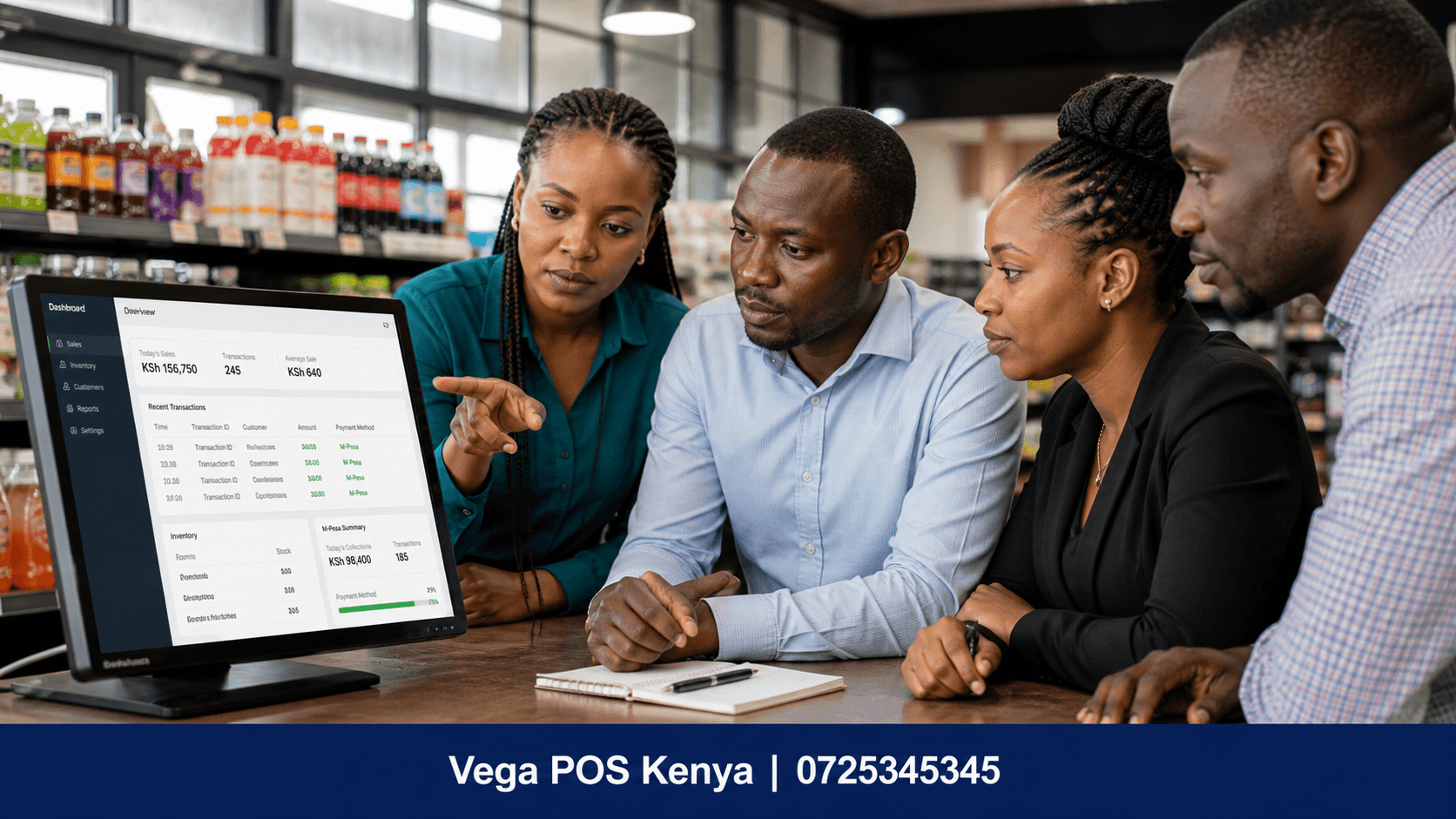
Retail Management Software Kenya is becoming an important technology solution for shops, supermarkets, minimarts, pharmacies, boutiques, electronics stores, wholesalers, distributors and other retail businesses that want better control over sales, inventory, customers, employees and business performance.
Running a retail business manually can become difficult as the number of products, customers, suppliers and daily transactions increases. Many businesses still depend on notebooks, spreadsheets, calculators and separate payment records to monitor their operations. Although these methods may work for a very small business, they can make it difficult to know exactly how much stock is available, which products are selling quickly, how much money was collected and which products are generating the best margins.
A modern Retail Management Software Kenya solution brings these activities together in one system. Depending on the software, a retailer can manage point-of-sale transactions, inventory, purchasing, suppliers, customers, employees, reports, branches and payment records from a centralized platform.
For Kenyan businesses, retail software can also play an important role in electronic invoicing and business record management. The Kenya Revenue Authority states that persons engaged in business are required to onboard eTIMS and issue electronic tax invoices, while KRA also provides system-to-system integration options for businesses whose invoicing or ERP systems need to connect with eTIMS.
What Is Retail Management Software?
Retail management software is a business application designed to help retailers manage their day-to-day operations from one platform.
Instead of maintaining separate records for sales, inventory, purchases, customers and employees, a retail management system connects these functions.
For example, when a customer purchases a product, the system can record the sale and update the available inventory. Depending on the configuration, it can also generate a receipt, record the payment method and include the transaction in sales reports.
This creates a connected workflow between selling and stock management.
A typical Retail Management Software Kenya solution may include:
- Point of Sale (POS)
- Inventory management
- Product management
- Barcode scanning
- Sales management
- Purchase management
- Supplier management
- Customer management
- Employee and cashier management
- Expense tracking
- Sales reporting
- Profit and loss reporting
- Stock reports
- Multi-branch management
- Payment tracking
- Electronic invoicing
- Customer loyalty management
- Business analytics
The exact features vary from one software provider to another, so retailers should select a system based on their business size, industry, number of products, number of employees and number of outlets.
Why Retail Businesses in Kenya Need Management Software
Retail businesses handle many transactions every day. A shop may purchase stock in the morning, receive customer orders throughout the day, accept cash and mobile payments, issue receipts, manage credit customers and reconcile sales at closing time.
When these activities are recorded manually, mistakes can easily occur.
A retail management system helps create a central record of business activity.
1. Better Stock Control
Stock is one of the most important assets in a retail business.
Without accurate inventory records, a retailer may not know which products are available, which products are almost finished or which products have remained unsold for a long period.
Retail management software allows businesses to create product records and monitor stock movements.
When products are sold, inventory can be updated automatically. When new stock is received, quantities can be added to the system.
This gives business owners a clearer view of inventory.
2. Faster Sales Processing
A POS component can make checkout faster by allowing employees to search for products, scan barcodes, calculate totals and generate receipts.
For businesses with many products, barcode scanning can reduce the amount of manual product entry required at checkout.
A faster checkout process can also make it easier for staff to handle busy periods.
3. Improved Sales Records
Every transaction can be stored in the system.
Instead of depending on handwritten sales books, the business can use digital records to review sales by date, product, employee, branch or payment method, depending on the software.
This can help management understand daily business activity.
4. Easier Business Reporting
Business owners need accurate information when making operational decisions.
A retail management system can provide reports covering areas such as:
- Daily sales
- Weekly sales
- Monthly sales
- Product performance
- Stock valuation
- Purchases
- Expenses
- Customer activity
- Employee sales
- Branch performance
- Payment methods
These reports can help transform raw transaction data into useful business information.
Key Features of Retail Management Software Kenya
When choosing Retail Management Software Kenya, it is important to look beyond a simple POS screen.
A complete retail management platform should address several areas of the business.
Point of Sale System
The Point of Sale is where sales transactions are processed.
A good POS system should make it easy for employees to:
- Select products
- Scan barcodes
- Add quantities
- Apply approved discounts
- Calculate totals
- Select payment methods
- Print or issue receipts
- Complete transactions
For businesses with high customer traffic, POS performance is particularly important.
The system should also provide appropriate user permissions so that employees only access functions relevant to their roles.
Inventory Management
Inventory management is one of the most important functions of retail software.
The system should allow businesses to create product records containing information such as:
- Product name
- SKU
- Barcode
- Category
- Selling price
- Buying price
- Stock quantity
- Supplier
- Reorder level
- Tax information
A connected inventory system can update stock when sales and purchases are recorded.
This makes it easier to identify products that need replenishment.
Low-Stock Alerts
Running out of popular products can result in missed sales.
Retail software can allow businesses to establish minimum stock levels. When inventory falls below the defined level, the system can alert the relevant user.
This allows the business to plan purchases before products completely run out.
Purchase Management
Retail businesses need to track what they purchase from suppliers.
A retail management system can help record:
- Supplier details
- Purchase orders
- Products purchased
- Quantities
- Purchase prices
- Supplier invoices
- Goods received
- Outstanding supplier balances
Having purchasing information in the same system as inventory makes it easier to understand the movement of stock.
Supplier Management
A retailer may work with several suppliers.
Instead of keeping supplier information in notebooks or separate spreadsheets, the business can store supplier records inside the software.
This may include supplier contact information, purchase history and outstanding balances, depending on the system.
Customer Management
Customer management is useful for businesses that want to maintain relationships with repeat customers.
A system can store customer information and transaction history where appropriate.
For businesses selling on credit, customer management can also help track outstanding balances and payment records.
Retailers should ensure that customer information is collected and processed responsibly. Kenya’s Office of the Data Protection Commissioner provides guidance concerning data controllers and processors under the Data Protection Act framework.
Employee and Cashier Management
Retail businesses often have multiple employees working different shifts.
Retail software can provide individual user accounts and permissions so that management can better understand who processed particular transactions.
Depending on the system, managers may be able to review:
- Sales by cashier
- Voided transactions
- Discounts
- Returns
- Shift activity
- Login activity
This creates better accountability than using one shared login for every employee.
Sales Reports and Analytics
Reports are essential for understanding business performance.
A retail management system can help answer questions such as:
- How much did the business sell today?
- Which products sold the most?
- Which products generated the most revenue?
- How much stock remains?
- What were the purchases this month?
- Which employee processed the most transactions?
- Which branch generated the most sales?
- Which products need restocking?
The answers can help owners make decisions using actual business records instead of assumptions.
Retail Management Software and POS Systems
The terms Retail Management Software and POS System are sometimes used interchangeably, but they can refer to different levels of functionality.
A POS system primarily focuses on processing sales.
Retail management software can cover a wider range of operations, including POS, inventory, purchasing, suppliers, customers, employees and reporting.
For a small shop, a POS system with inventory may be sufficient.
For a growing business with several employees or branches, a more comprehensive retail management platform may provide additional value.
The right choice depends on the retailer’s operational requirements.
Retail Management Software for Supermarkets and Minimarts
Supermarkets and minimarts often manage hundreds or thousands of products.
This makes inventory accuracy particularly important.
A suitable retail management system can help supermarkets manage:
- Product categories
- Barcodes
- Product variations
- Stock levels
- Purchase orders
- Suppliers
- Sales
- Promotions
- Cashiers
- Customer transactions
- Branches
- Reports
Barcode scanning is especially useful for high-volume retail environments because staff can process products more quickly than manually entering product information.
For businesses operating several outlets, centralized reporting can also make it easier for management to monitor performance across locations.
Retail Management Software for Pharmacies
Pharmacies have specialized operational requirements and should select software designed to support their specific workflows.
A pharmacy system may need features such as:
- Product and medicine inventory
- Batch tracking
- Expiry-date monitoring
- Supplier management
- Sales records
- Customer records
- Reporting
- User permissions
Retailers in regulated industries should confirm that the software supports all applicable industry requirements before implementation.
Retail Management Software for Boutiques and Fashion Shops
Fashion retailers often manage products using variations such as:
- Size
- Colour
- Brand
- Style
- Category
A suitable system should make it possible to distinguish between product variations.
For example, instead of recording only “Ladies Dress,” the retailer may need separate inventory records for different sizes and colours.
This helps the business identify exactly which variations are available.
Retail Management Software for Electronics Shops
Electronics businesses often manage products with serial numbers, warranties and different product specifications.
A suitable system may support:
- Product SKUs
- Serial numbers
- Warranty information
- Supplier records
- Purchase prices
- Selling prices
- Customer information
- Sales receipts
- Inventory tracking
These features can make it easier to trace products after a sale.
Retail Management Software for Hardware Shops
Hardware stores can have thousands of products with different sizes, brands and units of measurement.
A retail management system can help organize products into categories such as:
- Plumbing
- Electrical
- Tools
- Building materials
- Paint
- Fasteners
- Cement
- Timber
- Safety equipment
The ability to search products quickly can make sales processing easier for employees.
M-Pesa and Retail Management Software in Kenya
Mobile payments are an important part of the Kenyan business environment.
Retail management software can be configured to record different payment methods, including cash, mobile money and card payments.
Some modern Kenyan retail platforms advertise M-Pesa-related workflows and payment reconciliation features.
When evaluating software, retailers should check exactly how payment integration works.
For example, ask whether the system:
- Records M-Pesa payments
- Supports the business’s payment workflow
- Matches payments to sales
- Provides payment reports
- Supports reconciliation
- Handles mixed payments
The exact functionality depends on the software provider and integration.
eTIMS and Retail Management Software Kenya
eTIMS is an important consideration when selecting retail software in Kenya.
The Kenya Revenue Authority describes eTIMS as an electronic tax invoice management system and states that persons engaged in business are required to onboard and issue electronic tax invoices.
KRA also provides system-to-system integration through APIs for businesses that want their invoicing or ERP systems to connect with eTIMS. The available integration approaches include Online Sales Control Unit (OSCU) and Virtual Sales Control Unit (VSCU).
This means retailers looking for Retail Management Software Kenya should ask whether the system supports the eTIMS requirements relevant to their business.
Important questions include:
- Does the software support electronic invoicing?
- Is the integration appropriate for the business?
- Is the provider approved or appropriately certified where required?
- Can the system maintain transaction records?
- Can it integrate with an existing ERP or accounting system?
- What happens if the internet connection is unavailable?
Businesses should confirm current requirements directly with KRA because tax and system requirements can change.
Cloud-Based Retail Management Software Kenya
Cloud-based software stores business information on hosted infrastructure and allows authorized users to access the system through supported devices.
For a business owner, this can make it easier to monitor operations without always being physically present at the shop.
For example, an owner with several branches may want to see sales and stock information from a central dashboard.
Cloud software can also simplify updates because the provider may manage software maintenance centrally.
However, businesses should evaluate:
- Internet requirements
- Data security
- User permissions
- Backup policies
- Provider reliability
- Data export options
- Support availability
- Subscription costs
Offline Retail Management Software
Internet connectivity can sometimes be unreliable.
For this reason, some retail systems offer offline functionality that allows certain sales activities to continue without an active internet connection and synchronize information once connectivity returns.
Not every system handles offline operations in the same way.
Before purchasing software, ask exactly which functions work offline and how synchronization is handled.
This is particularly important for retailers that cannot afford long checkout interruptions.
Multi-Branch Retail Management Software Kenya
A business with several outlets needs visibility across all locations.
Multi-branch retail software can allow management to monitor:
- Branch sales
- Branch stock
- Product transfers
- Cashier activity
- Purchases
- Customer transactions
- Branch performance
Instead of creating completely separate systems for every shop, businesses can use a centralized platform.
This can make it easier to compare operational data across branches without manually combining spreadsheets.
Benefits of Retail Management Software Kenya
Implementing retail software can provide several operational benefits.
Improved Accuracy
Automated calculations and connected inventory records can reduce certain types of manual errors.
Better Stock Visibility
Managers can see available inventory without depending entirely on physical notebooks.
Faster Checkout
Barcode scanning and product search can simplify sales processing.
Better Reporting
Management can access structured reports based on recorded transactions.
Improved Accountability
Individual employee accounts can help identify transaction activity.
Easier Purchasing
Stock information can help managers plan replenishment.
Better Customer Service
Employees can locate products and process transactions more efficiently.
Centralized Management
Business owners can manage multiple operational areas from one platform.
How to Choose the Best Retail Management Software in Kenya
Rather than choosing software simply because it has many features, retailers should evaluate how well the system matches their actual business.
1. Identify Your Business Requirements
Start by listing what the business needs.
For example:
- POS
- Inventory
- Purchasing
- Customer management
- Supplier management
- M-Pesa workflows
- eTIMS
- Multi-branch management
- Reports
- Employee management
2. Consider the Number of Products
A small boutique may have fewer products than a supermarket.
The software should handle the expected number of products without making daily operations difficult.
3. Consider the Number of Users
Determine how many employees need access.
Also check whether the software supports different permissions for cashiers, managers and administrators.
4. Check eTIMS Compatibility
If eTIMS integration is required for your business, confirm the exact functionality with the provider.
KRA provides official information on eTIMS onboarding, available solutions and system integration.
5. Check Payment Support
Ask how the system records or integrates with your preferred payment methods.
6. Test the Reporting
Do not only look at screenshots.
Ask for a demonstration of actual reports.
7. Ask About Data Security
Retail systems may contain customer, employee and business information.
Ask how data is protected, backed up and accessed.
8. Check Customer Support
Technical problems can interrupt business operations.
Choose a provider with clear support channels and response procedures.
9. Understand Pricing
Retail software may be charged monthly, annually, per user, per branch or through customized pricing.
Calculate the total cost rather than comparing only the advertised starting price.
10. Request a Demonstration
A demonstration allows you to test the system using realistic business scenarios.
Retail Management Software Kenya Pricing
The price of retail management software varies significantly depending on the provider and features.
Factors that can affect pricing include:
- Number of users
- Number of branches
- Number of products
- POS terminals
- Inventory functionality
- Accounting functionality
- eTIMS integration
- Payment integrations
- Online store integration
- Customer management
- Advanced reporting
- Support
- Custom development
Some Kenyan retail software providers currently advertise entry-level monthly plans, while others use customized pricing for larger businesses.
Businesses should compare the total cost against the functionality they actually require.
The cheapest software is not necessarily suitable for a growing retailer, while an enterprise platform may provide features that a small shop does not need.
Common Problems Retail Management Software Can Help Address
Many retail businesses experience similar operational challenges.
Problem: Stock Does Not Match Records
A connected inventory system can provide a digital record of stock movements.
Problem: Sales Records Are Difficult to Track
POS transactions can be stored electronically for easier reporting.
Problem: Employees Share One Login
Individual user accounts and permissions can improve accountability.
Problem: Reordering Happens Too Late
Low-stock alerts can help managers identify products that need attention.
Problem: Reports Take Too Long to Prepare
Automated reports can reduce the need to manually compile daily sales information.
Problem: Multiple Branches Are Difficult to Monitor
Multi-branch dashboards can centralize information.
Retail Management Software vs Excel
Excel spreadsheets can be useful for basic business records, especially for small operations.
However, spreadsheets can become difficult to maintain when transaction volumes increase.
A retail management system is specifically designed around retail workflows.
Excel may require manual updates for:
- Sales
- Inventory
- Purchases
- Customer records
- Supplier records
- Reports
Retail software can connect these processes.
This does not mean spreadsheets have no value. Many businesses continue using spreadsheets for analysis, budgeting or data exports.
The important consideration is whether the business can maintain accurate information as transaction volume grows.
How Retail Management Software Supports Business Growth
As a retailer grows, operational complexity usually increases.
A business may move from one shop to several branches, employ additional cashiers, add more products and work with more suppliers.
Retail management software can provide a foundation for this growth by creating standardized processes.
For example, management can establish consistent product naming, pricing, user permissions and reporting across branches.
This can make it easier to manage operations as the company expands.
Retail Management Software Kenya for Small Businesses
Small retailers do not necessarily need a complicated enterprise system.
A small shop may only need:
- POS
- Inventory
- Product management
- Sales reports
- Customer records
- Supplier records
- Payment tracking
The system should be easy to learn and affordable to operate.
A simple interface is important because employees may need to begin using the system without extensive technical training.
Retail Management Software Kenya for Growing Businesses
Growing businesses may require more advanced functionality.
This can include:
- Multiple branches
- Multiple users
- Stock transfers
- Advanced reports
- Purchase orders
- Customer loyalty
- Employee management
- Accounting integrations
- eTIMS integration
- Online sales
- Centralized dashboards
The important objective is scalability.
A business should avoid selecting software that will immediately become inadequate after opening another branch or significantly increasing its product range.
Frequently Asked Questions
What is Retail Management Software Kenya?
Retail Management Software Kenya refers to software solutions used by Kenyan retailers to manage activities such as sales, POS, inventory, purchases, customers, suppliers, employees and business reporting.
What is the difference between retail software and POS software?
POS software primarily handles sales transactions, while retail management software can cover broader operations such as inventory, purchasing, suppliers, customers, employees, branches and reporting.
Can retail management software manage stock?
Yes. Inventory management is one of the most common features of retail management software. Depending on the platform, it can track products, stock quantities, purchases, sales, stock adjustments and reorder levels.
Can retail software support M-Pesa?
Some retail platforms support M-Pesa workflows or integrations. The exact capabilities differ between providers, so retailers should confirm the specific M-Pesa functionality before purchasing.
Does retail management software support eTIMS?
Some systems can integrate with eTIMS. KRA provides system-to-system integration options for taxpayer invoicing systems through APIs, including OSCU and VSCU approaches.
Is retail management software suitable for a small shop?
Yes. Small retailers can use software to manage POS, stock, purchases and reports. The important consideration is choosing a system whose features and cost match the size of the business.
Can retail management software manage multiple branches?
Many modern retail systems support multiple branches. Depending on the software, businesses may be able to monitor branch sales, inventory, staff and reports from a centralized dashboard.
Does retail software work without internet?
Some platforms provide offline functionality, while others require an internet connection. Ask the provider which functions are available offline and how data synchronization works.
How much does retail management software cost in Kenya?
Pricing varies according to the provider, number of users, branches and features. Some providers advertise monthly subscriptions, while larger businesses may receive customized pricing.
What should I check before buying retail software?
Check POS functionality, inventory management, eTIMS compatibility, payment workflows, reporting, user permissions, security, backups, customer support, scalability and total cost.
Conclusion: Choosing Retail Management Software Kenya
Retail Management Software Kenya can help retailers bring sales, inventory, purchasing, customers, suppliers, employees and reporting into one connected business system.
For a small shop, the software can provide better control over daily sales and stock. For a growing retailer, it can provide tools for managing employees, branches, purchasing and business performance.
The most important step is to choose software based on actual business requirements rather than simply selecting a system because it has a long feature list.
Before making a decision, evaluate the POS, inventory, reporting, payment, eTIMS, user management, security, support and multi-branch capabilities.
For Kenyan businesses, eTIMS should be an important consideration because KRA provides specific requirements and integration options for electronic tax invoicing.
A well-configured retail management system can give business owners a clearer view of what is happening in their shops, help employees process transactions efficiently and provide management with organized information for day-to-day decision-making.
If your business is searching for Retail Management Software Kenya, start by identifying your current operational challenges, define the features you need, compare suitable solutions and request a demonstration before implementation. The right system should make retail operations easier to control today while providing room for the business to grow tomorrow.