 Vega
Vega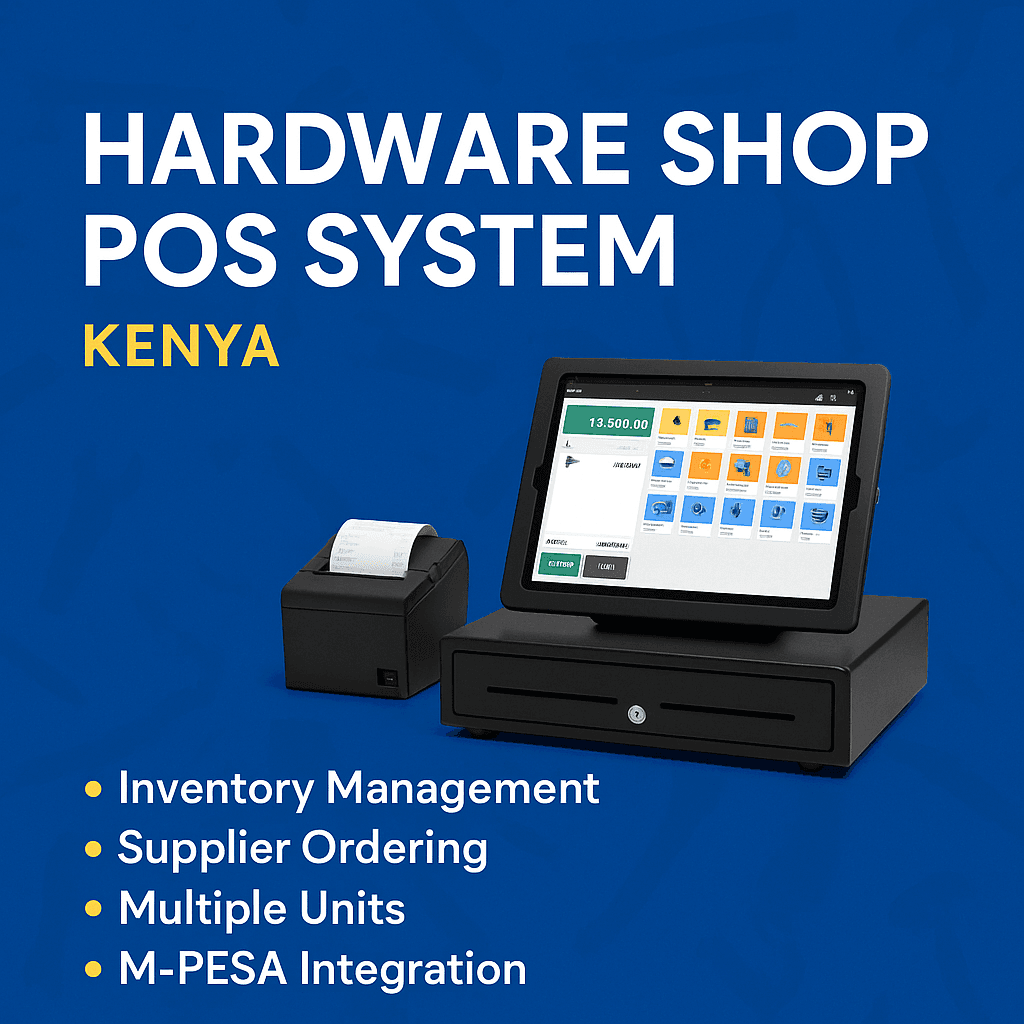
POS Hardware and Software: The Complete Guide for Modern Businesses
In today’s fast-paced retail and hospitality environment, choosing the right POS hardware and software is essential for managing sales, improving customer experience, and streamlining overall business operations. A powerful POS system combines reliable physical components with intelligent software to help you run your business more efficiently and profitably.
What Is POS Hardware and Software?
POS hardware refers to the physical devices used to process transactions, while POS software is the system that manages sales, inventory, reporting, customer data, and more. When these two work together seamlessly, they create a powerful checkout and management solution suitable for retail stores, restaurants, supermarkets, and service-based businesses.
Key Components of POS Hardware
1. Touchscreen POS Terminal
A touchscreen POS terminal provides a fast and user-friendly interface for processing orders, managing inventory, and handling payments.
2. Barcode Scanner
Barcode scanners improve accuracy, boost checkout speed, and simplify inventory audits.
3. Receipt Printer
Thermal receipt printers generate quick, high-quality customer receipts.
4. Cash Drawer
Secure cash management with a durable drawer connected directly to your POS system.
5. Customer Display
Customer-facing displays show real-time order details and support digital receipts or promotions.
6. Card Readers & Mobile Payment Devices
Chip-and-pin, NFC, and mobile wallet payments are fully supported with modern POS hardware.
Key Features of POS Software
1. Inventory Management
Track stock levels, receive alerts for low inventory, and manage suppliers effortlessly.
2. Sales Reporting & Analytics
Generate real-time reports to understand revenue, peak hours, and top-selling products.
3. Customer Relationship Management (CRM)
Store customer data, loyalty points, and purchase history to enhance customer retention.
4. Employee Management
Monitor staff performance, assign roles, and control access levels.
5. Multi-Store Management
Ideal for businesses with multiple branches – sync data across all locations in real time.
6. Cloud Backup & Mobile Access
Access your POS system anytime from any device, ensuring business continuity.
Benefits of Integrating POS Hardware and Software
Faster checkout times
Accurate inventory tracking
Reduced human errors
Improved customer experience
Better business insights
Secure and reliable payment processing
Scalable solutions for growing businesses
Choosing the Best POS Hardware and Software
When selecting a POS solution, consider the following:
Your business type (retail, restaurant, grocery, salon, etc.)
Size and expected transaction volume
Connectivity and cloud compatibility
Integration with accounting or e-commerce platforms
Durability and warranty of the hardware
Cost and subscription model of the software
A well-integrated POS solution ensures smooth operations, saves time, and improves profitability.
How POS Hardware and Software Work Together
A complete POS ecosystem connects hardware and software to create a smooth checkout and management experience. Here’s how they integrate:
The POS terminal runs the software that manages transactions.
Barcode scanners send product data directly to the system.
Receipt printers automatically generate customer receipts after payment.
Cash drawers open only after authorized transactions.
Payment devices communicate securely with the POS software to process card or mobile payments.
Cloud POS software syncs all data in real time across multiple devices and branches.
This synchronization ensures your business can run with accuracy, speed, and minimal downtime.
Types of POS Hardware and Software Solutions
1. Retail POS Systems
Designed for supermarkets, boutiques, electronics shops, and general retail. Features include barcode scanning, inventory control, promotions, and loyalty programs.
2. Restaurant POS Systems
Ideal for cafés, fast food, bars, and full-service restaurants. They support table management, kitchen display systems (KDS), menu customization, split bills, and online ordering.
3. Mobile POS Systems
Lightweight handheld devices or tablets connected with cloud POS software—perfect for pop-up shops, delivery services, or on-the-go sales teams.
4. Cloud-Based POS Systems
These systems store data online, offering remote access, instant updates, automatic backups, and lower hardware maintenance costs.
5. All-in-One POS Systems
Integrate touchscreen terminals, printers, and card readers into a single compact unit for convenience and space-saving.
Why Businesses Need POS Hardware and Software
1. Real-Time Business Monitoring
Track sales, stock, and staff performance instantly from anywhere.
2. Accurate and Automated Operations
Reduce manual errors with automated processes like stock deductions, pricing updates, and digital reports.
3. Increased Customer Satisfaction
Quick checkouts, multiple payment options, and accurate billing enhance customer experience.
4. Enhanced Security
Modern POS software includes user permissions, audit logs, and encrypted payment processing.
5. Scalability and Flexibility
POS systems grow with your business—add new branches, users, or hardware effortlessly.
Industries That Benefit from POS Hardware and Software
Supermarkets & grocery stores
Retail shops & boutiques
Restaurants & cafés
Pharmacies
Hardware shops
Salons & spas
Liquor stores
Wholesale & distribution
Electronics shops
Mobile money & bill payment kiosks
Any business that handles transactions can benefit from a smart POS solution.
Frequently Asked Questions (FAQ)
1. What is the difference between POS hardware and POS software?
POS hardware is the physical equipment such as terminals, scanners, and printers. POS software is the program that processes transactions, manages stock, and produces reports.
2. Can I use POS software without hardware?
Yes, cloud POS software can run on a smartphone, tablet, or computer. However, hardware like receipt printers and scanners improve speed and efficiency.
3. How much does a POS system cost?
Prices vary depending on hardware quality, software features, and subscription plans. You can choose budget-friendly packages or enterprise-level systems.
4. Is cloud-based POS better?
Cloud POS offers remote access, automatic updates, lower upfront costs, and easy scalability—making it ideal for most modern businesses.
5. Can I integrate online and in-store sales?
Yes, many POS systems support e-commerce integration for unified inventory and sales tracking.
Call to Action
Equip your business with reliable POS hardware and software to enhance operations, improve accuracy, and elevate customer satisfaction. Whether you’re running a small shop or a large multi-branch enterprise, the right POS system will help you grow faster and manage smarter.
Essential Features to Look for in POS Hardware and Software
Whether you’re upgrading or buying your first system, choosing POS hardware and software with the right features is crucial. Below are the essential capabilities every business should consider:
1. Fast & Reliable Processing
Your POS hardware should support high-speed transactions, ensuring customers are served quickly even during busy peak hours.
2. Cloud Sync & Offline Mode
Modern POS software offers cloud syncing for real-time updates and offline mode so your business continues running even without internet.
3. Multi-Payment Support
Your POS solution should accept:
Cash
Cards (Visa, Mastercard)
Mobile money (M-Pesa, Airtel Money)
NFC tap-to-pay
QR code payments
This flexibility improves convenience and customer satisfaction.
4. Integrated Inventory System
A powerful POS automatically adjusts inventory after each sale and provides low-stock alerts.
5. User Access Levels
Assign roles and control who can view reports, issue refunds, or adjust stock.
6. Customizable Receipts & Invoices
Print or send digital receipts with your logo, business details, return policy, or promotions.
7. Smart Reporting Dashboards
Access visual reports on sales trends, best-selling products, employee performance, and more.
How to Maintain Your POS Hardware and Software
Proper care increases the lifespan and performance of your POS system.
For POS Hardware:
Clean barcode scanners and touchscreen displays regularly.
Keep thermal printers dust-free.
Use surge protectors to prevent power damage.
Store backup rolls of thermal paper and accessories.
Update firmware when available.
For POS Software:
Schedule regular updates for new features.
Backup data consistently (cloud backup auto-handles this).
Monitor user permissions to prevent unauthorized access.
Review reports frequently to catch issues early.
Top Benefits of Using Integrated POS Hardware and Software
1. More Efficient Checkout Process
Scanning items, processing payments, and printing receipts becomes faster and more accurate.
2. Improved Accuracy and Reduced Shrinkage
Reduce manual errors, wrong pricing, and stock mismatches.
3. Better Business Visibility
Gain insights into your business performance with real-time data analytics.
4. Enhanced Customer Loyalty
Build loyalty programs, track purchase history, and offer personalized discounts.
5. Seamless Multi-Branch Management
Centralize your operations and maintain consistent pricing across all outlets.
6. Cost Savings
Automation reduces operational expenses, staff workload, and inventory waste.
Future Trends in POS Hardware and Software
The POS industry continues to evolve. Here are the latest innovations shaping the future:
1. AI-Powered POS Systems
AI helps predict demand, automate stock reordering, and analyze customer behavior.
2. Mobile & Tablet POs
Lightweight, portable POS devices are replacing bulky traditional setups.
3. Biometric Access Control
Fingerprint or face recognition improves security and staff accountability.
4. Self-Checkout Kiosks
Retailers are adopting self-checkout systems to speed up service.
5. Contactless and Digital Wallet Payments
Digital wallets like Apple Pay, Google Pay, and M-Pesa are becoming mainstream.
Why Choose a Modern POS System?
A modern POS system combining high-quality hardware and intelligent software helps businesses:
Operate faster
Boost sales
Improve customer happiness
Reduce losses
Make informed decisions
Scale easily
Whether you run a small shop or a large chain, investing in the right POS solution is a smart business move.