 Vega
Vega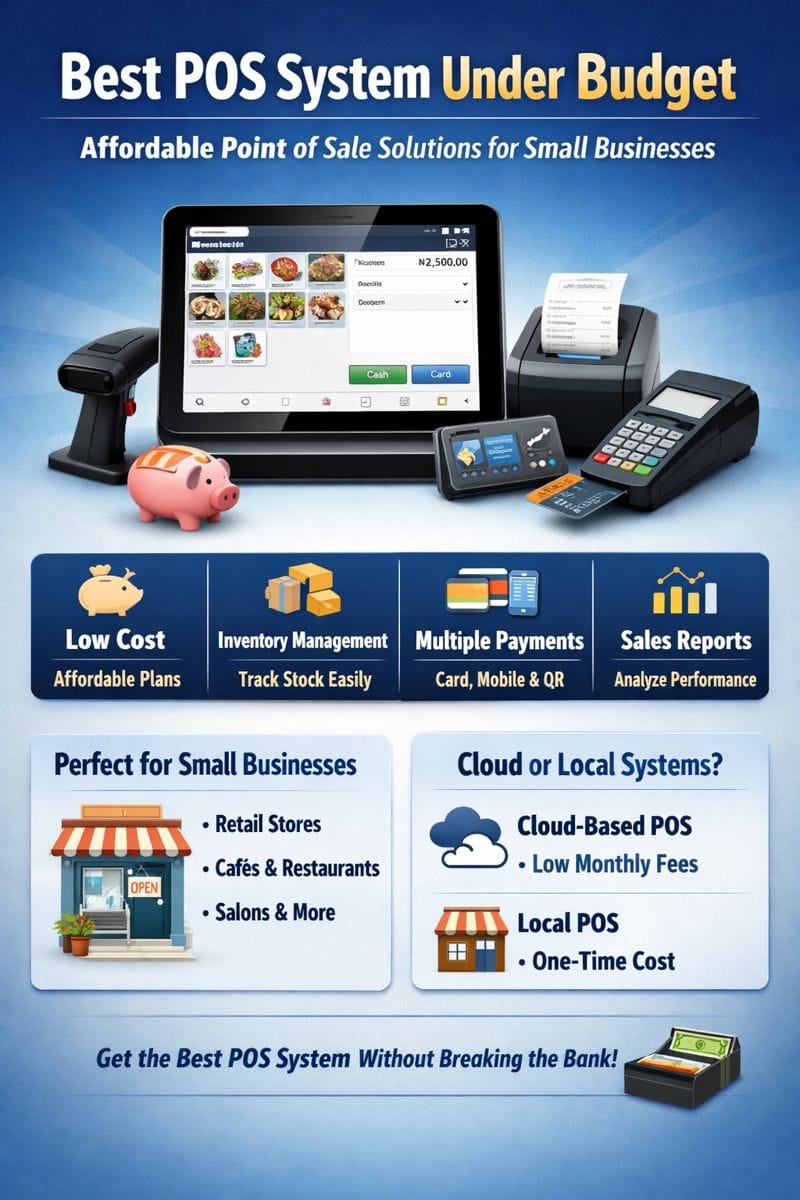
Best POS System Under Budget: Affordable Point of Sale Solutions for Small Businesses
Finding the best POS system under budget is one of the smartest decisions a small business can make. Whether you run a retail shop, restaurant, salon, pharmacy, or mobile business, a point of sale (POS) system helps you track sales, manage inventory, accept payments, and grow efficiently—without breaking the bank.
The good news? You don’t need an expensive enterprise system to get powerful features. Today, many affordable POS systems offer excellent performance, flexibility, and scalability at a fraction of the cost.
This guide explores what makes a POS system budget-friendly, features to prioritize, and how to choose the best low-cost POS system for your business needs.
What Is a POS System?
A Point of Sale (POS) system is a combination of software and hardware that allows businesses to process transactions, accept payments, track inventory, generate receipts, and analyze sales data.
Modern POS systems often include:
POS software (cloud-based or installed)
Payment processing
Inventory management
Sales reports
Customer management tools
For budget-conscious businesses, the goal is to get essential features at the lowest sustainable cost.
Why Choose the Best POS System Under Budget?
1. Lower Startup Costs
Affordable POS systems help new businesses launch faster by reducing upfront investment.
2. Faster ROI
Lower costs mean you recover your investment sooner while still enjoying operational efficiency.
3. Scalable Growth
Many budget POS systems allow you to start small and upgrade features as your business grows.
4. Easy Training
Simpler systems are easier for staff to learn, reducing onboarding costs.
Key Features to Look for in a Budget POS System
When searching for the best POS system under budget, prioritize value—not just price.
✔ User-Friendly Interface
An intuitive layout saves time and reduces errors.
✔ Inventory Management
Track stock levels, low inventory alerts, and product variations.
✔ Multiple Payment Options
Support for cash, card, mobile money, and digital wallets is essential.
✔ Sales Reporting
Basic daily, weekly, and monthly reports help you understand performance.
✔ Offline Mode
Allows sales even during internet outages—critical for reliability.
✔ Low or No Monthly Fees
Some POS systems charge once, others offer free plans with optional upgrades.
Best POS System Under Budget: Who Is It Ideal For?
A budget POS system is perfect for:
Small retail stores
Restaurants and cafés
Minimarts and kiosks
Salons and barbershops
Pharmacies
Clothing boutiques
Mobile and pop-up businesses
Startups and side hustles
Cloud-Based vs Local POS Systems (Budget Comparison)
Cloud-Based POS
Pros:
Low upfront cost
Automatic updates
Access from anywhere
Data backup included
Cons:
Requires internet (though many offer offline mode)
Monthly subscription fees (usually affordable)
Locally Installed POS
Pros:
One-time payment
Full control of data
No recurring fees
Cons:
Limited remote access
Manual updates
Higher setup effort
For most small businesses, cloud-based POS systems under budget offer better long-term value.
Hardware Costs to Consider
Even the best POS system under budget may require basic hardware:
Tablet or touchscreen
Receipt printer
Cash drawer
Barcode scanner
To save money:
Use existing smartphones or tablets
Buy POS hardware kits instead of individual items
Choose systems compatible with generic hardware
Benefits of Using a Budget POS System
Improved Accuracy
Reduce manual errors in pricing and inventory.
Faster Checkout
Speed up customer service and reduce queues.
Better Business Insights
Track best-selling products and peak hours.
Professional Image
Printed or digital receipts enhance credibility.
Simplified Accounting
POS reports make tax filing and bookkeeping easier.
Common Mistakes to Avoid When Choosing a Cheap POS
Choosing price over reliability
Ignoring payment processing fees
Selecting systems without local support
Overlooking data backup and security
Picking non-scalable software
A cheap POS system isn’t always the best POS system under budget—value and reliability matter.
How to Choose the Best POS System Under Budget
Ask yourself:
What type of business do I run?
How many products do I sell?
Do I need inventory tracking?
What payment methods do my customers use?
Can the system grow with my business?
Choose a POS that solves today’s problems while preparing you for tomorrow.
Budget POS Systems and Digital Payments
Modern affordable POS systems integrate with:
Debit & credit cards
Mobile payments
QR code payments
Digital wallets
This flexibility increases sales and improves customer satisfaction.
Best POS System Under Budget for Small Businesses: Final Thoughts
The best POS system under budget is one that balances affordability, functionality, and reliability. Small businesses no longer need to sacrifice quality for cost. With the right POS system, you can streamline operations, increase efficiency, and gain valuable insights—without overspending.
Whether you’re launching a startup or upgrading from manual records, investing in a budget-friendly POS system is a smart move toward long-term business success.
Best POS System Under Budget: The Ultimate Guide for Small Businesses and Startups
Choosing the best POS system under budget can transform how a small business operates. From faster checkouts and accurate inventory tracking to improved customer experience and better financial insights, a point of sale (POS) system is no longer a luxury—it’s a necessity. The challenge for many entrepreneurs is finding a POS solution that is both affordable and powerful.
Fortunately, today’s market offers a wide range of budget-friendly POS systems designed specifically for small businesses, startups, and growing enterprises. These systems provide essential features without the high costs associated with enterprise-levelbest low-cost POS system solutions.
In this comprehensive guide, we’ll explore everything you need to know about choosing the , including features, benefits, comparisons, hardware considerations, and tips to get maximum value on a tight budget.
What Is a POS System?
A Point of Sale (POS) system is the technology used to process sales transactions when customers make purchases. Modern POS systems go far beyond simple billing—they act as complete business management tools.
A typical POS system includes:
POS software (cloud-based or installed)
Payment processing
Inventory management
Sales and tax reports
Customer data tracking
Receipt generation (printed or digital)
For businesses seeking the best POS system under budget, the focus is on essential features that deliver real value without unnecessary extras.
Why Budget POS Systems Are in High Demand
Small businesses operate on tight margins. Every expense matters, especially during startup or early growth stages. That’s why demand for affordable POS systems has grown rapidly.
1. Lower Initial Investment
Budget POS systems reduce upfront costs, allowing businesses to allocate funds to inventory, marketing, or staffing.
2. Faster Business Setup
Many low-cost POS solutions are easy to install and configure, helping businesses go live quickly.
3. Affordable POS system
As sales increase, most s allow upgrades rather than forcing a full replacement.
4. Digital Transformation
Even the smallest businesses can now digitize operations using affordable POS technology.
What Makes the Best POS System Under Budget?
Not all cheap POS systems are equal. The best POS system under budget balances affordability, reliability, and functionality.
Core Qualities to Look For
✔ Affordable Pricing Structure
Look for:
Low monthly subscriptions
One-time payment options
Transparent pricing with no hidden fees
✔ Ease of Use
A simple interface reduces training time and prevents cashier errors.
✔ Essential Business Features
The best budget POS systems cover the basics efficiently.
✔ Reliable Performance
The system should be stable, fast, and capable of offline operation.
✔ Scalability
Your POS should grow with your business.
Essential Features in a Budget POS System
When evaluating options, focus on features that matter most for daily operations.
1. Sales Processing
Fast checkout
Discount and tax configuration
Refunds and returns
2. Inventory Management
Real-time stock tracking
Low-stock alerts
Product variants (size, color, batch numbers)
3. Payment Methods
The best POS system under budget should support:
Cash
Debit & credit cards
Mobile money
QR code payments
Digital wallets
4. Reporting and Analytics
Basic reports include:
Daily sales summaries
Best-selling products
Staff performance
Profit margins
5. Receipt Management
Printed receipts
SMS or email receipts
Custom branding options
6. Offline Mode
Offline functionality ensures sales continue even without internet access.
Who Should Use a Budget POS System?
A low-cost POS system is ideal for:
Small retail stores
Mini marts and kiosks
Restaurants and cafés
Salons and barbershops
Pharmacies
Hardware stores
Clothing boutiques
Electronics shops
Mobile and pop-up vendors
Startups and entrepreneurs
If your business processes daily transactions, a budget POS can dramatically improve efficiency.
Cloud-Based vs Installed POS Systems (Budget Comparison)
Understanding POS deployment types helps you choose wisely.
Cloud-Based POS Systems
Advantages
Low upfront cost
Automatic updates
Data backup and security
Access reports from anywhere
Easy scalability
Disadvantages
Monthly subscription fees
Internet dependency (though many support offline mode)
Best choice for most small businesses under budget
Locally Installed POS Systems
Advantages
One-time license cost
No monthly fees
Full data control
Disadvantages
Manual updates
Limited remote access
Higher maintenance responsibility
Suitable for businesses preferring ownership over subscriptions.
Hardware Costs: Keeping POS Setup Affordable
Even the best POS system under budget requires basic hardware.
Common POS Hardware
Tablet or touchscreen monitor
Receipt printer
Cash drawer
Barcode scanner
Card reader
Cost-Saving Tips
Use existing smartphones or tablets
Buy POS hardware kits
Choose systems compatible with generic devices
Avoid proprietary hardware where possible
A smart hardware strategy can cut setup costs by more than 50%.
Benefits of Using the Best POS System Under Budget
1. Faster Checkout
Reduced queues merging speed and accuracy.
2. Reduced Errors
Automated pricing and inventory prevent mistakes.
3. Better Inventory Control
Know what’s selling and what’s not in real time.
4. Improved Customer Experience
Professional receipts and quick service build trust.
5. Business Insights
Data-driven decisions increase profitability.
6. Simplified Accounting
POS reports make bookkeeping and tax filing easier.
POS Systems Under Budget and Digital Payments
Modern consumers prefer cashless payments. The best budget POS systems integrate with digital payment options, enabling businesses to accept more payment types and increase sales.
Benefits include:
Reduced cash handling risks
Faster transactions
Better transaction records
Increased customer convenience
Security and Data Protection in Budget POS Systems
Affordable doesn’t mean insecure. A good POS system should include:
User access controls
Encrypted transactions
Secure cloud backups
Audit logs
Always ensure the POS vendor follows industry security standards.
Common Mistakes When Choosing a Cheap POS System
Avoid these pitfalls:
Choosing price alone without considering features
Ignoring transaction and payment processing fees
Selecting systems with poor customer support
Overlooking scalability
Failing to check hardware compatibility
The goal is value—not just the lowest price.
How to Choose the Best POS System Under Budget: Step-by-Step
Define your business type and size
List must-have features
Set a realistic budget
Compare pricing models
Check hardware requirements
Read reviews and testimonials
Test demos or free trials
Evaluate customer support
This process ensures long-term satisfaction.
Budget POS Systems for Different Business Types
Retail Businesses
Look for strong inventory and barcode scanning features.
Restaurants & Cafés
Prioritize order management, menu customization, and table tracking.
Salons & Service Businesses
Appointment scheduling and customer profiles are key.
Mobile Vendors
Choose lightweight POS systems with mobile payment support.
Future-Proofing Your Business with a Budget POS
The POS sybeste stm under budget should support:
Multiple locations
Additional users
Advanced reporting upgrades
Integration with accounting software
E-commerce support
Starting small doesn’t mean staying limited.
Final Thoughts: Is a Budget POS System Worth It?
Absolutely. The best POS system under budget delivers professional-grade functionality without financial strain. For small businesses, startups, and growing enterprises, an affordable POS system is one of the most impactful investments you can make.
By choosing the right solution, you gain:
Operational efficiency
Better customer service
Improved cash flow management
Clear business insights
With careful selection, a budget-friendly POS system can support your business today and scale with you tomorrow.