 Vega
Vega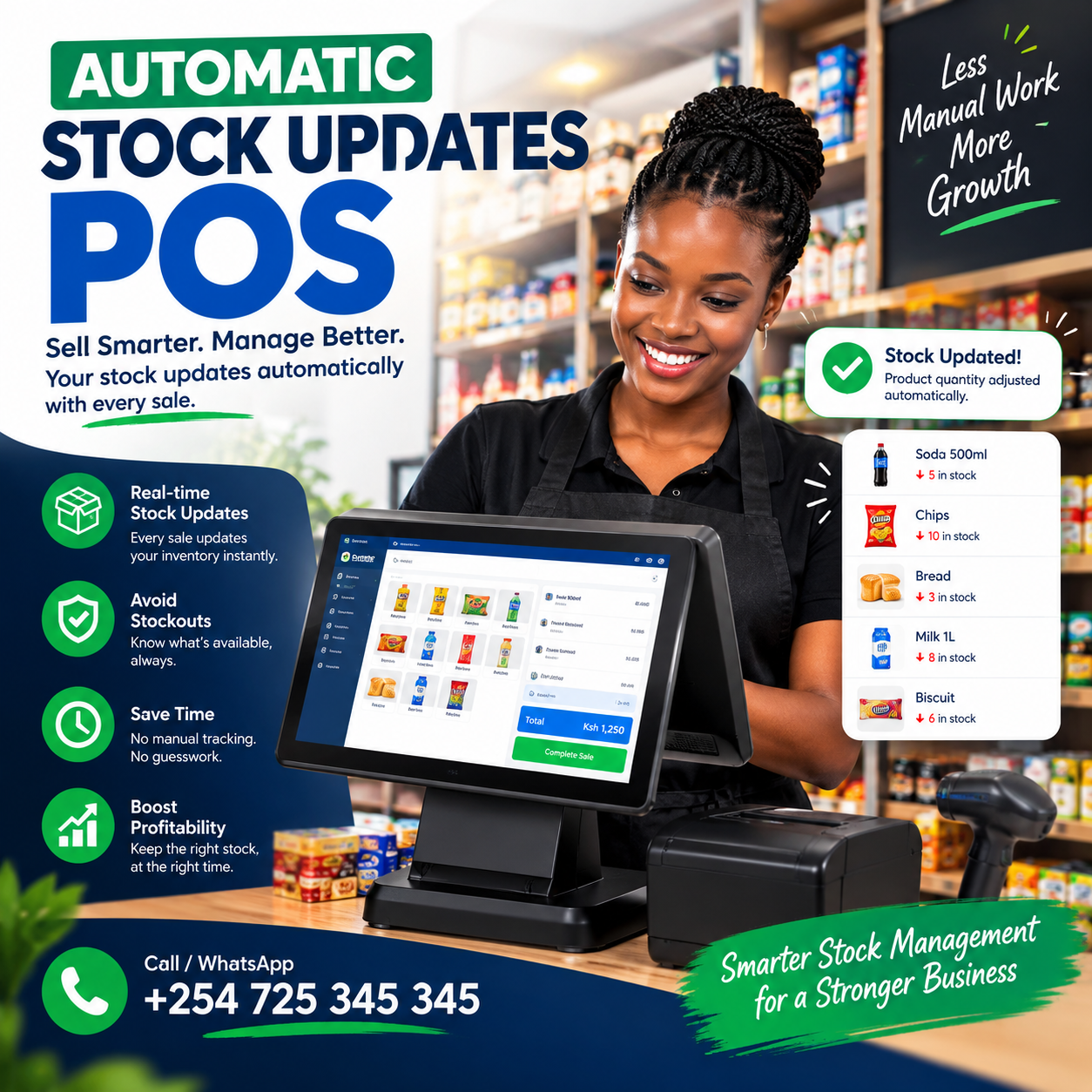
Automatic stock updates POS capability is the difference between a shop that knows what it owns and a shop that guesses — because stock that updates itself is the only stock that stays true.
Every manual stock system in the country fails the same way: the records start accurate, drift daily, and are corrected by a painful count that begins the drift all over again.
The drift is not caused by carelessness — it is caused by the gap between the sale at the counter and the record in the book.
A sale happens in four seconds; updating the book happens tonight, maybe, by someone tired.
A genuine automatic stock updates POS closes that gap by deleting it: the sale and the stock record become the same action, written once, at the moment the receipt prints.
This article explains that mechanism end to end: what automatic updating actually means, where the updates come from, how receiving and adjustments flow, what happens offline, and the reports that only self-updating stock can produce.
Then the demo test, the rollout, the mistakes, and the worth — because by the end, you will judge every system with one question: does my stock move the moment my counter does?
Automatic Stock Updates POS: The Connection
Stock and sales are the same event — and the till is where they must be written together.
When a customer buys three units, the sale and the decrement are one fact wearing two records; systems that write them separately are the reason every stock book in the country disagrees with its shelf.
That is why a genuine automatic stock updates POS is a property of the point-of-sale, not a feature of a separate inventory app: the machine recording the sale is the only machine positioned to update the stock at the same instant.
In a proper automatic stock updates POS, every stock movement is a by-product of ordinary trading: sales decrement, deliveries increment, returns reverse, damages write down — all automatically, all timestamped, all attributed.
Three properties define the real thing.
Instant first: the stock figure moves the moment the receipt prints — not tonight, not on Sunday, not at month-end.
Complete second: every direction of movement is covered — in, out, returned, damaged, transferred — so no gap exists for drift to hide in.
Attributed third: every update carries the source — the sale, the delivery, the adjustment — and the person behind it, the automatic stock updates POS trail that makes every figure explainable.
A system without all three produces a stock figure that is occasionally right, which is the most dangerous kind of wrong.
What it is not: a spreadsheet updated from the till’s export, and not a counting app reconciled monthly — both are manual systems with extra steps, and both drift by design.
The distinction matters because the value of stock truth compounds: accurate figures make reorder points work, shrinkage visible, and margins honest — and none of those functions survive a drifting baseline.
In shops we configure, owners describe the change the same way: the stock book did not get better — it became unnecessary, which is the entire point of an automatic stock updates POS.
The Sale: The Update That Matters Most
The counter is where most stock movements are born, and it is where automatic updating earns its keep every single hour.
The mechanism is simple and absolute: every item scanned adds it to the basket and subtracts it from stock simultaneously — one action, two records, no gap.
No refresh needed, no delay, no nightly batch catching up: the figure on the stock card is current to the second, because the automatic stock updates POS writes it at the moment of the transaction.
The Shopkeeper’s Test proves it instantly: ring three units of any item, then open its stock card — the figure must have moved by exactly three, immediately.
Systems that update on a delay, on a sync, or on an end-of-day job fail this test — and they fail it on the day a delivery decision depends on a figure that has not caught up yet.
Why the delay matters commercially: a stock figure that lags is a stock figure that misleads — reorder decisions made on stale numbers either stock out the shelf or fill the store.
And the drift compounds: a till that updates at day’s end misses the morning’s sales on the afternoon’s decisions, while an automatic stock updates POS is never more than a second behind reality.
The report that proves the connection: sell an item today, check its movement history tonight — the sale, the timestamp, the quantity, and the resulting balance should all sit on one line, traceable without effort.
Ask every vendor to run that demonstration live, on your products: sell, check, verify — and any system that needs a refresh before the answer arrives is telling you its stock record is a diary, not a ledger.
Receiving: The Inbound Half of Automatic Updates
Sales are half the movement equation — deliveries are the other half, and they are where manual systems are weakest.
The receiving flow on a proper automatic stock updates POS works the same way the sale does: the delivery is scanned in against its purchase order, and stock increments automatically, line by line, as the boxes are counted.
No transcription, no entering figures from the supplier’s document by hand — the scan writes the record while the driver is still at the gate.
Short deliveries surface automatically: what was ordered sits in the system, what arrives gets scanned, and the difference appears as a discrepancy — recorded, named, and ready for the supplier conversation while the truck is still loading out.
Cost prices ride the same flow: entering the new cost at receiving updates your margin picture immediately — the supplier’s price move reflected the day it happens, not at month-end.
Purchase-order history accumulates as a by-product: volumes per supplier, price movements over months, delivery reliability — all earned by the discipline without any extra work.
The conversion cases belong here too: a parent carton split into singles receives its own automatic flow — the parent decrements, the children enter stock with their own codes, and nothing is created or destroyed outside the ledger.
And batch or expiry goods enter with their dates at receiving: the automatic stock updates POS that tracks expiry starts its countdown the moment the truck offloads, not when someone remembers to write it down.
Ask every vendor to demonstrate a short delivery live: an order of ten lines, one short — the discrepancy should surface without anyone hunting for it.
The receiving test is the clearest window into whether a system’s automation is real architecture or a manual process wearing software.
Adjustments: The Movement That Must Stay Honest
Not all stock movement comes from sales and deliveries — damages, spoilage, expiry, staff purchases, and corrections all move the figures too, and this is where automatic systems prove their integrity.
The discipline is attribution: every adjustment carries the name of the person who made it, the quantity changed, and the reason selected — a automatic stock updates POS never allows an anonymous edit, because the field is never blank and the login is never shared.
Write-offs become governed events: the damaged carton recorded explicitly with its cost, so shrinkage is measured rather than absorbed into an unexplained variance.
Expiry removals join the same flow: the dated batch written down deliberately, visible in reports — not discovered as a mystery months later.
Staff purchases pass through the same gate: recorded, priced, and explained, so the shop’s own consumption never masquerades as shrinkage.
Approvals add the second layer: large adjustments, or any write-off above a threshold, route to the owner’s PIN before completing — the software equivalent of a second signature.
The adjustment report is the audit view: every change across a period, by person and by reason, readable in five minutes — the automatic stock updates POS history that makes every stock figure explainable.
Ask every vendor to attempt an anonymous adjustment in the demo: a write-off with no reason selected — a serious system blocks it, and the block itself is the product.
The shops running this discipline discover the same thing after a month: the honest adjustments were few, the reasons were explainable, and the unexplained variances that remained were the ones worth investigating.
Counts: Verification Instead of Correction
Self-updating stock changes the meaning of counting — from an act of repair into an act of verification, which is why it becomes easy enough to do regularly.
In a manual shop, the count is where the truth gets restored: the book is wrong, the count is right, and the figures are forced back together — until the drift starts again.
In a shop running an automatic stock updates POS, the book is already current — so the count simply confirms what the system believes, and the variance it finds is small, specific, and explainable.
Cycle counts become routine: top movers weekly, a department monthly, everything quarterly — each count a ten-minute exercise rather than a day-long reckoning.
The variance report is where shrinkage surfaces: flagged by item, by department, and by the person who counted — turning missing stock from a vague annual ache into a nameable, manageable event.
Spot counts complete the kit: when a figure looks wrong — a shelf too full or too light — count that section the same day, while the trail is warm.
Count with the system live, never on paper afterwards: transcribing counts is where counting errors are born, and the automatic system eliminates the transcription step entirely.
The annual full count, when it happens, becomes a confirmation rather than a crisis — completed in a day instead of a week, because the automatic stock updates POS has been writing the truth all year.
Ask every vendor to run a live count in the demo: ten items, one deliberately miscounted — the variance should flag with a name and a time in seconds.
That two-minute test is the clearest window into whether a system’s automation is trustworthy — because a count that finds nothing to correct is the strongest evidence an automatic stock system can offer.
Offline: The Updates Survive the Router
Every rule in this article happens during trade — and trade in Kenya continues through power cuts and fibre cuts, often in the same afternoon.
A genuine automatic stock updates POS must therefore be offline-first: the catalogue and stock levels live on the terminal, sales and decrements continue at full speed with the router dead, and everything syncs in order when the line returns.
The test is physical and takes two minutes: unplug the router mid-basket, complete the sale, watch the stock figure move locally, then reconnect and confirm the clean sync.
Systems that freeze, degrade, or lose the queued updates fail this test — and they fail it on your busiest Saturday, because that is when networks choose to die.
The deeper point: offline does not mean stale. A well-engineered system keeps its local figures current during the outage — the counter’s own picture of stock stays accurate even while the cloud sleeps.
Receiving joins the same rule: a delivery arriving during an outage is still scanned in, recorded locally, and synced later — because dates and counts missed at receiving are losses the system can never recover.
Power rides the same bus: a tablet terminal on battery keeps the counter and the receiving bay alive through the blackout that kills a desktop tower.
Make offline behaviour a written acceptance item in your agreement, tested with your own products before the final payment.
Ask each vendor one number: how long can the shop trade fully offline before anything is at risk?
The confident answer is measured in weeks, not hours — and it separates an automatic stock updates POS built for this market from one adapted to it.
The Reports That Only Live Stock Produces
Automatic updating is not just accuracy — it is the engine behind every report that makes stock management pay, and none of them survive a drifting baseline.
Reorder intelligence. Reorder points set from real velocity, alerts firing days before the shelf empties — the automatic stock updates POS machinery that ends Friday stockout surprises.
Shrinkage visibility. Variances named by item, department, and shift — the losses that were invisible in notebooks becoming specific, attributable events.
Margin honesty. Cost prices carried per line, updated at receiving, and margins that reflect the supplier’s last move — the supplier’s creep caught before the bank discovers it.
Dead stock surfacing. Slow movers ranked by what has not sold in thirty, sixty, ninety days — the sleeping capital priced to clear instead of discovered at year-end.
Stock valuation. What the inventory is worth at cost, current to the last transaction — the number your accountant asks for and your capital plan stands on.
Movement history. Every unit’s story — received when, sold when, adjusted why, by whom — searchable per item, the automatic stock updates POS trail that settles every question about every figure.
Each of these reports requires the same foundation: figures that were never allowed to drift.
Ask every vendor to demonstrate two of them live, on realistic data — a reorder alert and a shrinkage variance — because the reports are where the automation either proves itself or reveals it was a claim all along.
The compounding line is decision quality: buying follows velocity, clearance follows ageing, pricing follows margins — small corrections, made weekly, that only work when the stock record tells the truth.
Choosing an Automatic Stock Updates POS: The Demo Test
Bring this script to every vendor; it converts claims into evidence in twenty minutes.
The Shopkeeper’s Test. Ring three units of a real item and open its stock card — the figure must have moved by three, instantly, with no refresh.
The delivery test. Scan in a ten-line delivery with one line short — the increment must be automatic, and the discrepancy must surface at the gate.
The adjustment test. Attempt an anonymous write-off with no reason — a serious system blocks it and records the attempt.
The count test. Count ten items with one deliberately wrong — the variance must flag by item, by user, and by time in seconds.
The repack test. Split a carton into singles — the parent must decrement and the children must enter stock, both automatically.
The offline test. Unplug the router mid-basket, complete the sale, watch the local figure move, reconnect — non-negotiable in this market.
The report test. Pull a reorder alert and a shrinkage variance on realistic numbers — not an empty dashboard.
A vendor who welcomes this script has built real automation; a vendor who steers toward a stock tab and an export button is selling a diary with a calculator.
Then ask for two references, one question each: when did you last need a full stock-take to fix your figures?
The answers from owners running a real automatic stock updates POS — usually never, or only at year-end confirmation — teach you more than any demonstration.
Rolling Out Automatic Updates
The rollout has one dominant task: establishing the true baseline, because every automatic update afterwards is measured against it.
Build the catalogue first: products, units, pack sizes, and cost prices cleaned and loaded over one to two weeks while the shop trades on the old process.
Count the opening stock with the system live, section by section, fast movers first — never estimated, never transcribed from paper afterwards.
The baseline is only as good as that count: owners who shortcut it spend a year apologising for reports, because automatic updates faithfully propagate the error they started with.
Set reorder points after the first month of real sales data, starting with the top fifty movers — never on installation day, when every number is still a guess.
Assign logins before the first sale: one per person, permissions matched to duties, adjustment approvals configured — the attribution layer from day one.
Schedule installation for a weekday morning, with the team trained on actual hardware and the unplugged drill rehearsed until it survives a busy morning.
Run parallel for two or three days — new system and old process side by side — comparing totals each evening before cutting over fully.
Book the week-one review at the same time as the installation: reconcile, correct small drifts, and tune the count schedule against what the shop actually taught you.
A structured automatic stock updates POS rollout typically runs one to two weeks from booking to confident independent trading, with the doors open throughout.
The first clean cycle count — variances small, explained, and named — is the moment owners describe as the day the stock record became trustworthy.
Mistakes Owners Make
Five habits quietly ruin even good automation; learn them here for free.
Receiving by eye. The truck checked against the document in someone’s head instead of the system — the gap between the two is where accuracy leaks, and no automation can fix a habit the team keeps breaking.
Skipping the baseline. The estimated opening count that poisons every report — count properly once, with the system live, or the automation faithfully propagates the error.
One login for everyone. Attribution dies the moment actions have no name — every adjustment report and variance flag goes slack on day one.
Ignoring the alerts. Reorder warnings dismissed during a busy week become Friday stockouts the following one — automation only works when the loop closes.
Treating the baseline as permanent. Velocities drift, lead times move, and thresholds set last year manage last year’s shop — quarterly retuning keeps the automatic stock updates POS alive instead of nostalgic.
A sixth worth naming: keeping the stock book in parallel forever — the notebook and the system both maintained re-creates the very disagreement the switch existed to end.
Owners who avoid these five get what proper automatic stock updates POS automation promises and few deliver completely: figures that match the shelves every week, losses that have names, and ordering that runs on readings instead of feelings.
Different Trades, Different Automation
The updating flexes by trade; four quick portraits.
Dukas and mini-marts. Velocity rules — instant decrements on fast movers, reorder alerts on essentials, and weekly counts on the top fifty.
Hardware and building materials. Units of measure dominate: the same item updated as piece, dozen, carton, and metre — with cut lengths decrementing the parent roll automatically.
Pharmacies and chemists. Batch and expiry join the flow: batches entering with dates, selling first-expire-first-out, and expiring into governed write-offs — the automatic stock updates POS here is as much compliance as commerce.
Mitumba and clothes shops. Per-piece processing: bales opened, pieces tagged and entered, grades carried as distinct positions — the bale becomes inventory instead of a pile.
The pattern generalises: name the two ways your stock behaves unusually, and make any candidate prove it updates exactly that way, on your goods.
For every trade, the foundations hold: instant decrements, scanned receiving, attributed adjustments, and offline resilience — the four that no automatic stock updates POS should ever be bought without.
What Automatic Updating Is Worth
Price the return honestly, in the currencies it pays.
The truthful figures. Stockouts prevented, dead capital cleared, shrinkage named — the inventory half paying for the platform from the first count cycle, the automatic stock updates POS return owners notice first.
The recovered hours. No Sunday-evening stock book, no monthly reconciliation marathon, no annual count week — the hours the automation returns quietly, every week, forever.
The sealed leaks. Variances named by item and shift, adjustments with authors, movements with trails — the structure that turns losses into conversations instead of absorptions.
The bankable record. A year of accurate, attributed stock history — the file that lenders, accountants, and insurers actually want to see.
The costs are modest: the automation rides inside a normal mid-tier subscription — typically KES 3,000–7,000 monthly — with hardware bundles from KES 50,000–80,000 where needed.
Against that, a single prevented stockout of a fast mover often covers a month of the subscription — before counting the recovered hours and the named losses.
And the compounding line is the record itself: a year of accurate, self-updating stock history is the most honest account of what you own that exists — the foundation for borrowing, insuring, and expanding, built one automatic automatic stock updates POS transaction at a time.
Frame it the way the best owners do: the stock book was never the system — it was the apology for a system that did not exist, and the till that updates itself is the apology retired.
Frequently Asked Questions
How fast does stock update after a sale?
Instantly, on a genuine system: the stock figure moves at the same moment the receipt prints — no refresh, no sync delay, no end-of-day batch.
Run the Shopkeeper’s Test on any automatic stock updates POS you evaluate: sell three, open the card, count three gone — immediately.
Does the updating work when the internet is down?
A properly engineered one does: catalogue and stock live on the terminal, decrements continue at full speed offline, and everything syncs in order when the connection returns.
Make the unplugged test a written acceptance item on any automatic stock updates POS before the final payment.
Can deliveries and adjustments update stock too, or only sales?
All three — sales decrement, scanned deliveries increment, and attributed adjustments write down — with every movement timestamped and carrying the name of the person behind it.
Confirm the receiving and adjustment flows live in the demo of any automatic stock updates POS before you sign.
How accurate will the figures stay over months?
As accurate as your baseline and your receiving discipline: shops that count properly at setup and scan deliveries reliably hold figures within a handful of units between counts.
The first clean cycle count on an automatic stock updates POS — small variances, all explained — is the proof the automation is working.
Do I still need to count stock if it updates automatically?
Yes, but differently — counting becomes verification rather than repair: short cycle counts confirm the figures, surface shrinkage, and keep the baseline honest.
The annual full count becomes a confirmation exercise instead of the dreaded correction week it is in manual shops.
Is this worth it for a small shop?
Usually yes — small shops feel every stockout, every missing unit, and every lost evening hardest, and the automation rides inside a normal subscription rather than costing extra.
The first month on an automatic stock updates POS — figures matching shelves, evenings free, losses named — is typically when small-shop owners stop asking whether the notebook could have done it.