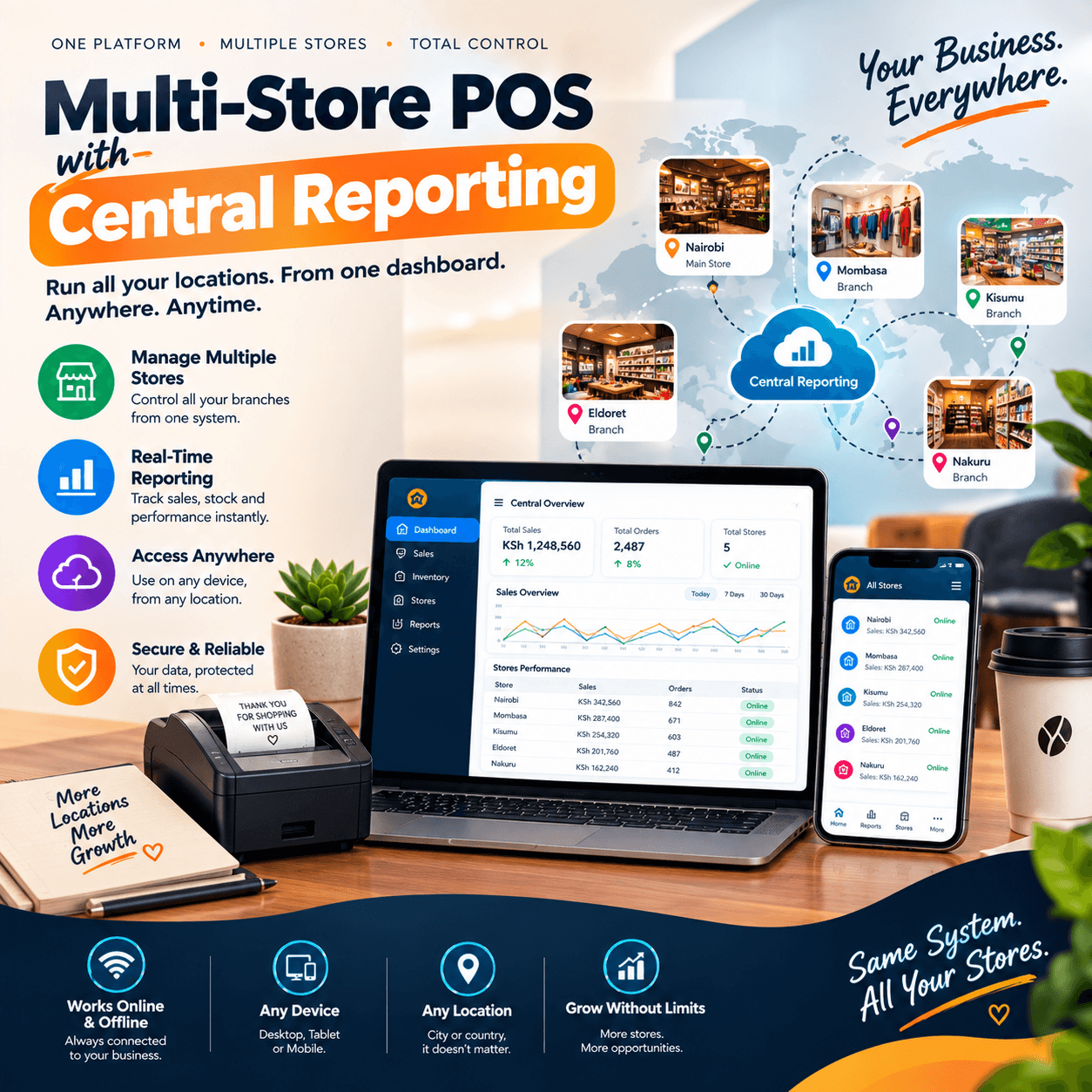
Multi-store POS with central reporting technology exists for a very specific moment in a retailer’s life: the moment the second shop opens.
The first shop was difficult, but it was simple — you were always there, you saw everything, and the till, the shelves, and the money all answered to one pair of eyes.
The second shop changes everything at once. You cannot stand behind two counters, yet you remain responsible for both; you trust your branch managers, yet trust is not a report.
And somewhere between the excitement of expansion and the reality of managing it, most owners discover that growth without visibility is simply a more complicated way of working blind.
The old tools of multi-branch control were the evening phone call, the WhatsApp message, and the monthly spreadsheet nobody had time to update.
Each had the same fatal flaw: they depended on someone remembering — or choosing — to tell you the truth in full.
A multi-store POS with central reporting removes that dependency entirely by making the truth automatic: every sale, every branch, every hour, flowing to one screen you can open from your phone.
This guide is written for the owner standing at that expansion moment, and for the one already running three, four, or six branches on hope and voice notes.
We will walk through what a genuine multi-store POS with central reporting actually is, the reports that matter most, how shared inventory and inter-branch transfers work, what it all costs, and how to roll it out without closing a single branch for a single day.
By the end, you will be able to judge any system on the market against the only standard that matters: does it put your whole business on one screen, accurately, in time to act?
The Evening Routine Every Multi-Branch Owner Knows
Amina owns three mini-marts: one along a busy service lane, one inside an estate, and one in a nearby town. Her business turns over well.
Her evenings, however, belong to the phone. At 8:40 the first branch reports; at 9:10 the second sends a blurry photo of a notebook page.
The third manager is unreachable until 9:50, and when he answers, the summary is two words: we got something.
Amina adds figures to a spreadsheet she does not fully trust and goes to bed managing a group of shops she can describe but cannot see.
What the routine hides is worse than the fatigue. Stockouts strike the branch whose manager is quietest, because nobody noticed he never receives his best-sellers on time.
Dead stock accumulates in the branch whose manager is most persuasive, because she always finds a reason to order more.
One till runs short every few weeks and the difference is discovered late, explained vaguely, and absorbed quietly.
None of this appears in any phone call. All of it appears instantly in a multi-store POS with central reporting, because the reports do not pass through human hands or human moods.
Multiply the routine by months and the arithmetic turns ugly.
An hour of evening calls is an hour of management by memory. A monthly reconciliation across three notebooks is a full day lost.
A single undetected pattern — one cashier’s discounts, one branch’s missing cartons, one supplier’s creeping prices — can cost more in a quarter than the technology that would have exposed it.
Owners rarely add up this bill because its lines never appear on any receipt; they are paid in guesses, delays, and quiet leakage.
A multi-store POS with central reporting exists to convert that invisible bill into visible numbers — and the numbers, once seen, tend to pay for the system many times over.
There is a deeper cost still: the ceiling on growth.
Many owners stop at two or three branches not because the market ends there, but because their management method does not scale past what one tired brain can phone around each night.
A multi-store POS with central reporting is what raises that ceiling — the difference between growing your business and merely cloning your workload.
Every branch you add after the system is in place makes you stronger instead of stretchier, which is why serious retail groups treat it as infrastructure rather than software.
The chains you admire did not grow because their owners worked harder than you; they grew because their owners could see the whole group on one screen each morning while their competitors were still waiting for last night’s phone call.
That is the quiet advantage a multi-store POS with central reporting delivers before eight o’clock.
What It Actually Is: One System, Many Tills, a Single Brain
Strip away the marketing and the concept is simple.
Each branch runs its own point-of-sale terminal exactly as a single shop would — scanning, pricing, receipts, mobile money, the daily rhythm of trade.
But unlike standalone systems, every terminal reports to one shared centre, and the centre reports to you. The branches trade independently; the business stays unified.
Three things distinguish a genuine multi-store POS with central reporting from a loose collection of systems pretending to be one.
First, a single source of truth: products, prices, and customer records live centrally, so all branches sell from the same book.
Second, live consolidation: sales from every branch land on one dashboard as they happen, not as end-of-day summaries typed by hand.
Third, group-level control with branch-level operation: head office sets the rules, and each branch runs its counter at full speed within them.
It is equally important to name what it is not.
It is not separate installations stitched together with exports — that is the spreadsheet routine with extra steps.
A multi-store POS with central reporting worth buying makes manual merging impossible rather than merely unnecessary.
It is not a bookkeeping tool with a till bolted on.
And it is not a luxury reserved for supermarket chains: the systems in this category are now sized and priced for the two-branch boutique and the five-branch mini-mart group alike.
The problems they solve — visibility, consistency, and control — bite just as hard at two branches as at twenty.
The architecture matters too, and it is worth asking each vendor one clarifying question: when a sale happens at branch two, how long before you can see it at head office?
The honest answers separate real-time systems (seconds) from batch systems (end of day) from fiction (whenever the branch manager gets around to it).
A true multi-store POS with central reporting puts the number on your screen while the customer is still walking out the door.
Everything else in this guide — the reports, the transfers, the control — flows from that one property: the group’s data is one data, and it is always now.
That is the standard against which every claim of a multi-store POS with central reporting should be tested before a single shilling changes hands.
The Command Centre: What the Reports Put on One Screen
The dashboard is where the system earns its keep, so let us walk through what a well-built one shows you before ten in the morning.
Consolidated sales come first: yesterday’s takings across all branches, side by side, with each branch’s contribution, average basket, and transaction count.
The moment you see branches compared rather than reported, management changes character.
A multi-store POS with central reporting turns three anecdote-producing shops into a league table you can coach from.
The branch at the bottom of the table is not a disappointment; it is your fastest opportunity, because the gap between it and the leader is pure, measurable money.
Then the comparisons deepen.
Sales by hour per branch reveal whose footfall peaks at lunch and whose dies after church, which tells you where to move staff and when to run promotions.
Product performance per branch exposes the quiet asymmetries of your assortment: the shampoo that flies in one location and gathers dust forty minutes away, the cement that vanishes on Saturdays in town while the estate branch never sells a bag.
Payment mix per branch — cash, card, mobile money — completes the financial picture and makes reconciliation a five-minute review instead of a monthly investigation.
A serious multi-store POS with central reporting presents all of this without export buttons, because exports are where discipline goes to die.
Exception reporting deserves its own paragraph, because it is where owners first feel the system protecting them.
Alerts for unusual discounts, unusually frequent voids, refunds without matching returns, tills that went silent mid-morning, branches whose margins have drifted below the group’s line — these are the machine’s way of tapping your shoulder while everything is still small.
Owners of a well-configured multi-store POS with central reporting describe the experience the same way: the system knows what normal looks like for each branch, and it tells you only when something departs from it.
You stop reading everything and start reading what matters.
Finally, mobility. The command centre lives in your pocket: an app that shows today’s group position while you are at a supplier, at the bank, or at your child’s school concert.
This is not a convenience feature; it is the end of geography as a management constraint.
The whole promise of a multi-store POS with central reporting compresses into that moment on the phone — the business reporting to you, wherever you are, in time for your decisions to still matter today rather than next week.
And because the reports draw from live transactions rather than retyped summaries, the number you see is the number that happened.
That is the defining guarantee of a genuine multi-store POS with central reporting and the reason owners stop double-checking their own managers.
One Stock, Many Shelves: Inventory Without Walls
Inventory is where multi-branch retail either compounds its strength or multiplies its waste, and the difference is visibility.
Start with the group view.
A capable multi-store POS with central reporting shows every product’s stock in every branch on one screen: twelve units at branch one, four at branch two, none at branch three, sixty-seven at the store.
Before such a screen existed, answering the question of how many you have meant three phone calls and three honest-or-not replies; now it means one glance.
The quality of every downstream decision — reordering, promotions, transfers — improves the moment this screen exists.
That is why inventory visibility is the first thing experienced owners check when evaluating a multi-store POS with central reporting.
The classic waste of multi-branch retail is simultaneous scarcity and surplus: branch one has customers asking for a product it does not hold while branch two’s shelf holds a fortnight of the same item unsold.
This happens constantly in businesses run on phone calls, because nobody can see both shelves at once.
Central visibility ends it — and when you pair visibility with the transfer workflows covered next, you begin moving stock between branches instead of ordering more while capital sleeps in the wrong room.
Owners routinely find that a multi-store POS with central reporting reduces over-ordering within the first months.
Not because they become smarter buyers overnight, but because for the first time they can see what they already own.
Receiving and stock integrity also change character at group level.
Deliveries are scanned in against purchase orders at each branch, and head office sees not only what arrived but what was expected — discrepancies surface per branch, per supplier, per product.
Slow movers stop hiding: a group-level report ranks the products consuming shelf space without returning margin, branch by branch.
This turns your periodic clearing decisions from guesswork into surgery.
In businesses we have configured, the stock reports of a multi-store POS with central reporting become the most-read documents in the company within a quarter — more read than the bank statement, because they are the ones that explain the bank statement.
And when every unit is tracked from the supplier’s truck to a specific branch’s shelf to a specific sale, shrinkage loses its favourite hiding places.
The audit trail of a multi-store POS with central reporting — what was received, what was transferred, what was sold, what remains — turns the annual stock-take into a confirmation exercise instead of an unpleasant surprise.
Inter-Branch Transfers Without the Guesswork
Transfers are the superpower that single-shop systems never need and multi-branch businesses cannot live without.
The concept: branch two is out of a fast-mover; branch one is overstocked. Instead of a new purchase order, you move the stock.
In the old world this movement happened in a pick-up truck and lived in nobody’s records — which is exactly why transfers were historically where stock went to disappear.
In a proper multi-store POS with central reporting, a transfer is a formal transaction: branch one records what is leaving, the stock travels, branch two confirms what arrived.
Both branches’ books and the group’s totals stay true throughout. Nothing vanishes in transit, because transit itself is now a recorded state.
The discipline this creates compounds quietly.
When transfers are recorded, you learn your network’s real demand pattern — which products consistently flow from which branch to which, and in what seasons
That knowledge sharpens your original purchasing: instead of every branch ordering its own island of stock from suppliers, you buy for the group and position the stock where it sells.
A multi-store POS with central reporting with strong transfer tools effectively turns your branches into one large, distributed shop with many doors.
Your purchasing power grows accordingly, because you now negotiate volumes across the group rather than dribbles per location.
Accountability rides along.
Every transfer names the person who sent it and the person who received it, quantities match or the system flags the gap, and the history is searchable months later when a question resurfaces.
Branch managers, knowing the ledger is real, treat branch stock as branch responsibility.
In our experience configuring retail groups, the transfer module alone — honestly used — recovers more stock value in the first year than any other single feature.
The businesses that thrive with a multi-store POS with central reporting at group level are simply the ones that stopped letting their stock move in secret.
The ones that keep losing cartons between branches are, almost always, the ones still running transfers on trust and a multi-store POS with central reporting quote they never signed.
One Price List, Every Branch
Pricing chaos is the quietest way multi-branch groups lose their margins, and central control is the cure.
The problem begins innocently.
A supplier raises prices; you update branch one’s books but the message to branch two arrives during a busy afternoon and slides to tomorrow.
A branch manager, facing slow stock, invents a promotion without telling anyone. A cashier in a hurry applies the wrong tier.
Six weeks later, customers in different branches are paying silently different prices for identical products, your margins have drifted branch by branch, and nobody can say when it started.
A multi-store POS with central reporting ends this at the root: prices live centrally, changes are made once, and every branch’s till updates together — no memos, no noticeboards, no hoping.
Central control does not mean central rigidity, and this distinction matters in the demo.
Strong systems let head office set the group price list while permitting defined, permission-gated exceptions: a branch-specific promotion that requires your approval, a location-specific price for a product whose supply costs genuinely differ.
The test of a serious multi-store POS with central reporting is whether it gives you both consistency and flexibility.
Watch for vendors who force you to choose between total lockstep that ignores local reality and total freedom that re-creates the chaos you are escaping.
The compounding benefit is margin intelligence.
When prices are consistent and centrally recorded, your margin reports become comparable across branches — you can finally see that the same product earns eight percent in one location and fourteen in another, and ask why.
Owners running a multi-store POS with central reporting for a year describe pricing as having changed from an argument into a policy.
The group has a price book, the price book has an owner, and the owner can see its effects on one screen.
That single discipline — one price list, every branch, visible margins — is among the strongest arguments for the multi-store POS with central reporting category.
It is also the one your suppliers will notice first, because repricing across the whole group now takes minutes instead of weeks.
Managing People Across Locations
Your people are your biggest operational cost and your largest integrity variable; multi-branch systems give you back the oversight that distance took away.
Begin with identity.Every cashier, supervisor, and manager in every branch works under a personal login, and every sensitive action — voids, refunds, discounts, price overrides, stock edits — is stamped with the name, branch, and time.
The evening question changes from a friendly inquiry into a five-minute review of the exception report across all branches: who discounted what, where, and whether the pattern smells.
In a multi-store POS with central reporting, the exception report is the group’s immune system — quiet most days, invaluable on the days it is not.Permissions scale cleanly too.
You define roles once — cashier, supervisor, manager — and apply them across branches, with per-branch overrides where needed: this branch’s manager can approve refunds, that one must call you first.
New staff are added centrally and appear at their branch with the right rights on day one; leavers are deactivated once and lose access everywhere simultaneously.
Owners upgrading to a multi-store POS with central reporting consistently name this as the end of a specific, nagging anxiety.
The ex-employee whose login nobody remembered to remove. The cousin at branch three whose privileges grew over time like an untended hedge.
Performance becomes coachable rather than anecdotal.
Sales per cashier per branch, baskets by shift, speed at the counter during peak hours — the reports make your best people visible and your training targeted.
And because every branch feeds the same system, comparisons are fair: the conversation with branch two’s supervisor now starts from shared numbers instead of competing stories.
Deployed well, a multi-store POS with central reporting does not replace your managers; it replaces the fog around them, and most good managers are relieved — the honest ones were tired of being measured by phone calls.
In groups we have watched grow, the staffing decisions that followed the first months of multi-store POS with central reporting data were the highest-value personnel moves those owners had ever made.
For the first time, promotion and correction both stood on evidence instead of affection.
One Customer, Every Branch
Your customers do not think of themselves as patrons of branch two; they think of themselves as your customers, and your system should agree with them.
A shared customer database means a shopper known at one branch is known at all: her purchase history follows her, her preferences are visible to any cashier, and her loyalty balance is one balance, not three fragments.
She earns points buying cement in one town and redeems them buying paint in another, seamlessly.
For the customer this feels like being known; for you it is the data foundation of group-level marketing.
A multi-store POS with central reporting with a unified customer base turns your list from three partial address books into one asset with full history.
Every SMS campaign you send from it lands with the weight of familiarity rather than the desperation of a cold list.
The competitive arithmetic matters too. Single-location shops compete on convenience and relationships; chains win when they compound those relationships across locations.
Your regular customer’s options quietly expand every time you open a branch — your relationship should expand with it, or the new branch cannibalises trust instead of adding to it.
The loyalty tools inside a multi-store POS with central reporting are how a growing group keeps its promise consistent: same welcome, same recognition, same rewards, whichever door the customer walks through.
There is a quieter benefit in the data itself.
Group-wide purchase histories reveal patterns no single branch can show: which products pull customers across branches, what a typical loyal customer is worth annually rather than per visit, which promotions bring lapsed regulars back.
These insights feed buying, pricing, and expansion decisions — including where to open branch four, which is a question about your customers as much as your map.
Businesses that grow on a multi-store POS with central reporting foundation tend to open their next branches knowing things about their customers that competitors discover only after signing the lease.
From Operator to Group Executive
Something changes in the owner, not just the operation, when central visibility arrives — and it is worth naming, because it is the real product.
The evening phone calls end, not because you stop caring about the branches but because the caring now happens at eight in the morning over a dashboard, with numbers instead of summaries.
The daily question shifts from what happened — an archaeology of yesterday — to what we do about today. Management moves up a level.
The owner of a multi-store POS with central reporting group spends attention on patterns, margins, suppliers, and the next location, while the system handles the surveillance that used to consume the evenings.
That reclaimed attention is not a soft benefit; it is the raw material of growth.
Delegation finally becomes safe.
The reason most owners micro-manage branches is not personality — it is the rational fear of blindness: hand over control without visibility and you are trusting luck with your livelihood.
Central reporting dissolves the dilemma.
Your branch managers get genuine authority to run their counters, because you have genuine visibility to hold them accountable — and the best managers prefer it this way, working for an owner who judges them by numbers both parties can see.
Trust in a multi-store POS with central reporting group is not a leap of faith; it is a scoreboard everyone can read.
The owner’s calendar tells the story a year in.Less time reconciling, more time visiting suppliers; fewer forensic evenings, more planning mornings; the second branch managed as calmly as the first, and the third opened because the second proved the method.
This is the trajectory a multi-store POS with central reporting makes possible — growth that adds revenue without adding your hours.
It is why we describe the system to owners not as software they install but as the second-in-command they hire.
Multi-Store POS with Central Reporting: Questions That Decide the Purchase
Bring this list to every multi-branch vendor demonstration. The confident will welcome it; the evasive will expose themselves early.
How many branches can the system handle as we grow?
You need headroom for branch five and branch eight, not just branch two — and an honest pricing answer for what each additional branch costs.
The answer defines whether the multi-store POS with central reporting you buy is a home or a rented room.
How real is real-time?
Ask for the actual delay between a sale at branch two and its appearance on the head-office dashboard — then watch it live in the demo with two devices.
Seconds are a system; end-of-day batches are a limitation wearing a suit.
This single test tells you more about any multi-store POS with central reporting than an hour of slides.
How do transfers actually work — and can you show me one?
Watch a stock transfer flow from one branch’s books to another’s in the demo, including the receiving confirmation and what happens when quantities do not match.
Transfer depth separates serious group platforms from single-shop systems with a group logo.
It is where a multi-store POS with central reporting earns its title.
What happens at a branch when the internet fails — and what do I see at head office during that time?
You want the branch to keep trading offline, sync cleanly on reconnection, and the dashboard to show you which branch is offline and what is pending.
A multi-store POS with central reporting that goes blind at exactly the moment a branch goes dark has failed the group test, because outages are when owners need visibility most.
What does the group dashboard show per branch, and what permissions can I set on who sees what?
Confirm you can see everything while controlling who else sees what — a manager sees his branch, a supervisor sees two, you see all.
The reporting granularity and permission depth of a multi-store POS with central reporting determine whether it serves a partnership or merely a proprietor.
Then ask for two references running a similar number of branches, and ask them one question: what surprised you after installing?
The answers from owners running a comparable group setup are worth more than any demonstration ever recorded.
Rolling Out a Multi-Store POS with Central Reporting Branch by Branch
Multi-branch deployment rewards sequence; here is the order that works.
Begin with one branch — not head office, not all at once.
Pick your most organised location, migrate its product list, run its opening stock count, and trade on the new system for a fortnight with full support on call.
This pilot does double duty: it proves the system on your real products, and it produces your internal experts.
A provider experienced with multi-store POS with central reporting deployments will insist on this staging themselves.
Treat a vendor who proposes a big-bang cutover across all branches in one weekend as a vendor who has never done it before.
While the pilot trades, prepare the centre: the group product catalogue, the master price list, roles and permissions, and the reporting views you will actually read.
Resist the urge to import everything every branch has ever recorded; import what is true and current, and let history accumulate cleanly from go-live.
The onboarding team behind a mature multi-store POS with central reporting will push you toward this discipline, because dirty historical data is the most common source of first-month regret.
Then roll the remaining branches in waves — one a week or one a fortnight depending on your size.
Each follows the pilot’s script: stock count, data load, staff training on real hardware, a short parallel run, cutover.
Train branch champions by name; the lesson that teams learn best from a peer applies doubly across branches.
A structured multi-store POS with central reporting rollout keeps every branch trading normally throughout, because each wave is small enough to support properly.
The final step is the group’s first stock count on the new system — all branches, one day, one snapshot.
From that moment the numbers are fully yours: transfers flow, the dashboard is complete, and the evening phone calls are formally retired.
Owners consistently describe the first month after a clean multi-store POS with central reporting go-live as the calmest their business has ever been.
Not because the work disappeared, but because for the first time the work is aimed by information instead of instinct.
What a Multi-Store POS with Central Reporting Is Worth
Let us put numbers against the promise, because visibility is only worth what it recovers.
Count the leakage first.Shrinkage behaves differently in groups: the unrecorded transfer, the overstocked back room, the till that runs habitually short three kilometres from your eyes.
Every one of those flows is invisible until measured, and every one is measurable in a multi-store POS with central reporting from day one.
Across the groups we serve, the recovered stock value alone — transfers made visible, discrepancies caught while small, over-ordering stopped — typically covers the system’s cost well within the first year.
The rest of the return is acceleration: faster reordering, redistribution instead of repurchasing, and group purchasing power negotiated on real volumes.
Count the hours next.An hour of evening calls per night is twenty-five to thirty hours a month of owner time spent collecting numbers the system would deliver automatically.
Monthly reconciliation across branches drops from a day to an hour. Staff scheduling aligns to per-branch hourly traffic instead of habit.
Owners of a multi-store POS with central reporting routinely reclaim several working days a month.
That time flows straight into supplier relationships, site-hunting for branch four, or simply a family dinner that no longer competes with a ringing phone.
Count the decisions last, because they are the compounding line.
When every branch’s margins are visible, you buy better. When transfer histories reveal true demand, you position stock smarter. When customer data consolidates, your marketing stops shouting and starts speaking.
These are the returns that grow over time rather than level off.
It is the reason a multi-store POS with central reporting should be evaluated over years, not quarters.
Frame the purchase the way serious groups do: not as a cost to minimise but as the control system that makes every other shilling you have invested in branches finally work together.
On that arithmetic, the quote for a capable multi-store POS with central reporting stops feeling like a price and starts feeling like a down payment on order.
Mistakes Multi-Branch Owners Make
Learn from the patterns that trip up groups in their first year.
Buying separate systems per branch and promising to merge later.
It never merges cleanly. Different product codes, different price books, incompatible exports — the merge becomes a monthly sacrifice of hours to spreadsheet archaeology.
Centralisation is a design decision made at purchase or paid for monthly forever.
A multi-store POS with central reporting chosen early is the cheapest possible moment to make it.
Recording transfers on paper and the system in parallel.
The pick-up truck leaves with goods, a note goes in a book, the system is updated later, sometimes, by someone.
The gap between the paper and the system is where group stock dies.
The discipline of a multi-store POS with central reporting is only as strong as its most casual user — make the recorded transfer the only transfer, and the leak closes.
Training managers but not cashiers.
The dashboard is for you; the counter is where your data is born.
If the cashier scans slowly, misuses discounts, or works around the system, head-office reports inherit the noise.
Every successful multi-store POS with central reporting deployment we have seen trained down to the newest team member on the shop floor.
Every troubled one stopped at the manager’s office door. Data quality is a floor-level habit wearing a head-office suit.
When the Internet Fails at One Branch
Groups amplify the connectivity question rather than escape it.
With three branches, the odds that at least one lacks connection on any given day are far higher than for a single shop — and your head-office picture is only as complete as your weakest branch’s connection.
The answer is offline-first design at the branch level.
Each location runs its own till with full local capability — scanning, pricing, receipts, mobile money recording, stock decrements — queueing its transactions durably until the connection returns, then syncing automatically in order.
Group-wide, a proper multi-store POS with central reporting dashboard tells you exactly which branch is offline, how long it has been, and what is pending sync.
An outage at branch two becomes an entry on your screen rather than a hole in your day.
The group benefit is subtle but decisive: head-office decisions stay honest even when a branch is disconnected.
Stock figures clearly mark the offline branch’s pending movements, transfer requests account for queued sales, and nothing is silently stale.
Owners evaluating a multi-store POS with central reporting should test this specifically — disconnect one branch in the demo and watch what head office sees.
The systems that handle it well are built by people who understand local trading conditions.
The ones that go dark are built for a network that does not exist.
Different Chains, Different Playbooks
The category adapts to the trade; four quick portraits.
The pharmacy group.
Batch numbers and expiry dates must travel with the stock through every transfer, and first-to-expire-first-out discipline must hold at every counter.
For chemists, a multi-store POS with central reporting is as much a compliance instrument as a commercial one.
The audit trail across branches is the difference between confidence and exposure when regulators or suppliers come asking.
The mini-mart group.
Fast movers, thin margins, relentless stock rotation.
The wins here are redistribution speed, hourly staffing alignment, and shrinkage control at scale.
These are the unglamorous levers a multi-store POS with central reporting pulls daily that decide whether the group’s growth is profitable or merely busy.
The hardware group.
Trade accounts, mixed units of measure, and credit that must be visible group-wide — a contractor with an account at two branches is one customer, one balance, one credit limit.
Groups in this trade should evaluate systems primarily on customer-account handling across branches and units-of-measure flexibility, then test both with their own catalogue in the demo.
The boutique group.
Variants are the story: the same dress in five sizes across three branches is fifteen stock positions to track, transfer, and reconcile.
Variant-level visibility matters more here than anywhere else.A system that cannot see sizes individually will quietly strand your best-selling size in a branch that does not sell it. Choose accordingly, and test variant transfers with your own range.
Multi-Store POS with Central Reporting vs. Managing by Phone
The honest comparison comes down to what each method costs you per month.Managing by phone costs your evenings, tolerates guesswork, and hides leakage until it has grown large enough to notice.
A multi-store POS with central reporting costs a modest subscription, works while you sleep, and surfaces leakage while it is still small enough to fix cheaply.
One method scales smoothly to branch six; the other usually collapses at branch four.Most owners never chose the phone deliberately — they inherited it from their first shop and simply never re-examined it.
This guide is the re-examination, and the arithmetic above is the verdict.
Choosing a Multi-Store POS with Central Reporting Provider
The software matters, but the provider decides your daily experience with it.
Judge three things before signing: how hands-on the onboarding is, how fast support answers during trading hours, and how often the product ships improvements.
A serious multi-store POS with central reporting provider migrates your data with you, trains your team on your own hardware, and still answers the phone on a Saturday — because retail does not pause for weekdays.
Finally, ask for the roadmap. The platform you buy should still be visibly evolving two years from now, at no extra charge, because a POS group that stops improving is quietly falling behind.
Frequently Asked Questions
How many branches do I need before this kind of system makes sense?
Two.The costs of blindness — duplicated stock, inconsistent prices, unrecorded transfers, evening phone calls — begin at the second branch, and the systems are priced for that stage.
Owners who install a multi-store POS with central reporting at two branches consistently report that the third and fourth were easier to open because the management method already scaled.
The owners who wait until five branches face a bigger migration, deeper habits to unlearn, and a year of decisions made on merged guesses.
Will my branches keep trading if the central system is unreachable?
Yes — that is the point of offline-first branch terminals.
Each branch runs independently at full speed, queues its transactions durably, and syncs automatically on reconnection, while the dashboard shows you the branch’s status and pending data so nothing at group level is silently stale.
Can different branches run different promotions?
With a well-designed system, yes.Head office controls the group price list centrally and can grant defined, approval-gated exceptions per branch, so you get consistency where it protects your margins and flexibility where local reality genuinely demands it.
What does it cost to add another branch later?
Typically the branch’s hardware bundle plus its share of the subscription, with the central platform already in place.
That is precisely why groups set up the architecture before expanding.Ask each vendor for the exact per-branch incremental cost in writing, so branch four’s budget is known the day branch three opens.
How long does it take to install a multi-store POS with central reporting across existing branches?
For a typical group, plan on one branch per week after the pilot — stock count, data load, staff training, cutover — with the central platform configured first.
A well-supported multi-store POS with central reporting rollout keeps every branch trading normally throughout, so a three-to-five-branch migration usually completes inside a month.