 Vega
Vega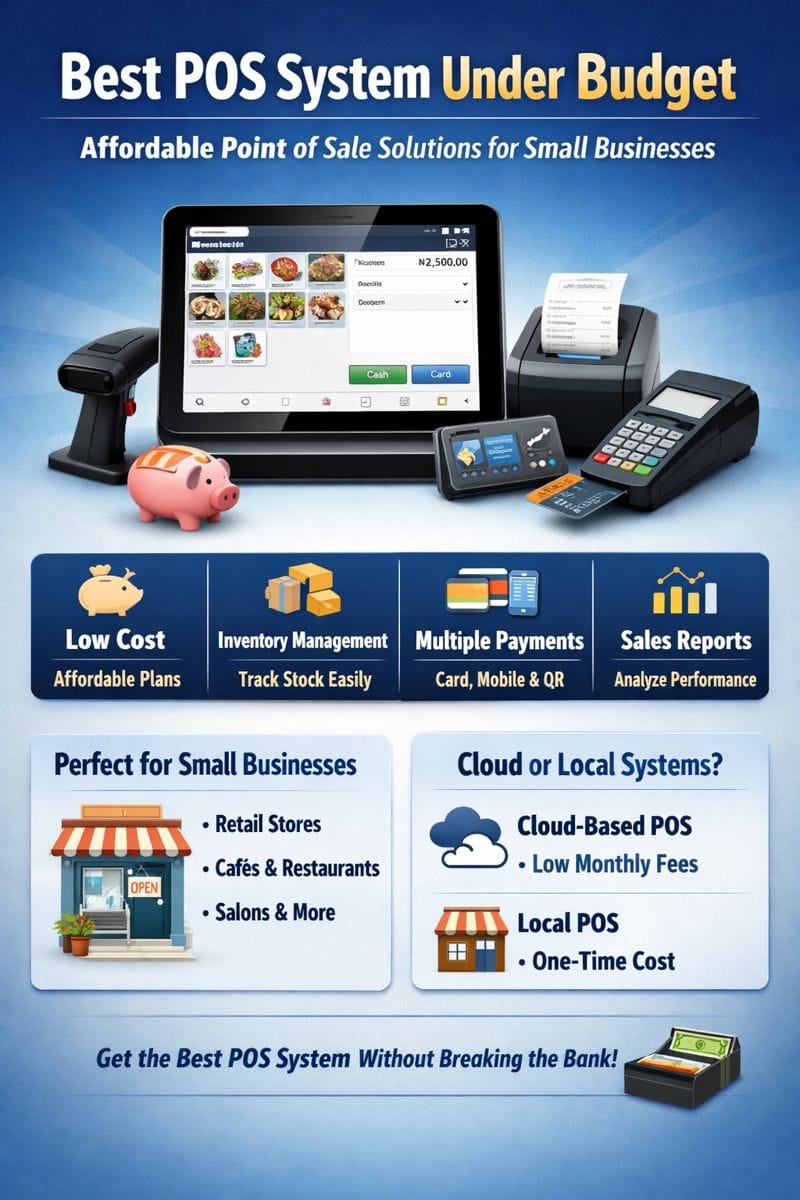
Introduction: Understanding POS Kit Requirements
A Point of Sale (POS) system is the backbone of modern retail and service businesses. Whether you are running a supermarket, restaurant, pharmacy, hardware shop, or small kiosk, understanding POS kit requirements is critical for smooth operations, accurate sales tracking, and compliance.
A POS kit is a combination of hardware, software, and connectivity components that allow businesses to process sales, manage inventory, generate receipts, and track financial performance. Choosing the right POS kit ensures efficiency, reduces errors, and improves customer experience.
This guide explains POS kit requirements in detail, helping you choose the right setup for your business.
What Is a POS Kit?
A POS kit is a complete set of tools required to operate a Point of Sale system. It typically includes:
POS hardware devices
POS software
Internet and power requirements
Optional accessories based on business needs
Each business type has different POS kit requirements depending on size, transaction volume, and industry.
Essential POS Kit Requirements
1. POS Terminal or Computer
The POS terminal is the core component of any POS kit.
Options include:
Desktop computer
Laptop
Tablet-based POS
All-in-one POS terminal
Key requirements:
Reliable processor (Intel i3 or higher recommended)
Minimum 4GB RAM (8GB preferred)
SSD storage for faster performance
Touchscreen capability (optional but recommended)
Businesses with high traffic should invest in durable, commercial-grade POS terminals.
2. POS Software
POS software is one of the most important POS kit requirements.
Key features to look for:
Sales processing
Inventory management
Receipt generation
User access control
Sales reports and analytics
Tax configuration (VAT compliance)
Cloud backup and synchronization
Popular POS software options include cloud-based and locally installed systems. Cloud POS software is ideal for businesses with multiple branches or remote access needs.
3. Receipt Printer
A receipt printer is a standard POS kit requirement for most businesses.
Types of receipt printers:
Thermal receipt printers (most common)
Impact/dot matrix printers (for multipart receipts)
Key requirements:
Fast printing speed
USB, Ethernet, or Bluetooth connectivity
Compatibility with POS software
Low maintenance cost
Thermal printers are preferred due to speed and minimal ink requirements.
4. Barcode Scanner
Barcode scanners improve speed and accuracy during checkout.
Types of barcode scanners:
Handheld wired scanners
Wireless scanners
2D scanners (QR codes and barcodes)
POS kit requirements for scanners:
Compatibility with inventory system
Fast scanning capability
Durable design for frequent use
Retail stores, supermarkets, and pharmacies heavily rely on barcode scanners.
5. Cash Drawer
A cash drawer securely stores cash during transactions.
Key features:
Multiple cash compartments
Automatic opening via POS software
Lockable for security
Durable steel construction
Although mobile payments are growing, cash drawers remain an important POS kit requirement in many markets.
6. Payment Devices (Card & Mobile Payments)
Modern POS kit requirements must support digital payments.
Payment methods include:
Debit and credit card readers
Contactless (NFC) payments
Mobile money integrations
QR code payments
Ensure your POS system integrates seamlessly with local and international payment providers.
7. Internet Connectivity
Internet access is essential for cloud-based POS systems.
Connectivity requirements:
Stable broadband or fiber connection
Mobile data backup (4G/5G router)
Secure network configuration
Offline mode support is recommended in case of internet outages.
8. Power Backup (UPS)
Power reliability is often overlooked but critical.
Power requirements include:
Uninterruptible Power Supply (UPS)
Surge protectors
Backup batteries for mobile POS devices
Power backup ensures uninterrupted operations and prevents data loss.
Optional POS Kit Accessories
Depending on your business, you may need additional POS kit components:
Customer Display Screen
Shows prices and totals to customers
Improves transparency and trust
Weighing Scale Integration
Required for groceries and butcheries
Integrated with POS software
Kitchen Display System (Restaurants)
Sends orders directly to kitchen screens
Reduces order errors
Label Printer
Used for price tags and barcode labels
Ideal for inventory-heavy businesses
POS Kit Requirements by Business Type
Retail Stores
POS terminal
Barcode scanner
Receipt printer
Cash drawer
Inventory-enabled POS software
Restaurants & Cafes
Touchscreen POS
Kitchen printer or display
Table management software
Mobile waiter POS devices
Supermarkets
High-speed barcode scanners
Weighing scales
Multiple checkout POS kits
Centralized inventory management
Small Businesses & Kiosks
Tablet POS
Mobile payment integration
Compact receipt printer
Cloud-based POS software
POS Kit Requirements for Compliance
Businesses must ensure their POS kit meets regulatory requirements.
Compliance considerations:
Accurate tax calculations
VAT reporting
Secure data storage
User access control
Audit-friendly reports
Using compliant POS software helps avoid penalties and simplifies accounting.
How to Choose the Right POS Kit
When evaluating POS kit requirements, consider:
Business size and growth plans
Transaction volume
Payment methods accepted
Industry-specific needs
Budget and maintenance costs
Software support and updates
A scalable POS system is always a smart investment.
Cost of POS Kit Requirements
POS kit costs vary depending on hardware quality and software features.
Typical cost factors include:
Hardware purchase or rental
POS software subscription
Installation and setup
Ongoing support and upgrades
Cloud POS solutions often reduce upfront costs and offer flexible pricing.
Benefits of Meeting Proper POS Kit Requirements
✔ Faster checkout process
✔ Accurate sales and inventory tracking
✔ Improved customer experience
✔ Better financial reporting
✔ Reduced human error
✔ Business scalability
A complete POS kit directly impacts profitability and efficiency.
Common Mistakes to Avoid
Buying incompatible hardware
Ignoring software scalability
Skipping power backup
Choosing poor-quality receipt printers
Failing to plan for future growth
Proper planning prevents unnecessary upgrades later.
Frequently Asked Questions (FAQs)
What are the minimum POS kit requirements?
A POS terminal, POS software, receipt printer, internet connection, and payment method support.
Can I use a tablet as a POS?
Yes. Tablet-based POS systems are affordable and ideal for small businesses.
Is internet required for POS systems?
Cloud POS systems require internet, but many offer offline functionality.
Are POS kits customizable?
Yes. POS kits can be tailored based on business type and size.
Conclusion
Understanding POS kit requirements is essential for setting up a reliable and efficient Point of Sale system. From hardware and software to connectivity and compliance, every component plays a role in smooth business operations.
Whether you’re starting small or scaling up, choosing the right POS kit ensures long-term success, accurate reporting, and excellent customer service.