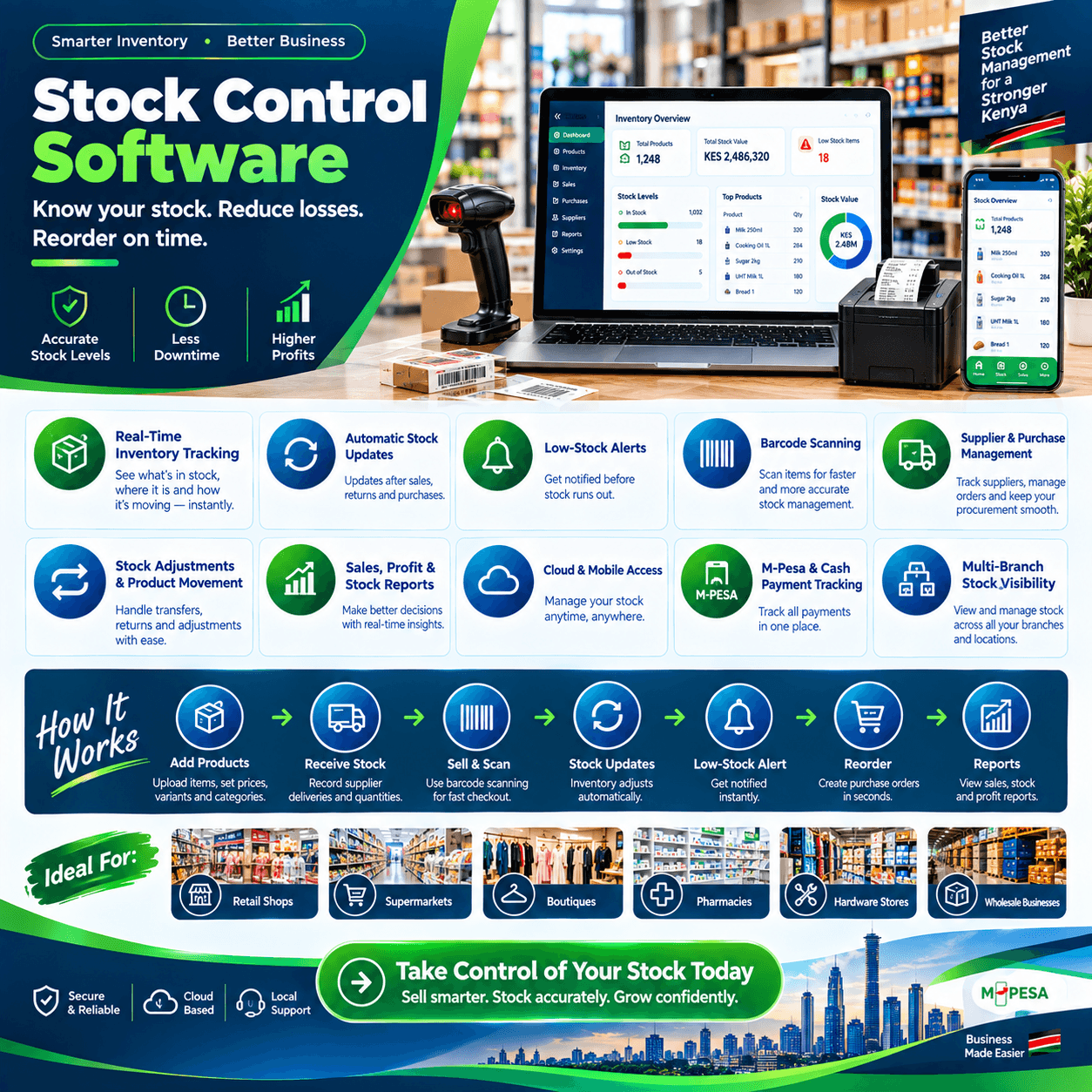
Stock control software exists to answer the oldest question in retail with a modern answer: who is watching the stock?
Every shop has stock, every shop loses some, and every shop orders too much of something.
The difference between shops that thrive and shops that drift is whether those three facts are managed by system or by memory.
Memory is generous with excuses and blind to patterns; a proper stock control software is neither.
This article explains what genuine control actually means — distinct from counting, and distinct from merely tracking — and walks through the five controls that keep stock honest: reorder discipline, receiving checks, count routines, accountable adjustments, and recorded movement.
Then the costs, the demo test, the rollout, and the mistakes.
By the end, you will judge every system on the market with one question: does it control my stock, or just watch it?
Stock Control Software: The POS Connection
Control and counting are not the same thing, and the difference decides what you should buy.
Counting tells you what is on the shelf today; control is the set of disciplines that decides what should be ordered, what arrives, what leaves, and what is written off — before the count ever happens.
That is why stock control software belongs inside the point-of-sale system: every act of control happens where stock actually moves — the counter, the receiving bay, the stockroom.
A separate counting tool watches; the POS controls.
In a genuine stock control software setup, every stock event is a governed event: every sale decrements, every delivery is checked against an order, every adjustment carries a name, and every transfer is recorded door to door.
Nothing moves in secret, because movement and record are the same act.
Three properties define the real thing.
Live truth first: the figure on screen matches the shelf because it updates at the moment of every transaction, offline included.
Accountability second: every adjustment, write-off, and override carries a person and a time.
Closed loops third: alerts become orders, orders become deliveries, deliveries become sales — the whole chain recorded and searchable.
A stock control software without all three is a tally with opinions.
What it is not: a spreadsheet updated on Sunday evenings, and not an annual stock-take that finds everything and fixes nothing.
The distinction matters because control is daily work, and only software embedded in the daily flow — the stock control software standard — makes daily control effortless instead of optional.
The Five Controls That Keep Stock Honest
Every stock problem in retail traces back to one of five broken controls, and every capable system is built to enforce them.
Control one: the reorder point. A minimum level per item that triggers ordering before shelves go dry — the stock control software watches hundreds of these at once, so no best-seller depends on a memory.
Control two: the receiving check. Every delivery scanned against its purchase order, so shortages surface at the gate while the driver is still standing there.
Control three: the count routine. Cycle counts on a rolling schedule instead of one painful annual reckoning — variances named, dated, and attributable.
Control four: the accountable adjustment. Every write-off, damage entry, and stock edit stamped with the person who made it — because anonymous adjustments are where accuracy dies.
Control five: the recorded movement. Transfers between branches, shelves, or vehicles logged both ways — the pick-up truck that kills group stock when it runs on paper.
A capable stock control software enforces all five by making the correct action the easiest action — the software equivalent of a well-run stockroom.
Break any one of the five and the leaks return; maintain all five and the stock record becomes trustworthy enough to buy, price, and expand on.
That trust is the entire product — the stock control software is simply the discipline, installed.
The sections below examine each control in depth, starting with the one that saves the most sales.
Reorder Discipline: Never Run Out of What Sells
The reorder point is the quietest money-maker in retail, and the software’s job is to make it systematic.
The maths is three numbers per item: how fast it sells each week, how long the supplier takes to deliver, and how much buffer covers the surprise days.
Lead-time sales plus buffer equals the minimum — set below it and you risk the stockout, set above it and capital orders too early.
A capable stock control software does this arithmetic per item from your own history, so the calculation maintains itself instead of aging into fiction.
The velocity report is where the numbers come from: weekly sales per item, measured from real transactions, not remembered from the counter.
Set thresholds after the first month of live data — never on installation day, when every number is still a guess.
Start with the top fifty movers where stockouts hurt most, then work outward as the stock control software history matures.
The alert closes the loop: the moment stock touches its minimum, the warning arrives — on the counter, on the dashboard, on your phone — with a suggested reorder quantity attached.
One tap confirms, the purchase order exists, and the receiving discipline from the next section completes the cycle.
Seasons bend the maths, and the software bends with them: thresholds raised ahead of December and school seasons, lowered through the quiet months — a stock control software that reads last year’s rhythm tunes this year’s buying.
In shops we configure, the reorder discipline is the first control owners feel: buying stops being a weekly worry and becomes a weekly glance.
Receiving Control: Where Accuracy Is Born
Stock accuracy is never created at the counter — it is created at the receiving bay, or never created at all.
The failure mode is universal: the truck arrives, the boxes are glanced at, the delivery note is signed, and the gap between what was ordered, what arrived, and what was paid becomes invisible shrinkage.
A proper stock control software closes that gap with one habit: every delivery scanned against its purchase order.
What was ordered is in the system; what arrives is scanned in; the difference surfaces immediately — a short carton, a wrong item, a phantom line — while the driver is still at the gate.
Suppliers behave differently when you notice: short deliveries quietly stop being your problem, and the documented record makes every supplier conversation short and civil.
Cost prices enter at receiving, which is why this control reaches further than stock: your margin reports are only as honest as the costs entered the day the truck offloaded.
The stock control software that carries costs per delivery also catches supplier creep — the two-shilling monthly slide across a hundred lines that never announces itself.
Purchase-order history becomes negotiating leverage: volumes per supplier, price movements over months, delivery reliability — all in one report, earned by the discipline itself.
Ask every vendor to demonstrate a short delivery live: an order of ten lines, one line short — the discrepancy should surface without anyone hunting for it.
A stock control software that passes that test was built for the receiving bay; one that demos with perfect deliveries was built for a brochure.
Count Control: The Routine That Replaces the Nightmare
The annual stock-take is retail’s most dreaded day, and the counting discipline is what retires it.
The modern method is the cycle count: count a section on a rolling schedule — top movers weekly, a department monthly, everything quarterly — so problems surface in weeks instead of years.
A capable stock control software runs the routine end to end: it selects what to count, records the physical figure, and computes the variance — the gap between expected and found.
The variance is the product: flagged by item, by department, and by the person who counted, it turns shrinkage from a vague annual ache into a specific, nameable event.
Small variances are normal and absorbable; patterns are conversations; and the stock control software exists to tell the difference early.
Spot counts belong in the same kit: when a figure looks wrong — a shelf that seems too full or too light — count that section the same day, while the trail is warm.
Count with the system live, never on paper afterwards: transcribing counts is where counting errors are born, and the stock control software eliminates the transcription step entirely.
The annual full count, when it happens, becomes what it always should have been: a confirmation that the numbers still tell the truth, completed in a day instead of a week.
Ask every vendor to run a live count in the demo: ten items, one deliberately miscounted — the variance should flag with a name and a time in seconds.
That two-minute test is the clearest window into whether a stock control software controls stock or merely observes it.
Adjustment Control: The Name on Every Change
Stock figures change for honest reasons — damage, spoilage, expiry, staff purchases — and for dishonest ones.
The control that separates the two is attribution: every adjustment carries the name of the person who made it, the quantity changed, and the reason selected.
A capable stock control software makes anonymous adjustment structurally impossible: the field is never blank, because the login is never shared.
Write-offs become governed events: the damaged carton recorded explicitly with its cost, so shrinkage is measured rather than absorbed.
Expiry write-offs for dated goods join the same flow: the expired batch removed from stock deliberately, visible in reports, instead of discovered as a variance months later.
Staff purchases and consumptions — the shop’s own coffee, the till-roll usage — pass through the same gate: recorded, priced, and explained.
Approvals add the second layer: large adjustments or any write-off above a threshold route to the owner’s PIN before completing — the stock control software equivalent of a second signature.
The adjustment report is the audit view: every change across a period, by person, by reason — readable in five minutes and exportable for your accountant.
Most owners discover the same thing after a month of this discipline: the honest adjustments were few, the reasons were explainable, and the unexplained variances that remain are the ones worth investigating.
That is attribution doing its quiet work — a stock control software does not accuse anyone; it simply makes sure every change has an author.
Movement Control: Transfers, Stockrooms, and Vehicles
Stock moves within the business as well as out of it, and unrecorded movement is where groups lose most of their goods.
The transfer is the classic case: branch one is overstocked, branch two needs the item, the goods ride across town — and on paper systems, they vanish at the kerb.
A proper stock control software makes the transfer a formal transaction: sent by one name, received by another, quantities matched or the gap flagged.
Nothing disappears in transit, because transit itself becomes a recorded state.
The internal stockroom works the same way: goods moving from the store to the shelf are recorded moves, so the back room never becomes an uncounted shadow warehouse.
Vehicles and delivery stock join the ledger: what loads onto the van, what the driver returns, and what sold — the stock control software disciplines that turn mobile stock from a trust exercise into an accounting.
Group purchasing gains the same visibility: when transfers are recorded, you learn the network’s real demand pattern and buy for the group instead of ordering islands per branch.
For single shops, the same control covers the quieter moves: goods sent for repacking, items split from bulk into singles, and seasonal stock rotated to storage — each a recorded state, not a memory.
Ask every vendor to demonstrate a transfer end to end: send, travel, receive, mismatch — the stock control software that handles the mismatch gracefully was built by people who have run stockrooms.
The pattern across all movement control is one sentence: stock may move anywhere, but it may only move on the record.
Offline Mode: Control Cannot Depend on the Router
Every control in this article happens during trade — and trade in this market continues through power cuts and fibre cuts.
A genuine stock control software must therefore be offline-first: the catalogue, stock levels, and thresholds live on the terminal, sales and stock decrements continue at full speed with the router dead, and everything syncs in order when the line returns.
The test is physical and takes two minutes: unplug the router mid-basket, complete the sale, receive a delivery against an order, then reconnect and watch the clean sync.
Systems that freeze, degrade, or lose queued movements fail this test — and they fail it on your busiest Saturday, because that is when networks choose to die.
Threshold evaluations continue offline too: a stock control software that watches local stock during the outage keeps its alerts honest, then syncs the crossed lines on reconnection.
Power rides the same bus: a tablet terminal on battery keeps the receiving bay and the counter alive through the blackout that kills a desktop tower.
Printers and scanners connect directly to the terminal — never through cloud services — because a delivery label or receipt that waits on someone else’s server is a control you cannot promise.
Make offline behaviour a written acceptance item in your agreement, tested with your own products before the final payment.
Ask each vendor one number: how long can the shop trade fully offline before anything is at risk?
The confident answer is measured in weeks, not hours — and it separates a stock control software built for this market from one adapted to it.
Choosing a Stock Control Software: The Demo Test
Bring this script to every vendor; it converts claims into evidence in twenty minutes.
Break the threshold. Sell below a minimum on a real item and watch the alert fire instantly, with a reorder suggestion attached — a stock control software that needs a report opened or an apology has failed the first test.
Receive a short delivery. An order of ten lines, one short — the discrepancy should surface at the gate, with the supplier’s shortfall recorded.
Count with a planted error. Ten items counted, one wrong — the variance should flag by item, by user, and by time in seconds.
Make an anonymous adjustment impossible. Attempt a write-off without a reason and a large one without approval — a serious stock control software blocks both and logs the attempts.
Run a transfer. Send stock, receive it short, and watch the gap flag — then send it clean and watch both sides reconcile.
Unplug the router mid-flow. Sell, receive, and count offline; reconnect and watch the ordered sync — non-negotiable in this market.
Pull the three reports. Slow movers, stock valuation, and adjustment history — on your own data if the vendor allows a trial load.
A vendor who welcomes this script has built a control product; a vendor who steers toward dashboards is selling a view.
Then ask for two references, one question each: what changed about your stock-take after three months?
The answers from owners running real stock control software — usually shorter counts and calmer ones — will teach you more than any demonstration.
Rolling Out Without Losing a Trading Day
Control rollout has one dominant task: establishing the true baseline, because every control afterwards is measured against it.
Build the catalogue in the background first: products, units, costs, and suppliers loaded over one to two weeks while the shop trades on the old process.
Then the opening count: every item entered with the system live, section by section — never estimated, never transcribed from paper afterwards.
The stock control software baseline is only as good as that count, and owners who shortcut it spend a year apologising for their reports.
Set reorder points after the first month of real sales data, starting with the top fifty movers.
Assign logins before the first sale: one per person, permissions matched to duties, approvals configured — the accountability layer from day one, not after the first incident.
Schedule the installation for a weekday morning, with payments tested live and the team trained on the actual hardware — including the unplugged drill and the receiving flow.
Run parallel for two or three days — new system and old process side by side — and compare totals each evening before cutting over fully.
Book the week-one review at the same time as the installation: reconcile, correct small drifts, and tune the count schedule against what the shop actually taught you.
A structured stock control software rollout typically runs one to two weeks from booking to confident independent trading, with the doors open throughout.
The first clean cycle count after go-live — variances small, explainable, and named — is the moment owners describe as the day the stock became trustworthy.
Mistakes That Break Control
Five habits quietly ruin even good software; learn them here for free.
Receiving by eye. The truck checked against the document in someone’s head instead of the system — the gap between the two is where accuracy leaks, and a stock control software cannot fix a habit the team keeps breaking.
Adjusting without reasons. The quick edit with no explanation survives a week and poisons a year — reasons on every change are what make the adjustment report readable.
One login for everyone. Attribution dies the moment actions have no name, and every control downstream — variances, approvals, audits — goes slack.
Ignoring the alerts. Reorder warnings dismissed during a busy week become Friday stockouts the following one — control only works when the loop closes.
Counting only once a year. The annual count finds everything and fixes nothing; cycle counts find things early, while the trail is still warm — the entire philosophy of a stock control software.
A sixth worth naming: treating the baseline as permanent — velocities drift, lead times move, and thresholds set last year manage last year’s shop; quarterly retuning keeps the control alive.
Owners who avoid these five get the outcome every stock control software promises and few deliver completely: numbers that match the shelves, losses that have names, and ordering that runs on readings instead of feelings.
Stock Control Software vs Manual Methods
Let us be fair to the notebook and the spreadsheet, because many honest shops run on both.
The notebook records sales in handwriting that proves nothing — no timestamp, no trail, no way to tell a Tuesday entry from a page written on Friday night.
The spreadsheet counts beautifully on the day someone sits down to count, and tracks nothing in between — the till and the sheet drift apart daily, and reconciliation becomes a Sunday-evening tax.
A stock control software deletes the gap instead of managing it: the sale and the stock record are the same action, the delivery and the ledger the same scan.
The comparison that matters most is weekly hours: the manual shop pays someone to reconstruct the truth every week, while the controlled shop reads it in five minutes.
Error behaviour differs too: a spreadsheet error compounds silently for months, while a controlled system surfaces variances within a count cycle — small, named, and fixable.
And history: paper keeps pages, sheets keep versions, and a proper stock control software keeps provenance — who, what, when, on every line.
For a stall with thirty products and one attendant, manual methods are honest enough.
For a real shop with staff, suppliers, and daily trade, stock control software is simply the adult version of the same discipline — the one that survives growth, absence, and the day the honest memory is wrong.
Different Trades, Different Controls
Control emphasis shifts by trade; four quick portraits.
Groceries and mini-marts. Velocity rules — tight reorder points on essentials, weekly counts on the top fifty, and expiry write-offs flowing through the adjustment gate.
Pharmacies and chemists. Batch and expiry control leads: first-expire-first-out selling, batch-level records deep enough for regulators, and expiry alerts that turn write-offs from surprises into schedules — the stock control software here is as much compliance as commerce.
Hardware and building materials. Units of measure dominate: the same item controlled as piece, dozen, carton, and metre, with cut lengths decrementing the parent roll.
Boutiques and phone shops. Variants and serials split the control: every size counted separately, every device tracked by IMEI — the stock control software must see items the way customers do.
The pattern generalises: name the two ways your stock behaves unusually, and make any candidate prove it controls exactly that, on your goods.
For every trade, the foundations hold: reorder points, receiving checks, count routines, and attribution — the four that no stock control software should ever be bought without.
What Stock Control Software Costs
Pricing has three layers, and quotes that blur them are hiding something.
Hardware first: a tablet starter bundle — terminal, scanner, printer, drawer — typically runs KES 50,000–80,000, with a professional setup stretching KES 80,000–150,000 where the trade needs scales or label printers.
Software second: a subscription, typically KES 3,000–7,000 monthly for mid-tier depth with full control features, and KES 7,000–15,000 for platform tiers with multi-branch transfers and advanced audit.
Setup and training third: catalogue build, the opening count, installation, configuration, whole-team training, and go-live support — typically KES 10,000–50,000, and the layer amateurs skip.
Judge the subscription by daily cost: a few hundred shillings a day for a system that guards your entire stock record is a rounding error with benefits.
Compare quotes on a single table: hardware, software, setup, support terms, and year-one total — the truest number for any stock control software comparison.
Then weigh the return column the quotes never show: stockouts prevented, shrinkage named, dead stock cleared, and the Sunday reconciliation evenings returned to you.
For most shops, recovered shrinkage alone covers the cost inside the first year — before counting a single prevented stockout.
Beware both extremes: the free counting app that controls nothing, and the enterprise platform billing hundred-branch features to a two-room shop.
Ask what appears on the invoice in month thirteen that is not on the quote — and get the answer in writing on any stock control software you are considering.
Frequently Asked Questions
What is the difference between stock control software and inventory tracking?
Tracking is visibility — knowing what you own right now; control is the discipline around it — reorder points, receiving checks, count routines, and accountable adjustments.
A genuine stock control software delivers both, because visibility without control watches leaks and control without visibility is blind.
Does it work when the internet goes down?
A properly engineered one does: sales, deliveries, and counts continue locally at full speed, and everything syncs in order when the connection returns.
Make the unplugged test a written acceptance item on any stock control software before the final payment.
How accurate will my stock figures be?
As accurate as your opening count and your daily controls — the software is faithful, not magic.
Shops that count properly at setup, scan deliveries reliably, and record adjustments with reasons hold figures within a handful of units between counts — the everyday standard of a stock control software.
Can it handle items sold in different pack sizes?
Yes — piece, dozen, and carton as linked positions with clean conversion is core control functionality, and the vendor should prove it on your own items before you sign.
How long does a full stock-take take with this kind of system?
A guided count with the system live typically runs a day for a mid-sized shop — and rolling cycle counts mean it is never needed as an emergency again.
Is it worth it for a small shop?
Usually yes — small shops feel every missing unit and every stockout hardest, and the control features ride inside a normal mid-tier subscription rather than costing extra.
The first clean cycle count on a stock control software — small variances, all explained — is typically when small-shop owners stop asking whether they needed it.