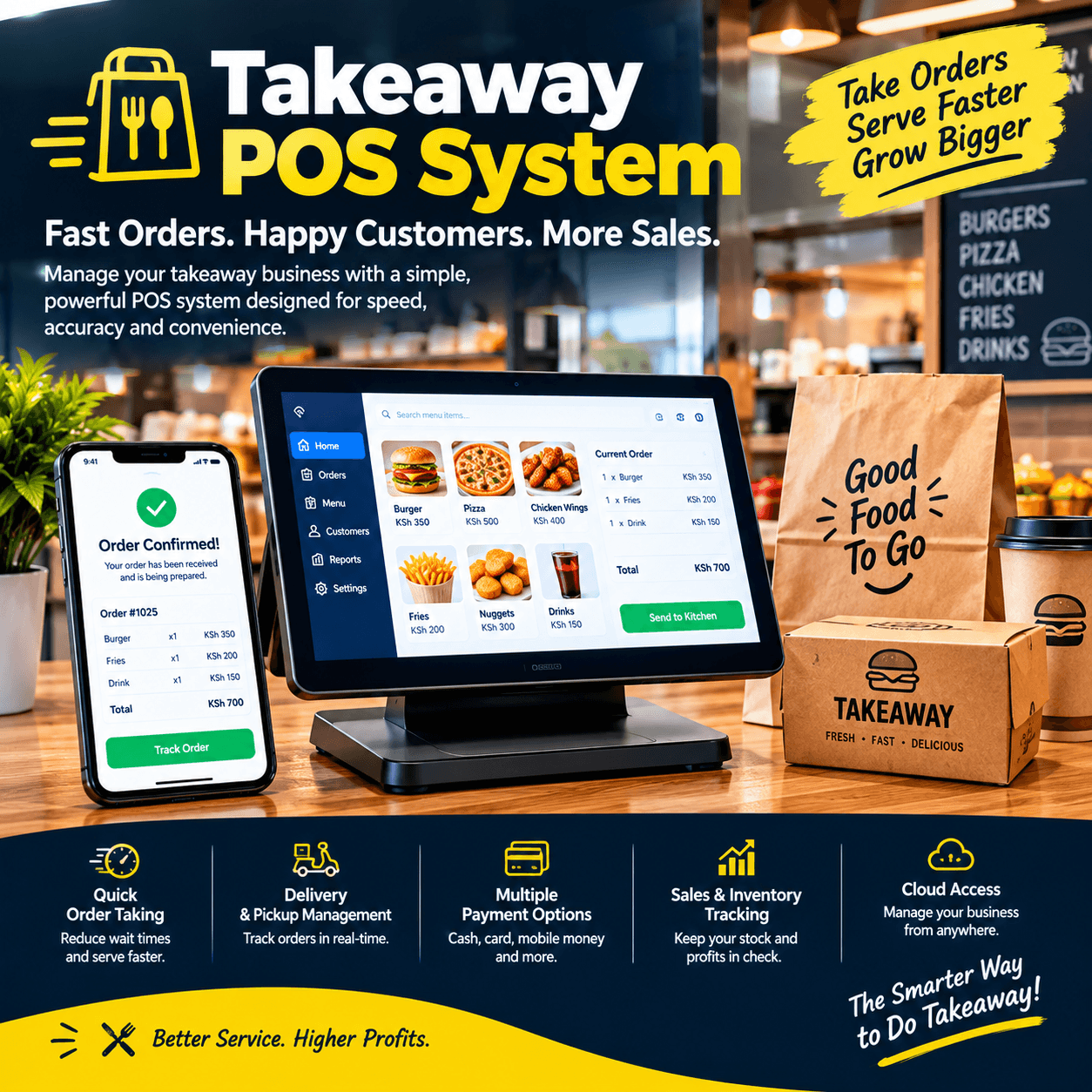
Takeaway POS system choices are decided in ninety minutes: the dinner rush that runs from seven to half past eight, when the phones ring, the walk-ins queue, and the riders wait — all at once.
A takeaway lives or dies on that window.
The shop that rings orders, fires them to the kitchen, and takes payment at speed turns the rush into its most profitable hour of the day.
The shop that jots orders on pads, shouts across the kitchen, and hunts for change turns the same ninety minutes into refunds, wrong orders, and customers who dial the competitor next time.
This article is about the machine that makes the first shop possible.
We will walk through what a genuine takeaway POS system actually does — order routing, kitchen printing, phone orders, delivery management, M-Pesa, peak-hour speed — what it costs, and how to test any system before your money moves.
By the end, you will be able to judge every system on the market against the only standard that matters: does it make your busiest ninety minutes your best-run ninety minutes?
Takeaway POS System: The POS Connection
A takeaway is not a shop with food — it is a different operating rhythm, and the till has to match it.
Retail counters sell; takeaways orchestrate — the order enters, travels to the kitchen, becomes food, and reaches a customer through a walk-in window, a rider, or a pickup bag.
That journey is exactly what a takeaway POS system manages: not just the payment, but the whole life of the order from ring-up to handover.
In a proper takeaway POS system, every order is a tracked object — items, modifiers, order type, payment status, kitchen state, and customer — visible to the counter and the kitchen at the same moment.
Compare that with the pad-and-shout method: orders written twice, read wrong once, and remembered by nobody when a customer calls back to ask where their food is.
The difference is not luxury; it is the difference between a kitchen that flows and a kitchen that guesses.
Three properties define a genuine takeaway POS system.
Speed first: an order must enter in seconds, because the queue behind it is hungry and watching.
Routing second: the order must reach the kitchen instantly, printed or on a screen, with every modifier attached.
Tracking third: from the counter to the bag to the rider, the order’s state is known — so nobody ever asks what happened to table four’s chicken.
A takeaway POS system without all three is a cash register wearing an apron.
What it is not: a general retail till with food prices typed in, and not a notebook with a calculator beside it — both fail at exactly 7:15 on a Friday, which is when takeaways do their real business.
The distinction matters because food service punishes slow tools faster than any other trade — a takeaway POS system earns its keep in the rush or not at all.
The version of the standard you want is simple: the system should be fastest precisely when the shop is busiest.
The Three Doors of a Takeaway
Every order arrives through one of three doors, and a serious takeaway POS system treats each as a first-class citizen.
The walk-in. The customer at the counter, queue behind them, payment in hand — speed is the whole job, and the screen must make a ten-item order a thirty-second act.
The phone order. The call at 7:40 — order taken, customer known, food fired, rider scheduled — all while the walk-in queue keeps moving.
The delivery. The order that leaves with a rider and must arrive correct, hot, and paid — tracked from kitchen to door.
Shops that run all three doors on one takeaway POS system describe the change as calm: one order list, one kitchen queue, one truth, regardless of which door the customer used.
The pad method treats the three doors as three separate paper systems — and the doors argue with each other at exactly the wrong moment.
Watch any busy Friday on paper: two phone orders taken while three walk-ins wait, one rider dispatched with no delivery note, and a customer whose order was fired twice.
A connected takeaway POS system makes those collisions structurally impossible — the kitchen sees one queue, the counter sees one payment screen, and the rider sees one sheet.
The commercial logic compounds: every door handled well adds customers, and every door handled badly quietly reroutes them to the shop up the road.
Choose a system that proves all three doors live in the demo — the section near the end gives you the exact script.
Speed at the Counter: Winning the Dinner Rush
The rush is the economics of the trade compressed into ninety minutes, and a takeaway POS system is judged entirely inside it.
Count the seconds honestly: an order of chips, two chickens, and three sodas — with a combo applied and an extra chilli sauce — should be rung, fired, and paid in under a minute.
On a pad, the same order takes a handwritten line, a verbal shout, a mental price total, and a change count that holds up the next three customers.
The screen design matters more in food service than in any other retail: big buttons, pictures, combo shortcuts, and modifiers one tap away.
A well-built takeaway POS system lets a cashier build the entire order with thumbs, never typing a full sentence or hunting a menu.
Peak-hour math does the rest: shave thirty seconds off every order across fifty orders and the queue that used to stretch out the door simply does not form.
That is the difference between selling fifty orders in the rush and sixty — same staff, same kitchen, same hour.
Queue length is also the shop’s advertising: a fast-moving line reassures the street, while a stalled one sends the next six customers walking.
In shops we configure, owners report the same sequence after go-live: the rush shortens first, then the order errors drop, then the regulars increase — because speed reads as quality in food.
Set your acceptance standard before you buy any takeaway POS system: the vendor must ring your actual best-selling order, live, on the proposed hardware, and it must feel effortless.
If the demo cashier hesitates, your real cashiers will drown.
Kitchen Printing: The Takeaway POS System Behind the Pass
The kitchen is where orders become food, and the pass — the counter between counter and cooks — is where most takeaways either flow or flood.
A proper takeaway POS system fires each order to the kitchen the instant it is rung, as a printed ticket or on a kitchen display screen.
The ticket carries everything the cook needs: items, quantities, modifiers, order number, order type, and the time it was fired.
No verbal relay, no pad carried by hand, no shout over the fryer — and no order that exists at the counter but never reached the pan.
Modifier discipline is the heart of this section: no onions, extra chilli, half and half, well done — each must survive the journey to the kitchen unchanged.
Every wrong order in a takeaway traces to a modifier lost between mouth and pan, and a connected takeaway POS system ends that loss by carrying modifiers in print, not memory.
Order types route differently too: eat-in tickets, pickup bags, and delivery orders can print to different stations — grill, fryer, packing — so each station sees only what it makes.
Priority and timing matter as well: tickets time-stamped when fired let the kitchen work oldest-first, and let the counter see at a glance which orders are running long.
The callback problem dies here too: when a customer rings to ask about their order, the takeaway POS system shows its state in seconds — fired, cooking, packed, collected — instead of a shout down the kitchen.
Test the kitchen flow in every demo: ring an order with two modifiers and watch the ticket print — the takeaway POS system test that separates orchestration from a till.
One hardware note worth enforcing: kitchen printers live in heat and steam, so confirm the model is rated for the environment and positioned clear of the fryer — a kitchen ticket that jams at 7:30 undoes everything the software promised.
Phone Orders: The Takeaway POS System Answering the Line
Phone orders are the heartbeat of most takeaways — often a third or more of daily revenue — and they deserve better than a pad and a prayer.
On a connected takeaway POS system, a phone call becomes a fast, structured order: the customer’s name pulled up or created, the address saved, the order built on screen, and the kitchen fired while the caller is still on the lin
Regulars gain the best feature in food service: their history.
The caller who orders the same three items every Friday becomes a two-tap order — the takeaway POS system remembers, and the customer feels known.
Saved addresses end the every-time spelling of estates and gates, and order history settles the rare dispute about what was actually ordered.
Timing promises become honest too: with the kitchen queue visible, the counter can quote a realistic collection time instead of guessing twenty minutes and apologising at forty.
Payment flexibility completes the flow: pay on delivery by M-Pesa, pay on collection, or pay now over the phone — a capable takeaway POS system records all three against the order.
The discipline that makes phone orders shine is capturing the caller’s number from day one — every call becomes a customer record, and the customer file becomes the shop’s most valuable marketing asset.
Ask every vendor to demonstrate a phone order end to end in the demo: new customer, saved address, two-tap reorder for a regular, and the kitchen ticket printing before the call ends.
A takeaway POS system that cannot do that in under a minute will cost you calls at every rush.
Delivery and Riders: Managing the Third Door
Delivery is the door with the most moving parts — food, rider, road, and payment — and the least tolerance for improvisation.
On a serious takeaway POS system, a delivery order carries its life with it: kitchen ticket, packing slip with the customer’s address and phone, and a dispatch state the counter can see.
When the bag is ready, the rider is assigned on the system — and the counter knows which rider took which orders, at what time.
Payment on delivery follows the rider’s report: paid by M-Pesa, paid cash, or unpaid — each recorded against the order when the rider returns.
That closes the oldest hole in takeaway delivery: the cash that comes back less than it left, with nobody able to prove anything.
A connected takeaway POS system makes every delivery a reconciled transaction instead of a rider’s memory.
Delivery zones and fees belong in the same discipline: charges set by area, applied automatically at order entry, so nobody negotiates the delivery price at 8 p.m. on a Friday.
Third-party delivery apps deserve an honest paragraph: they bring orders from their own customer bases, and where integrations exist they can flow into the same order queue — confirm with each vendor exactly which platforms connect to their takeaway POS system before promising your counter that channel.
Without integration, app orders arrive as phone calls or tablets beside the till — workable, but a fourth door running on its own paper.
The weekly payoff of managed delivery is a report: orders per rider, delivery times, failed deliveries, and payment exceptions — the numbers that turn your rider fleet from a cost into a measurable service.
Test the full loop in any demo: order, kitchen ticket, dispatch, return, payment recorded — a takeaway POS system that shows the whole delivery life has earned a serious look.
M-Pesa and Payments at a Takeaway
Payment speed at a takeaway is not a detail — the queue behind the current customer is measuring it.
A modern takeaway POS system handles the full payment mix on one screen: cash for the walk-in, M-Pesa triggered for the phone order, and split payments when a group divides the bill.
M-Pesa integration deserves the sharpest look: the till triggers the payment prompt, the customer confirms, and the order marks itself paid with the reference stamped — no evening of matching messages to receipts.
Pay-on-delivery flows through the same rail: the customer pays the rider by M-Pesa, and the confirmation reconciles against the order without anyone retyping codes.
Split payments must be effortless — part cash, part mobile money on one order should take seconds, because Fridays create that situation nightly.
End-of-day reconciliation is the quiet triumph: takings split by channel — cash, M-Pesa, card — each matching the drawer and the phone, in five minutes instead of forty.
Ask every vendor the honest level of their integration — live trigger with automatic confirmation, or manual recording with a typed code — because the second is the ritual with extra steps, whatever the brochure calls it.
Card payments fit where your customers carry them: a certified, integrated reader beside the takeaway POS system means the corporate lunch order never walks over a payment your counter cannot take.
And deposits belong in the flow too: the party order paid half in advance should be one complete record, not a note under the till.
Verify every payment path with real money in the demo before final payment — simulated screens prove nothing at a counter that trades on speed.
Menu, Combos, and the Deals That Sell
The menu is the takeaway’s merchandising, and a good takeaway POS system makes it fast to sell and easy to change.
Combos and deals must be native: chips plus chicken plus soda at a set price, applied in one tap — because combos are what the rush orders, and retyping three items with a mental discount is where margins and queues both bleed.
Prices live centrally: change the price of chicken once and every screen, every combo, and every kitchen ticket follows — no noticeboard, no memory, no last week’s price surviving at the counter.
Sold-out management matters in food more than anywhere: when the fish finishes, one toggle removes it from every screen and stops the counter selling what the kitchen cannot cook.
Modifiers and add-ons carry the margin: sauces, extras, and upgrades should be one tap each, priced, and printed — a capable takeaway POS system makes the upsell effortless rather than forgettable.
Day specials and time-based menus fit the same structure: the lunch special available noon to two, applied and removed by the system, not by the cashier’s memory
And cost prices deserve their line: your margins are only as honest as the costs entered when the supplier delivered — a takeaway POS system that tracks them shows which menu items actually earn.
Ask every vendor to build your signature combo live in the demo: items, price, and one-tap ring-up — if it takes longer than a minute to set up, it will take longer than you will tolerate.
Reports: Reading the Rush and the Menu
Food service reports answer different questions than retail — and the takeaway POS system that answers them well changes decisions weekly.
Peak-hour analysis. Sales by hour across the week — the report that schedules staff and prep against the real rush, not the remembered one.
Best and worst sellers. What earns its place on the menu and what quietly occupies the freezer — ranked by units and by margin, not by affection.
Channel split. Walk-in, phone, and delivery revenue side by side — the report that tells you where growth is coming from and where it stalls.
Modifier frequency. The extras customers actually order — the raw material for new combos and smarter upsells.
Delivery performance. Orders per rider, delivery durations, and exceptions — the report that keeps the third door honest.
Payment mix and reconciliation. Cash, M-Pesa, and card — each day reconciled to the shilling.
Reports should arrive without export buttons, on your phone if possible — because the owner of a busy takeaway POS system reads numbers between rushes, not after midnight.
Ask to see the reporting screens on your own menu data if the vendor allows a trial load — generic demo numbers prove generic nothing.
The compounding return is menu engineering: when margins by item are visible monthly, the menu stops being a list and becomes a strategy — which is the quiet, compounding value of a takeaway POS system reporting well.
Offline Mode: The Rush Does Not Wait for the Router
Internet in this market is a guest that leaves without warning, and a kitchen cannot inherit its mood.
A serious takeaway POS system must therefore be offline-first: the catalogue, prices, and order flow live on the terminal, orders ring and kitchen tickets print with the router dead, and everything syncs when the line returns.
The test is physical and takes two minutes: unplug the router mid-order, ring a full order with a modifier, fire the kitchen ticket, take an M-Pesa payment — the mobile networks carry it even when your broadband is down — then reconnect and watch the clean sync.
Systems that freeze, downgrade to a survival mode, or lose the kitchen connection fail this test — and they fail it on the Friday night when the street is busiest.
Power rides the same bus: a tablet-based takeaway POS system on battery keeps the counter and kitchen alive through the blackout that kills a desktop tower.
Kitchen printers must connect directly to the terminal — never through cloud services — because a ticket that depends on someone else’s server is not a ticket you can promise the fryer.
Make offline behaviour a written acceptance item in your agreement, tested with your own menu before the final payment.
Ask each vendor one number: how long can the shop trade fully offline before anything is at risk?
The confident answer is measured in weeks, not hours — and the vendors who answer smoothly are the ones who built for this market rather than adapted to it.
For a takeaway POS system, offline capability is not a feature among features — it is the difference between a rush and a shutdown.
Choosing a Takeaway POS System: The Demo Test
Bring this script to every vendor; it takes twenty minutes and ends pretending permanently.
Ring your signature order. Your best-selling combo with two modifiers, timed live on the proposed hardware — a takeaway POS system that hesitates on your actual order will drown at your actual rush.
Watch the kitchen ticket. The order must fire instantly, with modifiers intact, order type clear, and the timestamp visible — then ask what happens when the kitchen printer runs out of paper mid-rush.
Take a phone order end to end. New customer with saved address, then a two-tap reorder for a regular — the flow that earns a third of your revenue deserves a full demonstration.
Run the delivery loop. Order to rider assignment to payment-on-return — a takeaway POS system that shows the whole delivery life in one screen has passed the hardest structural test in this trade.
Kill the internet mid-order. Complete the sale, fire the kitchen, reconnect, and watch the sync — non-negotiable in this market.
Split a payment. Part cash, part M-Pesa, one order, one receipt, seconds on the clock.
Build your combo live. Items, price, one-tap ring-up — and change a menu price once, centrally, watching every screen follow.
Read the reports. Peak hours, channel split, and margins on realistic numbers — not an empty dashboard.
A vendor who welcomes this script has built a food-service product; a vendor who steers toward retail screenshots is selling a till with food prices typed in.
Then ask for two references from takeaways specifically, one question each: what changed about your dinner rush after installing?
The answers from owners running a real takeaway POS system will teach you more than any demonstration ever recorded.
Rolling Out a Takeaway POS System Without Losing a Service
Food service rollout has one rule above all others: never go live on a Friday.
Build the menu in the background over three to five days — items, combos, modifiers, prices, and cost prices — while the shop trades on the old process.
Schedule the installation for a Tuesday or Wednesday afternoon, between services, with hardware configured and payments tested before the evening rush arrives.
Test the kitchen printing with real orders during a quiet hour: every station, every order type, every modifier — a takeaway POS system launch is proven at the pass, not the counter.
Train the whole team on the real menu with the router deliberately unplugged — including the phone-order flow and the delivery loop, so the first real rush is the team’s tenth rehearsal.
Nominate a champion by name before training day; kitchens learn fastest from the peer who has already made the mistakes.
Run parallel for two or three services — new system and pads side by side — and compare the totals each night before cutting over fully.
Book the week-one review at the same time as the installation: reconcile, correct small drifts, and tune the screen layout against what the rush actually taught you.
A structured takeaway POS system rollout typically runs one to two weeks from booking to confident, independent trading — with the doors open and the fryers hot on every one of those days.
The first Friday fully live is the acceptance test that matters: owners consistently describe the same milestone — the rush that used to be survived becomes the shift the team runs on autopilot.
Mistakes Takeaway Owners Make
Five patterns catch owners first; learn them here without paying for them.
Buying a retail till and hoping. Hope is not a kitchen ticket — a general system without order routing, modifiers, and phone-order flow will send you back to pads within a month, with the money already spent.
Choose a takeaway POS system that demonstrated your actual order live, or keep saving until you can.
Skipping modifier discipline. The counter invents shorthand, the kitchen guesses, and the wrong orders become your refunds — modifiers must live in the system, printed, from day one.
No customer capture on phone calls. Every anonymous call is a lost regular — capture the number, build the history, and let the takeaway POS system turn callers into a marketing asset.
One shared login at the counter. Accountability dies the moment actions have no name — voids, discounts, and refunds need owners, especially in a business where cash moves fast.
Launching on a Friday. The single most common self-inflicted wound in food service rollouts — a takeaway POS system deserves a Tuesday, and so does your team.
A sixth worth naming: ignoring the delivery reconciliation — riders handling cash without system-backed dispatch records is the quietest leak in the trade.
Owners who avoid these five get what a proper takeaway POS system promises and few deliver completely: a rush that runs, a kitchen that flows, and evenings that reconcile themselves.
Different Takeaways, Different Setups
The right configuration follows the kitchen; four quick portraits.
The chicken and chips shop. Combo volume is everything: one-tap deals, rapid modifier handling, and a kitchen queue that never mixes eat-in with delivery — the takeaway POS system here lives or dies on combo speed.
The pizza place. Modifiers dominate — half and half, extra toppings, sizes — and delivery is half the business, so modifier routing and rider management lead the requirements.
The Swahili kitchen and hot lunch counter. Menu items change daily and sell out — sold-out toggles and time-based menus matter more than anything else on the specification.
The butchery-and-takeaway hybrid. Two trades, one counter: weighed goods beside cooked orders, so the takeaway POS system must carry scale integration and kitchen routing in the same screen.
The pattern generalises: name the one thing your kitchen does that no other does, and make the vendor prove exactly that in the demo.
For every portrait, the foundations hold: order routing, offline mode, M-Pesa, and speed — the four that no takeaway POS system should ever be bought without.
Frequently Asked Questions
How much does a takeaway POS system cost?
Year one for a typical single-counter takeaway lands between KES 60,000 and 100,000 all-in — hardware, setup, and subscription — with the subscription continuing monthly after.
Collect three itemised quotes and compare on year-one totals; the fairest takeaway POS system price will identify itself quickly.
Can it handle both walk-ins and phone orders on one screen?
Yes — and it must: one order queue regardless of door, with phone orders carrying saved customers and addresses, is the structural advantage over pads.
Verify both flows live in the demo before signing any takeaway POS system.
Does it work when the internet goes down?
A properly engineered one does: orders ring, kitchen tickets print, and M-Pesa rides the mobile networks — everything syncs in order when the line returns.
Make the unplugged test a written acceptance item on any takeaway POS system before the final payment.
How does it manage delivery riders and pay-on-delivery?
Orders assign to named riders, dispatch times are recorded, and payments reconcile against each order when the rider returns — ending the untracked cash ride.
Ask for the full delivery loop in the demo of any takeaway POS system you are evaluating.
Will it print kitchen tickets reliably in a hot, busy kitchen?
Yes, when the printer is rated for the environment and connected directly to the terminal — confirm both in writing, because a jammed ticket at peak undoes the whole software.
Is it worth it for a small takeaway with one counter?
Usually yes — small shops feel every wrong order and every stalled queue hardest, and the core stack (order routing, combos, M-Pesa, offline) costs little more than a basic till.
The first clean Friday on a takeaway POS system is typically when owners stop asking whether one counter needed it — and the first reconciled month is when the answer becomes permanent.