 Vega
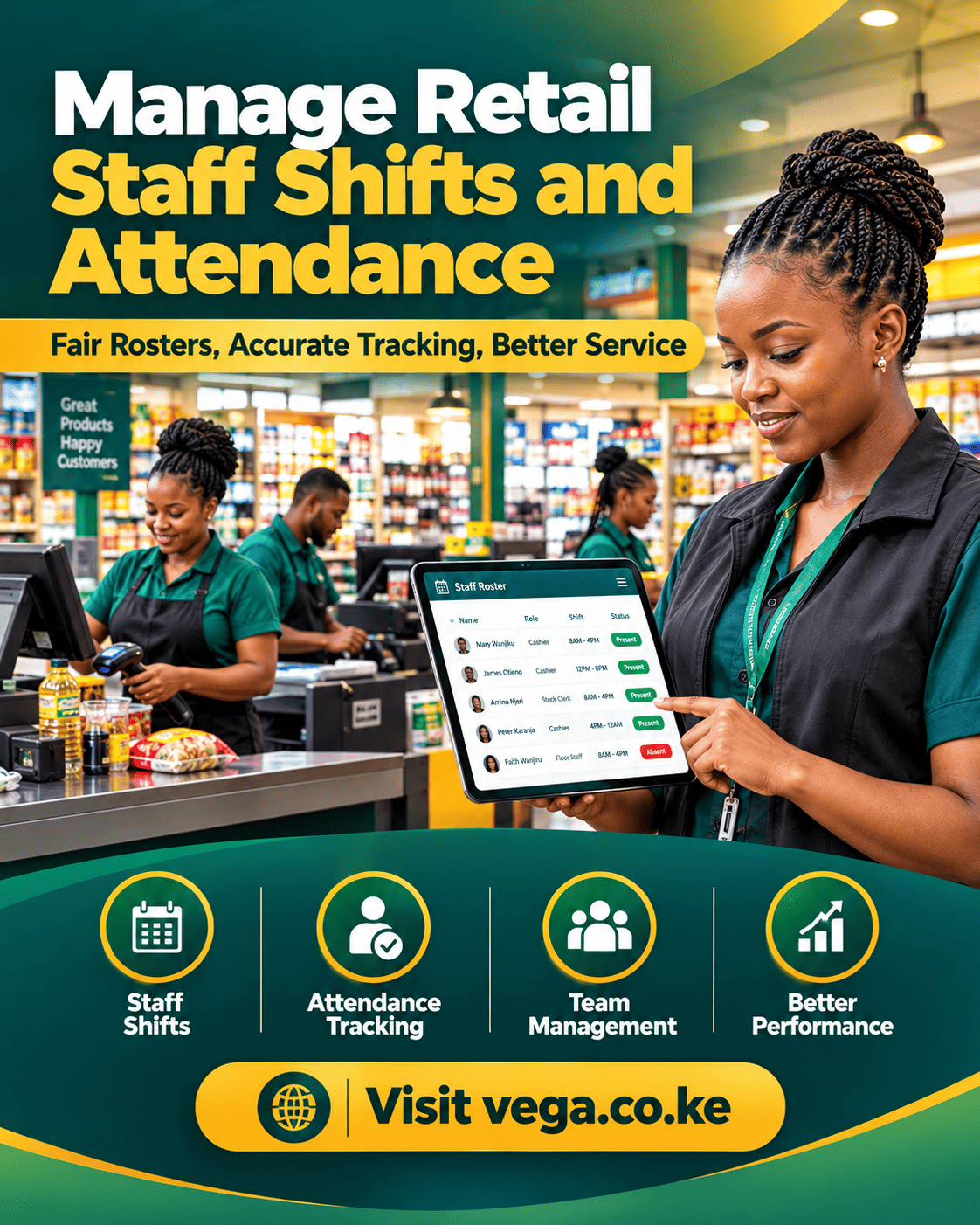
Running POS for employee management in 2026 means more than watching who rang what. It means named logins, fair shift reports and approvals that protect both your margin and your staff’s reputation. Shops that get this right lose less and argue less.
Most owners buy a till for sales and only later discover the staff tools buried inside. By then, shared passwords and paper timesheets have cost months of visibility. Comparing POS for employee management early prevents that drift.
This guide walks through every employee feature worth checking: logins, permissions, time clocks, scheduling, controls, reports, payroll, privacy and rollout. Each section ends with checks you can run in any demo. Testing POS for employee management against your real roster beats reading any brochure.
By the end you will hold a one-page checklist for every vendor meeting. You will know which tools your team needs on day one and which can wait. Owners who weigh POS for employee management against daily reality choose faster and switch less.
Why POS for Employee Management Matters in 2026
Your staff touch the till more than you do. Choosing POS for employee management shapes how they sell, how they close shifts and how honestly the numbers flow. Software that ignores people ignores half the shop.
The stakes grew in 2026. Wages rose, teams got younger and turnover got costlier. Owners who use POS for employee management well cut training time, shrink disputes and keep their best cashiers longer.
Bad systems do the opposite. Shared logins make every mistake anonymous, paper rotas rot in a drawer and payroll becomes guesswork. Owners comparing POS for employee management options should start with how each system treats people, not features.
Fairness is the theme of this article. Tools that record honestly, approve transparently and report clearly protect staff as much as owners. An accused cashier with a clean audit log is a free cashier.
Questions to ask before any demo:
- How fast can a new cashier be added and removed?
- Can staff see their own numbers without asking me?
- What does a shift report look like from both sides?
Start POS for Employee Management With Named Logins
Everything else stands on this one habit. Set up POS for employee management with a named account per person, even for a team of three. Shared passwords erase accountability faster than any theft could.
Named logins change behaviour quietly. Cashiers know their sales, voids and discounts carry their name, so care follows. Most “mystery” losses end the week named accounts arrive.
Speed matters too. A login should take two seconds with a PIN or badge tap, never a typed email. Test POS for employee management logins with your fastest and slowest staff in the demo; both must find it effortless.
Offboarding is the forgotten half. Leaving staff must be removable in one click without touching anyone else’s history. Ask vendors how POS for employee management handles leavers — if old accounts linger, your reports start lying.
Write the rule down: no named account, no till access. Then confirm these in the demo:
- Adding a new cashier in under one minute
- Removing a leaver without touching anyone’s history
- PIN resets that never need vendor support
Permission Tiers That Protect Your Margin
Not every cashier should approve a KSh 10,000 refund. Tiered POS for employee management lets juniors sell while supervisors approve voids, refunds and price changes. Control and speed finally stop fighting each other.
Start with three tiers: seller, supervisor, manager. More tiers sound clever and end in confusion — nobody remembers which level unlocks what. Three covers almost every small shop.
Approval flows should be quick. A refund approval that takes five taps gets bypassed with a handwritten note. Test POS for employee management approvals with two staff during the trial and count the seconds.
Watch for rigid systems too. You may want trainees to sell but never discount, or seniors to refund without asking on quiet mornings. Good POS for employee management tunes permissions per person, not just per role.
Review tiers quarterly. People grow, roles change and yesterday’s lockdown becomes today’s bottleneck. Permissions are a living setting, not a one-time setup.
Time Clocks That End Shift Arguments
Hours worked are where most disputes live. A built-in time clock turns POS for employee management into the honest referee: clock in when you arrive, clock out when you leave. The record settles what memory cannot.
Digital clock-ins beat paper rotas in every way. Times arrive stamped, rounding rules apply evenly and nobody rewrites Friday from memory. Payroll stops being archaeology.
Pair clock-ins with the till. When a shift’s sales sit next to its hours, patterns appear — strong hours, dead hours and hours where voids cluster. Owners who test POS for employee management with linked time and sales data schedule smarter within a month.
Ask about missed punches too. People forget, and systems should let a supervisor correct a clock-in with a reason attached. When POS for employee management logs corrections openly, trust survives the occasional mistake.
Questions to ask before you choose:
- Can supervisors correct clock-ins with a reason attached?
- Do hour exports carry rounding and holiday rules?
- Can staff check their own hours on a phone?
Scheduling That Matches Your Busy Hours
A rota built on guesses costs money twice: too many staff on dead mornings, too few on payday Saturdays. Scheduling POS for employee management uses your hourly sales history to suggest coverage. The rota finally matches the queue.
Start simple. Export last month’s hourly sales, find your real peaks and staff to them. Systems that show peaks on the rota screen make this a ten-minute job.
Look for drag-and-drop shifts, swap requests and mobile notifications. Staff swaps happen constantly, and a system that handles them without WhatsApp chaos earns its fee. Compare POS for employee management scheduling between vendors using your own peak hours, not theirs.
Check overtime warnings as well. A rota that flags when hours cross your limits protects budgets automatically. When POS for employee management warns before overtime instead of after, you fix next week instead of last week.
Publish rotas at least a week ahead. Predictable schedules reduce no-shows more than any software feature. The tool helps; the habit works.
Void, Refund and Discount Controls
Margin leaks through three doors: voids, refunds and discounts. Strong POS for employee management puts a manager PIN on all three and records a reason every time. Doors stay open for customers, closed for leaks.
Reasons matter more than locks. “Damaged”, “wrong order” and “customer changed mind” tell you what to fix. Blank approvals tell you nothing except that a number changed.
Set thresholds by person and by amount. A trainee may need approval on every refund; a five-year supervisor only above a limit you choose. Test POS for employee management thresholds during the demo with real amounts from your shop.
Weekly review closes the loop. One report showing every void, refund and discount by name takes three minutes to read and ends most leaks. Owners who schedule POS for employee management reviews every Monday catch patterns while they are small.
Balance control with dignity. Approvals exist to protect honest staff from suspicion as much as to stop dishonest ones. Say that out loud when you introduce the rules.
Shift Reports Staff Actually Trust
A shift report is a small contract: this is what I sold, voided and discounted, and here is my drawer. Clear POS for employee management prints or sends it at clock-out, signed by numbers rather than argument.
Trust grows when both sides see the same figures. Hide the report and suspicion fills the gap. The best systems show staff their own summary on their phones before you ever look.
Cash drawer counts belong inside the shift close. Expected versus counted, with the difference recorded, beats silent corrections. Ask vendors to demo POS for employee management shift closes with a deliberate mismatch so you see how discrepancies surface.
Look for history too. Last week’s shifts should be a tap away when a question rises. Systems where POS for employee management keeps per-shift history searchable end disputes with evidence instead of memory.
Read shift reports in batches, not one by one. Patterns — the same cashier, the same hour, the same action — only appear when you compare. Ten minutes every Monday is enough.
POS for Employee Management: Reports That End Disputes
Disputes cost more than theft; they drain trust for weeks. Reporting-centred POS for employee management settles questions with data both sides accept. “Who discounted that bill?” becomes a thirty-second lookup instead of a week of side-eye.
Three reports carry most of the weight. Per-staff sales, per-staff voids and refunds, and hours against sales. Everything else is garnish.
Make sure reports answer “who”, not just “how much”. Anonymous totals protect nobody. Owners comparing POS for employee management tools should filter every report by name and by date range during the demo.
Fair reporting also means context. A cashier on the Friday night shift will show bigger voids than a Tuesday morning one. Good POS for employee management lets you compare like with like — same hours, same shift — before judging anyone.
Share the wins as loudly as the alerts. Top basket, cleanest drawer, smoothest close — praise from data lands harder than memory. Reports are not only for catching problems.
Payroll Without Sunday Night Maths
Every hour the time clock captures should flow toward payroll. Integrated POS for employee management exports hours, overtime and shift allowances your accountant can use without translation. Sunday night maths retires.
Start by exporting, not replacing. Send the hours file to whoever runs payroll and ask what columns they need. One conversation saves months of reformatting.
Check rounding rules and public holidays before you trust the numbers. Different shops round differently, and the system must match your policy, not invent one. Ask vendors how POS for employee management handles half days, holidays and late approvals — in writing.
Commission and bonuses deserve the same pipeline. If commissions live on paper while hours live in software, month-end splits into two fights. When POS for employee management carries both in one export, payday becomes boring — which is the goal.
Ask every vendor:
- What columns does the hours export include?
- How are half days and public holidays recorded?
- Can commission calculations be exported for audit?
Training New Staff Faster
Every lost training week is a week of slow queues. Simple POS for employee management gets a new hire selling on day one with a clean screen, big buttons and a practice mode. Complexity should be opt-in, not mandatory.
Ask for the trainee view in the demo. The best systems hide everything a beginner does not need and reveal power gradually. Watch a real new hire try it, not the salesperson.
Practice mode matters more than manuals. Let new staff ring fake sales on a training till without touching real numbers. Compare POS for employee management onboarding between vendors by timing a real person’s first solo sale.
Checklists inside the software beat laminated sheets beside it. A system that walks a new cashier through open, sell, refund and close teaches while it works. Owners who choose POS for employee management with built-in guides cut trainer hours roughly in half.
Pair every new hire with your strongest cashier for two shifts, then let the software take over. People teach culture; systems teach clicks. You need both, in that order.
Remote Oversight for Owners
You cannot stand at the till forever — and you should not have to. Remote POS for employee management puts live sales, shift status and alerts on your phone from anywhere. Presence stops being a bottleneck.
Resist the urge to watch everything. Choose three alerts: a long void, a late opening and an unusual discount pattern. Calm owners read signals; anxious owners drown in dashboards.
Daily digests beat live feeds for most shops. One morning summary — yesterday’s sales, staffing, exceptions — sets your priorities in five minutes. Owners who test POS for employee management notifications should count how many arrive on a normal day; noise is a feature flaw.
Remote tools shine for multi-site owners and silent partners. Approve a refund request from a funeral, check the lunch rush from a supplier meeting. When POS for employee management travels well, the shop stops waiting for you.
Tell your team exactly what you see and why. Secret monitoring breeds resentment; announced dashboards build pride. Same data, opposite culture.
Commission and Performance Tracking
If some staff sell more, your software should know. Performance POS for employee management tracks sales per person, per shift and per category without extra entry. Recognition starts with visibility.
Start with visibility before money. Publish a friendly leaderboard for a month and watch what changes. Many shops find recognition lifts sales before any commission does.
When you do pay commissions, automate the maths. Manual percentage work on paper invites errors that cost real relationships. Test POS for employee management commission rules with two tricky cases — split sales and returns — before trusting it.
Tie performance to margin knowledge too. Staff who know the profitable lines sell them, not just the easy ones. Systems where POS for employee management shows margin beside sales help you coach, not just count.
Guard against dark patterns. Aggressive targets on thin margins push staff toward pushy selling and refund spikes. Reward the behaviour you want repeated, and only that.
Privacy: Monitor Without Spying
There is a line between oversight and surveillance, and your team knows exactly where it sits. Ethical POS for employee management collects work data — sales, hours, approvals — and nothing else. Cross the line and every report loses its credibility.
Announce what is tracked. A one-page note listing every logged action converts “being watched” into “rules applied evenly”. The data does not change; the reaction does.
Keep personal life out of the system. No cameras tied to tills without clear notice, no tracking of phones, no reports about chats. When POS for employee management stays inside work hours, it stays welcome.
Use data in private, correct in private, praise in public. A dashboard is not a stage for embarrassment. Owners who apply POS for employee management data this way keep both numbers and morale high.
Keep the promise visible — post it beside the till:
- What we record: sales, hours, approvals
- What we never record: phones, chats, anything personal
- Who can see reports, and why
POS for Employee Management Across Branches
Two shops double every staffing question. Multi-branch POS for employee management keeps one staff directory, one permission policy and per-branch reports that still add up. Central logins mean a cashier’s history travels with them.
Transfers between branches should carry the person, not just the stock. A cashier moving sites should not start from zero or beg for new permissions. One directory makes that automatic.
Compare branches on fairness, not only sales. Hours per transaction, voids per hundred sales and training time tell you which site runs better. Owners who study POS for employee management across sites copy what works instead of guessing.
Watch for policy drift. Left alone, each branch invents its own approval rules within months. Systems that enforce POS for employee management policies centrally keep six shops behaving like one company.
Visit with the reports in hand. Walking a branch through its own numbers opens conversations that memos never will. Data opens doors; presence walks through them.
Security Basics Around Staff Accounts
Staff accounts are keys to your business. Secure POS for employee management includes PIN rotation, two-factor for managers and instant revocation when someone leaves. Treat every login like a front-door key.
PINs are not passwords — handle them gently but rotate them quarterly. Reuse across staff is the most common hole in small shops. One shared PIN means no accountability at all.
Watch the back door too. Old accounts, supplier logins and “temporary” accesses pile up silently. Ask vendors how POS for employee management flags dormant accounts; a good system nags you before it leaks.
Audit logs complete the shield. Every login, approval and override should be recorded with time and terminal. When POS for employee management keeps immutable logs, investigations end in minutes instead of days.
Test revocation on purpose. Remove a test account during the trial and confirm every door closes at once. Three seconds of checking beats three weeks of worry.
Rolling Out Staff Tools Without Pushback
New controls feel like accusations unless you frame them first. Successful POS for employee management rollouts start with a team meeting, a plain explanation and a promise: this protects honest people first. Frame it as armour, not surveillance.
Introduce in steps. Logins in week one, approvals in week two, reports in week three. Shops that switch everything on one Monday meet maximum resistance.
Train the champions first. Two respected staff members who understand the system will answer questions you will never hear. Plan POS for employee management rollouts around people, not around features.
Collect complaints seriously. If approvals slow the queue, tune thresholds instead of defending them. Vendors that support POS for employee management adjustments quickly make iteration cheap; stubborn setups make staff hate the tool.
Celebrate the first clean month. Show the team which disputes never happened and what the reports proved. Buy the cakes; the software paid for them.
The POS for Employee Management Checklist for This Year
Here is your one-page summary. Print it, score every vendor out of ten and let the totals argue. Review POS for employee management against this list before each demo you book this year.
- One named login per person with two-second PIN access
- Three permission tiers: seller, supervisor, manager
- Manager approval plus recorded reason on voids, refunds and discounts
- Built-in time clock with transparent, correctable punches
- Scheduling built from hourly sales history
- Shift reports visible to staff, not only to owners
- Per-staff reports filterable by name, date and shift
- Payroll-ready exports with rounding and holiday rules in writing
- Trainee mode and practice till for day-one selling
- Owner alerts limited to three meaningful signals
- Commission rules tested on split sales and returns
- Announced tracking, work data only
- One staff directory across branches with history that travels
- PIN rotation, dormant-account alerts and immutable audit logs
- Stepped rollout with champions and a feedback loop
Score honestly and weight what your team actually needs. A two-person kiosk and a twenty-person supermarket share nothing. Match POS for employee management to your real roster before signing anything.
Revisit the list every year. Staff grow, branches open and tools improve. An annual review keeps POS for employee management aligned with the team you actually have, not the one you started with.
Frequently Asked Questions
How does POS for employee management stop time theft?
Digital clock-ins replace buddy punching with PINs or badges, and every correction carries a supervisor’s name. When hours link to till activity, impossible shifts become visible instantly. Most ghost hours disappear within the first month.
Can my staff see their own sales reports?
They should. Self-service reports build trust and cut interruptions, because staff stop asking you for numbers they can check themselves. Make it a condition in every demo you attend.
Do I need named logins for a team of three?
Yes, especially for a team of three. Small teams argue more over shared tills, not less, because everyone touches everything. Named accounts cost nothing and end the guessing permanently.
How many permission tiers should a small shop use?
Three: seller, supervisor and manager. Fewer tiers remove useful control; more tiers create confusion nobody maintains. Add a fourth only when a role genuinely demands it.
Will staff resist being tracked?
They resist secrets, not systems. Announce exactly what is recorded, show them their own data and use reports to settle disputes fairly. Announced tools get accepted; hidden ones breed resentment.
How long does it take to set up staff accounts?
Under a day for most shops: import names, assign PINs, set tiers and run one test shift. Vendors with bulk import and permission templates finish in an hour. Remove old accounts the same day you switch.
Should commissions be tracked inside the POS?
If commissions depend on sales, yes. The till already knows who sold what; copying that to paper recreates it by hand. Test split sales and returns before trusting any commission calculation.
Your Next Step This Week
Add one named account per person on your current system, or book two demos if yours cannot. Score POS for employee management from the checklist above while each demo is fresh.
Then ask each vendor to demo a deliberate mistake — a wrong clock-in and an unapproved refund. Owners who test POS for employee management with real mistakes see the truth that scripted demos hide.
Shortlist two, run a one-week trial with your actual roster and let staff score the tools too. When POS for employee management fits the team, adoption stops being a battle.
Roll out in steps, champions first, and review the Monday report together. Treat the POS for employee management checklist as a living document and update it each year.
Do that and 2026 becomes the year your shop ran on fairness instead of memory. The strongest systems belong to owners who tested POS for employee management against a real shift before signing.