 Vega
Vega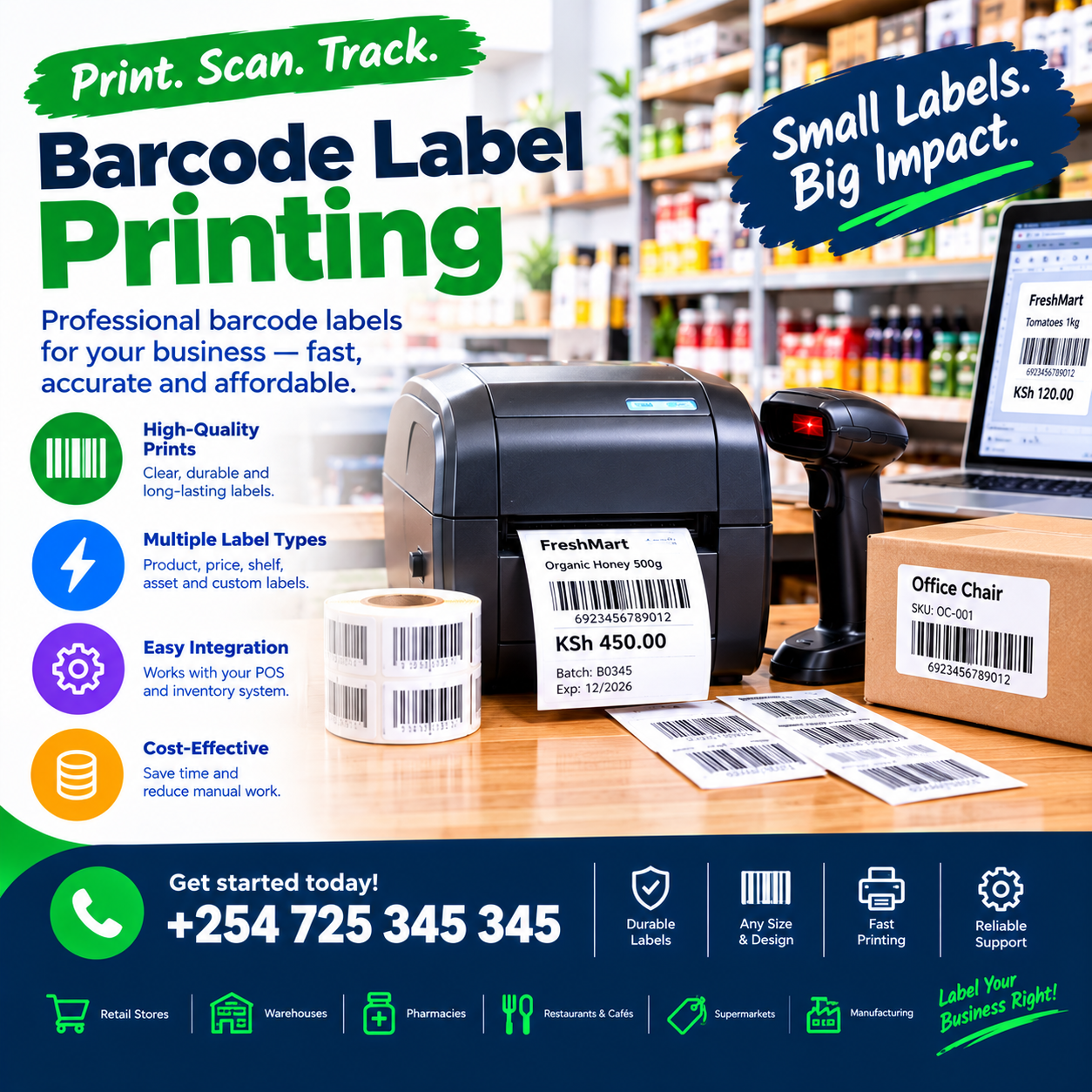
Barcode label printing is the invisible backbone of every scannable shop — because every fast counter, every accurate count, and every clean checkout begins with a readable label on the product.
The maths is unforgiving: a barcode scanned first time costs half a second; a barcode that fails costs ten — plus the customer’s patience and the cashier’s confidence.
Shops that print their own labels control their own speed; shops that rely on whatever the supplier printed inherit everyone else’s errors.
This article explains the whole discipline: what barcode label printing actually involves, the printers and labels that work in Kenyan shops, how labels connect to your POS, the flows for unlabelled and repacked stock, the costs, and the demo test before you buy.
By the end, you will judge every setup with one question: does every product on my shelf scan first time, every time?
Barcode Label Printing: The POS Connection
A barcode is not just a pattern — it is a live link between the physical shelf and your stock record.
Every scan at the counter reads the code, finds the product in the system, prices it, and decrements stock — the whole transaction riding on that one printed strip.
That is why genuine barcode label printing belongs inside the point-of-sale system, not in a standalone printer app: the machine that holds your products is the machine that should print their labels.
In a proper barcode label printing setup, the flow is seamless: the product exists in your catalogue with its price and details — and the label prints from that same record, always accurate, never retyped.
Three properties define the real thing.
Single-source data first: the label carries what the system knows — name, price, code, and unit — because the label and the record are born together.
Speed second: labels print in seconds at receiving, at the counter, and at the shelf — the barcode label printing tempo that keeps processing from becoming a bottleneck.
Readability third: every label scans first time on your scanner, on your packaging, in your lighting — the barcode label printing acceptance standard that separates working setups from frustrating ones.
A system without all three produces labels that look fine and scan badly — the worst possible outcome, discovered one frustrated customer at a time.
What it is not: a sheet of generic labels typed in a Word document, and not a supplier’s sticker inherited without checking — both produce the same result: a counter that hesitates.
The distinction matters because scanning is the most-used function in modern retail: every sale, every count, every receiving runs through it.
In shops we configure, the shops that print their own labels describe the same shift: the counter stops hesitating, and the whole shop speeds up — the barcode label printing difference in one sentence.
Why Shops Print Their Own Labels
Owning the printing flow pays back in five distinct ways, each one felt weekly.
Unlabelled stock becomes scannable. Goods from markets, bales, tailors, and small suppliers arrive without codes — printing your own turns every piece into a first-time scan, the barcode label printing upgrade that changes counter speed overnight.
Prices stay true. The label prints from the live record, so the shelf price and the till price agree — ending the drift where shelf stickers say one thing and the system says another.
Repacked goods stay tracked. A carton split into singles, a bale graded into pieces, a bulk bag weighed into packets — each repacked unit gets its own label and its own stock life, the barcode label printing discipline that keeps conversions honest.
Shelf tags update in minutes. When prices change, new shelf labels print the same day — the shelf and the till agreeing, which is what customer trust is built on.
Your brand travels on every product. Your logo, your name, your layout — labels are small advertising on every item that leaves the counter, a quiet barcode label printing dividend most owners never consider.
Compare that with the alternative: hand-written tags that fade, smudge, and misread; inherited codes that clash with your catalogue; and price changes that wait weeks for someone to walk the shelves.
The control gap widens every season a shop trades — which is why label printing is usually the first peripheral owners add after the starter bundle.
And the strategic point underneath: scannable stock is trackable stock — every label you print is a unit the system can now count, sell, and report on.
That is the real product of barcode label printing: not stickers, but visibility.
Barcode Label Printing: The Printer Choices
The printer is the heart of the setup, and the two main technologies serve different rhythms.
Direct thermal printers. Print on heat-sensitive paper with no ink or ribbon — cheap to run, low maintenance, and perfect for receipts and short-life labels like shelf tags and price stickers.
Their weakness is longevity: direct thermal labels fade with heat, sunlight, and time — wrong for goods stored in hot stockrooms or sold months later.
Thermal transfer printers. Use a ribbon to bond ink onto the label — producing durable, smudge-proof, fade-resistant codes that survive friction, moisture, and months on the shelf.
They cost more per label — ribbon plus stock — but for goods with long shelf lives, warehouse conditions, or export-grade needs, they are the barcode label printing standard.
The choice rule is simple: short-lived labels — price stickers, shelf tags, day-tags — run direct thermal; long-lived labels — product labels on durable goods, cartons, and repacked stock — run thermal transfer.
Most shops that print seriously end up with one thermal transfer printer at processing and one direct thermal at the counter for tags and receipts.
Label quality matters as much as the machine. Cheap stock that peels, curls, or jams costs more in retries than it saves — buy labels rated for your printer and your conditions.
Adhesive choice follows the surface. Permanent for packaged goods, removable for shelf faces and glass, freezer-grade for cold storage — the barcode label printing details that prevent the peeling-label problem before it starts.
Sizing and layout. Standard sizes — 40mm by 30mm for products, wider for shelf strips — with a layout that fits the product, carries the essentials, and scans with room to spare.
Buy the printer from the same provider as your POS: a matched barcode label printing bundle arrives configured, tested with your catalogue, and supported by one team when anything jams.
Ask every vendor to print labels for your actual products on the proposed setup — the demo test at the end of this article makes it formal.
The Label Flows: Where Printing Happens in a Shop
Label printing is not one flow — it is several, each serving a different moment in the stock’s life.
Receiving flow. Goods arrive, are scanned in against the order, and labels print immediately — the barcode label printing moment where stock becomes scannable before it reaches the shelf.
Repacking flow. Bulk split into singles: the parent decrements, the children receive labels — each new unit tracked, priced, and scannable from birth.
Repricing flow. A supplier increase lands, prices update centrally, and new shelf labels print for exactly the changed items — not the whole shop, just the affected lines.
Shelf-tag flow. Larger strips for shelf faces: product name, price, and code — the customer-facing half of barcode label printing that keeps shelf and till in agreement.
Write-off and damage flow. Damaged or downgraded stock relabelled with new codes and prices — the honest exit that keeps variances explainable.
Asset and bin labelling. Beyond products: shelves, bins, and locations labelled so receiving and counting scan to the right place — the barcode label printing discipline that speeds stockrooms.
Each flow shares one rule: the label prints from the live record — never typed separately, never written by hand.
Because the moment a label carries information the system does not hold, the label and the ledger begin to disagree — and disagreement is where retail accuracy dies.
In shops we configure, the flows that transform shops fastest are receiving and repricing: the two moments where speed and accuracy pay daily.
Ask every vendor which flows their system supports natively — and watch each one demonstrated on your own products.
What Goes on the Label
The label is tiny real estate, and what you put on it decides how useful it is.
The essentials: the barcode itself, the product name, and the price — the minimum any barcode label printing label must carry.
Beyond the essentials, the choices shape how the label serves you.
Your brand. Shop name and logo — small advertising on every unit, and instant identification when the piece travels.
The variant detail. Size and colour for clothes, pack size for repacked goods, grade for secondhand — the barcode label printing fields that stop the wrong-variant mistake at the counter.
Unit of sale. Per piece, per kilo, per metre — so the label matches how the item actually sells.
Date fields. Packed-on or expiry dates for food and dated goods — the labeldoing compliance work while it sells.
A QR code alongside. Increasingly common: the QR carrying your catalogue link, your WhatsApp number, or product information — the barcode label printing bridge from shelf to phone.
Layout discipline matters: the code must have clear space around it — no borders, no text crowding — because a cramped barcode is a failing barcode.
Print contrast matters equally: black on white, crisp edges, no fading — the physical conditions every scan depends on.
And size follows use: product tags small, shelf strips wide, carton labels big enough to read from a metre away.
Ask every vendor to show sample layouts: your product name, your fields, your logo — a barcode label printing setup that renders your label properly was built for shops like yours.
Barcode Types: What to Print and When
Not all barcodes are the same — and choosing the right symbology is simpler than it sounds.
EAN-13 and UPC. The retail standards: numeric product codes used worldwide — what you print when an item needs a conventional retail barcode, the barcode label printing default for sellable goods.
Code 128. Compact and versatile — ideal for internal codes, batch numbers, and serials — the workhorse symbology for internal barcode label printing.
QR codes. Square, data-rich, readable by phones — the two-way bridge from print to digital, increasingly printed beside traditional codes.
Code 39. Older, larger, but still supported in logistics — fine where equipment demands it.
ITF-14. The carton standard — printed on outer boxes for bulk scanning at receiving.
The practical rule for shops: print EAN-13 or Code 128 for products, add QR where the phone bridge is wanted, and reserve carton symbologies for the back room.
One genuine trap deserves naming: reusing supplier codes for repacked goods creates conflicts — the same code must never mean two different stock positions, and a proper barcode label printing system prevents the collision by generating fresh codes for new units.
Internal codes are your right as the shop: the system can generate unique codes per unit or per variant — so your repacked, graded, and custom goods each carry their own identity.
Ask every vendor which symbologies their system prints natively — and test a scan of each from your phone and the counter scanner, because barcode label printing is only as good as what reads it.
Barcode Label Printing and Your Stock Record
Labels are half the system; the stock record behind them is the other half — and the two must never drift.
The single-source rule: every label printed carries a code that exists in your catalogue, with the exact product, price, and unit attached.
Scan the label anywhere — counter, stockroom, receiving bay — and the system knows precisely what it is holding: the barcode label printing integrity that makes counting, selling, and receiving all trustworthy.
Where the rule pays most is repacking: the parent unit decrements, the child units receive codes and enter stock — every conversion recorded, nothing created or destroyed outside the ledger.
Graded secondhand stock works the same way: each piece its own code, its own grade, its own cost — the bale becomes inventory instead of a pile.
Cycle counts become fast: a shelf scanned in minutes, the system comparing found against expected — variance surfaced while it is still small.
Receiving verifies the same way: deliveries scanned against orders, discrepancies named at the gate — the barcode label printing discipline that keeps the books true from the first touch.
And the counter inherits the speed: every labelled product scans first time, which is the entire point of the exercise.
The drift warning deserves its own line: if labels are printed outside the system — typed in a standalone app, written by hand — the shop slowly develops two truths, and two truths in retail is how accuracy dies.
Ask every vendor to demonstrate the single-source flow: receive, print, scan, count — one continuous chain on any barcode label printing setup worth buying.
Offline Mode: Labels Cannot Wait for the Router
Printing happens at receiving bays, in stockrooms, and at counters — exactly where connectivity fails.
A genuine barcode label printing setup must therefore be offline-first: the catalogue, prices, and label templates live on the terminal, labels print with the router dead, and everything syncs when the line returns.
The test is physical and takes two minutes: unplug the router, receive a delivery, print its labels, scan one at the counter, reconnect, and watch the clean sync.
Systems that pause printing or pricing offline fail this test — and they fail it on the day a big delivery arrives during an outage.
Label templates live on the device too: your layout, your fields, your logo — printed identically online and off, the barcode label printing consistency that keeps the shop’s labels uniform.
Power rides the same drill: a tablet terminal on battery keeps the receiving bay and the label printer alive through the blackout that kills a desktop tower.
Printer connections must be direct — USB or Bluetooth — never through cloud print services, because a label that waits on someone else’s server is not a label you can promise the stockroom.
Make offline printing a written acceptance item before the final payment on any barcode label printing setup you are considering.
Ask each vendor one number: how long can the shop receive, print, and trade fully offline before anything is at risk?
The confident answer is measured in weeks, not hours — and it separates a barcode label printing setup built for this market from one adapted to it.
Choosing a Barcode Label Printing Setup: The Demo Test
Bring this script to every vendor; it converts claims into evidence in fifteen minutes.
Print for your own products. Three items from your catalogue — including one unlabelled and one repacked — with your name, your fields, your layout.
Scan every printed label. On your counter scanner and on a phone: first-time reads are the acceptance standard, and any barcode label printing that needs retries has failed.
Stress a label. Crease it, rub it, and leave it in the sun for the afternoon — the durability test that separates thermal transfer from wishful direct thermal on long-life goods.
Run the repack flow. Split a bulk unit, print the children, confirm the parent decremented and the children exist in stock — the barcode label printing conversion test.
Reprint after a price change. Change a price centrally and reprint only the affected labels — the repricing flow, timed.
Unplug the router. Print offline, scan offline, reconnect — non-negotiable in this market.
Price the consumables. Labels per thousand, ribbons where needed, and the realistic monthly running cost at your volume — in writing.
A vendor who welcomes this script has built for real shops; a vendor who steers toward generic samples is selling a printer, not a system.
Then ask for one reference from a business your size and a single question: how often do labels fail to scan at your counter?
The answer from an owner running real barcode label printing — usually a shrug and a number near zero — teaches you more than the entire demonstration.
Rolling Out Barcode Label Printing
Rollout follows the familiar sequence, with the label backlog as the one unique task.
Configure the templates first: layouts for product tags, shelf strips, and carton labels — your brand, your fields — approved before a single label prints.
Then the back-catalogue decision: which existing stock gets labels — the honest answer is everything that will ever be scanned, processed in sections over quiet days or one focused weekend.
Process by section: receive-or-capture the item, print its label, apply it, and scan to verify — the barcode label printing rhythm that turns a backlog into a routine.
Train the team on the two moments that matter: receiving — scan in, print, apply — and repricing — update, reprint, replace — rehearsed until they survive a busy morning.
Set the consumables rhythm: label stock and ribbon reorder points, so the printer never sits empty the week the delivery lands.
Nominate the printing owner: one person accountable for template changes, stock levels, and the quality bar — because labels drift when everyone improvises.
Book the month-one review: scan-failure counts, jam reports, and the consumable spend against estimates — the barcode label printing numbers that confirm the setup is earning.
A structured rollout typically runs days for the setup, plus the cataloguing time your stock dictates — with trading continuing throughout.
The first fully-labelled weekend — every piece scanning first time, the queue never hesitating — is the milestone owners describe as the day the shop became fast.
Mistakes That Break Label Printing
Five habits quietly ruin even good setups; learn them here for free.
Printing outside the system. Labels typed in standalone apps or written by hand create two truths — every barcode label printing benefit depends on the label and the ledger being the same document.
Reusing codes for different products. The same barcode meaning two stock positions is how counters sell the wrong item at the wrong price — fresh codes for every new unit, always.
Cheap consumables on long-life goods. Direct thermal labels on stock that lives in hot stores fade into unscannable — match the print technology to the product’s lifespan.
Crowding the code. Text, borders, and logos pressed against the barcode kill first-time scans — clear space around the code is non-negotiable.
No consumable discipline. The printer that sits empty when the delivery arrives reverts the whole shop to handwriting — reorder points on labels and ribbon, like any stock.
A sixth worth naming: skipping the scan test — every new label batch should face the scanner before it faces the shelf, because print quality drifts with every ribbon and stock change.
Owners who avoid these five get what proper barcode label printing promises and few deliver completely: every product scannable, every price true, and a counter that never hesitates.
Different Shops, Different Labels
Label needs follow the trade; four quick portraits.
Groceries and mini-marts. Speed and freshness lead: weighed-goods labels with dates, shelf strips that update with prices, and high-volume direct thermal — the barcode label printing tempo built for daily turnover.
Clothes and mitumba shops. Per-piece tagging dominates: size-coded tags printed as bales open, grade-coded for secondhand — every piece scannable from the moment it is priced.
Hardware and building materials. Durability rules: thermal transfer on long-life goods, carton symbologies at receiving, and bin labels for the yard — the barcode label printing toughness the trade demands.
Pharmacies and chemists. Batch and date fields ride the label alongside the code — compliance and rotation printed onto every unit.
The pattern generalises: name the three label moments your trade runs on — receiving, repacking, or repricing — and make the vendor prove exactly those, on your products.
For every trade, the foundations hold: single-source data, first-time scans, offline printing, and matched consumables — the four that no barcode label printing setup should ever run without.
What Barcode Label Printing Costs
The money conversation has three layers — hardware, consumables, and integration — and honest quotes itemise all three.
Hardware first: a direct thermal label printer typically runs KES 25,000–60,000, with thermal transfer units stretching KES 60,000–120,000 — plus the label stock and ribbons the technology demands.
Consumables second, and this is the layer owners underestimate: label stock priced per thousand, ribbons per roll, and the monthly total driven by your volume — a busy shop printing hundreds of labels daily should budget for consumables as a real monthly line.
Integration third: on a serious platform, printing rides inside the POS subscription — templates, flows, and single-source data included — with no separate product to buy.
Ask every vendor for the consumable arithmetic at your volume: labels per day times your trading days — the true monthly cost of any barcode label printing setup, before you compare machines.
Then weigh the return column the quotes never show: counter seconds recovered on every first-time scan, repricing done in minutes, repacked stock that stays tracked, and the handwritten-tag era ended.
For most shops, the setup pays for itself within months — from counter speed and stock accuracy alone.
Compare quotes on the same table: printer, consumables at your volume, integration, support terms, and year-one total.
Beware both extremes: the consumer-grade printer that jams weekly, and the industrial machine billing warehouse features to a two-room shop.
Ask what appears on the invoice in month thirteen that is not on the quote — and get the answer in writing on any barcode label printing you are considering. The transparent quotation is the only kind worth comparing — and the itemisation itself is a character reference.
Frequently Asked Questions
Why do I need barcode label printing if my products already have barcodes?
Because much of real retail stock arrives without codes — unlabelled goods, repacked units, graded pieces, and items whose supplier codes clash with your catalogue.
Printing your own turns all of it scannable, which is the everyday value of barcode label printing: every unit on your shelf first-time scannable, every time.
What is the difference between direct thermal and thermal transfer?
Direct thermal prints on heat-sensitive paper with no ribbon — cheap and perfect for short-life labels like price tags and receipts.
Thermal transfer bonds ink with a ribbon — durable and fade-resistant, the standard for long-life goods, hot stockrooms, and labels that must survive months.
Match the technology to the product’s lifespan — that single rule is most of the barcode label printing decision.
Can the labels carry my logo and shop name?
Yes — templates are yours to design: logo, name, fields, and layout, printed from the live product record on every label. Confirm your layout renders properly on the vendor’s setup during the demo of any barcode label printing you evaluate.
Will printing work when the internet is down?
A properly engineered setup will: catalogue, prices, and templates live on the terminal, labels printing offline, everything syncing when the connection returns.
Make the unplugged print test a written acceptance item on any barcode label printing before the final payment.
How much do labels and ribbons cost monthly?
Driven by your volume: label stock per thousand plus ribbons where the technology needs them — a busy shop printing hundreds daily should budget consumables as a real monthly line.
Get the arithmetic at your volume in writing before choosing any barcode label printing setup — consumables, not the printer, are the long-term cost.
Is label printing worth it for a small shop?
Usually yes — even modest shops carry unlabelled and repacked stock, and first-time scans pay back daily in counter speed and stock accuracy.
The first fully-labelled weekend on a barcode label printing setup — the queue never hesitating, the count finishing in minutes — is typically when small-shop owners stop asking whether the printer was worth it.