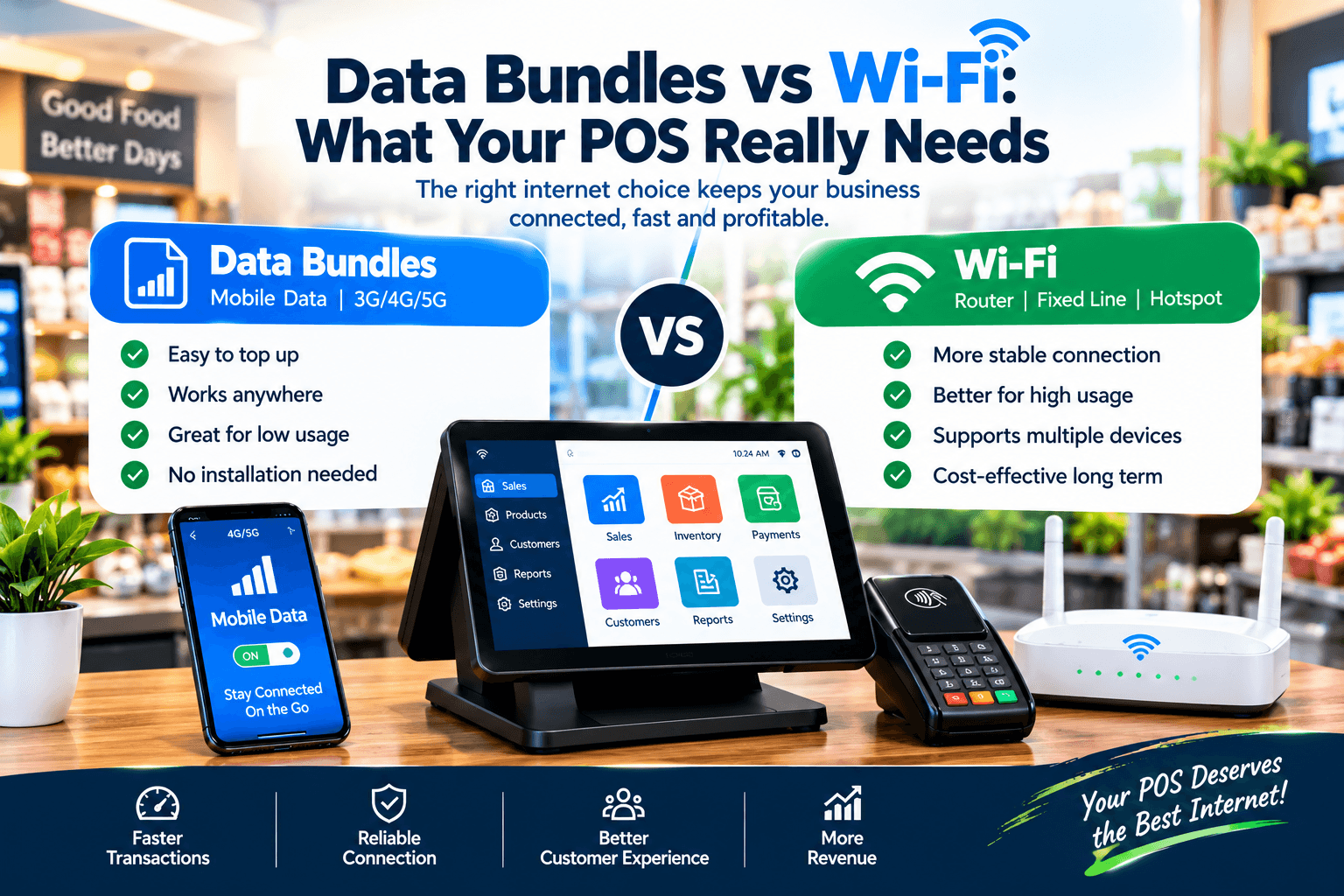
Data bundles vs Wi-Fi is a question that sounds like an internet-forum debate and is actually a business decision worth real money every month.
Achieng runs a boutique in Kisumu, and she has lived both answers.
When a fibre cut silenced her shop’s Wi-Fi for two days last year, her cloud till froze with it — she switched fully to data bundles the following week.
Three months later she was buying 4,000 shillings of bundles a month and still watching her till stall on congested evenings, because a point-of-sale system that streams everything will eat data and still stutter.
Across the road, her friend Kamau kept his Wi-Fi, added a dual-SIM router and a till that trades offline, and spent less than half of what she did on connectivity.
Neither of them needed faster internet.
They needed to understand what a POS actually demands from a connection — which is almost the opposite of what most owners assume.
This article settles the data bundles vs Wi-Fi question the way it deserves: by what the till really needs, what each option honestly costs, and how the two can work together instead of competing.
By the end, you will know exactly how to connect your counter — and why the best answer usually uses both.
Data Bundles vs Wi-Fi on an Ordinary Trading Day
Watch the two shops trade a normal Wednesday, and the whole debate becomes visible.
Achieng’s till is cloud-only, so every scan, price lookup, and receipt queues behind her data connection — and her bundle meter ticks even in quiet hours, because the system polls the cloud continuously whether sales happen or not.
By the twenty-third of the month her bundle runs low, the till slows to a crawl at exactly the evening rush, and her cashier starts writing sales on paper again, quietly, the way staff do when the tool cannot be trusted.
Kamau’s shop runs on fixed Wi-Fi with unlimited capacity, and on ordinary days his counter is fast, his dashboard is live, and his cost is a flat monthly line that never surprises him.
His vulnerability is different: one backhoe on the main road, one estate power cut that kills his router, and his connection is gone until the crew arrives.
The difference between the two shops is not that one chose correctly — it is that Kamau’s data bundles vs Wi-Fi decision was never left to the connection alone.
His till trades fully offline, his router flips to cellular automatically, and his bundles idle as backup instead of burning as a lifeline.
Achieng’s mistake was not choosing bundles; it was buying a system that made the connection load-bearing.
That distinction — connection as utility versus connection as lifeline — is the thread through everything that follows.
Owners who grasp it stop arguing about data bundles vs Wi-Fi and start building the layered setup that makes the argument irrelevant.
What Your POS Really Needs From a Connection
Here is the fact that reframes the entire debate: a point-of-sale transaction is tiny.
A completed sale — items, prices, payment record, receipt data — is a few kilobytes, and a full day of two hundred transactions adds up to a few megabytes, smaller than one minute of video.
Your till does not stream, browse, or upload films; it sends short, urgent notes.
So what it needs from a connection is not speed — any modern connection is fast enough — but three quieter properties.
Reliability first: the connection must be there during trading hours, or the system must survive its absence.
Low cost at idle second: a till that burns data while doing nothing is designed badly, not connected badly.
And independence third: the sale must never wait for the network, because the customer at the counter certainly will not.
Judge every data bundles vs Wi-Fi argument against those three properties, and most of the noise falls away.
Speed comparisons become irrelevant — both options are fast enough for a till.
The real comparison is cost at idle, resilience under failure, and how the system behaves when neither connection exists — which is why the offline capability of your POS, not the generosity of your bundle, is the variable that actually decides your trading.
A system engineered for this market treats the connection as a convenience, and the debate about data bundles vs Wi-Fi becomes a budgeting question instead of a survival question.
That is the standard to hold in mind as we examine each option honestly.
Wi-Fi for Your POS: The Strengths and the Failure Modes
Fixed broadband deserves its reputation as the default for shops, because its strengths are exactly what a counter wants.
The cost is flat and predictable — one monthly bill, unlimited or high-capacity data, no meter anxiety on a busy Saturday.
The capacity is generous enough to carry the till, the owner’s phone, the backup counter, and a dashboard streaming live reports without anyone noticing.
Latency is low and stable, so payment confirmations and cloud syncs feel instant.
And a fixed connection anchors the whole counter ecosystem — printer, terminals, and failover router all hang off it cleanly.
Any serious evaluation of data bundles vs Wi-Fi starts by admitting that Wi-Fi wins the ordinary day decisively.
Now the failure modes, because they are just as real.
Fibre cuts arrive without appointment — roadworks, theft of cable, and estate upgrades have silenced thousands of Kenyan shops mid-queue.
Power cuts kill the router even when the fibre itself is fine, which is why a small UPS is not an accessory but part of the connection.
Routers age, overheat, and quietly degrade, and congestion in dense estates slows evenings exactly when shops are busiest.
None of these weaknesses argue against Wi-Fi; they argue against Wi-Fi alone.
The mature position on data bundles vs Wi-Fi treats fixed broadband as the primary layer — excellent, economical, and destined to fail occasionally, like every layer before it.
Shops that plan for its failure days trade through them; shops that assume its reliability meet their first fibre cut the hard way.
Data Bundles for Your POS: The Strengths and the Failure Modes
Cellular data earns its loyal following for reasons a shop owner feels immediately.
It is independent of your shop’s fibre and its diggers — when the road crew cuts the line, your SIM does not care.
Setup is instant: no installation, no waiting for a technician, no fixed address required, which makes bundles the natural answer for kiosks, stalls, pop-ups, and delivery counters.
And the phone in your pocket becomes a connectivity insurance policy that follows you anywhere.
In the data bundles vs Wi-Fi debate, these strengths are why bundles are never the wrong tool — only sometimes the wrong foundation.
The failure modes are mostly financial and architectural.
Cost scales with consumption, and consumption is decided by your POS design: a cloud-only till that polls and streams can burn five to fifteen gigabytes a month doing nothing visible, while an offline-first till syncs in megabytes.
Congestion is the second tax — evenings and month-ends slow cellular data in exactly the hours shops peak, and a connection-dependent till stutters with it.
Bundles expire, coverage has dead zones, and a single SIM is one network’s mood away from silence.
This is the honest shape of data bundles vs Wi-Fi at the counter: bundles are brilliant as a standalone bridge and expensive as a permanent foundation.
The owners who burn thousands monthly on bundles are almost always running systems that were designed to need the cloud for every sale.
Fix the system, and the bundle bill collapses — a point we will price precisely in the costs section below.
Data Bundles vs Wi-Fi: The Honest Comparison
Let us put the two side by side against the properties a POS actually cares about.
Cost: Wi-Fi wins on economics at any real usage — a flat unlimited bill against bundles metered by the gigabyte, with the gap widening every month your till stays busy.
Reliability during ordinary days: Wi-Fi again, with stable latency and no congestion cliffs at the evening rush.
Reliability during failures: bundles win — cellular survives the fibre cut and the roadworks that silence the street.
Power independence: a partial win for cellular, since a phone or battery router rides through short blackouts that kill a mains-powered router.
Setup and mobility: bundles win outright — instant, portable, and perfect for counters that move.
Capacity for growth: Wi-Fi wins, carrying multiple counters and dashboards without a second’s thought.
Read the table honestly and the verdict of data bundles vs Wi-Fi is not a winner but a division of labour: Wi-Fi as the economical primary, bundles as the resilient backup.
Every comparison that declares one the outright winner is comparing them for a job only one of them was shaped for.
The deeper point hides beneath the table: both columns assume the till needs the connection to trade.
When your POS completes every sale locally and syncs when it can, the stakes of this comparison drop dramatically — a failed connection becomes an inconvenience measured in megabytes, not a closed counter measured in shillings.
That is why the data bundles vs Wi-Fi question, asked properly, always ends in the same place: the architecture of the till itself.
Which is exactly where the next section goes.
The Real Answer: A Till That Does Not Care
Here is the conclusion the entire debate has been circling: the best connectivity decision is a POS that barely needs one.
An offline-first system holds your catalogue, prices, stock, and customer balances on the terminal itself, completes every sale with the router dead, prints receipts, decrements stock — and syncs to the cloud automatically when any connection appears.
Wi-Fi or bundles, fast or congested, present or absent — the counter trades identically, because the network was never load-bearing.
This single design choice collapses the cost side of data bundles vs Wi-Fi overnight: a till that syncs deltas consumes a fraction of the data a cloud-dependent one consumes, and the bundle that idles as backup costs almost nothing.
It also collapses the fear side: fibre cuts, bundle exhaustion, and congested evenings become background events instead of trading emergencies.
In shops we configure, this is the moment owners stop shopping for connectivity and start shopping for architecture — because the two shops from the opening story differed at the till, not the router.
Ask any vendor the question that exposes the difference: what exactly stops working when the internet dies?
A genuine offline-first data bundles vs Wi-Fi answer is nothing that matters — sales, stock, credit, and receipts all continue, queued durably and synced in order later.
A cloud-dependent answer is a shrug, a workaround, or a pitch for a bigger bundle.
The two-minute test seals it: unplug the router mid-basket and watch.
If the sale completes, prints, and syncs cleanly on reconnection, your connectivity debate has just become a simple budgeting exercise — and if it does not, no combination of Wi-Fi and bundles will save that till on its worst day.
Building the Layered Setup That Never Stops Selling
The setup that wins is not a choice but a stack, and each layer covers the failure of the one above it.
Layer one: fixed Wi-Fi. Your economical primary — unlimited capacity, flat cost, carrying the till, dashboards, and everything else.
Put the router on a small UPS so short power cuts do not become connection cuts, and place it where the signal reaches the counter properly.
Layer two: automatic cellular failover. A dual-SIM router that switches to a data bundle the instant fibre drops converts most outages from hours into seconds — many never reach the cashier’s attention at all.
Use a different network from your primary provider, because the failure you are insuring against is the network, not the socket.
Layer three: the offline-first POS itself. The final layer that works when both connections fail — the same afternoon the fibre is cut and the mobile network is congested, your counter still sells.
A properly built data bundles vs Wi-Fi stack treats this layer as the guarantee beneath the other two.
Layer four: visibility. Check the sync status after any outage and skim the evening report — thirty seconds that keep the whole stack honest.
Costed out, the stack is cheaper than most owners expect: the router and UPS are one-time purchases, the failover bundle idles mostly untouched, and the flat Wi-Fi bill carries the daily weight.
Compare that to the alternative — thousands of shillings of monthly bundles feeding a connection-hungry till that still stalls at peak — and the layered answer wins the data bundles vs Wi-Fi question on economics as decisively as it wins on resilience.
Build the stack once, and the internet stops being a character in your business story.
M-Pesa and the Data Bundles vs Wi-Fi Question
Payment is where connectivity fears get sharpest, so let us separate what is actually true from what is assumed.
The crucial fact: M-Pesa runs on the mobile networks, not on your shop’s Wi-Fi.
When your fibre dies, your customer’s phone still sends the payment perfectly well — the mobile towers never heard about your router.
So the real question inside data bundles vs Wi-Fi is never whether customers can pay; it is whether your till can record and reconcile the payment while your own connection is down.
A well-built offline-first system handles this cleanly: the sale records locally with the payment marked against it, and confirmations verify and reconcile automatically at sync.
The worst systems fall back to the paper notebook at exactly the moment the shop is busiest — which is the entire failure mode modern tills exist to end.
Card payments are the one genuine exception: approvals need connectivity, and no vendor can promise otherwise — but a SIM-connected reader rides the cellular path when broadband dies, and cash or M-Pesa covers the rest on the same receipt.
This is why the payment conversation and the connectivity conversation must happen together in any data bundles vs Wi-Fi evaluation, with one vendor, before signing.
Ask for the combined demonstration: router unplugged, M-Pesa sale recorded offline, card attempted on the SIM path, clean sync on reconnection.
The till that passes that test has made your connection choice genuinely low-stakes — which is the entire point.
Costs in KES: Data Bundles vs Wi-Fi
Let us price both paths honestly, with the layered stack as the third column.
Fixed Wi-Fi: home and small-business fibre typically runs KES 2,500–6,000 monthly with generous or unlimited capacity — the flattest, most predictable line in the comparison.
Bundles feeding a cloud-only till: at typical per-gigabyte pricing, a system that consumes 5–15 gigabytes monthly burns roughly KES 1,500–4,500 — recurring forever, and rising with every added counter.
Bundles feeding an offline-first till: sync-sized consumption of under one to two gigabytes monthly lands around KES 300–600 — a rounding error that also works as your failover layer.
The failover router: a dual-SIM unit is a one-time purchase, typically KES 8,000–15,000.
The UPS: keeping router and terminal alive through short cuts, typically KES 6,000–15,000 once.
Add the columns across a year and the data bundles vs Wi-Fi arithmetic settles clearly: the layered stack — flat Wi-Fi plus an idle backup bundle — costs less than the bundle-only path while surviving everything the single-connection paths cannot.
The expensive option is never Wi-Fi or bundles; it is a till designed to need the internet for every sale, on either connection.
One honest caveat: bundle and fibre prices move with providers and promotions, so confirm current rates before budgeting — the ratios in the data bundles vs Wi-Fi comparison hold even when the exact figures shift.
Price your own consumption for a month and the decision finishes itself.
How to Test Any Setup Before You Commit
Connectivity claims are cheap to make and expensive to believe — so test them, physically, in under ten minutes.
The unplugged test. Mid-basket, kill the connection: the sale must complete, the receipt print, the stock decrement, and the sync run cleanly on reconnection.
Any data bundles vs Wi-Fi evaluation that skips this test is shopping for a future outage you will pay for later
The data meter test. Ask each vendor what their system consumes monthly at idle and in trade — an honest answer is in megabytes for an offline-first till, gigabytes for a cloud-dependent one.
The congestion test. Try the till at 7 p.m. on a busy network — the response should be indistinguishable from off-peak, because local operation does not queue behind the neighbourhood.
The failover test. If you are buying the layered stack, watch the router flip from fibre to cellular and back — the transition should be invisible at the counter.
The payment test. Record an M-Pesa sale with the router off, and confirm it reconciles automatically at sync — the combined test that matters most in this market.
Run those five on any data bundles vs Wi-Fi shortlist and the pretenders remove themselves.
Then ask one background question of every vendor: which parts of the system genuinely require the internet, and which never do?
The confident answer — sales never, sync sometimes, reporting when available — is the signature of a system built for this market’s actual conditions.
Mistakes Owners Make About Connectivity
Five patterns catch owners first; learn them here without paying for them.
Buying speed instead of resilience. Chasing the fastest package is a category error — every modern connection is fast enough for a till, and none of them is reliable enough to be load-bearing.
The data bundles vs Wi-Fi debate exists precisely because both options fail differently; plan for the failures, not the speed.
Running a cloud-only till on bundles. The most expensive connectivity decision in the market — recurring gigabytes, evening stutters, and a counter that dies with the bundle.
No UPS on the router. Power cuts kill connections that never failed, and the fix costs less than one evening of lost trade.
A single connection with no failover. Whether fibre or SIM, one path is one mood — the dual-SIM router is the cheapest insurance in the stack.
Blaming the internet for a till that should trade offline. Owners spend months upgrading connections while the real fault — an architecture that needs the cloud to sell — sits untouched on the counter.
Every durable answer to data bundles vs Wi-Fi starts by fixing that, and everything else falls into place around it.
Different Shops, Different Connections
The right stack scales with how you trade; four quick portraits.
Groceries and mini-marts. High volume makes the flat Wi-Fi bill decisive and the evening rush makes congestion dangerous — Wi-Fi primary, cellular failover, offline-first till, no exceptions.
Pharmacies. Dispensing cannot pause for a router, so the offline guarantee outweighs every cost comparison — the data bundles vs Wi-Fi decision here is simply the layered stack, installed completely.
Boutiques and single-counter shops. Leanest viable setup: an offline-first till on Wi-Fi with a phone hotspot as failover — the bundles idle, the bill stays tiny, and the counter never notices the difference.
Hardware yards and delivery businesses. Trade happens beyond the shop walls — quotes on site, deliveries across town — so cellular connectivity moves from backup to first-class citizen, paired with a till that records offline everywhere.
The pattern generalises: name where your sales actually happen, then build the stack that keeps selling there.
For every one of them, the data bundles vs Wi-Fi answer ends the same way — both, layered, beneath a till that never needed either to trade.
Frequently Asked Questions
Can I run a POS on data bundles alone?
You can, and it works well when the till is offline-first — consumption stays in megabytes, congestion stops mattering, and the counter trades through fibre cuts untouched.
On a cloud-dependent system, bundle-only becomes the most expensive path in the market, which is why the architecture decides the data bundles vs Wi-Fi outcome long before the provider does.
How much data does a POS actually use?
Far less than owners expect when the system is built correctly: a few kilobytes per sale and typically under one to two gigabytes a month for sync, versus five to fifteen gigabytes or more for a till that streams everything to the cloud.
Do I need both Wi-Fi and data bundles?
The layered setup is the honest best answer: flat-cost Wi-Fi as the economical primary, an idle bundle as automatic failover, and an offline-first till as the guarantee beneath both — each layer covering the failure of the others.
Does M-Pesa work when my Wi-Fi is down?
Usually yes, because M-Pesa rides the mobile networks rather than your shop’s connection — your customer’s payment goes through regardless, and a well-built till records it offline and reconciles automatically at sync.
What happens during a power cut?
The router dies with the mains unless it sits on a UPS, so put one there — and a battery-backed tablet terminal keeps selling through the blackout, syncing everything when power and connection return.
Which single purchase improves reliability most?
The offline-first POS, without competition — it converts every connection failure from a closed counter into a background event, and it is the one upgrade that makes the entire data bundles vs Wi-Fi question cheap to answer.