 Vega
Vega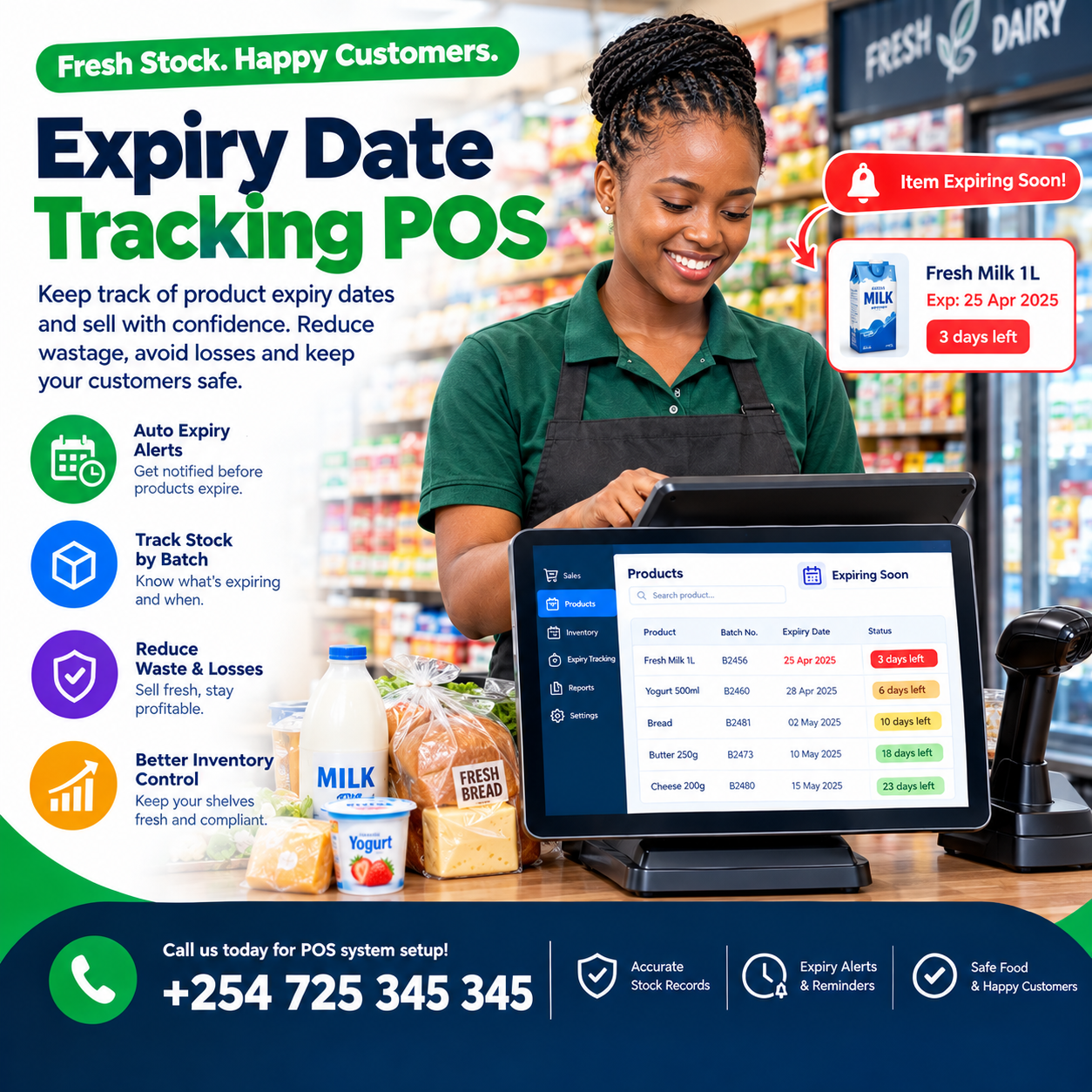
Expiry date tracking POS capability exists for the stock that never announces its exit: the carton at the back, the batch behind the front, the cream with three weeks left that nobody noticed.
Every pharmacy, mini-mart, agrovet, and cosmetics shop carries goods with a lifespan — and every unit that expires unwatched becomes a write-off nobody scheduled.
Worse, an expired product that reaches a customer is not a write-off at all — it is a trust event, a health risk, and sometimes a regulatory one.
A genuine expiry date tracking POS ends both failures with one mechanism: the system knows the date on every unit, watches it daily, and acts before the date wins.
This article covers the whole discipline: what expiry tracking actually means, where the data is born, how first-expire-first-out selling works, the alerts that save stock, and the write-offs that stay honest.
Then the compliance trail, the offline question, the costs of a proper expiry date tracking POS, and the demo test that separates real systems from decorated ones.
By the end, you will judge every system with one question: does it know when my stock dies — and does it act in time?
Expiry Date Tracking POS: The POS Connection
An expiry date cannot live in a notebook or a shelf-edge label — it can only live where every unit is recorded.Every delivery, sale, and adjustment is a stock event, and the point-of-sale system is where those events happen.
That is why genuine expiry date tracking POS capability belongs inside the till, not in a separate register or a spreadsheet beside it: the machine recording the units is the only machine that can carry their dates.
In a proper expiry date tracking POS, every batch carries three facts together: the product, the quantity, and the date it dies.
Three properties define the real thing.
Batch-level stock first: the same product held as two batches is two positions with two dates — never one blended figure that hides the dying stock inside the healthy.
Live decrement second: selling from a batch reduces that batch, and that batch alone — an expiry date tracking POS keeps positions honest unit by unit.
Action third: the system does not merely record dates — it watches them, warns about them, and forces decisions before they pass: the expiry date tracking POS standard is prevention, not archaeology.
What it is not: a printed expiry list reviewed monthly, and not a shelf check that happens when someone remembers.
The distinction matters because expiry is a daily event — stock crosses its date while the shop sleeps, and only a system watching daily can act in time.
In shops we configure, the moment batch tracking goes live is the moment expiry stops being an annual surprise and becomes a managed schedule — the expiry date tracking POS difference in one sentence.
The Cost of Stock That Dies on the Shelf
Price the failure honestly, because expired stock bills you in three currencies.
The write-off. The direct loss: goods paid for, shelved, and discarded — a cost most shops absorb monthly without ever totting it up; owners who measure it against an expiry date tracking POS subscription usually stop arguing about the feature.
The write-down. The near-miss: stock discounted in a panic because the date surfaced too late — better than a loss, still a wound that an expiry date tracking POS would have prevented by warning weeks earlier.
The trust event. The worst one: an expired product sold to a customer — a refund, a review, sometimes a regulator; only an expiry date tracking POS that checks expiry at the point of sale blocks it structurally.
Run your own arithmetic: count last quarter’s expired write-offs and panicked markdowns, then price them annually.
For most dated-stock shops, that total exceeds the year’s subscription several times over — which is why owners who count rarely haggle over a capable expiry date tracking POS.
What Expiry Date Tracking POS Actually Means
Strip away the jargon and the capability is four mechanisms working together.
Batch or lot numbers. Every receipt of a product is recorded as a distinct batch — the same shampoo arriving in March and July is two positions with two dates, and a genuine expiry date tracking POS never blends them.
Expiry dates on every batch. Entered at receiving, carried on the position, and visible everywhere the stock is visible — the expiry date tracking POS data that makes every later action possible.
FEFO selling. First-expire-first-out: the system directs the counter to the oldest batch first — the expiry date tracking POS discipline that keeps stock aging in order rather than in luck.
Expiry-aware alerts. Warnings that fire weeks before the date, at thresholds you set per product or per category — turning expiry from a funeral into a diary.
Together the four mechanisms answer the questions every dated-stock shop asks daily: what is expiring, when, how much, and what should I do — questions only an expiry date tracking POS can answer without a shelf walk.
Ask every vendor how their system handles the awkward cases: same product, multiple batches, partial quantities, returns re-entering stock — the expiry date tracking POS that answers fluently was built for your trade.
Receiving: Where Expiry Data Is Born
Expiry tracking is won or lost at the receiving bay — because a date never entered is a date the system can never watch.
The discipline is simple: every dated delivery is scanned in as its own batch, with the expiry date entered at the moment the boxes open. A professional expiry date tracking POS makes this a two-second act per batch — scan the product, key the date, done — so the habit survives busy mornings.
Suppliers’ paperwork helps here: batch numbers and expiry dates printed on cartons and invoices are transcribed once, into the system, and never carried in anyone’s memory again.
Receiving against purchase orders completes the chain: what was ordered, what arrived, which batches, and which dates — the full expiry date tracking POS record born at the gate.
The payoff compounds immediately: from that moment, every later decision — selling order, alerts, markdowns, write-offs — has true data underneath it.
One rule worth enforcing: no dated goods enter stock without a batch and a date — the expiry date tracking POS cannot watch what receiving never told it.
In shops we configure, this single receiving habit is the difference between expiry tracking that works and expiry tracking that is fiction.
Selling First-Expire-First-Out
FEFO is the discipline that separates shops that manage dated stock from shops that gamble with it.
The logic is simple: the oldest batch sells first, so nothing ages past its turn — the opposite of the shelf reality where new stock sits in front and old stock dies behind.
A proper expiry date tracking POS enforces FEFO at the counter: when a product is sold, the system draws from the earliest-expiring batch automatically, without the cashier choosing.
The customer never sees the machinery — they receive the product, the receipt prints, and the correct batch decrements silently behind the screen.
Where the counter needs visibility, the system shows it: which batch is being sold from, and what remains — the expiry date tracking POS transparency that keeps the discipline honest.
Returns re-enter the same structure: a returned item goes back to its batch — or is flagged for inspection if the batch story is unclear — never blended into fresh stock.
Pharmacies know this discipline as regulation, but every dated trade benefits: food, cosmetics, batteries, and chemicals all age, and all reward first-out selling.
Ask every vendor to demonstrate FEFO live: receive two batches of one product with different dates, sell twice, and watch the system draw from the older batch each time — the expiry date tracking POS test that cannot be faked.
Then ask what happens when the oldest batch would breach a rule — a short-dated item, a regulated quantity — and listen for a designed answer rather than a shrug.
The expiry date tracking POS that runs FEFO structurally has passed the test that separates real systems from decorated inventory fields.
Expiry Alerts: The Diary That Saves Stock
Recording dates is the foundation; acting on them is where the money is saved.
Expiry alerts are the mechanism: the system watches every batch daily and warns you at thresholds you choose — thirty days out, fourteen, seven, or whatever your trade demands.
A capable expiry date tracking POS lets you set thresholds per product or per category: medicines warn months ahead, fresh goods warn in days, and cosmetics sit between.
The alerts arrive where you will actually see them: the counter screen, the dashboard, and your phone — because a warning nobody notices is a write-off with better manners.
Every alert resolves to an action: promote the stock, move it to a faster branch, return it to the supplier, or write it off deliberately — the expiry date tracking POS turning warnings into decisions while decisions are still worth money.
The short-dated report is the daily read: what is expiring this week, this month, and this quarter — ranked by value at risk, so attention goes where the shillings are.
Suppliers become part of the loop too: near-dated stock flagged early can sometimes be returned or swapped — a conversation that only exists when an expiry date tracking POS surfaced the date in time.
Markdowns become surgical: discount the exact batch that is dying, not the whole product — protecting margin on the healthy stock beside it.
In shops we configure, owners describe the same transition: the expiry diary replaces the expiry surprise, and the quarterly write-off becomes a monthly decision.
That rhythm — alert, act, resolve — is the entire commercial value of an expiry date tracking POS done properly.
Write-Offs: The Honest End of Dated Stock
Some stock will expire — the discipline is making the ending visible, deliberate, and honest.
The old way hides it: expired goods discovered on a shelf, binned quietly, and absorbed into a variance nobody can explain.
The recorded way runs through the system: the batch is written off explicitly — quantity, value, date, and the name of the person who did it — so shrinkage stays measured rather than mysterious.
A proper expiry date tracking POS treats the write-off as a governed event: approvals on larger losses, reasons attached to every entry, and the history preserved for review.
The write-off report becomes your expiry ledger: how much died this month, which products die most, and which suppliers deliver stock with too little shelf life to sell.
That last insight is negotiation gold: short-dated deliveries documented over months change supplier conversations from complaints into evidence.
Waste entries also protect the honest variances: spoilage recorded explicitly means cycle-count differences point at real problems rather than at decay pretending to be theft.
And the pattern data sharpens buying: the products that die on your shelf should be ordered smaller, later, or not at all — the expiry date tracking POS history that turns each loss into tighter purchasing.
The honest summary: expiry losses never reach zero, but recorded losses are managed losses — and managed losses shrink every quarter.
That is the quiet promise of a expiry date tracking POS: it does not stop stock from dying — it stops stock from dying invisibly.
Compliance: The Trail Regulators Read
For some trades, expiry tracking is not merely commercial — it is legal.
Pharmacies face batch-level record requirements, first-expire-first-out dispensing, and audit trails deep enough to answer a regulator’s question about any unit sold, months later.
A capable expiry date tracking POS answers those questions in minutes: which batch, received when, sold to whom, and what remains — searchable by product, by date, by batch.
Food businesses carry their own duties: traceability in a recall, proof of rotation, and records that show expired stock never reached a customer.
Cosmetics and chemical products sit between — dates matter to customers, and disputes about skin reactions end with batch records rather than arguments.
Recalls, rare but real, become lookups instead of panics: the affected batch identified, the quantities located, and the customers who bought it traceable — the expiry date tracking POS capability you pray never to use and thank yourself for having.
Audit-ready exports complete the picture: your accountant, your inspector, and your insurer each receive clean, dated records instead of reconstructed guesses.
Ask every vendor how their system handles a regulator’s request: show me batch X’s full history — the expiry date tracking POS that answers fluently was built for regulated trade.
The commercial bonus rides the same rail: the discipline that satisfies regulators is the same discipline that stops stock dying on your shelf.
Compliance and margin, it turns out, are the same habit wearing two uniforms — and a proper expiry date tracking POS delivers both from one record.
Offline Mode: Expiry Never Waits for the Router
Dated stock trades through power cuts and fibre cuts in this market — and the tracking cannot pause when the network does.
A genuine expiry date tracking POS must therefore be offline-first: batches, dates, and thresholds live on the terminal, sales draw FEFO with the router dead, and everything syncs when the line returns.
The test is physical and takes two minutes: unplug the router, sell twice from a two-batch product, confirm the older batch decremented, reconnect, and watch the clean sync.
Systems that freeze, lose the batch logic offline, or blend stock during outages fail this test — and they fail it on the days the shop trades hardest.
FEFO enforcement continues offline: the expiry date tracking POS evaluates batches from local data, so the discipline never depends on connectivity.
Receiving joins the same rule: a delivery arriving during an outage is still scanned in with its batch and date, recorded locally, and synced later — because dates missed at receiving are dates lost forever.
Power rides the drill: a tablet terminal on battery keeps the receiving bay and the counter alive through the blackout that kills a desktop tower.
Make offline expiry behaviour a written acceptance item in your agreement, tested with your own two-batch product before the final payment.
Ask each vendor one number: how long can the shop trade fully offline before anything is at risk?
The confident answer is measured in weeks, not hours — and it separates an expiry date tracking POS built for this market from one adapted to it.
Choosing an Expiry Date Tracking POS: The Demo Test
Bring this script to every vendor; it converts claims into evidence in twenty minutes.
Receive two batches. One product, two receipts, two dates — then open the stock view and confirm the expiry date tracking POS holds them as separate positions, visibly.
Sell twice and watch FEFO. Ring the product twice and confirm both sales drew from the older batch — the structural test that cannot be faked.
Plant a dying batch. A batch seven days from expiry, with alerts configured — the warning should fire on the counter and the phone without anyone opening a report.
Attempt to sell expired. Set a batch one day past its date and try to sell it — a genuine expiry date tracking POS blocks the sale or demands a recorded override, and logs the attempt either way.
Write off a batch. Record an expiry write-off with value and reason — then pull the write-off report and read it back.
Ask the regulator question. Show me one batch’s full history: received, sold, remaining — the expiry date tracking POS that answers in seconds was built for compliance.
Test it offline. Unplug the router and run the FEFO sale again — non-negotiable in this market.
A vendor who welcomes this script has built for dated stock; a vendor who steers toward a simple expiry field on the product card is selling decoration.
Then ask for two references from businesses with dated stock, one question each: what happened to your write-offs after three months?
The answers from owners running a real expiry date tracking POS — usually smaller losses, told with some relief — teach you more than any demonstration.
Rolling Out an Expiry Date Tracking POS
Rollout has one dominant task: capturing the dates on stock already on your shelves.
Begin with the opening count done as a batch count: every dated item entered with its batch and expiry — the afternoon that becomes the foundation of everything the expiry date tracking POS will ever tell you.
Expect humbling discoveries: the back shelf will hold stock that is already dead or dying, and the first week’s short-dated report will read like an overdue list.
Clear what can be cleared, write off what is gone, and let the system start from truth — because an expiry date tracking POS built on fiction stays fiction.
Set your alert thresholds next: per category at first — medicines, foods, cosmetics — then refined per product as the first months teach you your real rhythms.
Train the receiving team hardest: the batch-and-date entry is the habit everything downstream depends on, rehearsed until it survives a busy morning.
Train the counter on FEFO awareness: what the system is doing when it draws from a batch, and what to do when a customer asks for a longer-dated box.
Run the weekly short-dated review from week one: fifteen minutes, the report, the decisions — the rhythm that keeps the expiry date tracking POS earning from the start.
A structured rollout typically runs one to two weeks for a typical shop, with trading continuing throughout.
The first clean quarter — write-offs smaller, markdowns aimed, no expired product reaching a customer — is the moment owners describe as the day the shelves finally had a guardian.
Mistakes That Let Stock Expire
Five habits quietly undo even good systems; learn them here for free.
Receiving without dates. The batch scanned in with no expiry is invisible to every later feature — the expiry date tracking POS cannot watch a date it was never given.
Blending batches. Merging receipts into one stock figure hides the dying units inside the healthy ones — batch positions must stay separate for life.
Ignoring the alerts. Warnings dismissed during a busy week become the quarterly write-off — the expiry date tracking POS diary only saves money when someone reads it.
Markdown panic. Discounts applied to whole products instead of dying batches waste margin on healthy stock — aim markdowns at the batch the system names.
No write-off discipline. Expired goods binned without records corrupt every variance report that follows — the expiry date tracking POS write-off flow exists to keep the books honest.
A sixth worth naming: accepting short-dated deliveries without negotiation — the receiving data shows which suppliers ship too little shelf life, and the evidence changes the conversation.
Owners who avoid these five get what a proper expiry date tracking POS promises and few deliver completely: no expired sale, no surprise write-off, and a shelf life that finally works for the shop instead of against it.
Different Trades, Different Expiry Rules
Expiry discipline shifts by trade; four quick portraits.
Pharmacies and chemists. Regulation leads: batch records, FEFO dispensing, and audit depth — the expiry date tracking POS here is as much compliance as commerce.
Groceries and mini-marts. Volume meets velocity: fresh categories need short-window alerts and fast markdowns, while dry goods need lighter watching — thresholds tuned per department.
Agrovets and feed suppliers. Seasonal demand collides with shelf life: seed and feed expiring before the planting season is capital lost — the expiry date tracking POS alerts must follow the agricultural calendar, not the wall calendar.
Cosmetics and chemist-adjacent retail. Long dates, slow turns: the danger is the back shelf, and the expiry date tracking POS ageing view matters more than the daily one.
The pattern generalises: name how long your stock lives and how fast it turns, then configure the expiry date tracking POS thresholds to the gap between the two.
For every trade, the foundations hold: batches at receiving, FEFO at the counter, alerts in time, and honest write-offs — the four that no dated-stock shop should run without.
What an Expiry Date Tracking POS Costs
Pricing has three layers, and quotes that blur them are hiding something.
Hardware first: a tablet starter bundle — terminal, scanner, printer, drawer — typically KES 50,000–80,000, unchanged by expiry capability since the tracking lives in the software.
Software second: a subscription, typically KES 3,000–7,000 monthly for mid-tier with batch and expiry depth, and KES 7,000–15,000 for platform tiers with multi-branch transfers and compliance-grade audit.
Setup and training third: the batch-level opening count, receiving-habit training, and whole-team onboarding — typically KES 10,000–50,000 depending on catalogue size.
Judge the subscription against what it guards: one prevented trust event — one expired product that never reaches a customer — often covers a year on its own.
Compare quotes on a single table: hardware, software, setup, support terms, and year-one total — the truest number for any expiry date tracking POS comparison.
Then weigh the return column the quotes never show: write-offs shrinking quarter by quarter, markdowns aimed instead of panicked, supplier conversations won on evidence, and regulator visits answered in minutes.
Beware both extremes: the inventory app with an expiry field and no machinery behind it, and the enterprise quote billing hundred-branch features to a two-counter shop.
Ask what appears on the invoice in month thirteen that is not on the quote — and get the answer in writing on any expiry date tracking POS you are considering.
The transparent expiry date tracking POS quotation is the only kind worth comparing — and the itemisation itself is a character reference.
Frequently Asked Questions
Why does a pharmacy need an expiry date tracking POS?
Because pharmacies carry regulated, dated stock where an expired sale is a legal event, not just a loss — batch records, FEFO dispensing, and audit trails are the trade’s duties.
A purpose-built expiry date tracking POS delivers all three as by-products of ordinary trading.
Can it handle the same product with multiple batches?
Yes — and it must: each receipt is its own batch with its own date and quantity, never blended, and the counter draws from the oldest batch first. Confirm the two-batch FEFO test live on any expiry date tracking POS before you sign.
How far in advance do expiry alerts fire?
At thresholds you set — per product or per category — typically weeks or months ahead depending on the trade, so every warning arrives while promotion, transfer, or return can still save the stock.
Does it work when the internet is down?
A properly engineered one does: batches, dates, and FEFO logic live on the terminal, sales continue offline, and everything syncs in order when the connection returns. Make the unplugged FEFO test a written acceptance item on any expiry date tracking POS before the final payment.
What happens when stock actually expires?
The batch is written off explicitly — quantity, value, date, and the name of the person recording it — so your shrinkage stays measured and your variances stay explainable. The write-off history also sharpens buying: the expiry date tracking POS data shows exactly which products, suppliers, and order sizes produce dead stock.
Is this worth it for a small shop with modest dated stock?
Usually yes — small shops feel every expired unit hardest, and the batch features ride inside a normal mid-tier subscription rather than costing extra. The first quarter on an expiry date tracking POS — write-offs down, no expired sale, the diary replacing the surprise — is typically when small-shop owners stop asking whether they needed it.