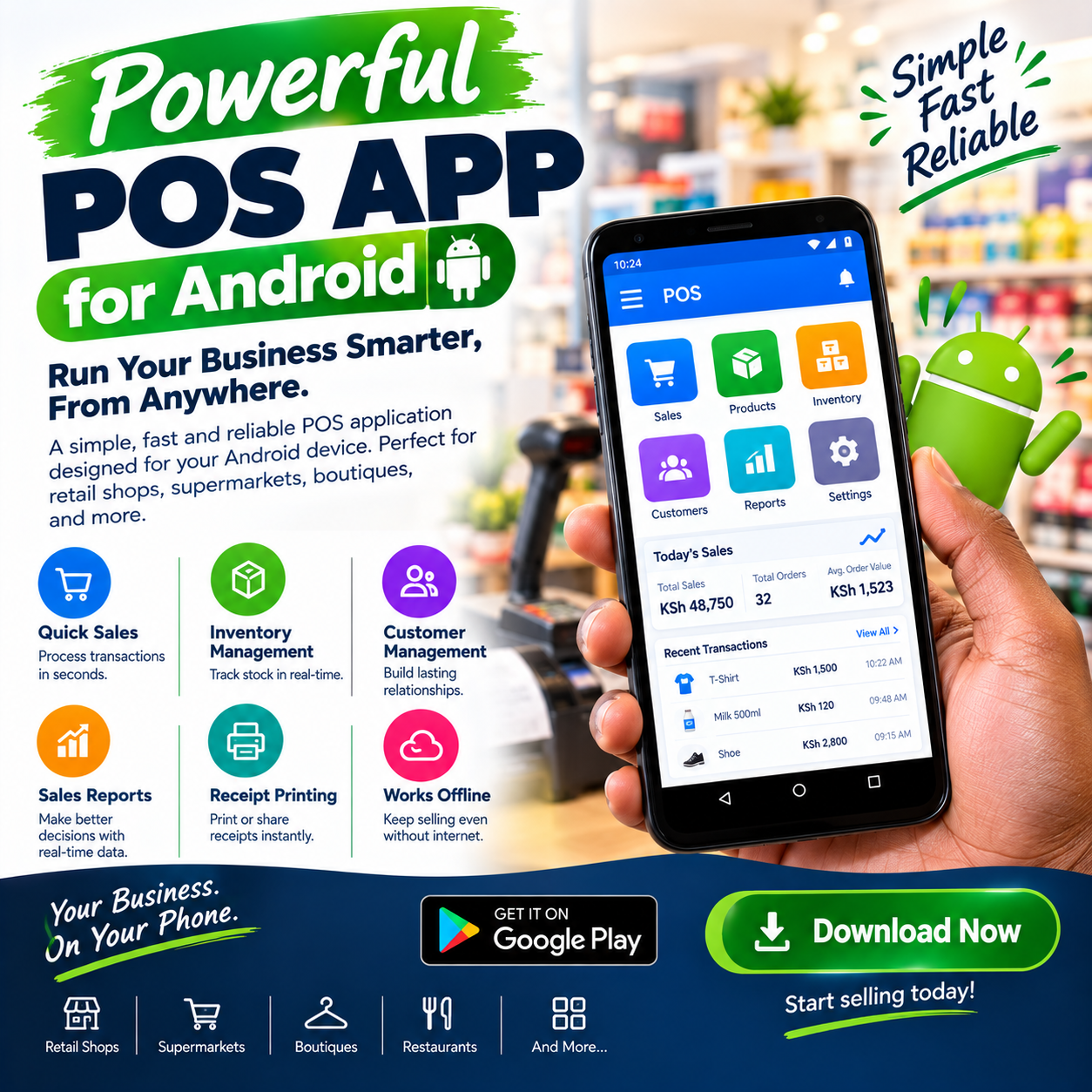
POS app for Android is how modern retail reaches the counter — because the phone in your pocket already outclasses the cash registers that dominated this market for decades.
A decent Android device costs a fraction of a desktop terminal, runs all day on battery, and travels with the business wherever trade happens.Install the right app on it, and the same phone becomes a complete till: catalogue, checkout, stock ledger, payment screen, and reporting desk.
This article explains what a genuine POS app for Android must do, why Android specifically won this market, what a native app adds over a browser, and the non-negotiables — offline mode, M-Pesa, camera scanning, and security.
Then the costs, the demo test, the rollout, and the mistakes. By the end, you will judge every app with one question: can my phone run my shop — through a blackout, at a rush, without a technician?
POS App for Android: The POS Connection
A till has three jobs — record the sale, keep the stock true, and show you the money — and Android does all three better than any dedicated terminal ever did.
That is the story behind the POS app for Android category: the point-of-sale stopped being hardware you buy and became software you install on devices you already own. Three properties define the real thing.
Native performance first: the app is built for Android directly — fast on cheap devices, smooth at the rush, and integrated with the camera, the printer, and the network stack. Offline resilience second: the essential work happens on the device itself, because Android trade cannot wait for a router.
Full capability third: the phone version is the whole till — not a lite companion that defers to some desktop edition. A POS app for Android without all three is a demo wearing an icon.
What it is not: a calculator app with receipts, and not a stripped mobile viewer for a desktop system — both collapse at exactly the moments Android earns its place: the market stall, the blackout, the second counter that costs nothing.
The distinction matters because Android’s promise is freedom — sell anywhere, recover from anything, spend almost nothing on hardware. A proper POS app for Android delivers that promise at full depth, and the rest of this article shows you how to separate the real ones from the toys.
Why Android Won the Counter
Android became the platform of retail in this market for reasons every owner already knows.
Price. A capable Android tablet or phone costs a fraction of a dedicated terminal — a POS app for Android turns a KES 15,000 device into infrastructure that once cost ten times that.
Battery. Android devices run for hours untethered — the counter keeps selling through the blackout that kills a mains-powered desktop tower instantly.
Availability. Every market, every town, every phone shop carries replacement Android devices — hardware that fails on Saturday is replaced by Sunday, never shipped from abroad.
Familiarity. Staff already know how to use Android — training a cashier on a POS app for Android starts from skills they bring to work on day one.
Portability. The till moves: to the stall, to the delivery van, to the overflow counter at the December rush — a flexibility no bolted-down terminal ever offered.
Add the lines and the case is structural: Android won because it matches this market’s economics, power realities, and trading habits.
The vendors who understood that built for the platform; the vendors who didn’t ported their desktop software and called it mobile — and the difference shows in every section below.
In shops we configure, the hardware conversation now starts and ends the same way: which Android device do you already own, and shall we make it your counter? That question — unthinkable a decade ago — is the whole POS app for Android revolution in one sentence.
Any Android Phone Becomes a Till
Device freedom is the benefit owners feel first, and it reshapes daily operations in quiet ways.
The spare phone works. The old handset in the drawer becomes a working counter — a genuine POS app for Android runs well on modest hardware, because the design assumes it.
The second counter is free. December rush, market day, the weekend queue — a second tablet joins the same stock and reports with one login, no migration, no purchase.
The stall trades on the phone. Market days, exhibitions, and pop-ups run full tills from a pocket — the POS app for Android portability that desktop systems never had.
The failed counter never closes the shop. The nightmare — a dead till and a queue — ends when any Android device becomes the register in minutes.
Compare that with dedicated terminals: one machine per licence, hardware shipped and repaired slowly, and a failure that stops trading until it resolves.
The Android model inverts every line: devices are cheap, replaceable locally, and interchangeable. Ask every vendor the device question directly: show me the same till running on a budget phone and a mid-range tablet — same speed, same features, same data.
A confident POS app for Android demonstrates it in minutes; a vendor who insists on specific expensive hardware is selling a terminal with an app store. And confirm the minimum requirements in writing: Android version, RAM, storage — because the POS app for Android promise is meaningless if it only runs on devices you do not own.
What a Native Android POS App Adds
Not every Android POS is native — and the difference decides speed, reliability, and hardware integration.
A web app in a browser reaches Android through Chrome: capable and flexible, but bound by the browser’s limits — camera access is clunkier, printing is harder, and background behaviour is restricted.
A native POS app for Android is built for the platform directly: it owns the camera for scanning, talks to printers over Bluetooth and USB without workarounds, keeps its database on the device itself, and wakes instantly at the counter.
The practical differences show up in the moments that matter. Scanning through the native camera is faster and more forgiving — every retry is a stolen second, and native camera integration is where POS app for Android speed is won.
Printing is native too: Bluetooth thermal printers pair directly, USB printers connect cleanly, and receipts never wait on a cloud service. The database lives locally: the app keeps your catalogue, prices, and stock on the device — which is precisely what makes the offline behaviour in the next section possible.
Background sync runs without the screen open: a native POS app for Android keeps your records moving to the cloud while the phone sits in your pocket. And updates arrive through the app itself: the platform improves continuously, shipped to every device without a technician or a reinstall.
Ask every vendor whether their product is a native app, a browser page, or a hybrid — then test the camera scan, the Bluetooth print, and the offline behaviour live, because the POS app for Android category sorts itself in those three tests. The browser has its strengths — covered fully in its own right — but on Android, native is where counters live.
Offline Mode: The Non-Negotiable
Internet in this market is a guest that leaves without warning, and a phone-based counter cannot inherit the mood.
A genuine POS app for Android must therefore be offline-first: catalogue, prices, and stock live on the device, sales complete at full speed with the network dead, and everything syncs in order when the line returns. The test is physical and takes two minutes: switch on airplane mode mid-basket, complete the sale, print the receipt, switch it off, and watch the clean sync.
Systems that freeze, degrade to a survival mode, or lose queued sales fail this test — and they fail it on your busiest Saturday, because that is when networks choose to die
The depth question matters too: how much works offline? Sales and receipts are the floor — a serious POS app for Android also decrements stock, prices from the local catalogue, and runs customer lookups during the outage.
M-Pesa deserves its own note: mobile money rides the mobile networks, not your shop’s Wi-Fi — so payments frequently keep flowing during your broadband outage, and the app records them locally, reconciling at sync.
Battery and network fail together in real life, which is why the Android advantage compounds: a phone at sixty percent keeps trading through the blackout that ends a desktop session.
Printers connect directly — Bluetooth or USB — never through cloud services, because a receipt that waits on someone else’s server is not a receipt you can promise. Make offline behaviour a written acceptance item before the final payment on any POS app for Android you are considering.
Ask each vendor one number: how long can the device trade fully offline before anything is at risk? The confident answer is measured in days or weeks of normal trading, not minutes — and it separates a POS app for Android built for this market from one adapted to it.
M-Pesa and Payments on Android
Payment speed on a phone counter decides the queue — and Android handles the full mix when the integration is real.
The payment screen must hold every method as a first-class path: cash, M-Pesa, and card on one view, with no workaround flows. M-Pesa integration is the backbone: the POS app for Android triggers the payment prompt from the sale screen, the customer confirms, and the sale marks itself paid with the reference stamped — no amount retyping, no evening matching ritual.
Direct transfers sent outside the counter get received and matched too, so the record stays whole however the customer chose to pay. Split payments must be effortless — part cash, part mobile money on one basket in seconds — because the queue behind the customer is watching how long it takes.
Card acceptance rides alongside: a certified reader paired over Bluetooth, amounts crossing automatically, approvals landing on the same record — the POS app for Android counter speaking every customer’s language.
SoftPOS deserves special mention on this platform: the same Android phone that runs your till can also accept contactless card taps, certified as a reader — one device, two payment doors.
The decline path needs design: a failed payment must not freeze the counter — offer the next method on the same screen and move on. End-of-day reconciliation closes the loop: takings split by channel, each reconciled to the shilling, readable on the phone or exported to your accountant.
Ask every vendor for live payment tests in the demo: a real M-Pesa trigger, a real split, a real decline recovery — timed on your basket, not narrated on a slide. A POS app for Android that passes those tests has earned a pricing conversation; one that demos payments in screenshots is selling promises.
Camera Scanning and Bluetooth Printing
The Android hardware stack is what makes a phone a counter — and integration depth decides whether it feels professional.
Camera scanning. The native camera reads barcodes and QR codes directly — a well-built POS app for Android scans your crushed cartons and shiny wrappers first time, at counter speed.
Test it on your own worst barcode: scanning quality is the single most-used function on a phone till, and it cannot be faked. For volume, pair a Bluetooth laser scanner — the app should accept external scanners natively, keeping the fast lane fast on busy days.
Bluetooth and USB printing. Thermal receipt printers pair directly to the device: receipts print in two seconds, without cloud services, without a router — a POS app for Android requirement, not a luxury.
Label printing joins the same flow where the trade needs it: shelf tags, price labels, and barcode stickers printed from the same device.
The scale connection. For weighed goods, Bluetooth scales send weights straight into the basket — no typed figures, no transcription errors.
The cash drawer. Paired and triggered on completed sales — the small automation that keeps hands and records aligned all day.
Buy the peripherals as a matched bundle from the same provider as the app: a POS app for Android bundle arrives tested as a unit, with one support line when anything misbehaves.
Ask every vendor to demonstrate the full chain on your own products: camera scan, external scanner, Bluetooth print, and a weighed item — the four flows that make or break a phone counter. The POS app for Android that completes them smoothly was built for the platform; one that improvises was ported to it.
Security: Locking the Counter Device
A phone till carries the shop in its pocket — and Android security done right turns that from a risk into a strength.
One device, one purpose. The counter device should be dedicated: a POS app for Android on a phone that also scrolls social media is a counter with a side door.
App lock and kiosk mode. Android lets you pin the till to the screen — the cashier cannot wander into settings, messages, or anything else — the discipline every serious POS app for Android supports and explains.
Per-user logins. Same rule as every counter: one login per person, every sensitive action stamped with a name — attribution is the foundation, on Android as anywhere.
Screen locks and remote wipe. A lost or stolen device must not be a data breach: confirm the app’s data survives the device — stored centrally and encrypted — so a wiped or replaced phone loses hardware, never history.
The queue is money. Offline queued sales deserve cash-level protection: device locks, automatic screen timeouts, and no shared PINs — the POS app for Android hygiene that keeps the till as safe as the drawer.
Leavers lose access same day. Deactivate once, everywhere — Android devices included — ending the ex-employee whose login nobody remembered.
Ask every vendor the security questions plainly: what happens if the phone is stolen, where does data live, and how do you lock the device to the app?
A confident POS app for Android answers all three in one minute, in writing. The honest summary: a locked-down Android counter is more secure than a shared desktop ever was — because it carries a name on every action and a lock on every screen.
Choosing a POS App for Android: The Demo Test
Bring this script to every vendor; it converts claims into evidence in twenty minutes.
Run it on your own device. Not the vendor’s flagship — your actual phone or the tablet you plan to use: the POS app for Android must earn its speed on your hardware, and hesitation there ends the demo.
Time your real basket. Your ten best-sellers, rung live, stopwatch running — a genuine app finishes fluidly, no retries, no refreshes.
Scan your worst barcode. Crush a carton, scan it through the camera — first-time reads are the acceptance standard.
Print over Bluetooth. Pair the proposed printer, print a receipt, time it — direct, fast, no cloud in the path.
Switch on airplane mode mid-basket. Complete the sale, print, reconnect — the POS app for Android offline test, performed and watched.
Trigger a real M-Pesa payment. Prompt to a real phone, confirm, watch the sale turn paid with the reference stamped.
Check the device minimums. Which Android versions, how much RAM, how much storage — in writing, before you sign.
Lock the screen. Watch the kiosk or app-pin mode demonstrated — the POS app for Android security that turns a phone into a counter.
A vendor who welcomes this script has built for Android honestly; a vendor who steers toward one prepared device is selling a terminal with an app store.
Then ask for one reference from a business your size and a single question: which device are you running the till on now? The answer from an owner running a real POS app for Android — usually a phone they already owned — teaches you more than the entire demonstration.
Rolling Out a POS App for Android
Android rollout is the lightest in the industry, because the hardware already exists and the installation takes minutes.
Confirm the device first: your chosen phone or tablet meets the app’s minimums, its Android version is current, and storage has room — a five-minute check that prevents month-one frustration. Install and configure in an afternoon: the app, the catalogue, the payment channels, and the printers paired — the POS app for Android setup that once took a technician now takes a trainer.
Run the live tests before training day: camera scan on your worst barcode, Bluetooth receipt, real M-Pesa trigger, and the airplane-mode drill. Lock the device to the app and create personal logins before the first sale — attribution from day one, anonymity never.
Train the whole team on the actual device with your products: scanning, payments, the offline drill, and the lock — so the first real rush is the team’s tenth rehearsal. Nominate a champion by name; teams learn fastest from the peer who has already made the mistakes.
Run parallel for two or three days — phone and old process side by side — and compare totals each evening before cutting over fully. Book the week-one review at the same time as the setup: reconcile, correct small drifts, and tune the screen layout against what the counter actually taught you.
A structured POS app for Android rollout typically runs days from booking to confident independent trading — the shortest path in retail software. The first fully-live week — the till in a pocket, the stall trading on a phone, the blackout survived — is the moment owners describe as the day they understood what Android actually bought them.
Mistakes Owners Make
Five patterns catch owners first; learn them here without paying for them.
Running the till on a personal phone. The counter and the WhatsApp gallery on one device ends one way — dedicate a device, even a modest one, and lock it to the POS app for Android.
Skipping the offline test. The airplane-mode drill takes two minutes and decides the purchase — a POS app for Android that fails it will fail on your busiest Saturday.
Buying the cheapest scanner-friendly hardware blindly. Camera quality varies wildly across Android devices — test your worst barcode on your actual device before committing.
No device discipline. Unlocked screens, shared logins, and apps wandering into settings are how phone counters leak — the POS app for Android security features only work when the habits do.
Ignoring storage and updates. A device full of photos and an Android version three years old is where performance dies quietly — clear the device, update it, and keep it lean.
A sixth worth naming: assuming the phone replaces the printer — customers still want receipts, and Bluetooth printing configured from day one keeps the counter professional.
Owners who avoid these five get what a proper POS app for Android promises and few deliver completely: a counter in a pocket, maintenance that never happens, and speed that survives the router and the blackout.
Different Shops, Different Devices
The right setup follows the trade; four quick portraits.
Market traders and pop-ups. Portability is the entire product — one phone, one Bluetooth printer, and a POS app for Android that trades all day untethered.
Groceries and mini-marts. Speed at volume: a dedicated tablet per counter, external scanners, and Bluetooth printers — with the phone as the owner’s dashboard.
Takeaways. Orders, kitchen firing, and rider dispatch from a tablet at the pass — the POS app for Android orchestration living on the platform’s portability.
Delivery businesses. The van is the counter: sales recorded on the road, payments taken on the spot, everything syncing when the network allows.
The pattern generalises: name where your trade actually happens, then configure the POS app for Android device stack for exactly that — and test that flow in the demo, on your products. For every portrait, the foundations hold: offline mode, M-Pesa, camera scanning, and a locked device — the four that no Android counter should ever run without.
What a POS App for Android Costs
The economics are the category’s signature — the lowest entry in retail software. Hardware first: often nothing — the device you own becomes the counter. Where purchases are needed, a dedicated Android tablet plus Bluetooth printer and accessories typically runs KES 15,000–40,000 — a fraction of desktop-terminal bundles.
Software second: a subscription, typically KES 3,000–7,000 monthly for mid-tier depth with full inventory, offline mode, and M-Pesa integration — with updates riding free. Setup and training third: catalogue build, device configuration, and whole-team training — typically KES 10,000–30,000, lighter than any other deployment because the installation step barely exists.
Judge the subscription by daily cost: a few hundred shillings a day for a till that travels with the business is a rounding error with benefits. Compare quotes on the same table: hardware, software, setup, support terms, and year-one total — the truest number for any POS app for Android comparison.
Then weigh the return column the quotes never show: the hardware you did not buy, the counters that cost one login, the blackouts that never closed the shop, and the stall days that never needed a second till. Beware both extremes: the free app that cannot trade offline, and the platform billing enterprise features to a one-phone stall.
Ask what appears on the invoice in month thirteen that is not on the quote — and get the answer in writing on any POS app for Android you are considering. The honest summary of the category: the cheapest full till in retail, guarded by one non-negotiable test — the airplane-mode demo — that you should never skip.
Frequently Asked Questions
Can a POS app for Android really replace a desktop till?
Yes — a native, offline-first app on a decent Android device runs the full counter: catalogue, checkout, stock, payments, and reports. The proof is the demo on your own device: if the POS app for Android passes your basket, your barcode, and the airplane-mode test, it is a real till — not a companion app.
Which Android device should I use?
One that meets the app’s stated minimums, with a decent camera for scanning, current Android version, and spare storage — dedicated to the till, locked to the app, never used for anything else. A serious POS app for Android publishes its minimum requirements and tests happily on mid-range devices.
Does it work without internet?
A properly engineered one does: catalogue, prices, and stock live on the device, sales complete at full speed offline, and everything syncs in order when the connection returns. Make the airplane-mode test a written acceptance item on any POS app for Android before the final payment.
Can it take M-Pesa payments?
Yes — the app triggers the payment prompt from the sale screen, the customer confirms, and the sale marks itself paid with the reference stamped, reconciling automatically at close of day. Confirm the integration level live in the demo of any POS app for Android you evaluate: real trigger, real confirmation, no manual retyping.
Do I still need a receipt printer?
Usually yes — customers expect receipts, and Bluetooth thermal printers pair directly with the device for two-second prints that never touch the cloud. Confirm the printer flow live on any POS app for Android before you buy: paired, fast, and direct.
Is this worth it for a market stall or very small shop?
Often more than anywhere else — the entry cost is the lowest in retail, the till travels with the trade, and the features that matter most (offline, M-Pesa, camera scanning) are exactly what stalls need. The first market day running on a POS app for Android — every sale recorded, every payment reconciled — is typically when small traders stop asking whether a phone was serious software.