 Vega
Vega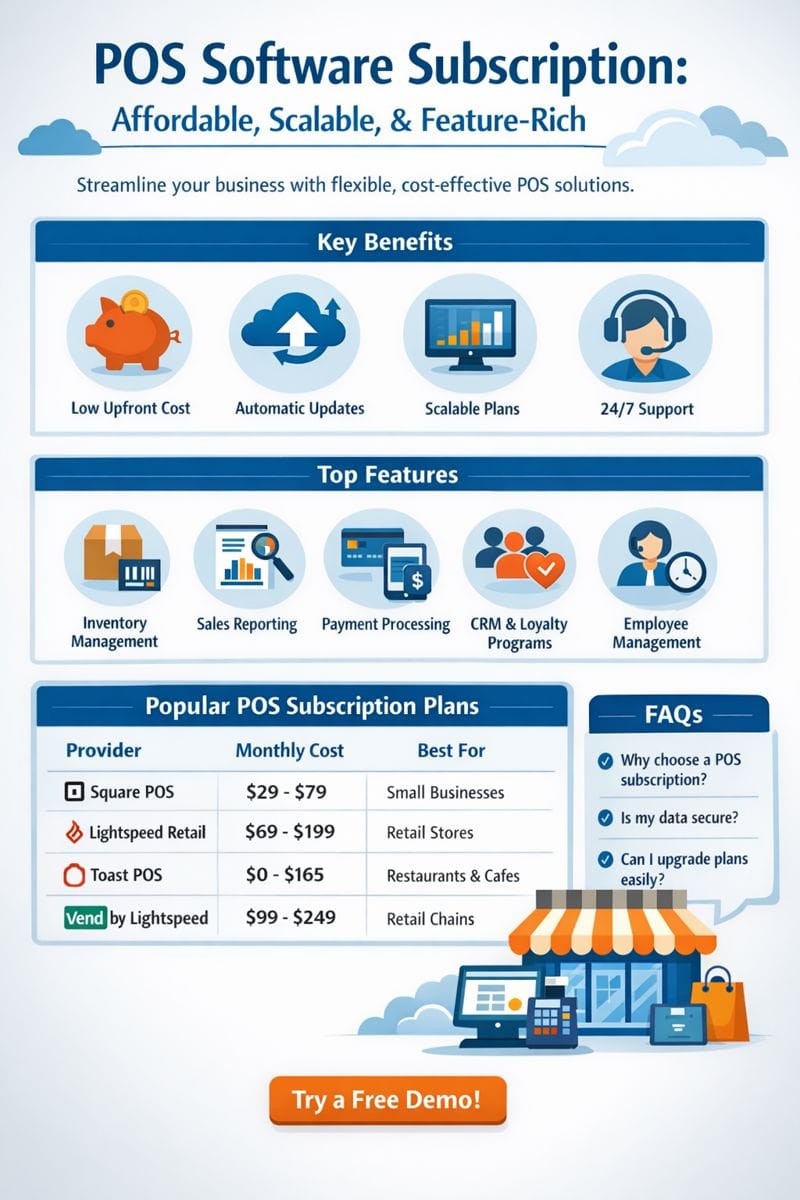
POS Software Subscription: Flexible Solutions for Modern Businesses
In today’s fast-paced business environment, managing sales, inventory, and customer data efficiently is crucial. A POS software subscription offers businesses a cost-effective, flexible, and scalable solution to streamline operations and improve customer experiences.
What is a POS Software Subscription?
A POS software subscription allows businesses to access point-of-sale (POS) software through a recurring payment plan, typically monthly or annually, rather than paying a large upfront license fee. This subscription model ensures you always have access to the latest features, security updates, and support services without extra cost.
Benefits of a POS Software Subscription
1. Cost-Effective Solution
Instead of a hefty one-time purchase, a subscription spreads out costs, making advanced POS software accessible even for small businesses.
2. Automatic Updates and Upgrades
Subscription-based POS systems ensure your software is always up to date with the latest features and security patches, reducing downtime and manual updates.
3. Scalability
Whether your business is expanding or downsizing, subscription plans can be adjusted to match your needs, adding or removing features as required.
4. Cloud-Based Access
Most POS software subscriptions are cloud-enabled, allowing access from anywhere and facilitating remote management of sales, inventory, and reporting.
5. Enhanced Customer Support
Subscribers typically receive priority support, training, and troubleshooting assistance, ensuring smooth business operations.
Key Features to Look for in a POS Software Subscription
Inventory Management: Track stock levels and reduce errors.
Sales Reporting: Generate detailed analytics for smarter business decisions.
Multi-Device Access: Operate from tablets, smartphones, or desktops.
Payment Integration: Accept multiple payment methods including credit cards, mobile payments, and digital wallets.
Customer Relationship Management (CRM): Maintain customer data for targeted promotions and loyalty programs.
Choosing the Right POS Software Subscription for Your Business
When selecting a subscription plan, consider:
Business Size: Small shops may need basic features, while larger stores may require advanced reporting and multi-location management.
Budget: Compare monthly vs. annual subscription costs.
Support & Training: Ensure reliable support is included in your subscription.
Integration: Check if the POS software integrates with your existing accounting or e-commerce platforms.
POS Software Subscription: Affordable, Scalable, and Feature-Rich
Running a modern business requires efficiency, accuracy, and flexibility. Whether you operate a retail store, restaurant, or service-based business, a POS software subscription can transform the way you manage daily operations. Unlike traditional POS systems that require significant upfront investments, subscription-based POS software offers affordability, scalability, and continuous access to the latest features.
What is a POS Software Subscription?
A POS software subscription is a model in which businesses pay a recurring fee—monthly or annually—to use point-of-sale software. Instead of a one-time purchase, the subscription model ensures continuous access to the software along with updates, security patches, and customer support.
This model is particularly popular with small and medium-sized businesses that want enterprise-level features without a large upfront cost.
Advantages of a POS Software Subscription
1. Lower Upfront Costs
Traditional POS systems often require substantial upfront payments for licenses, hardware, and installation. With a subscription, businesses can spread costs over time, making advanced POS solutions accessible even to startups.
2. Automatic Software Updates
A subscription ensures you always have access to the latest POS software version. Updates are automatic, meaning your system stays compatible with modern hardware and payment methods without manual intervention.
3. Scalable Plans
As your business grows, your POS subscription can grow with it. Most providers offer tiered plans, allowing you to upgrade features, add additional users, or expand to multiple locations effortlessly.
4. Cloud-Based Access
Many POS software subscriptions are cloud-enabled, allowing owners to manage sales, inventory, and reporting remotely. This feature is ideal for businesses with multiple branches or remote management needs.
5. Enhanced Security
With cloud-based POS subscriptions, security updates are automatic. Your transaction data is encrypted, and backups are maintained, reducing the risk of data loss or breaches.
6. Priority Customer Support
Subscribers often receive dedicated support, onboarding assistance, and training resources. This ensures smooth adoption and uninterrupted operations.
Core Features of a POS Software Subscription
When evaluating POS software subscriptions, consider the following essential features:
Inventory Management
Track stock levels, set reorder alerts, and manage suppliers seamlessly. Advanced inventory features help prevent stockouts and overstocking, reducing waste and cost.
Sales Reporting & Analytics
Generate real-time reports to monitor sales trends, peak hours, and top-performing products. These insights help businesses make data-driven decisions.
Multi-Device Access
Most subscription-based POS systems work across tablets, smartphones, and desktops. Employees can process transactions, check inventory, and generate reports from any device.
Payment Processing
Modern POS subscriptions integrate with multiple payment methods, including credit/debit cards, mobile wallets, and digital payment apps. This flexibility improves customer satisfaction and speeds up transactions.
Customer Relationship Management (CRM)
Manage customer data, loyalty programs, and personalized promotions. A CRM-enabled POS system helps increase repeat business and build long-term relationships.
Employee Management
Track employee hours, manage shifts, and monitor sales performance. This feature simplifies payroll management and improves productivity.
Types of Businesses That Benefit From POS Software Subscriptions
Retail Stores – Manage inventory, track sales, and handle multi-location operations.
Restaurants & Cafés – Streamline orders, process payments quickly, and integrate with kitchen displays.
Service-Based Businesses – Appointment scheduling, invoicing, and customer data management.
E-Commerce Stores – Integrate online and offline sales for unified reporting and inventory control.
Examples of POS Software Subscription Plans
Provider Monthly Cost Key Features Ideal For Square POS $29 – $79 Cloud-based, inventory, payments, analytics Small businesses Lightspeed Retail $69 – $199 Multi-location, advanced reporting, CRM Medium to large retail Toast POS $0 – $165 Restaurant-focused, online ordering, loyalty programs Restaurants & cafés Vend by Lightspeed $99 – $249 Multi-store management, inventory, e-commerce integration Retail chains How to Choose the Right POS Software Subscription
Step 1: Identify Business Needs
Assess what your business requires in terms of inventory management, reporting, employee tracking, and customer management.
Step 2: Set a Budget
Compare monthly and annual plans. Consider hidden costs like hardware, payment processing fees, and premium support.
Step 3: Check Integration Options
Ensure your POS subscription integrates with existing accounting software, e-commerce platforms, and payment gateways.
Step 4: Test the Software
Most providers offer free trials. Use this opportunity to test usability, performance, and customer support quality.
Step 5: Review Security Measures
Verify that the provider follows industry-standard encryption, data backups, and PCI compliance for payment processing.
Frequently Asked Questions (FAQs)
Q1: Is a POS software subscription better than a one-time purchase?
A: For most modern businesses, yes. Subscriptions offer lower upfront costs, automatic updates, and flexibility to scale features as your business grows.Q2: Can I switch POS software subscription providers easily?
A: Yes, but ensure your data is exportable and compatible with the new system to avoid operational disruptions.Q3: Do POS software subscriptions include hardware?
A: Some providers offer hardware bundles, but many subscriptions only cover the software. Check with your provider.Q4: How secure is a cloud-based POS subscription?
A: Very secure. Reputable providers encrypt transaction data, maintain backups, and comply with PCI DSS standards.Q5: Can small businesses afford POS software subscriptions?
A: Absolutely. Many subscription plans are tailored for startups and small businesses, with low monthly fees and scalable options.