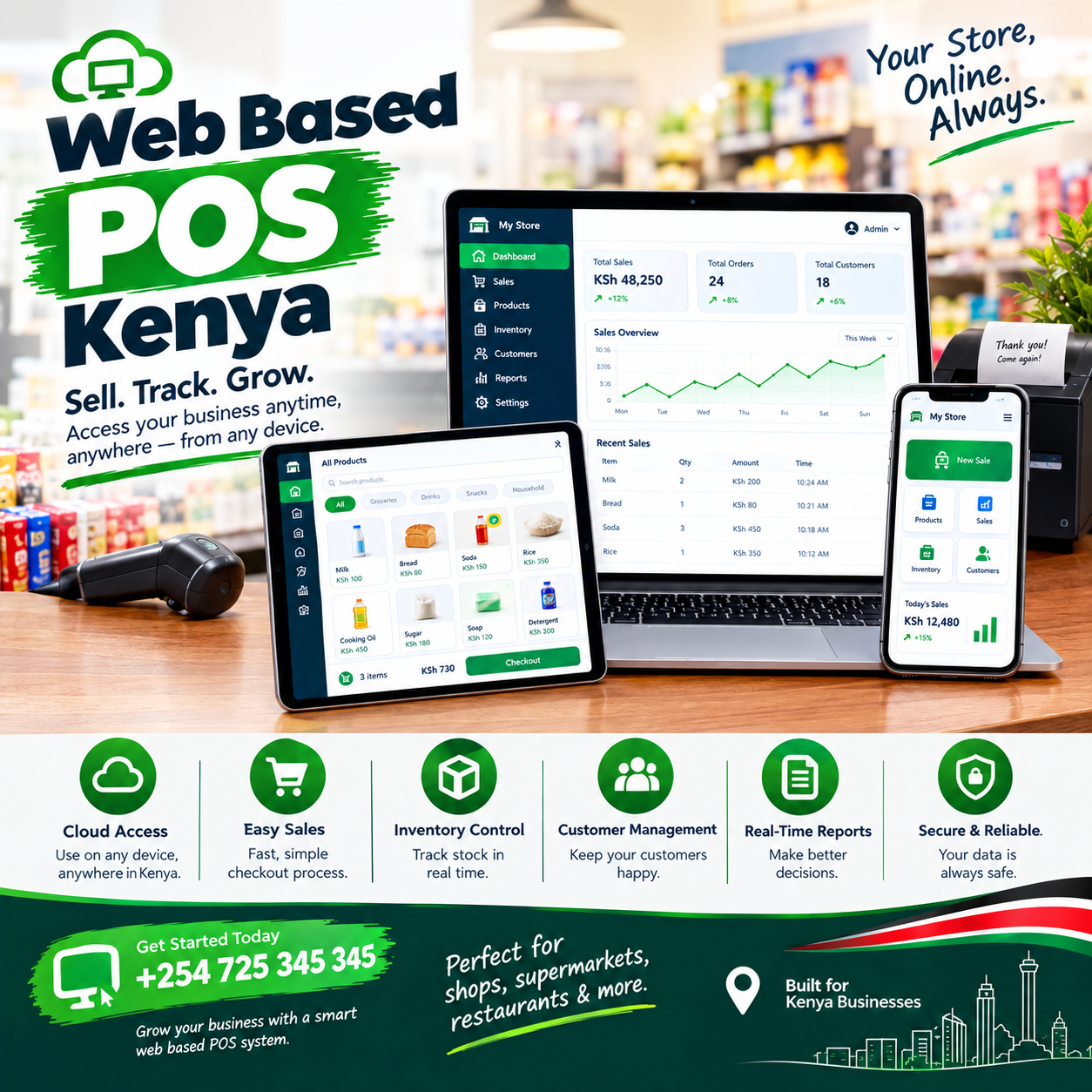
Web based POS Kenya buyers are discovering the simplest truth in retail software: the till you need no longer lives inside a box under your counter — it lives in your browser.
Nothing to install, nothing to license per machine, nothing to update by hand. Open a browser on whatever device is in front of you, log in, and the counter is open for business.
For a market where owners juggle one laptop between the shop and home, where IT departments do not exist, and where hardware budgets are tight, that simplicity is not a convenience — it is the whole point.
This article explains what a genuine web based POS Kenya actually is, how it differs from installed software, which devices it runs on, and the one question every buyer in this market must ask: what happens in the browser when the internet dies?
Then the costs, the demo test, the rollout, and the mistakes. By the end, you will judge every system with one question: does it run anywhere I am, or only where it was installed?
Web Based POS Kenya: The POS Connection
A till has three jobs — record the sale, keep the stock true, and show you the money — and a browser can do all three.
That is the quiet revolution behind the web based POS Kenya category: the point-of-sale application is no longer software you install on one computer, but a service you reach through a web address, the same way you reach your email.
Three properties define the real thing.
Browser-first first: the application runs natively in Chrome, Edge, or Safari, on any device — no installation discs, no downloads, no compatibility dramas.
One system, many doors second: the same login opens the till on the shop computer, the owner’s phone, and the accountant’s laptop — each seeing what their role allows.
Zero maintenance third: updates, backups, and improvements happen on the provider’s side, automatically, because there is nothing on your machine to maintain. A web based POS Kenya without all three is an installed program wearing a browser costume.
What it is not: a website that merely displays your sales, and not a desktop program with a web viewer bolted on — both fail the test that matters, which is whether any device can become the counter.
The distinction matters because retail flexibility is device flexibility: the shop that can sell from the old laptop, the spare tablet, and the owner’s phone is the shop that never stops for hardware problems.
In shops we configure, owners describe the same first-week surprise: they stop thinking about the software entirely, because there is nothing to think about — it is simply there, in the browser, wherever they open it.
That disappearance is the signature of a proper web based POS Kenya — infrastructure you use rather than software you manage.
What Web-Based POS Actually Means
Strip away the terminology and the concept is one sentence: your till is a web page, engineered to feel like a program.
Open the browser, type your provider’s address, log in — and the full point-of-sale appears: catalogue, checkout, stock, reports, users.
The web based POS Kenya experience should be indistinguishable from installed software in speed: scanning is instant, totals compute as items land, and receipts print without a spinner in sight.
Behind that simplicity sits a division of labour worth understanding.
Your device provides the screen, the keyboard, the scanner connection, and the printer connection — the physical counter.
The provider’s servers provide the brain: the catalogue, the calculations, the storage, the backups, and the updates.
The browser is simply the window between them — which is why a web based POS Kenya can appear identically on a brand-new tablet and a five-year-old desktop.
The technical term behind modern implementations is the progressive web app — a web page with program-like powers: it can work offline, send notifications, and feel installed even though nothing was installed.
That technology matters enormously in this market, and it gets its own section below — because the difference between an old-style web page and a progressive web app is the difference between a till that dies with the router and one that does not
The honest framing for a buyer: web-based describes how you reach your till, not where your data lives — though in practice the two arrive together.
And the practical test of any web based POS Kenya is simple: can a different device, opened for the first time today, become a working counter in under two minutes?
If yes, the category is real; if the answer involves installations and licence keys, it is not.
Any Device Becomes Your Till
Device freedom is the benefit owners feel first, and it changes daily operations in quiet ways.
The old laptop works. The desktop gathering dust in the back office becomes a full counter — a genuine web based POS Kenya has no minimum-spec drama, because the heavy lifting happens on the provider’s servers.
The spare tablet works. A second counter appears for the December rush by logging a tablet into the browser — a web based POS Kenya scales for peak season without buying anything.
The owner’s phone works. Not just for reports — a properly built web based POS Kenya can run a sale from the phone when the main counter is busy or broken.
The backup counter is free. The nightmare of the dead till — the queue with no fallback — ends when any browser becomes a working register in two minutes.
Compare that with installed software’s reality: one licence per machine, one machine per licence, and a hardware failure that closes the counter until the technician arrives.
The flexibility pays for itself in the moments you never planned: the main tablet dies on a Saturday, and the shop keeps trading on the old laptop before the queue notices.
Ask every vendor the device question directly: show me the same till opened on three different devices — a desktop, a tablet, a phone — with the same login and the same live data.
A confident web based POS Kenya demonstrates it in five minutes; a vendor who hedges is selling software that lives in one box.
And confirm the browser support list in writing: which browsers, on which operating systems — because the web based POS Kenya promise is meaningless if it only works on one device you happen not to own.
The Installation You Never Do
The deepest benefit of the category is invisible: everything you used to do to software, you no longer do.
No installation. New device, new counter, new branch — a web based POS Kenya deploys by logging in, and the process takes minutes rather than a technician’s visit.
No updates. The provider ships improvements to their servers; your next login simply contains them — no update nights, no version conflicts, no downtime windows.
No backups to run. Your data lives centrally and backs up automatically — the web based POS Kenya promise that a dead laptop is an inconvenience, never a catastrophe.
No licence management. No keys, no activation calls, no re-registration after a reinstall — the subscription and the login are the whole relationship.
Add the lines up and they describe the end of a role every small business silently carries: the unofficial IT person — usually the owner, usually at the worst hour.
In shops we configure, owners report the same shift within a month: the hours once spent nursing software disappear, because the web based POS Kenya administers itself.
The security benefit rides the same rail: patches apply server-side the moment threats evolve, so the shop’s protection updates itself rather than waiting for someone to click an update prompt.
There is one dependency to name honestly, and it defines the category’s edge: the browser needs to reach the provider to do its best work — which makes the offline question the single most important test in this market.
Everything else in the zero-maintenance promise is unconditional; the offline behaviour is conditional on engineering. Which is why the next section is the one to read twice.
Web Based POS Kenya vs Installed Software
The two models are not rivals so much as different eras — but knowing what each does well clarifies what you are choosing.
Installed software lives on one machine: it works offline by nature, runs fast on old hardware, and answers to nobody’s server — the strengths that made it the default for twenty years.
Its costs are equally structural: one licence per device, manual updates, manual backups, an IT dependency for every crisis, and a counter that closes when the machine does.
Web-based software lives in the browser: any device works, updates and backups are automatic, and the counter follows you to the phone, the home laptop, and the second branch.
Its historic weakness was the same as its strength’s shadow: a browser that cannot work offline is a counter that closes with the router.
The modern resolution is the progressive web app: a web based POS Kenya built with offline capability keeps the essential work — catalogues, prices, sales, receipts — running locally in the browser during outages, then syncs when the connection returns.
That combination is the state of the art: web-based freedom with installed-software resilience.
Run the comparison across five years and the totals usually settle clearly: the installed model accumulates licence renewals, update projects, IT callouts, and a hardware refresh cycle — while the web based POS Kenya model accumulates nothing but its subscription.
The honest exception: a shop with genuinely no connectivity and none coming should keep an installed system — though that case shrinks every year, and progressive web apps shrink it faster.
For everyone else, the choice is not whether the browser is capable — it is whether the vendor engineered their web based POS Kenya to survive the moments the browser cannot reach the server. Ask that question with the router unplugged, and the market sorts itself in front of you.
The Offline Question Every Web Based POS Kenya Buyer Asks
Here is the question that decides purchases in this market, asked correctly: the browser is showing a blank spinner — where is my sale? The old answer was nowhere: early web software died with the connection, and thousands of Kenyan counters learned that lesson the expensive way.
The modern answer is architecture: a web based POS Kenya built as a progressive web app keeps a working copy of the essentials in the browser itself — your catalogue, your prices, your recent stock levels. Sales complete offline at full speed, receipts print, stock decrements locally, and every transaction queues in the browser’s own storage.
When the connection returns, the queue drains to the servers in order, and the record becomes whole again — automatically, with nothing for the cashier to press. The best implementations make the outage invisible: trading through a dead router feels identical to trading through a live one, and a web based POS Kenya engineered this way turns bad network days into background events.
The test is physical and takes two minutes: open the till in the browser, unplug the router mid-basket, complete the sale, print the receipt, reconnect, and watch the sync.
Systems that freeze, grey out, or lose the queued sale fail the test — and they fail it on your busiest Saturday, because that is when networks choose to die.Ask each vendor how long the browser can trade fully offline before anything is at risk — the confident answer is measured in days or weeks of normal trading, not minutes.
Power rides the same drill: a tablet or laptop on battery keeps the browser open and selling through the blackout that kills a desktop tower. Printers and scanners must connect directly to the device — never through cloud print services — because a receipt that waits on someone else’s server is not a receipt you can promise.
Make offline behaviour a written acceptance item before the final payment on any web based POS Kenya — it is the difference between a browser-based till for a brochure country and one built for Kenya.
Multi-Device Access: Shop, Phone, Home
One login, many doors — and each door earns its place in the working week.
The counter device is the workhorse: the shop computer or tablet running the till all day, with the scanner and printer attached — the primary web based POS Kenya surface.
The owner’s phone is the dashboard: live takings at 2 p.m., stock checks from the supplier’s yard, and approval of the odd refund from a meeting — the shop in your pocket.
The home laptop is the planning desk: the weekly reports, the month-end review, and the catalogue work done after dinner rather than after closing.
The accountant’s browser is the audit door: read-only access with export rights, pulling the month’s records without a visit or a USB stick.
Roles make the many-doors model safe: the cashier’s login opens only the counter; the accountant’s opens only the reports; yours opens everything — the web based POS Kenya permissions architecture travels with every device.
The practical test of the multi-device promise is simultaneity: can the counter sell on the shop machine while you read reports on your phone at the same moment, with both screens reflecting the same truth?
A genuine web based POS Kenya answers yes by design — one system, many windows, no sync delays worth mentioning. Ask every vendor to demonstrate exactly that: two devices open side by side, a sale on one, the other updating live.
And confirm the session behaviour: logins that persist sensibly on the counter device, log out promptly on shared devices, and never leave your business open on a browser tab in an internet café. The freedom is real — and like every freedom, it comes with hygiene: a web based POS Kenya is only as safe as the logins and the devices it travels on.
M-Pesa and Payments in the Browser
Payment speed is where web-based tills prove they are real tills — and the bar is the same as any counter in this market.
The payment mix must live on one screen: cash, M-Pesa trigger, and card — each a first-class path, none a workaround. M-Pesa integration is the backbone: the till triggers the payment prompt from the sale screen, the customer confirms, and the order marks itself paid with the reference stamped — no amount retyping, no evening matching ritual.
A capable web based POS Kenya runs that trigger flow natively in the browser, timed as fast as any installed program. Split payments must be effortless — part cash, part mobile money on one basket in seconds — because the queue behind the customer is watching how long it takes.
Card acceptance rides alongside: a certified reader paired to the till, amounts crossing automatically, approvals landing on the same record. The decline path deserves design: a failed payment must not freeze the queue — offer the next method on the same screen and move on.
End-of-day reconciliation closes the loop: takings split by channel — cash against the drawer, M-Pesa against the phone, card against the settlement — each reconciled to the shilling, readable from any browser you own. Ask every vendor for live payment tests in the demo: a real M-Pesa trigger, a real split payment, a real decline recovery — timed on your basket, not narrated on a slide.
And test the payments offline too: mobile money rides the mobile networks even when your broadband dies, and a proper web based POS Kenya records those payments locally during the outage, reconciling them at sync. The browser changes the window; it must never change the standard.
Choosing a Web Based POS Kenya: The Demo Test
Bring this script to every vendor; it converts claims into evidence in twenty minutes.
Open the till on your own device. Not the vendor’s laptop — yours: the speed and fit of the web based POS Kenya on the hardware you actually own is the first truth of the demo.
Add a second device live. Log the same till into a phone or tablet in front of you and watch both screens reflect one truth.
Unplug the router mid-basket. Complete the sale, print the receipt, reconnect, watch the sync — the test that decides the purchase in this market, on any web based POS Kenya you evaluate.
Time the first login. A brand-new device, first login to first completed sale — a genuine web based POS Kenya should make a working counter in under five minutes.
Trigger a real M-Pesa payment. Prompt to a real phone, confirm, watch the sale turn paid with the reference stamped — no simulation screens.
Check the roles. Open the till as a cashier and as an owner on different devices — the web based POS Kenya boundaries must travel with the login, not the machine.
Ask the browser list. Which browsers, which operating systems, which minimum hardware — in writing, before you sign.
A vendor who welcomes this script has built for the browser honestly; a vendor who steers toward one prepared laptop is selling software that lives in one box.
Then ask for one reference from a business your size and a single question: how many devices do you run the till on now? The answer from an owner running a real web based POS Kenya — usually more than they bought — teaches you more than the entire demonstration.
Rolling Out Without an IT Department
Web-based rollout is the gentlest in the industry, because the heavy infrastructure already exists on the provider’s side.
Build the catalogue in the background: products, units, prices, and costs loaded over one to two weeks while the shop trades on the old process. Configure the counter device: browser installed or updated, printer and scanner connected directly, the till bookmarked — the web based POS Kenya setup that once took a technician now takes an afternoon.
Run the live payment tests before training day: a real M-Pesa trigger, a split payment, and the unplugged drill — the offline behaviour verified on your own device, not the vendor’s. Train the whole team on the flows that matter: scanning, payments, the offline drill, and the logout habit on shared devices — so the first real rush is the team’s tenth rehearsal.
Nominate a champion by name before training day; counters learn fastest from the peer who has already made the mistakes. Run parallel for two or three days — new system and old process side by side — and compare totals each evening before cutting over fully.
Give your accountant read-only access on day one, and set your own phone login before the first week ends — the multi-device habit forms best when it starts deliberately. Book the week-one review at the same time as the setup: reconcile, correct small drifts, and tune the screen layout against what the counter actually taught you.
A structured web based POS Kenya rollout typically runs days to two weeks from booking to confident independent trading — the shortest deployment path in the industry, because there is nothing to install.
The first weekend fully live — the till on the shop machine, the owner reading reports from home — is the moment owners describe as the day the software finally stopped being a project.
Mistakes Buyers Make
Five patterns catch owners first; learn them here without paying for them.
Assuming web-based means online-only. The phrase scares owners who remember frozen tills — but a progressive web based POS Kenya trades through outages and syncs later, and the unplugged demo proves it in minutes. Never sign without watching the router unplugged mid-sale.
Testing only on the vendor’s device. The demo laptop is always fast and always prepared — test on your old desktop, your own phone, and the tablet you plan to use, because the web based POS Kenya must earn its speed on your hardware.
Ignoring the browser list. An old browser on an old machine is where compatibility dies quietly — confirm the supported browsers and keep the counter device’s browser updated, a two-minute monthly habit.
Skipping the logout discipline. Shared devices and persistent sessions are where web access becomes web exposure — one login per person, logged out on shared machines, always.
Forgetting the printer connection. The browser runs the till, but the receipt needs a direct path to the printer — cloud-printed receipts add a delay to every sale and die with the router; insist on direct connections on any web based POS Kenya you buy.
A sixth worth naming: choosing web-based for flexibility but buying the cheapest tier — the offline capability and multi-device support that define the category often live in the mid-tier, and the entry plan that lacks them is a web page, not a till.
Owners who avoid these five get what a proper web based POS Kenya promises and few deliver completely: a counter on any device, maintenance that never happens, and speed that survives the router.
What Web Based POS Kenya Costs
Pricing has three layers, and the web-based model usually softens all three. Hardware first: the entry cost is the lowest in the industry, because the till needs no special machine — a decent laptop or tablet you may already own, plus a scanner, printer, and drawer, typically KES 30,000–60,000 for a lean bundle.
Software second: a subscription, typically KES 3,000–7,000 monthly for mid-tier depth with full inventory, offline capability, and multi-device access — with nothing to license per machine. Setup and training third: catalogue build, device configuration, and whole-team training — typically KES 10,000–30,000, lighter than installed deployments because the installation step does not exist.
Judge the subscription by daily cost: a few hundred shillings a day for a till that follows you to any device is a rounding error with benefits. Compare quotes on the same table: hardware, software, setup, support terms, and year-one total — the truest number for any web based POS Kenya comparison.
Then weigh the return column the quotes never show: the hardware you did not have to buy, the IT hours that never happened, the backup catastrophe that never arrived, and the second counter that cost one login. Beware both extremes: the free web page that cannot trade offline, and the platform billing enterprise features to a two-room shop.
Ask what appears on the invoice in month thirteen that is not on the quote — and get the answer in writing on any web based POS Kenya you are considering. The honest cost summary of the category: the lowest entry in retail software, guarded by one non-negotiable test — the unplugged demo — that you should never skip.
Frequently Asked Questions
What is a web based POS and how is it different from installed software?
A web based POS runs in your browser on any device — nothing to install, no licences per machine, updates and backups automatic — while installed software lives on one machine and needs maintenance.The practical test of a genuine web based POS Kenya: a different device opened today becomes a working counter in minutes.
Can a web based POS work when the internet goes down?
A properly engineered one does: built as a progressive web app, it keeps your catalogue, prices, and sales running locally in the browser during outages, then syncs in order when the connection returns. Make the unplugged test a written acceptance item on any web based POS Kenya before the final payment — it is the one test that decides the purchase in this market.
Do I need to buy special hardware?
Usually not for the till itself: any reasonable laptop, desktop, or tablet with a modern browser becomes the counter, with a scanner, printer, and drawer attached directly.That hardware flexibility is the quiet economy of a web based POS Kenya — the shop’s existing devices often cover the whole deployment.
Can I run the till on my phone?
Yes, on a properly built platform: the same login opens the counter on your phone for sales, dashboards, and approvals, with roles keeping every device’s access appropriate. Ask to see the till running on a phone live in the demo of any web based POS Kenya you evaluate.
How much does a web based POS Kenya cost monthly?
Mid-tier plans with full inventory, offline mode, and multi-device access typically run KES 3,000–7,000 monthly, with hardware bundles from KES 30,000–60,000 where needed. Compare on year-one totals with inclusion lists attached, because the headline web based POS Kenya price is only the floor.
Is a web based POS right for a small shop with one old computer?
Often yes — the old computer becomes a full till at near-zero hardware cost, your phone becomes the dashboard, and nothing ever needs installing or updating. The first week on a web based POS Kenya — no installations, no updates, no IT hours — is typically when small-shop owners stop asking whether the browser was serious software.